

編輯:關於 Android 程式設計
日常開發中總有一些來回查表的瑣碎功能。以下把常見需求整理成可直接複用的片段,並在每段後面標出容易忽略的細節。
Bitmap bitmapOrg = BitmapFactory.decodeResource(
        this.getContext().getResources(), R.drawable.moon);
Matrix matrix = new Matrix();
matrix.postRotate(-90);   // 旋轉角度

Bitmap resizedBitmap = Bitmap.createBitmap(bitmapOrg, 0, 0,
        bitmapOrg.getWidth(), bitmapOrg.getHeight(), matrix, true);
BitmapDrawable bmd = new BitmapDrawable(resizedBitmap);
// 建立電話管理
TelephonyManager tm = (TelephonyManager)
        activity.getSystemService(Context.TELEPHONY_SERVICE);
// 取得號碼
String phoneId = tm.getLine1Number();
需在清單檔加入 android.permission.READ_PHONE_STATE。注意這段程式在模擬器上拿不到有效值,必須接真機測試。
<!-- strings.xml -->
<string name="my_text">Thanks for visiting %s. Your age is %d!</string>

// Java 端
String.format(getString(R.string.my_text), "oschina", 33);
程式碼方式:
requestWindowFeature(Window.FEATURE_NO_TITLE);
getWindow().setFlags(WindowManager.LayoutParams.FLAG_FULLSCREEN,
        WindowManager.LayoutParams.FLAG_FULLSCREEN);
或在 AndroidManifest.xml 中針對該 Activity 指定主題:
android:theme="@android:style/Theme.Black.NoTitleBar.Fullscreen"
同樣是在清單檔的 Activity 節點上設定:
android:theme="@android:style/Theme.Dialog"
ConnectivityManager con = (ConnectivityManager)
        getSystemService(Activity.CONNECTIVITY_SERVICE);

boolean wifi = con.getNetworkInfo(ConnectivityManager.TYPE_WIFI)
        .isConnectedOrConnecting();
boolean internet = con.getNetworkInfo(ConnectivityManager.TYPE_MOBILE)
        .isConnectedOrConnecting();
需要 android.permission.ACCESS_NETWORK_STATE 權限。
public static boolean isIntentAvailable(Context context, String action) {
    final PackageManager packageManager = context.getPackageManager();
    final Intent intent = new Intent(action);
    List<ResolveInfo> list = packageManager.queryIntentActivities(
            intent, PackageManager.MATCH_DEFAULT_ONLY);
    return list.size() > 0;
}
在跳轉之前先確認目標存在,可以避免 ActivityNotFoundException。
try {
    Intent intent = new Intent(Intent.ACTION_CALL);
    intent.setData(Uri.parse("tel:110"));
    startActivity(intent);
} catch (Exception e) {
    Log.e("SampleApp", "Failed to invoke call", e);
}
ACTION_CALL 需要 CALL_PHONE 權限;若想讓使用者自行確認,改用 ACTION_DIAL 則不需任何權限。
Intent i = new Intent(Intent.ACTION_SEND);
i.setType("message/rfc822");   // 模擬器上可暫時改用 text/plain
i.putExtra(Intent.EXTRA_EMAIL, new String[]{"test@gmail.com", "test@163.com"});
i.putExtra(Intent.EXTRA_SUBJECT, "subject goes here");
i.putExtra(Intent.EXTRA_TEXT, "body goes here");
startActivity(Intent.createChooser(i, "Select email application."));
Intent viewIntent = new Intent("android.intent.action.VIEW",
        Uri.parse("https://vaiyanzi.cnblogs.com"));
startActivity(viewIntent);
String android_id = Secure.getString(
        getContext().getContentResolver(), Secure.ANDROID_ID);
public String getLocalIpAddress() {
    try {
        for (Enumeration<NetworkInterface> en = NetworkInterface.getNetworkInterfaces();
             en.hasMoreElements();) {
            NetworkInterface intf = en.nextElement();
            for (Enumeration<InetAddress> enumIpAddr = intf.getInetAddresses();
                 enumIpAddr.hasMoreElements();) {
                InetAddress inetAddress = enumIpAddr.nextElement();
                if (!inetAddress.isLoopbackAddress()) {
                    return inetAddress.getHostAddress().toString();
                }
            }
        }
    } catch (SocketException ex) {
        Log.e(LOG_TAG, ex.toString());
    }
    return null;
}
/** 儲存卡路徑 */
File sdcardDir = Environment.getExternalStorageDirectory();

/** StatFs 用來看檔案系統的空間使用情況 */
StatFs statFs = new StatFs(sdcardDir.getPath());
Long blockSize      = statFs.getBlockSize();       // 每個 Block 的大小
Long totalBlocks    = statFs.getBlockCount();      // 總 Block 數
Long availableBlocks = statFs.getAvailableBlocks(); // 可用 Block 數
private Uri insertContact(Context context, String name, String phone) {
    ContentValues values = new ContentValues();
    values.put(People.NAME, name);
    Uri uri = getContentResolver().insert(People.CONTENT_URI, values);

    Uri numberUri = Uri.withAppendedPath(uri, People.Phones.CONTENT_DIRECTORY);
    values.clear();
    values.put(Contacts.Phones.TYPE, People.Phones.TYPE_MOBILE);
    values.put(People.NUMBER, phone);
    getContentResolver().insert(numberUri, values);

    return uri;
}
這個寫法屬於較早期的 Contacts API 風格,新專案建議改用 ContactsContract,並記得宣告 WRITE_CONTACTS 權限。
Intent intentBatteryUsage = new Intent(Intent.ACTION_POWER_USAGE_SUMMARY);
startActivity(intentBatteryUsage);
直接開啟系統內建的電力用量總覽頁面,省去自己實作統計的麻煩。
 Android 自定義控件實戰:滾動選擇器 PickerView 製作解析
效果展示 這個滾動選擇器常用於時間、日期或選項設定,畫面會依距離中心遠近改變文字大小與透明度。 實作難點 主要難點包括字體隨距離漸變、文字置中繪製與循環滾動。字體縮放可
 訊飛輸入法手寫靈敏度怎麼調?讓辨識速度跟上你的手
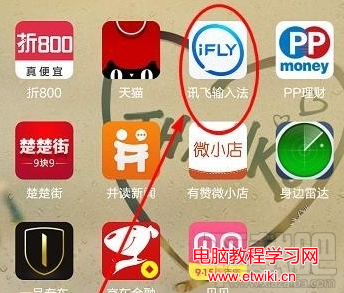
用手寫輸入時,常常會覺得反應慢半拍,字都寫完了才跳出候選字。這個問題多半可以靠調整「手寫靈敏度」改善。以下一步步說明設定位置。 步驟一:啟動訊飛輸入法 在手機介面找到訊
 完全理解 Android 事件分發機制
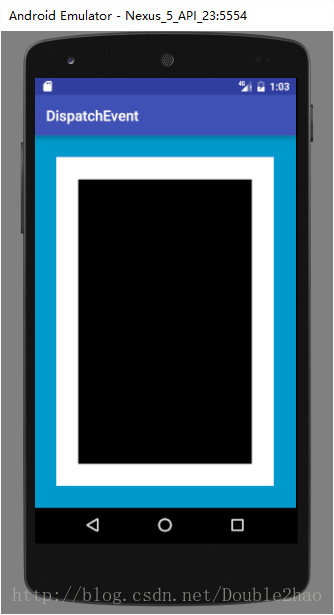
前言 這篇文章更像一篇知識概括。相比直接堆砌源碼(容易讓新手望而生畏),筆者更傾向於通過實例的 log 輸出,把 Android 事件分發講清楚。 重要函數 本文主要提
 Android 5.X Toolbar 與 DrawerLayout 抽屜菜單實作
Toolbar 與 DrawerLayout 的搭配 Toolbar 可作為 ActionBar 使用,DrawerLayout 則負責抽屜式菜單。兩者搭配可實作出常見的