

編輯:關於 Android 程式設計
在中國大陸使用 Google 服務時常遇到各種阻礙,Android 開發也不例外。當使用 SDK Manager 更新時,可能會出現類似以下的錯誤:
Failed to fetch URL https://dl-ssl.google.com/android/repository/repository-6.xml, reason: Connection to https://dl-ssl.google.com refused
hostname in certificate didn't match: <dl-ssl.google.com> != <www.google.com>
更新 ADT 時則會出現無法解析 https://dl-ssl.google.com/android/eclipse 的情況。
首先要說明:一般情況下,透過 SDK Manager 或更新 Eclipse 的 ADT 外掛都是正常的。只是偶爾節點「抽風」,才會連不上伺服器。以下整理幾種因應方式。
https 因加密而無法審查,容易被直接封鎖;http 則經過過濾處理,只要不存取敏感內容,更新 SDK 通常沒問題。在 SDK Manager 中開啟 Tools → Options,勾選「Force https://... sources to be fetched using https://...」,強制改用 http 協議即可。
找到你要下載的檔案名稱,直接用下載工具抓取;ADT 則可到官網下載 ADT 包進行手動安裝。
Windows 使用者在 C:\WINDOWS\system32\drivers\etc 目錄下找到 hosts;Linux 使用者則編輯 /etc/hosts。開啟後加入以下內容:
#Google 主頁
203.208.46.146 www.google.com
#方便開啟 Android 開發官網
74.125.113.121 developer.android.com
加入上述位址並搭配 http 協議後,通常就能正常更新了。当然,也可以什麼都不做,等上一兩天,往往就會自行恢復。
若需要一併使用 Google 的各項服務,可將下列對應加入 hosts 檔(IP 會隨時間變動,如遇失效需另行查詢最新可用位址):
#Google 搜索
203.208.46.146 www.google.com
#Google SSL
203.208.46.146 encrypted.google.com
#Gmail
203.208.46.146 mail.google.com
#Google 翻譯
203.208.46.146 translate.google.com
#Google Code
203.208.46.146 code.google.com
#Google 個人資料
203.208.46.146 profiles.google.com
#Groups
203.208.46.146 groups.google.com
#Google App Engine
203.208.46.146 appengine.google.com
#Android Developer
74.125.113.121 developer.android.com
需要提醒的是,hosts 對應的 IP 並非永久有效,Google 的位址會不定期變動,因此這類方法屬於「過渡方案」;若追求穩定,配置合適的代理仍是較長久的解法。
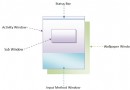 WindowManagerService 如何計算 Activity 大小與組織窗口
在 Android 系統中,同一時間雖然只有一個 Activity 處於激活狀態,但 WindowManagerService 需要管理的窗口並不只一個。例如 Activ
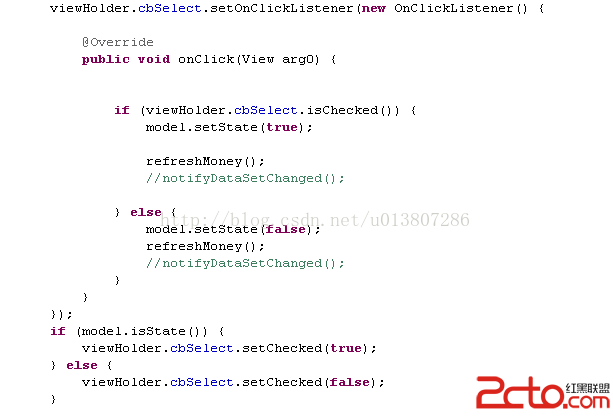 android ListView 中 CheckBox 錯位的解法:關鍵在於設定順序
已經很晚了,但還是想把這則筆記寫完,為今天做個完整的收尾。 問題是這樣的:在 ListView 的 item 裡加了 CheckBox,勾選時卻發現打勾的位置錯亂——明
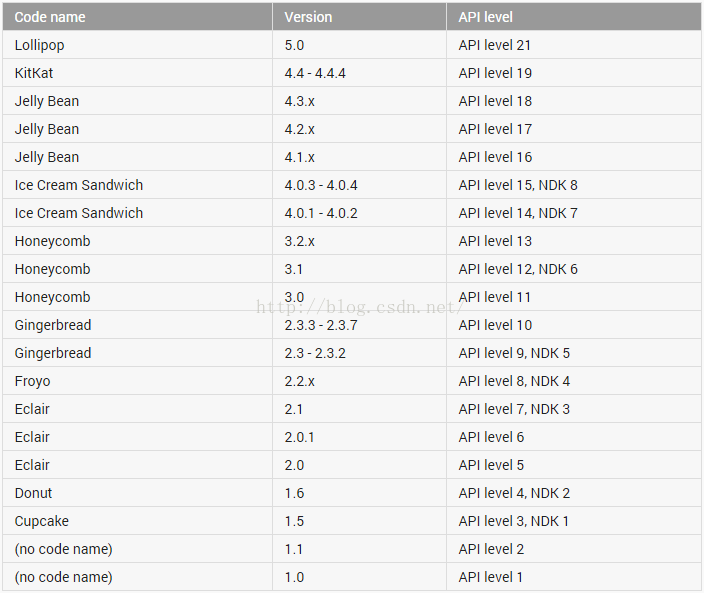 Android系統架構全解析
一、Android的發展歷程 2003年Andy Rubin創辦Android公司;2005年Google收購Android公司;2007年成立開放手持設備聯盟(OHA)
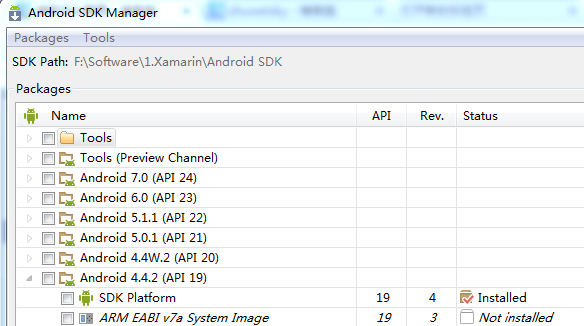 Xamarin 開發環境建置與 Android 部署完整指南
對於熟悉 .NET 的開發者而言,若想跨入手機應用開發(Android 與 iOS)的領域,Xamarin 幾乎是最理想的起點。它能讓你「一次編寫、雙平台發布」,堪稱跨平