

編輯:關於 Android 程式設計
在 Android 介面中,透明按鈕常使用 shape 資源建立半透明背景,再搭配 Button 或 ImageButton 呈現。透過 shape、corners、padding 與 color,可快速做出圓角、半透明且可重複使用的按鈕樣式。
<shape android:shape="rectangle"
    xmlns:android="https://schemas.android.com/apk/res/android">
    <solid android:color="#55222222"/>
    <corners android:radius="5.0dip" />
    <padding android:left="6.0dip"
        android:top="6.0dip"
        android:right="6.0dip"
        android:bottom="6.0dip"/>
</shape><Button
android:id="@+id/button1"
android:layout_width="100px"
android:layout_height="100px"
android:layout_centerHorizontal="true"
android:layout_centerVertical="true"
android:background="@drawable/shape"
android:gravity="center"
android:text="360衛士"
android:textColor="@android:color/white" />ImageButton 中,android:background 是底圖,android:src 是前景圖。src 會疊在 background 上方,因此若需要圖層效果,可將背景圖放在 background,前景圖放在 src。通常 background 尺寸可大於 src,以呈現底框或裝飾效果。
<ImageButton
    android:id="@+id/play_btn"
    android:layout_width="wrap_content"
    android:layout_height="wrap_content"
    android:layout_centerInParent="true"
    android:background="@drawable/shape"
android:src="@drawable/buttons_bg1" /> SEAndroid 介紹及其基本原理
1. 什麼是 SEAndroid SEAndroid(Security-Enhanced Android)是由美國國家安全局(NSA)開發的開源安全專案,在 Google
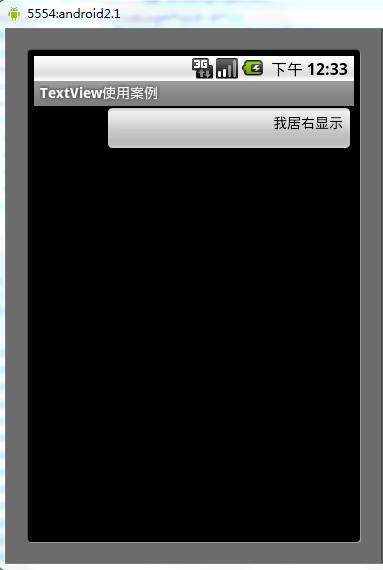 Android 中 gravity 與 layout_gravity 的區別詳解
在 Android 布局開發中,gravity 與 layout_gravity 這兩個屬性名字相近,含義卻截然不同,是很多初學者容易混淆的知識點。 简单来说:andro
 用原生 GridView 做一個九宮格功能頁
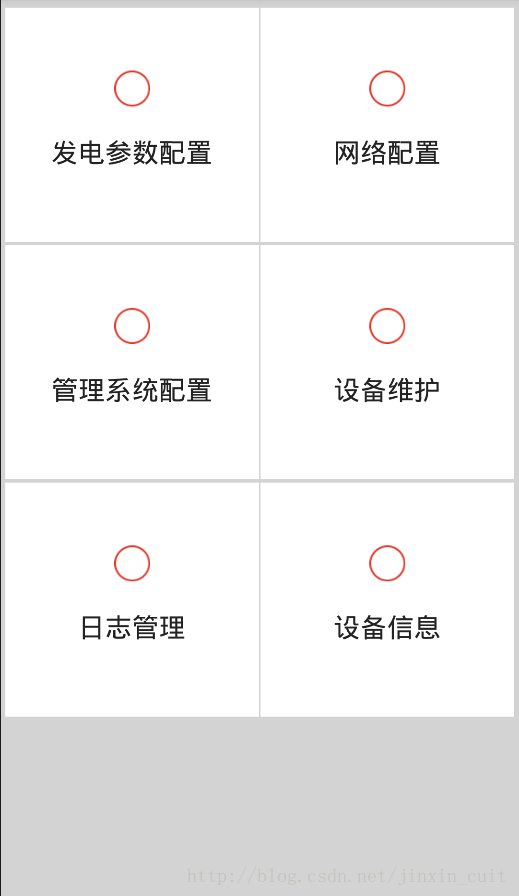
需求背景 新專案有個頁面要做成九宮格:每個 Item 上方一張圖片、下方一行文字說明,點擊後跳到對應的功能頁。與其去找第三方庫,不如直接用 Android 原生的 Gri
 Android startActivityForResult 完整指南:頁面跳轉回傳資料與頭像上傳實作
Android 開發中有一類很典型的互動:跳到另一個畫面填點東西,完成後帶著資料回到原本的畫面。最常見的例子就是登入流程——在「我的」頁面點了需要權限的功能,跳去登入頁,