

編輯:關於 Android 程式設計
一個人需要隱藏多少秘密,才能巧妙地度過一生 —— 倉央嘉措
前陣子看到一款學習類 App 有個很有意思的功能:一段英文文本裡,點擊任意單詞就能朗讀出來。語音暫且不論,TextView 內部的一段文字,是怎麼做到分詞響應點擊的?
答案就是 SpannableString。它是一種特殊的字符串類型,通過 setSpan() 方法可以為字符串的不同區段套上各種各樣的樣式。
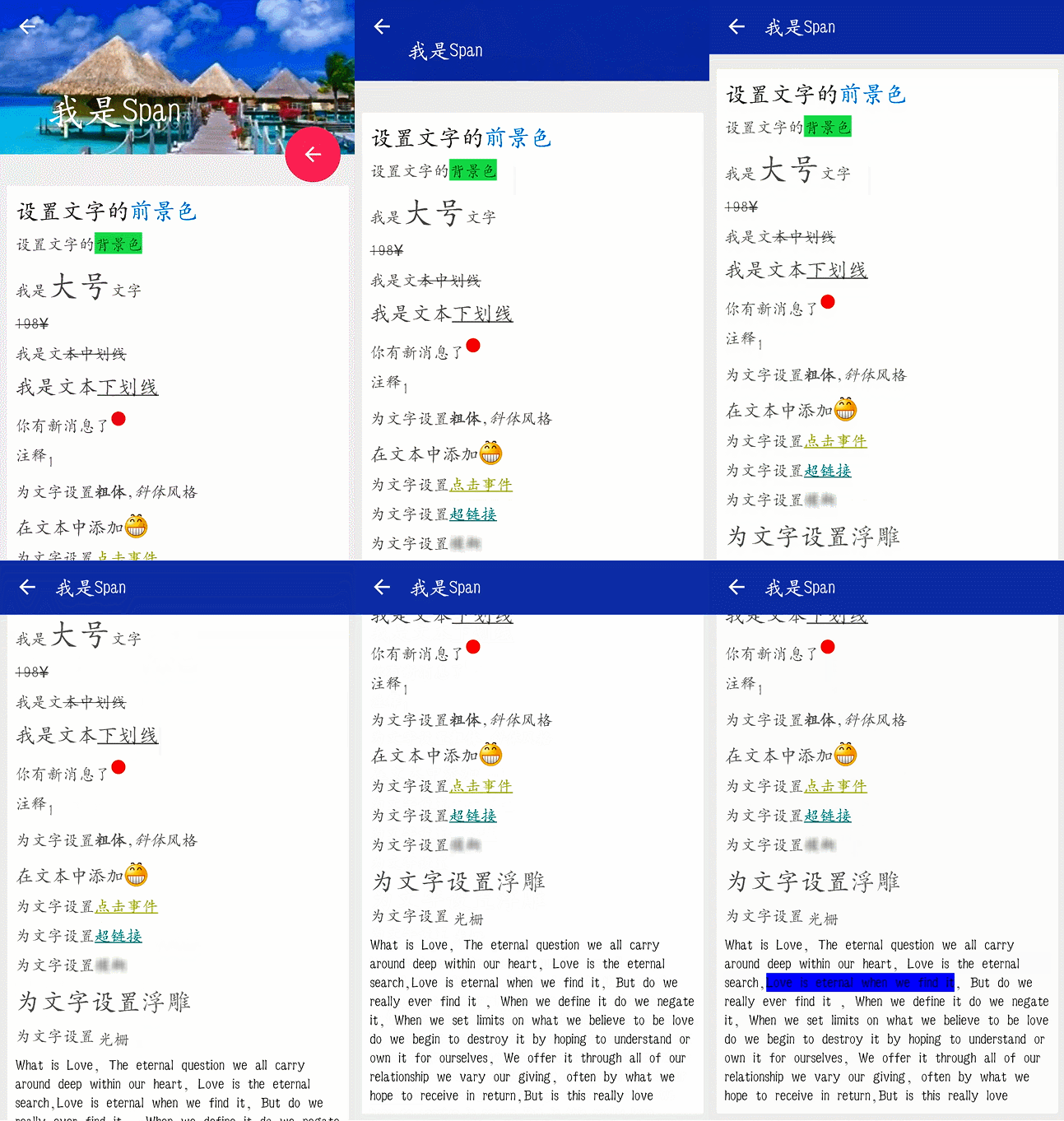
下圖中除了分句點擊,還演示了不少其他效果,大多數你應該都見過。
setSpan(Object what, int start, int end, int flags)
what:樣式對象,可以是前景色、背景色、下劃線、中劃線、模糊等等;
start:樣式生效的起始下標;
end:樣式生效的結束下標;
flags:邊界標識。
flags 常用的四種取值:
Spanned.SPAN_INCLUSIVE_EXCLUSIVE:含起始下標,不含結束下標;
Spanned.SPAN_EXCLUSIVE_EXCLUSIVE:起止下標都不含;
Spanned.SPAN_INCLUSIVE_INCLUSIVE:起止下標都含;
Spanned.SPAN_EXCLUSIVE_INCLUSIVE:不含起始下標,含結束下標。
先給 TextView 指定 SPANNABLE 緩衝類型,再為每一段文本掛上點擊事件:
testText.setText(getResources().getString(R.string.text), TextView.BufferType.SPANNABLE);
getEachParagraph(testText);
testText.setMovementMethod(LinkMovementMethod.getInstance());
點擊響應的核心實現:
public void getEachParagraph(TextView textView) {
    Spannable spans = (Spannable) textView.getText();
    Integer[] indices = getIndices(textView.getText().toString().trim(), ',');  // 按分隔符切段
    int start = 0, end = 0;
    for (int i = 0; i <= indices.length; i++) {
        ClickableSpan clickSpan = getClickableSpan();
        end = (i < indices.length ? indices[i] : spans.length());
        spans.setSpan(clickSpan, start, end, Spannable.SPAN_EXCLUSIVE_EXCLUSIVE);
        start = end + 1;
    }
    textView.setHighlightColor(Color.BLUE);   // 改變選中文本的高亮色
}

private ClickableSpan getClickableSpan() {
    return new ClickableSpan() {
        @Override
        public void onClick(View widget) {
            TextView tv = (TextView) widget;
            String s = tv.getText().subSequence(tv.getSelectionStart(), tv.getSelectionEnd()).toString();
            Log.e("onclick--:", s);
        }
        @Override
        public void updateDrawState(TextPaint ds) {
            ds.setColor(Color.BLACK);
            ds.setUnderlineText(false);
        }
    };
}

public static Integer[] getIndices(String s, char c) {
    int pos = s.indexOf(c, 0);
    List<Integer> indices = new ArrayList<>();
    while (pos != -1) {
        indices.add(pos);
        pos = s.indexOf(c, pos + 1);
    }
    return indices.toArray(new Integer[0]);
}
思路很清楚:先把文本轉成 Spannable,再用 getIndices 找出每段的邊界下標,然後逐段 setSpan 掛上 ClickableSpan,最後在 onClick 裡取出被點中的那段內容。
效果等同於 setTextColor:
SpannableString spannableString = new SpannableString("設置文字的前景色");
ForegroundColorSpan colorSpan = new ForegroundColorSpan(Color.parseColor("#0099EE"));
spannableString.setSpan(colorSpan, 5, spannableString.length(), Spanned.SPAN_INCLUSIVE_INCLUSIVE);
mTv.setText(spannableString);

等同於 setBackgroundColor:
SpannableString spannableString = new SpannableString("設置文字的背景色");
BackgroundColorSpan colorSpan = new BackgroundColorSpan(Color.parseColor("#AC00FF30"));
spannableString.setSpan(colorSpan, 5, spannableString.length(), Spanned.SPAN_INCLUSIVE_EXCLUSIVE);
mTv.setText(spannableString);

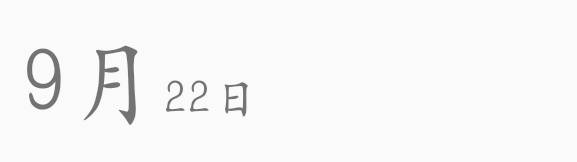
我還清楚記得剛做項目那會,要實現這種效果得堆兩個 TextView:一個放「9月」,一個放「22日」。現在想想真是憋屈——要是相對字號出現在句子中間,難不成要放三個 TextView?
SpannableString spannableString = new SpannableString("9月22日");
RelativeSizeSpan sizeSpan = new RelativeSizeSpan(2.0f);
spannableString.setSpan(sizeSpan, 0, 2, Spanned.SPAN_INCLUSIVE_EXCLUSIVE);
mTv.setText(spannableString);
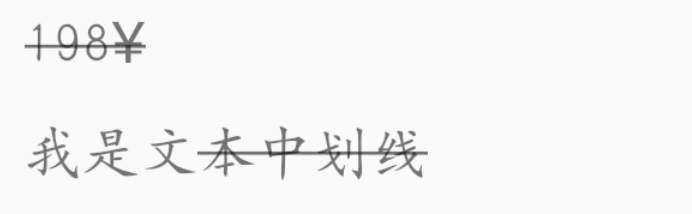
最常見的用途是標示過時價格。
方法一:
SpannableString spannableString = new SpannableString("我是文本中劃線");
StrikethroughSpan strikethroughSpan = new StrikethroughSpan();
spannableString.setSpan(strikethroughSpan, 3, spannableString.length(), Spanned.SPAN_INCLUSIVE_EXCLUSIVE);
mTv.setText(spannableString);
方法二:
mTv.getPaint().setFlags(Paint.STRIKE_THRU_TEXT_FLAG | Paint.ANTI_ALIAS_FLAG);
// 取消:mTv.getPaint().setFlags(0);
同樣有兩種寫法。
方法一:
SpannableString spannableString = new SpannableString("我是文本下劃線");
UnderlineSpan underlineSpan = new UnderlineSpan();
spannableString.setSpan(underlineSpan, 4, spannableString.length(), Spanned.SPAN_INCLUSIVE_EXCLUSIVE);
mTv.setText(spannableString);
方法二:
mTv.getPaint().setFlags(Paint.UNDERLINE_TEXT_FLAG);

上標配上前景色,就能做出未讀消息的小紅點效果:
SpannableString spannableString = new SpannableString("你有新消息了" + "●");
SuperscriptSpan superscriptSpan = new SuperscriptSpan();
ForegroundColorSpan colorSpan = new ForegroundColorSpan(Color.parseColor("#FF0000"));
spannableString.setSpan(colorSpan, 6, spannableString.length(), Spanned.SPAN_INCLUSIVE_EXCLUSIVE);
spannableString.setSpan(superscriptSpan, 6, spannableString.length(), Spanned.SPAN_INCLUSIVE_EXCLUSIVE);
mTv.setText(spannableString);
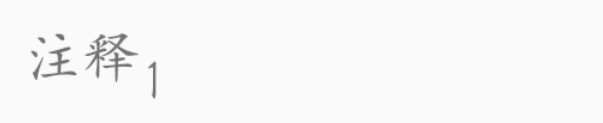
以前看到別人做出這種效果覺得很高級,到處找實現方案,其實非常簡單。上標還可以用來排版數學公式。

SpannableString spannableString = new SpannableString("注釋1");
SubscriptSpan subscriptSpan = new SubscriptSpan();
spannableString.setSpan(subscriptSpan, 2, spannableString.length(), Spanned.SPAN_INCLUSIVE_EXCLUSIVE);
mTv.setText(spannableString);
SpannableString spannableString = new SpannableString("為文字設置粗體,斜體風格");
StyleSpan styleSpan_B = new StyleSpan(Typeface.BOLD);
StyleSpan styleSpan_I = new StyleSpan(Typeface.ITALIC);
spannableString.setSpan(styleSpan_B, 5, 7, Spanned.SPAN_INCLUSIVE_EXCLUSIVE);
spannableString.setSpan(styleSpan_I, 8, 10, Spanned.SPAN_INCLUSIVE_EXCLUSIVE);
mTv.setText(spannableString);

做過 IM 相關需求的同學對這個一定不陌生,聊天軟件裡表情混排全靠它:
SpannableString spannableString = new SpannableString("在文本中添加xx");
Drawable drawable = getResources().getDrawable(R.drawable.mini_face_nine);
int drawHeight = drawable.getMinimumHeight();
drawable.setBounds(0, 0, drawHeight, drawHeight);   // 設置邊界,使圖片與文本居中對齊
ImageSpan imageSpan = new ImageSpan(drawable);
spannableString.setSpan(imageSpan, 6, 8, Spanned.SPAN_INCLUSIVE_EXCLUSIVE);
mTv.setText(spannableString);

SpannableString spannableString = new SpannableString("為文字設置點擊事件");
spannableString.setSpan(new ClickableSpan() {
    @Override
    public void onClick(View view) {
        Snackbar.make(view, "你點擊了我", Snackbar.LENGTH_SHORT).show();
        Uri uri = Uri.parse("https://www.baidu.com");
        Intent intent = new Intent(Intent.ACTION_VIEW, uri);
        intent.putExtra(Browser.EXTRA_APPLICATION_ID, _mActivity.getPackageName());
        try {
            _mActivity.startActivity(intent);
        } catch (ActivityNotFoundException e) {
            Log.e("--ClickableSpan--", "Actvity was not found for intent, " + intent);
        }
    }
    @Override
    public void updateDrawState(TextPaint ds) {
        ds.setColor(Color.parseColor("#abc123"));
        ds.setUnderlineText(true);
    }
}, 5, spannableString.length(), Spanned.SPAN_INCLUSIVE_EXCLUSIVE);
mTv.setMovementMethod(LinkMovementMethod.getInstance());   // 必須設置,否則點擊不生效
mTv.setHighlightColor(Color.parseColor("#abc123"));
mTv.setText(spannableString);

SpannableString spannableString = new SpannableString("為文字設置超鏈接");
URLSpan urlSpan = new URLSpan("https://www.baidu.com/");
spannableString.setSpan(urlSpan, 5, spannableString.length(), Spanned.SPAN_INCLUSIVE_EXCLUSIVE);
mTv.setMovementMethod(LinkMovementMethod.getInstance());
mTv.setHighlightColor(Color.parseColor("#ff0000"));
mTv.setText(spannableString);

SpannableString spannableString = new SpannableString("為文字設置模糊");
MaskFilterSpan maskFilterSpan = new MaskFilterSpan(new BlurMaskFilter(10, BlurMaskFilter.Blur.NORMAL));
spannableString.setSpan(maskFilterSpan, 5, spannableString.length(), Spanned.SPAN_INCLUSIVE_EXCLUSIVE);
mTv.setText(spannableString);
構造方法 BlurMaskFilter(float radius, Blur style):radius 是模糊半徑,style 是模糊風格,取值有四種:
Blur.NORMAL:默認類型,模糊內外邊界。

Blur.INNER:內部模糊。

Blur.OUTER:外部模糊。

Blur.SOLID:在邊界內繪製固體並模糊。

SpannableString spannableString = new SpannableString("為文字設置浮雕");
MaskFilterSpan maskFilterSpan = new MaskFilterSpan(
        new EmbossMaskFilter(new float[]{10, 10, 10}, 0.5f, 1f, 1f));
spannableString.setSpan(maskFilterSpan, 5, spannableString.length(), Spanned.SPAN_INCLUSIVE_EXCLUSIVE);
mTv.setText(spannableString);
構造方法 EmbossMaskFilter(float[] direction, float ambient, float specular, float blurRadius):
direction:長度為 3 的數組標量 [x, y, z],指定光源方向;
ambient:取值 0~1,定義環境光(周圍光);
specular:鏡面反射系數;
blurRadius:模糊半徑。

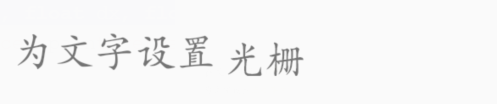
SpannableString spannableString = new SpannableString("為文字設置光柵");
LayerRasterizer layerRasterizer = new LayerRasterizer();
layerRasterizer.addLayer(new Paint(Color.CYAN), 10, 10);   // dx、dy 為偏移位置
RasterizerSpan rasterizerSpan = new RasterizerSpan(layerRasterizer);
spannableString.setSpan(rasterizerSpan, 5, spannableString.length(), Spanned.SPAN_INCLUSIVE_EXCLUSIVE);
mTv.setText(spannableString);
正如 String 有 StringBuilder 負責拼接,SpannableString 也有搭檔 SpannableStringBuilder,可以把多種樣式效果拼接在一起。
文中若有描述不當之處,歡迎指正交流,謝謝大家。
 Android 側滑菜單實作:動畫與手勢封裝
側滑菜單的關鍵不只是版面切換,而是手勢、速度與動畫的一致協調。此範例以 UgcAnimations 封裝旋轉、透明與位移動畫,再由 FlipperLayout 處理滑動狀
 Android 錄音與播放功能實作解析
錄音與播放是許多工具型應用的基礎功能。Android 可透過 MediaRecorder 進行錄音,再將檔案列出、播放或刪除。本文整理一個簡單的錄音播放流程。 錄音前的
 Android 自訂 TextView 讓圓形紅點隨文字動態移動
在一個有點刁鑽的需求裡:一段文字的右上角需要加上一個圓形紅點,而且右側還擺著一個金額,紅點要隨著文字長度動態移動。為了這個效果,我嘗試各種版面配置組合,結果折騰了一下午還
 MJRefresh 下拉刷新動畫自定義:從耦合寫法到統一管理
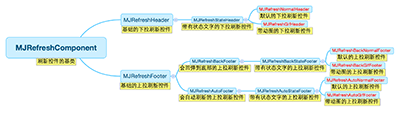
本文要解決的是一個很實際的工程問題:MJRefresh 最直白的用法耦合度低,但當專案規模變大、需要統一調整刷新樣式時,維護成本會急遽上升。下面先說明問題,再給出可統一管