

編輯:關於 Android 程式設計
##需求:個人介面的頭像圖片切換
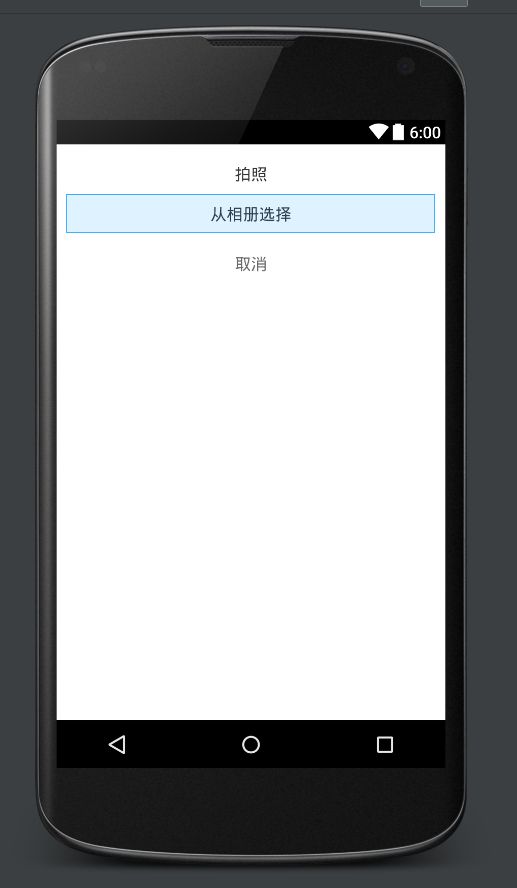
* 我在彈窗確定的點擊方法中寫了一個方法 —— 實現打開系統相冊並取得照片路徑。這裡我們一開始就設定了請求碼,用來區分 onActivityResult,然後在本 Activity 中透過 onActivityResult 方法,依請求碼做相應的處理。
/** * 從相冊獲取 */ protected void toAlbum() { try { Intent intentFromGallery = new Intent(); intentFromGallery.setType("image/*"); // 設置文件類型 intentFromGallery.setAction(Intent.ACTION_GET_CONTENT); LogUtil.e("第1步","第1步"+"第1步,開始從相冊獲取"); startActivityForResult(intentFromGallery, IMAGE_REQUEST_CODE); } catch (Exception e) { e.printStackTrace(); } }
@Override protected void onActivityResult(int requestCode, int resultCode, Intent data) { // 結果碼不等於取消時候 if (resultCode != RESULT_CANCELED) { switch (requestCode) { case REQ_RESULT_EDITE_SET: String text=data.getStringExtra(EditSetActivity.KEY_OBJ_CONTENT); et_person_nickname.setText(""+text); break; case IMAGE_REQUEST_CODE: //這個是打開相冊的請求碼 LogUtil.e("第二步","第二步"+"第二步,打開系統裁剪工具"); LogUtil.e("第二步","第二步"+data.getData()); //content://media/external/images/media/9423 resizeImage(data.getData()); //第三步調用這個方法進行裁剪 break; case CAMERA_REQUEST_CODE: if (FileUtil.isSDCardEnable()) { File file = new File(Environment.getExternalStorageDirectory(), IMAGE_FILE_NAME); resizeImage(Uri.fromFile(file)); } else { // showToast("未找到存儲卡,無法存儲照片!"); ToastUtil.showShort(PersonalInfoActivity.this, "未找到存儲卡,無法存儲照片!"); } break; case RESIZE_REQUEST_CODE: if (data != null) { showResizeImage(data); LogUtil.e("第4步","第4步"+"第4步,裁剪完成"); } break; } } super.onActivityResult(requestCode, resultCode, data); }
/** * 裁剪圖片 * @param uri */ public void resizeImage(Uri uri) { Intent intent = new Intent("com.android.camera.action.CROP"); intent.setDataAndType(uri, "image/*"); intent.putExtra("crop", "true"); intent.putExtra("aspectX", 1); intent.putExtra("aspectY", 1); intent.putExtra("outputX", 150); intent.putExtra("outputY", 150); intent.putExtra("return-data", true); LogUtil.e("第三步","第三步"+"第三步,開始裁剪"); //打開裁剪的activity,並且獲取到裁剪圖片(在第二步的RESIZE_REQUEST_CODE請求碼中處理) startActivityForResult(intent, RESIZE_REQUEST_CODE); }
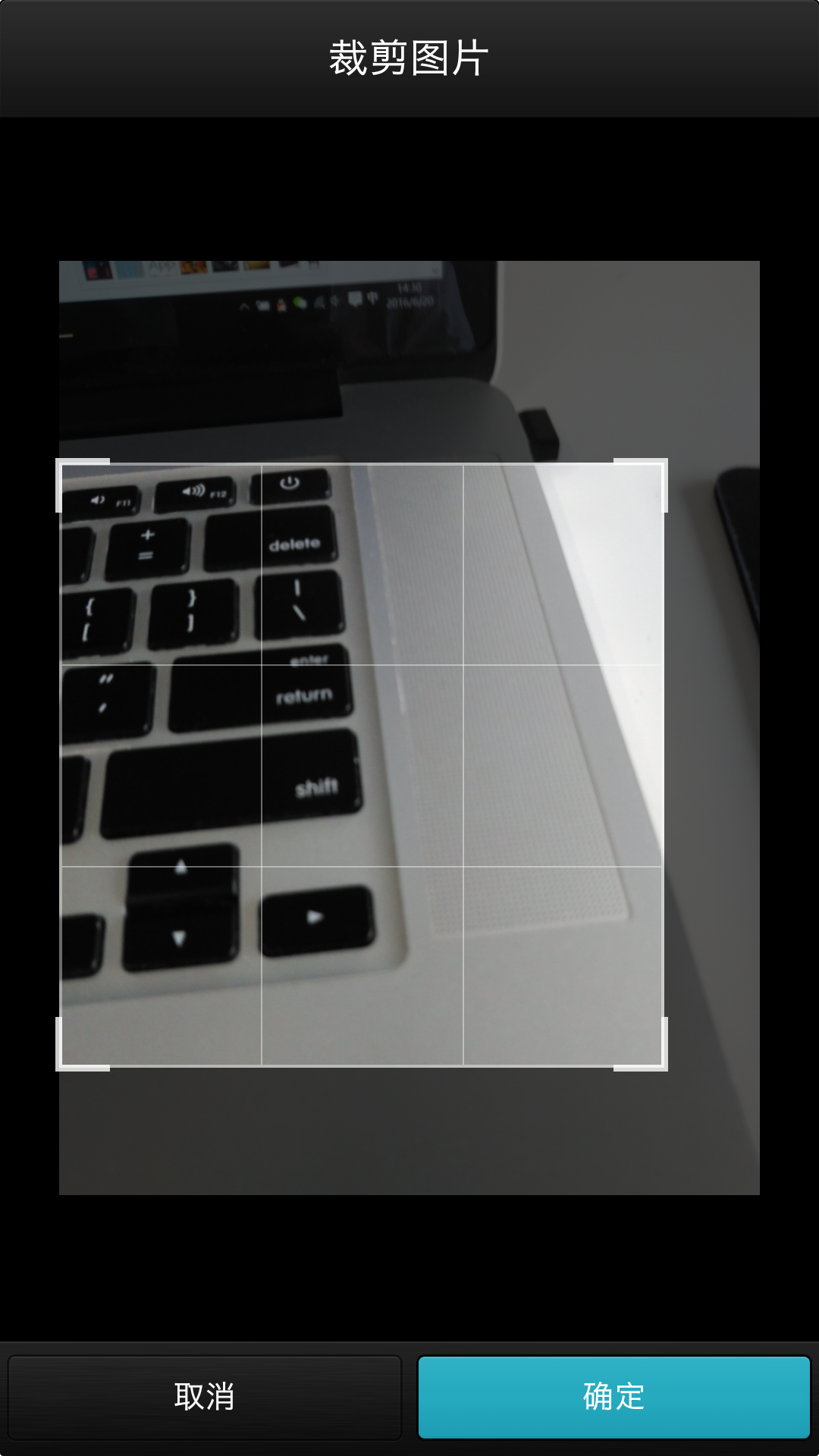
/** * 獲取到裁剪的圖片,(並且設置到imageview) * @param data */ private void showResizeImage(Intent data) { Bundle extras = data.getExtras(); if (extras != null) { Bitmap photo = extras.getParcelable("data"); file = FileUtil.saveBitmapToFile(photo, Environment.getExternalStorageDirectory().toString(), IMAGE_FILE_NAME); Drawable drawable = new BitmapDrawable(photo); iv_person.setImageDrawable(drawable); } }
/** * 拍照 */ protected void toCamera() { try { //MediaStore.ACTION_IMAGE_CAPTURE 表示拍照到指定的目錄 Intent intentFromCapture = new Intent(MediaStore.ACTION_IMAGE_CAPTURE); // 判斷存儲卡是否可以用,可用進行存儲 if (FileUtil.isSDCardEnable()) { //參數(MediaStore.EXTRA_OUTPUT,uri)//圖片保存為臨時文件 == EXTRA_OUTPUT intentFromCapture.putExtra(MediaStore.EXTRA_OUTPUT, Uri.fromFile(new File(Environment.getExternalStorageDirectory(), "face.jpg"))); } startActivityForResult(intentFromCapture, CAMERA_REQUEST_CODE); } catch (Exception e) { e.printStackTrace(); } }
onActivityResult() //方法中 case CAMERA_REQUEST_CODE: //拍完照的 if (FileUtil.isSDCardEnable()) { File file = new File(Environment.getExternalStorageDirectory(), "face.jpg"); resizeImage(Uri.fromFile(file)); } else { // showToast("未找到存儲卡,無法存儲照片!"); ToastUtil.showShort(PersonalInfoActivity.this, "未找到存儲卡,無法存儲照片!"); } break;
/** * 裁剪圖片 * @param uri */ public void resizeImage(Uri uri) { Intent intent = new Intent("com.android.camera.action.CROP"); intent.setDataAndType(uri, "image/*"); intent.putExtra("crop", "true"); intent.putExtra("aspectX", 1); intent.putExtra("aspectY", 1); intent.putExtra("outputX", 150); intent.putExtra("outputY", 150); intent.putExtra("return-data", true); LogUtil.e("第三步","第三步"+"第三步,開始裁剪"); //打開裁剪的activity,並且獲取到裁剪圖片(在第二步的RESIZE_REQUEST_CODE請求碼中處理) startActivityForResult(intent, RESIZE_REQUEST_CODE); }
/** * 獲取到裁剪的圖片,(並且設置到imageview) * @param data */ private void showResizeImage(Intent data) { Bundle extras = data.getExtras(); if (extras != null) { Bitmap photo = extras.getParcelable("data"); file = FileUtil.saveBitmapToFile(photo, Environment.getExternalStorageDirectory().toString(), IMAGE_FILE_NAME); Drawable drawable = new BitmapDrawable(photo); iv_person.setImageDrawable(drawable); } }
以上就是兩種上傳圖像的方式。使用的工具類貼在下面。
FileUtil
package com.lzyc.ybtappcal.util; import android.graphics.Bitmap; import android.os.Environment; import android.os.StatFs; import com.lzyc.ybtappcal.app.App; import com.lzyc.ybtappcal.exception.ServiceRulesException; import java.io.File; import java.io.FileNotFoundException; import java.io.FileOutputStream; import java.io.IOException; import java.io.InputStream; import java.io.OutputStream; import java.text.DecimalFormat; /* * Author: lovelin * * Created Date:2015-4-7 * Copyright @ 2015 BU * Description: 文件工具類 * * History: */ public class FileUtil { public static String appFile = App.AppFilePath;// 默認app文件目錄 public static final String baseFile = Environment .getExternalStorageDirectory() + File.separator; public static final String appBaseFile = baseFile + appFile + File.separator; boolean sdCardExist = Environment.getExternalStorageState().equals( Environment.MEDIA_MOUNTED);// 是否有存儲設備 public FileUtil() throws ServiceRulesException { if (!sdCardExist) throw new ServiceRulesException("請插入外部SD存儲卡"); File fileBase = new File(appBaseFile); if (!fileBase.exists()) fileBase.mkdir(); } /** * 創建一個文件目錄 * * @return void * @author Lucifer 2015-4-8 下午8:02:31 */ public static File creatFileDirectory(String path) { File file = new File(appBaseFile + File.separator + path); if (!file.exists()) { file.mkdirs(); } return file; } /** * 創建一個文件 * * @param path * @param fileName * @return File * @author Lucifer 2015-4-8 下午8:28:54 */ public static File creatNewFile(String path, String fileName) { File file = null; creatFileDirectory(path); file = new File(appBaseFile + File.separator + path + File.separator + fileName); return file; } /** * 將圖片寫入當前文件中 * * @param photo * @param path * @param fileName * @return File * @author Lucifer 2015-4-8 下午8:38:17 */ public static File saveBitmapToFile(Bitmap photo, String path, String fileName) { File file = null; file = creatNewFile(path, fileName); FileOutputStream fOut = null; try { fOut = new FileOutputStream(file); } catch (FileNotFoundException e) { e.printStackTrace(); } photo.compress(Bitmap.CompressFormat.JPEG, 100, fOut); try { fOut.flush(); } catch (IOException e) { e.printStackTrace(); } try { fOut.close(); } catch (IOException e) { e.printStackTrace(); } return file; } /** * 寫到sd卡 * @param path * @param fileName * @param inputStream * @return File * @author luxf 2015-5-26 下午2:37:43 */ public static File write2SDFormInput(String path, String fileName, InputStream inputStream) { // 創建文件 File file = creatNewFile(path, fileName); OutputStream outputStream = null; try { // 創建輸出流 outputStream = new FileOutputStream(file); // 創建緩沖區 byte buffer[] = new byte[4 * 1024]; // 寫入數據 while ((inputStream.read(buffer)) != -1) { outputStream.write(buffer); } // 清空緩存 outputStream.flush(); } catch (FileNotFoundException e) { e.printStackTrace(); } catch (IOException e) { e.printStackTrace(); } finally { try { outputStream.close(); } catch (IOException e) { e.printStackTrace(); } } return file; } /** * 獲取文件大小 * * @param file * @return long * @throws Exception * @author Administrator 2015-6-14 下午8:22:02 */ public static long getFileSize(File file) throws Exception { long size = 0; File flist[] = file.listFiles(); for (int i = 0; i < flist.length; i++) { if (flist[i].isDirectory()) { size = size + getFileSize(flist[i]); } else { size = size + flist[i].length(); } } return size; } /** * 轉換文件 大小 * * @param fileS * @return String * @author Administrator 2015-6-14 下午8:22:14 */ public static String FormetFileSize(long fileS) {// 轉換文件大小 DecimalFormat df = new DecimalFormat("#.00"); String fileSizeString = ""; if (fileS == 0) { fileSizeString = "0.0B"; } else if (fileS < 1024) { fileSizeString = df.format((double) fileS) + "B"; } else if (fileS < 1048576) { fileSizeString = df.format((double) fileS / 1024) + "K"; } else if (fileS < 1073741824) { fileSizeString = df.format((double) fileS / 1048576) + "M"; } else { fileSizeString = df.format((double) fileS / 1073741824) + "G"; } return fileSizeString; } /** * 遞歸刪除文件和文件夾 * * @param file 要刪除的根目錄 */ public static void RecursionDeleteFile(File file) { if (file.isFile()) { file.delete(); return; } if (file.isDirectory()) { File[] childFile = file.listFiles(); if (childFile == null || childFile.length == 0) { file.delete(); return; } for (File f : childFile) { RecursionDeleteFile(f); } file.delete(); } } /** * 判斷文件是否存在 * * @param path * @param fileName * @return boolean * @author Administrator 2015-6-16 下午10:32:40 */ public static boolean isFileExistes(String path, String fileName) { try { File f = new File(path + fileName); if (!f.exists()) { return false; } } catch (Exception e) { return false; } return true; } /** * 判斷SDCard是否可用 * * @return */ public static boolean isSDCardEnable() { return Environment.getExternalStorageState().equals( Environment.MEDIA_MOUNTED); } /** * 獲取SD卡路徑 * * @return */ public static String getSDCardPath() { return Environment.getExternalStorageDirectory().getAbsolutePath() + File.separator; } /** * 獲取SD卡的剩余容量 單位byte * * @return */ public static long getSDCardAllSize() { if (isSDCardEnable()) { StatFs stat = new StatFs(getSDCardPath()); // 獲取空閒的數據塊的數量 long availableBlocks = (long) stat.getAvailableBlocks() - 4; // 獲取單個數據塊的大小(byte) long freeBlocks = stat.getAvailableBlocks(); return freeBlocks * availableBlocks; } return 0; } /** * 獲取指定路徑所在空間的剩余可用容量字節數,單位byte * * @param filePath * @return 容量字節 SDCard可用空間,內部存儲可用空間 */ public static long getFreeBytes(String filePath) { // 如果是sd卡的下的路徑,則獲取sd卡可用容量 if (filePath.startsWith(getSDCardPath())) { filePath = getSDCardPath(); } else {// 如果是內部存儲的路徑,則獲取內存存儲的可用容量 filePath = Environment.getDataDirectory().getAbsolutePath(); } StatFs stat = new StatFs(filePath); long availableBlocks = (long) stat.getAvailableBlocks() - 4; return stat.getBlockSize() * availableBlocks; } }
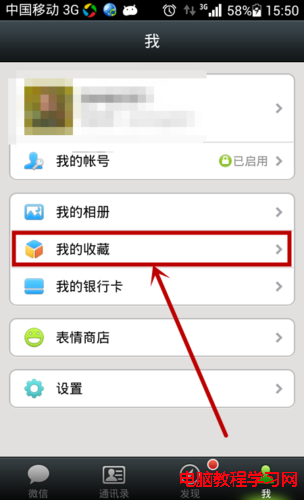 微信收藏如何導出到電腦?兩種方法整理
若想備份微信收藏內容,可嘗試以下兩種方式。方法一:複製本機資料圖片通常位於 Tencent/MicroMsg/camera;文件則位於 sdcard 的 Tencent/
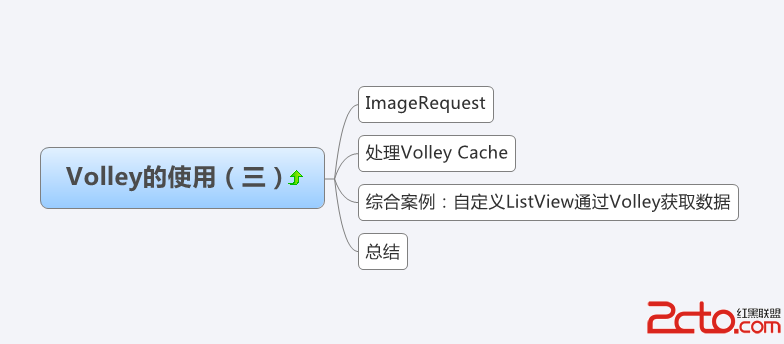 Android Volley 框架深入:圖片加載與緩存機制全解
Volley 的學習接近尾聲。之所以拆成多篇來寫、細節講得比較碎,是因為後面還要接觸幾個 Android 網絡框架——把 Volley 真正吃透,再去看它們會輕鬆很多。本
 微信讀書怎麼換背景顏色 三步調整閱讀底色
騰訊推出的微信讀書引來不少討論,究竟它能否兼顧閱讀與社交?答案也許還需要時間驗證。不過使用中確實有些小問題常被問到,例如微信讀書怎麼設定背景顏色。 首先當然要下載並安裝微
 Android jPBC 2.0.0 設定與測試
jPBC 是 Java 平台的雙線性對密碼學函式庫。本文說明如何在 Android 專案中使用 jPBC 2.0.0,並以 Benchmark 與 BBG-HIBE 範例