

編輯:關於 Android 程式設計
因為公司需要接入 Google 的應用內支付(即 Google In-app Billing V3),接入過程中查閱了大量文章,也遇到不少問題,因此想和大家分享交流一下心得。廢話不多說,我們開始接入 Google 應用內支付。
第一步:準備工作
首先,想使用 Google 支付,必須要有一部安裝了 Google Play 服務的測試機,這裡提供三個方法:
1)如果有小米的測試機最好,因為小米系統完整保留了 Google Play 服務。
2)如果沒有,可以參考此處附上的連結,安裝 Google Play 服務。
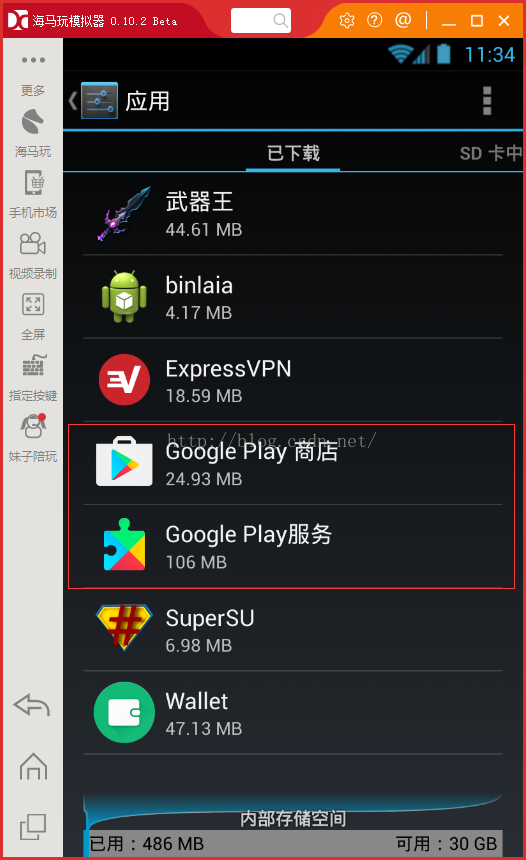
3)如果以上兩種方式都失敗了,別氣餒,下面這種方法可能更好:下載海馬玩模擬器,它可以一步解決問題。
Google Play 服務安裝完成後如下圖所示:
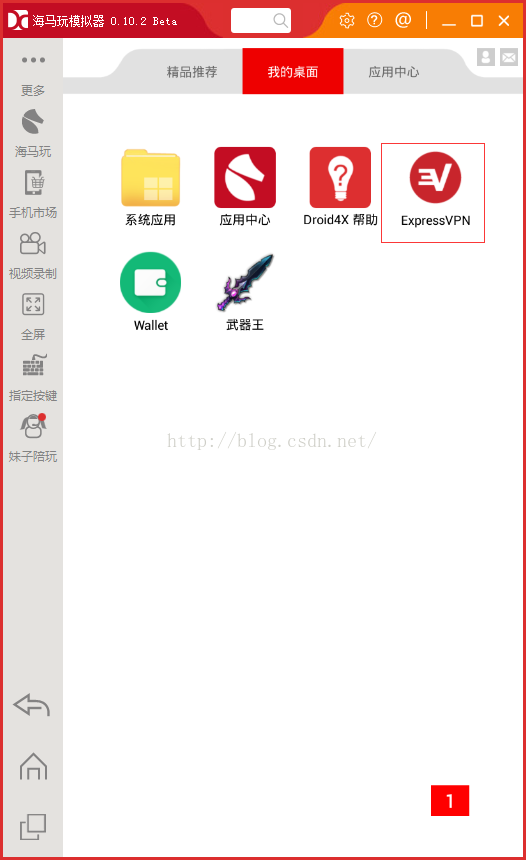
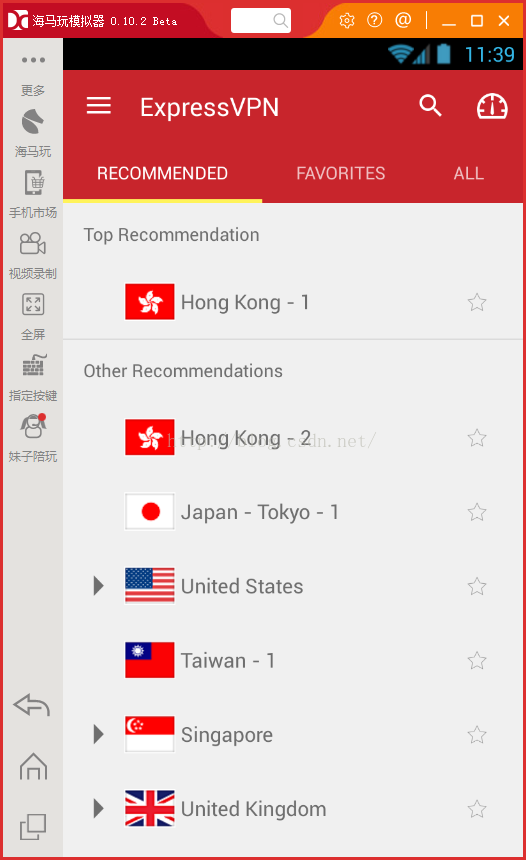
其次,你還需要一個 VPN 帳號(美國的最好),推薦我使用的 VPN,可以隨心所欲地選擇地點。
最後需要下載開發包,打開 Android SDK Manager 下載 Android SDK 的 extras 部分,其中有我們支付用到的包、開發用到的說明文檔、範例等等。
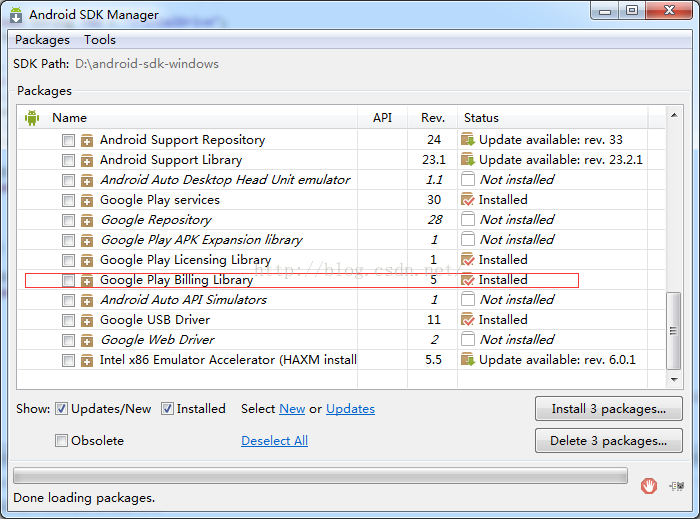
下載完成後,在 SDK 目錄下可以找到這個文件夾 android-sdk-windows\extras\google\play_billing。
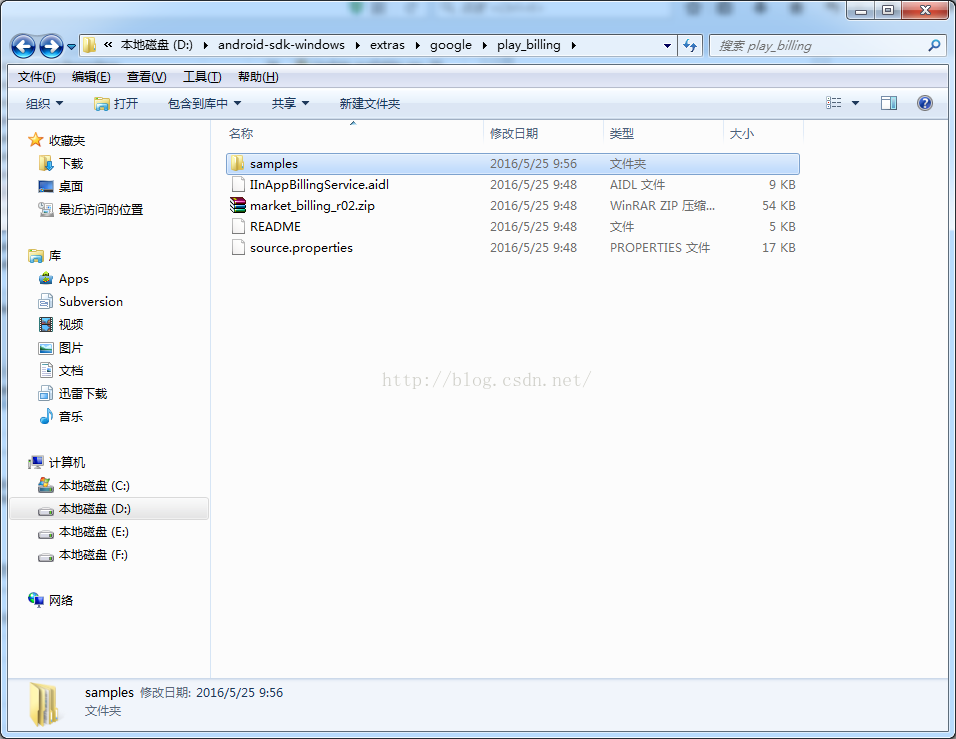
其中 samples 是 Google 支付接入的 demo,可根據範例進行接入。同時在 SDK 目錄下可以找到 android-sdk-windows\docs\google\play\billing,這是 Google 支付的官方說明文檔,可對支付工程及原理有個了解。
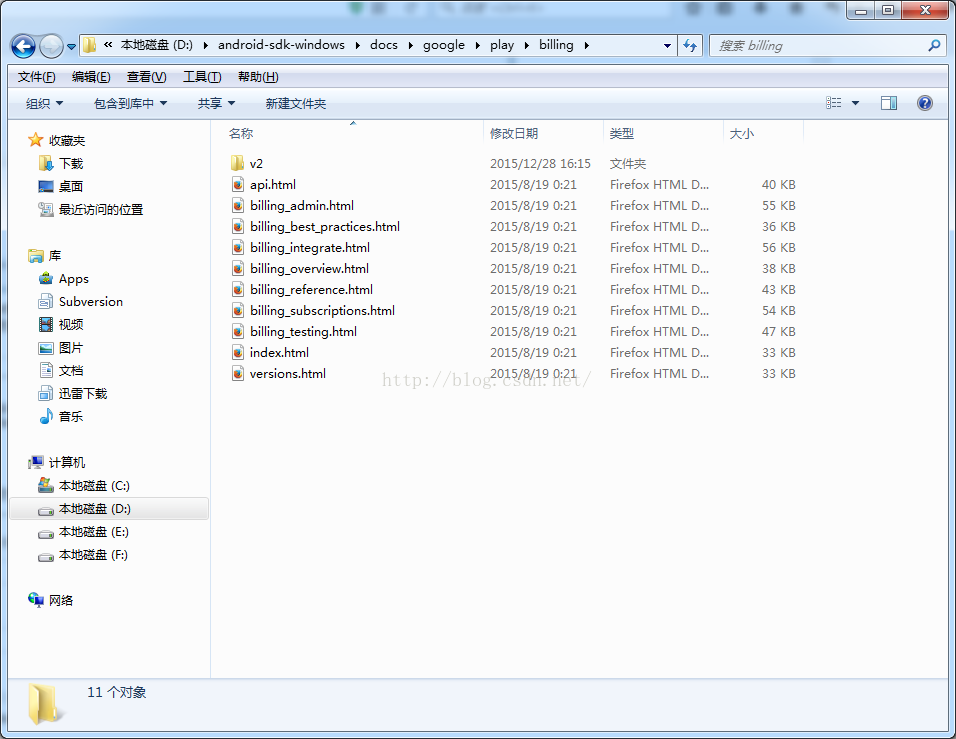
說明文檔講得很詳細,建議把文檔完整看一遍,相信你看懂這幾個文檔後,Google 支付也就很容易搞定了。
第二步:程式碼接入
準備工作做完,接下來就是程式碼接入。首先你需要將之前下載的 IInAppBillingService.aidl 文件加入到你的工程中,方法就是在工程裡新建一個 com.android.vending.billing 文件夾,將 IInAppBillingService.aidl 拷貝進去,刷新工程即可(具體可參考下載的 demo)。
其次,把之前下載的 Google 支付庫中 demo simple 範例的程式碼粘貼到你的工程文件中,可以新建一個包放進去。
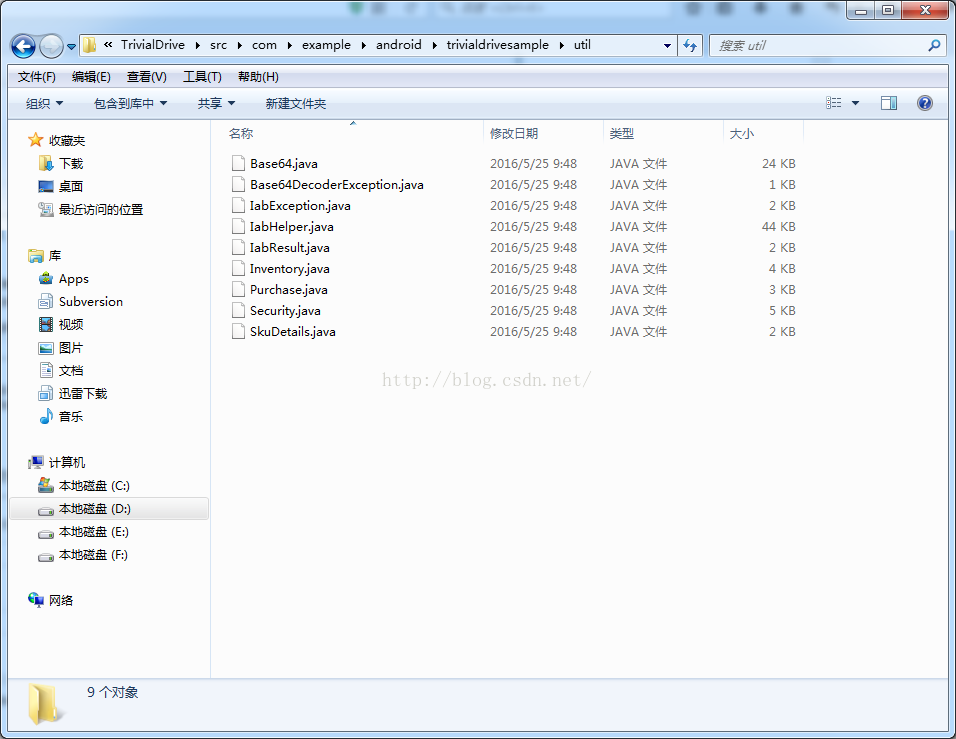
這裡說明一下,如果你是和我一樣的初學者,可以打著拿來主義的旗號直接使用,但要注意修改一下類名和變量名,畢竟這個程式碼是公開的;如果你是大神,覺得程式碼寫得太 low,也可以自己改成喜歡的風格。
1. 添加權限
接入前需要在 AndroidManifest.xml 文件中添加支付的權限:
2. 初始化 IabHelper:
// Create the helper, passing it our context and the public key to verify signatures with Log.d(TAG, "Creating IAB helper."); mHelper = new IabHelper(this, base64EncodedPublicKey); // enable debug logging (for a production application, you should set this to false). mHelper.enableDebugLogging(true); // Start setup. This is asynchronous and the specified listener // will be called once setup completes. Log.d(TAG, "Starting setup."); mHelper.startSetup(new IabHelper.OnIabSetupFinishedListener() { public void onIabSetupFinished(IabResult result) { Log.d(TAG, "Setup finished."); if (!result.isSuccess()) { // Oh noes, there was a problem. complain("Problem setting up in-app billing: " + result); return; } // Have we been disposed of in the meantime? If so, quit. if (mHelper == null) return; // IAB is fully set up. Now, let's get an inventory of stuff we own. Log.d(TAG, "Setup successful. Querying inventory."); mHelper.queryInventoryAsync(mGotInventoryListener); } });
3. 呼叫支付介面:
這是購買商品的方法:
mHelper.launchPurchaseFlow(this, SKU_GAS, RC_REQUEST, mPurchaseFinishedListener, payload);
購買方法的回調:
// Callback for when a purchase is finished IabHelper.OnIabPurchaseFinishedListener mPurchaseFinishedListener = new IabHelper.OnIabPurchaseFinishedListener() { public void onIabPurchaseFinished(IabResult result, Purchase purchase) { Log.d(TAG, "Purchase finished: " + result + ", purchase: " + purchase); // if we were disposed of in the meantime, quit. if (mHelper == null) return; if (result.isFailure()) { complain("Error purchasing: " + result); setWaitScreen(false); return; } if (!verifyDeveloperPayload(purchase)) { complain("Error purchasing. Authenticity verification failed."); setWaitScreen(false); return; } Log.d(TAG, "Purchase successful."); if (purchase.getSku().equals(SKU_GAS)) { // bought 1/4 tank of gas. So consume it. Log.d(TAG, "Purchase is gas. Starting gas consumption."); mHelper.consumeAsync(purchase, mConsumeFinishedListener); } else if (purchase.getSku().equals(SKU_PREMIUM)) { // bought the premium upgrade! Log.d(TAG, "Purchase is premium upgrade. Congratulating user."); alert("Thank you for upgrading to premium!"); mIsPremium = true; updateUi(); setWaitScreen(false); } else if (purchase.getSku().equals(SKU_INFINITE_GAS)) { // bought the infinite gas subscription Log.d(TAG, "Infinite gas subscription purchased."); alert("Thank you for subscribing to infinite gas!"); mSubscribedToInfiniteGas = true; mTank = TANK_MAX; updateUi(); setWaitScreen(false); } } }; // Called when consumption is complete IabHelper.OnConsumeFinishedListener mConsumeFinishedListener = new IabHelper.OnConsumeFinishedListener() { public void onConsumeFinished(Purchase purchase, IabResult result) { Log.d(TAG, "Consumption finished. Purchase: " + purchase + ", result: " + result); // if we were disposed of in the meantime, quit. if (mHelper == null) return; // We know this is the "gas" sku because it's the only one we consume, // so we don't check which sku was consumed. If you have more than one // sku, you probably should check... if (result.isSuccess()) { // successfully consumed, so we apply the effects of the item in our // game world's logic, which in our case means filling the gas tank a bit Log.d(TAG, "Consumption successful. Provisioning."); mTank = mTank == TANK_MAX ? TANK_MAX : mTank + 1; saveData(); alert("You filled 1/4 tank. Your tank is now " + String.valueOf(mTank) + "/4 full!"); } else { complain("Error while consuming: " + result); } updateUi(); setWaitScreen(false); Log.d(TAG, "End consumption flow."); } };
4. 呼叫查詢介面:
這是查詢你當前購買的商品的方法。
mHelper.queryInventoryAsync(mGotInventoryListener);
查詢方法的回調:
// Listener that's called when we finish querying the items and subscriptions we own IabHelper.QueryInventoryFinishedListener mGotInventoryListener = new IabHelper.QueryInventoryFinishedListener() { public void onQueryInventoryFinished(IabResult result, Inventory inventory) { Log.d(TAG, "Query inventory finished."); // Have we been disposed of in the meantime? If so, quit. if (mHelper == null) return; // Is it a failure? if (result.isFailure()) { complain("Failed to query inventory: " + result); return; } Log.d(TAG, "Query inventory was successful."); /* * Check for items we own. Notice that for each purchase, we check * the developer payload to see if it's correct! See * verifyDeveloperPayload(). */ // Do we have the premium upgrade? Purchase premiumPurchase = inventory.getPurchase(SKU_PREMIUM); mIsPremium = (premiumPurchase != null && verifyDeveloperPayload(premiumPurchase)); Log.d(TAG, "User is " + (mIsPremium ? "PREMIUM" : "NOT PREMIUM")); // Do we have the infinite gas plan? Purchase infiniteGasPurchase = inventory.getPurchase(SKU_INFINITE_GAS); mSubscribedToInfiniteGas = (infiniteGasPurchase != null && verifyDeveloperPayload(infiniteGasPurchase)); Log.d(TAG, "User " + (mSubscribedToInfiniteGas ? "HAS" : "DOES NOT HAVE") + " infinite gas subscription."); if (mSubscribedToInfiniteGas) mTank = TANK_MAX; // Check for gas delivery -- if we own gas, we should fill up the tank immediately Purchase gasPurchase = inventory.getPurchase(SKU_GAS); if (gasPurchase != null && verifyDeveloperPayload(gasPurchase)) { Log.d(TAG, "We have gas. Consuming it."); mHelper.consumeAsync(inventory.getPurchase(SKU_GAS), mConsumeFinishedListener); return; } updateUi(); setWaitScreen(false); Log.d(TAG, "Initial inventory query finished; enabling main UI."); } };
5. 消耗商品
因為我們的內購商品可以重複購買,但每次購買後需要消耗商品。注意,這個消耗不是要使用已購買的商品,而是消除 Google 對該購買商品施加的一個標記,以表示本次購買已成功,之後才能進行下一次購買,以避免重複購買而產生多次扣款、商品數目不一致的問題。
mHelper.consumeAsync(purchase, mConsumeFinishedListener);
消耗商品的回調:
// Called when consumption is complete IabHelper.OnConsumeFinishedListener mConsumeFinishedListener = new IabHelper.OnConsumeFinishedListener() { public void onConsumeFinished(Purchase purchase, IabResult result) { Log.d(TAG, "Consumption finished. Purchase: " + purchase + ", result: " + result); // if we were disposed of in the meantime, quit. if (mHelper == null) return; // We know this is the "gas" sku because it's the only one we consume, // so we don't check which sku was consumed. If you have more than one // sku, you probably should check... if (result.isSuccess()) { // successfully consumed, so we apply the effects of the item in our // game world's logic, which in our case means filling the gas tank a bit Log.d(TAG, "Consumption successful. Provisioning."); mTank = mTank == TANK_MAX ? TANK_MAX : mTank + 1; saveData(); alert("You filled 1/4 tank. Your tank is now " + String.valueOf(mTank) + "/4 full!"); } else { complain("Error while consuming: " + result); } updateUi(); setWaitScreen(false); Log.d(TAG, "End consumption flow."); } };
6. 返回數據方法:
購買時不要忘記添加下面這個方法,它是用來處理返回的數據。
@Override protected void onActivityResult(int requestCode, int resultCode, Intent data) { Log.d(TAG, "onActivityResult(" + requestCode + "," + resultCode + "," + data); if (mHelper == null) return; // Pass on the activity result to the helper for handling if (!mHelper.handleActivityResult(requestCode, resultCode, data)) { // not handled, so handle it ourselves (here's where you'd // perform any handling of activity results not related to in-app // billing... super.onActivityResult(requestCode, resultCode, data); } else { Log.d(TAG, "onActivityResult handled by IABUtil."); } }
7. 退出後銷毀 IabHelper:
退出時需要銷毀 IabHelper:
// We're being destroyed. It's important to dispose of the helper here! @Override public void onDestroy() { super.onDestroy(); // very important: Log.d(TAG, "Destroying helper."); if (mHelper != null) { mHelper.dispose(); mHelper = null; } }
第三步:打包上傳
首先你需要有一個 Google 開發者帳號,登入 Google 開發者後台添加一個應用,同時添加商品的相關部分。
其次,Google 的支付可不是寫完程式碼編譯一下就能支付的,完成程式碼部分後就需要將工程打包上傳到 Google 開發者後台。打包過程相信不用我多說,不會的可以參考相關教學。上傳到 Beta 版或 Alpha 版,如果是公司開發,那應該會有人幫你完成這一步;如果是自己的話那就……呵呵。
Google 的審核過程還算快,大約半小時就出爐了。這個時候還需要添加測試帳號,官方文檔中詳細介紹了如何添加測試帳號。當然,添加測試帳號並不意味著你就可以測試了,在審核結束時,Google 開發者後台的 apk 介面有一個測試連結,打開後輸入測試帳號成為測試人員,這個時候就可以進行 Google 支付的測試了。

第四步:測試中的問題
首先,測試帳號需要有一張綁定的信用卡,而且是 VISA 信用卡帳戶。點擊支付按鈕,如果你已成為測試人員,但 Google 提示「需要驗證身份,需要登入 Google 帳號」,這很可能是你的商品 id 有問題,可以檢查下商品 id 是否正確後重新測試。
關於如何添加商品 id,Google 支付的說明文檔中會有詳細說明。
如果測試中遇到「無法購買你想要買的商品」這個提示,可能是你還未成為測試人員,或者你用開發者帳號進行測試的原因。
1. 當前應用程序不支持購買此商品:確定你手機上裝的程序包名和簽名與後台上傳的一致。p.s. 上傳後台後 APK 需要等一段時間才能生效。
2. 購買的商品不存在:確保你程式碼裡的商品名字和後台的一致,如果一致,則可能需要等一兩個小時再測試,這是 Google 後台的問題。
3. loading 了很長時間,最後提示未知錯誤:這個不用管它,Google 後台的問題,等會再測。
最後,國內開發者確保是在 VPN 下進行測試,有什麼疑惑的地方歡迎交流。
源碼下載:https://github.com/guojunhua/GooglePay.git
 呼叫系統相簿挑圖並裁切成頭像:三種結果解析方式對照
這個小專案有三個重點: 1. 呼叫系統相簿應用程式挑選單張圖片; 2. 對挑到的圖片進行裁切,做成指定尺寸的頭像; 3. 解析挑圖結果,示範三種不同寫法。 效果預覽 開
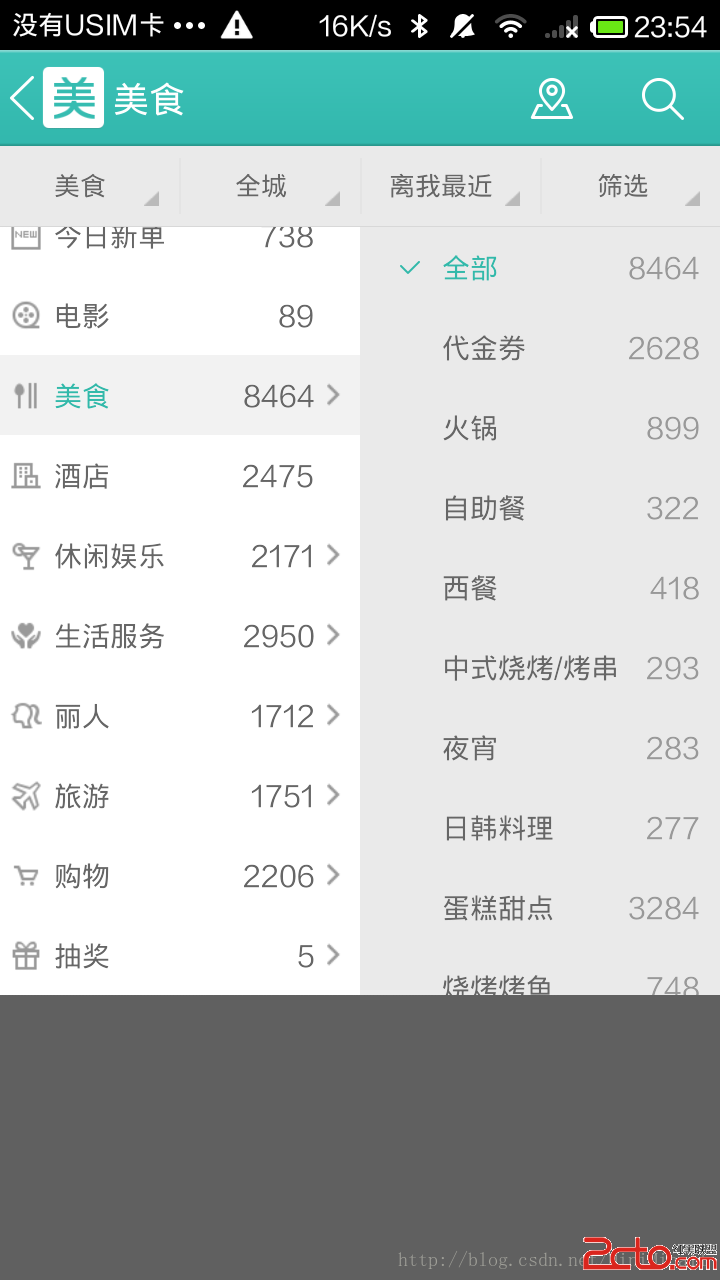 Android 多級下拉列表菜單實作:仿美團、淘寶的篩選交互
在美團、淘寶等電商與生活服務類應用中,常見一種下拉式選單:使用者點擊頂部選項後,會展開一層或多層篩選面板。這種互動能讓大量分類條件保持畫面簡潔,同時提升操作效率。整體實現
 MPAndroidChart 實作 BarChart 圖表
MPAndroidChart 是 Android 與 iOS 常用的開源圖表庫,支援多種圖表類型與動畫效果。本文以 BarChart 為例,說明如何建立長條圖、設定多組資
 Android 應用訪問 Linux 驅動(二):實作並測試 HAL 層
無論出於什麼考量,Android 終究提供了 hardware 層來封裝對 Linux 驅動的訪問,同時向上層提供統一的硬體介面與形態。 一、Hardware 層概述