

編輯:關於 Android 程式設計
使用 TextView 的 drawableLeft 屬性時,圖示會貼齊文字左側,導致「圖片+文字」整體偏左,視覺上不居中。要解決這個問題,最簡單的辦法是自定義一個 TextView,在繪製前對畫布做水平位移。
一、自定義控制元件
package com.test.signcalendar.weight;

import android.content.Context;
import android.graphics.Canvas;
import android.graphics.drawable.Drawable;
import android.util.AttributeSet;
import android.widget.TextView;

/**
 * 自定義 TextView,讓 drawableLeft 能與文字一起居中
 */
public class DrawableCenterTextView extends TextView {
    public DrawableCenterTextView(Context context, AttributeSet attrs, int defStyle) {
        super(context, attrs, defStyle);
    }
    public DrawableCenterTextView(Context context, AttributeSet attrs) {
        super(context, attrs);
    }
    public DrawableCenterTextView(Context context) {
        super(context);
    }

    @Override
    protected void onDraw(Canvas canvas) {
        Drawable[] drawables = getCompoundDrawables();
        if (drawables != null) {
            Drawable drawableLeft = drawables[0];
            if (drawableLeft != null) {
                float textWidth = getPaint().measureText(getText().toString());
                int drawablePadding = getCompoundDrawablePadding();
                int drawableWidth = drawableLeft.getIntrinsicWidth();
                float bodyWidth = textWidth + drawableWidth + drawablePadding;
                // 整體內容寬度 = 文字 + 圖示 + 間距,算出偏移量後平移畫布
                canvas.translate((getWidth() - bodyWidth) / 2, 0);
            }
        }
        super.onDraw(canvas);
    }
}
原理很單純:先用 measureText 量出文字寬度,加上圖示固有寬度與 drawablePadding,得到內容總寬,再用剩餘空間的一半去平移畫布,圖文作為一個整體就居中了。
二、在版面檔中引用
<com.test.signcalendar.weight.DrawableCenterTextView
    android:id="@+id/textView1111"
    android:layout_width="0dp"
    android:layout_height="wrap_content"
    android:layout_weight="1"
    android:drawableLeft="@drawable/fmhp_mine_health_plan_signcalendar_finish_status_bg"
    android:drawablePadding="5dp"
    android:text="都完成"
    android:textColor="#333333"
    android:textSize="12sp" />
三、效果

這樣就達到了圖文整體居中的效果。若同時需要 drawableRight,只要把右側圖示也納入 bodyWidth 的計算即可。
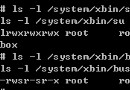 Android Root 原理剖析:su 機制、SUID 與 adbd 降權缺陷
「Root 破解」聽起來神秘,但把原始碼攤開來看,它的核心其實只有一個動作:換掉系統裡的 su。以下從機制層面說明它為何可行,以及當年那個著名的提權缺陷是怎麼被補上的。這
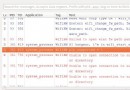 Android 4.2 移植 RT3070 WiFi 模組實錄:四天踩坑全記錄
前後折騰四天,總算把 RT3070 這顆 USB WiFi 模組在 Android 4.2 上跑通。過程比預期曲折,這裡按天記錄,希望讓走同一條路的人少踩幾個坑。 週一:
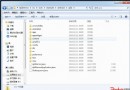 Android ApiDemos 導入與運行步驟
Android SDK 自帶了大量示例,存放在 android-sdk/samples 目錄下,涵蓋了 Android 平台主要 API 的用法,是一份不可多得的學習資料
 Android 實作圓角 Button 按鈕
在 Android 中,若想讓 Button 具備圓角外觀,可以透過 shape 資源來完成。若再搭配 selector,還能讓按鈕在按下時切換不同樣式,提升操作回饋。