

編輯:關於 Android 程式設計
前言
公司新專案的首頁需要一個類似京東、淘寶那種自動滾動的廣告條。查了一下資料,常見做法有兩種:一是單純用 TextView,若只有文字還可行,但這次還要搭配小圖示,只能作罷;二是用兩個 ViewGroup 搭配動畫交替滾動,雖然可行卻顯得繁瑣。於是愛偷懶的我決定改用 RecyclerView 來解決這個問題。
這種滾動廣告條的高度通常是固定的,因此用一個固定高度的 ViewGroup 包住 RecyclerView,並把 item 布局的 minHeight 設為 ViewGroup 的高度,剛好能完整顯示一筆資料。接著呼叫 RecyclerView 自帶的 smoothScrollBy() 來滾動,它需要傳入 x 軸與 y 軸的滾動距離。由於我們是上下滾動,x 軸傳 1 即可,y 軸傳入 item 高度,再用 Handler 寫一個循環任務,就能實現持續滾動。
/** * Animate a scroll by the given amount of pixels along either axis. * * @param dx Pixels to scroll horizontally * @param dy Pixels to scroll vertically */ public void smoothScrollBy(int dx, int dy) { smoothScrollBy(dx, dy, null); }
寫完後發現這個控制項無法觸摸滑動,卻又需要點擊事件。若要在 onTouchEvent 裡處理會很麻煩,而且無法保證完全禁止滑動,於是又想了個偷懶的辦法:在 RecyclerView 上蓋一層透明遮罩,徹底禁用它的 touch 事件,再把點擊事件交給遮罩來處理。
<?xml version="1.0" encoding="utf-8"?> <LinearLayout xmlns:android="https://schemas.android.com/apk/res/android" android:layout_width="match_parent" android:layout_height="60dp" android:background="@color/colorWhite" android:orientation="horizontal"> <TextView android:layout_width="wrap_content" android:layout_height="match_parent" android:layout_marginLeft="18dp" android:gravity="center" android:text="養車\n寶典" android:textColor="@color/colorTitle" android:textSize="12sp"/> <View android:layout_width="0.5dp" android:layout_height="match_parent" android:layout_marginBottom="12dp" android:layout_marginLeft="10dp" android:layout_marginTop="12dp" android:background="@color/colorTitle"/> <!--禁用了recyclerView的觸摸事件,他的點擊事件交由一個透明的蒙版來實現--> <RelativeLayout android:layout_marginLeft="6dp" android:layout_width="match_parent" android:layout_height="match_parent"> <com.xinshiwi.mycar.view.AutoScrollRecyclerView android:id="@+id/rv_home_maintain" android:layout_width="match_parent" android:layout_height="match_parent"/> <View android:id="@+id/view_home_maintain" android:layout_width="match_parent" android:layout_height="match_parent" android:background="@android:color/transparent"/> </RelativeLayout> </LinearLayout>
public class MaintainInfoAdapter extends RecyclerView.Adapter<MaintainInfoAdapter.MyViewHolder> { List<String> list; public MaintainInfoAdapter(List<String> list) { this.list = list; } @Override public MyViewHolder onCreateViewHolder(ViewGroup parent, int viewType) { View view = LayoutInflater.from(parent.getContext()).inflate(R.layout.item_home_maintain, null); return new MyViewHolder(view); } @Override public void onBindViewHolder(MyViewHolder holder, int position) { holder.tv.setText(list.get(position % 4)); } @Override public int getItemCount() { return Integer.MAX_VALUE; } public static class MyViewHolder extends RecyclerView.ViewHolder { public TextView tv; public MyViewHolder(View itemView) { super(itemView); tv = (TextView) itemView.findViewById(R.id.tv_maintain); } } }
/** * 滾動養車寶典 */ private void initMaintainData() { mList = new ArrayList<>(); mList.add("如何做好隊汽車的輪胎養護0"); mList.add("如何做好隊汽車的輪胎養護1"); mList.add("如何做好隊汽車的輪胎養護2"); mList.add("如何做好隊汽車的輪胎養護3"); mRvHomeMaintain.setLayoutManager(new LinearLayoutManager(mActivity)); mAdapter = new MaintainInfoAdapter(mList); mRvHomeMaintain.setAdapter(mAdapter); Message msg = new Message(); msg.what = MAINTAIN_INFO; sHandler.sendMessageDelayed(msg, 3000); //通過一個透明的蒙板來設置點擊事件 mViewHomeMaintain.setOnClickListener(new View.OnClickListener() { @Override public void onClick(View v) { Toast.makeText(mActivity, "pos % 4:" + (pos % 4), Toast.LENGTH_SHORT).show(); } }); } //當前顯示的item private int pos = 0; private Handler sHandler = new Handler() { @Override public void handleMessage(Message msg) { super.handleMessage(msg); switch (msg.what) { case MAINTAIN_INFO: mRvHomeMaintain.smoothScrollBy(0, SizeUtils.dp2px(60)); pos++; Message message = new Message(); message.what = MAINTAIN_INFO; sHandler.removeMessages(MAINTAIN_INFO); sHandler.sendMessageDelayed(message, 3000); break; } } };
這只是一個簡單的 demo,仍有許多細節沒有仔細考量,若有更好的建議也歡迎交流指正。
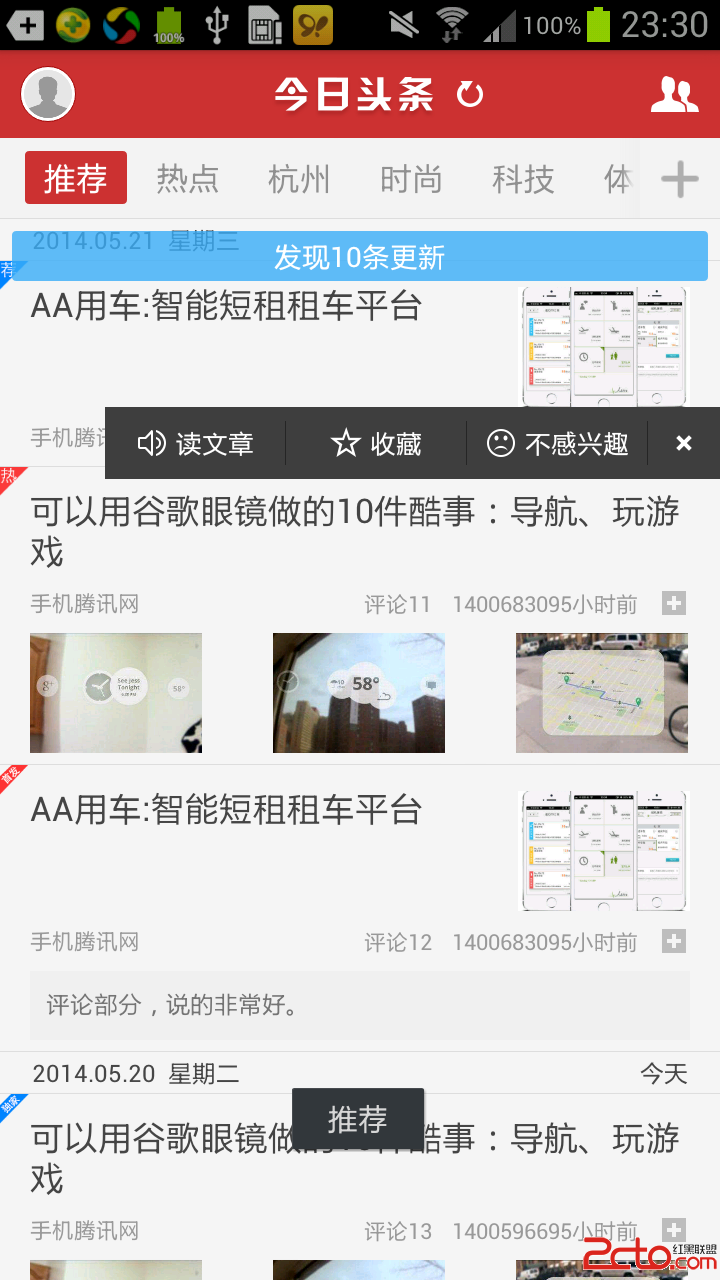 Android 高仿今日頭條新聞閱讀器(三):完結與總結篇
從寫第一篇今日頭條高仿系列到現在,已經過去了差不多一個多月。其實大體功能都做好了,只是一直遲遲沒有放出來。因為我始終覺得,做這樣一個項目本身也是一個學習的過程,我想把模仿
 自定義 View 打造會跳動的音頻條控件
音樂播放器裡那塊隨節奏跳動的音頻條,看起來高科技,實際上就是一堆高度隨機變化的矩形。今天我們直接繼承 View,從零做一個出來。 第一步:搭好骨架 三個建構子依 Jav
 Android 動畫全景:四大動畫類型與兩種實現方式
Android 的動畫體系初看眼花,但只要抓住「四種動畫類型 × 兩種定義方式」這張坐標表,全局就清楚了。 一、四種動畫類型 不論用 XML 還是 Java 代碼,動畫
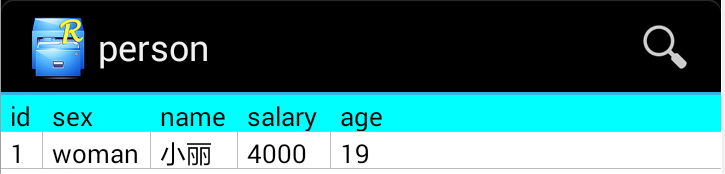 XUtils3 數據庫模塊詳解:建表、增刪改查與表結構演進
上一篇講完了 XUtils3 的注解、網絡與圖片模塊,這次來啃數據庫。目前主流的 ORM 方案不少——OrmLite、GreenDao、ActiveAndroid、Rea