

編輯:關於 Android 開發
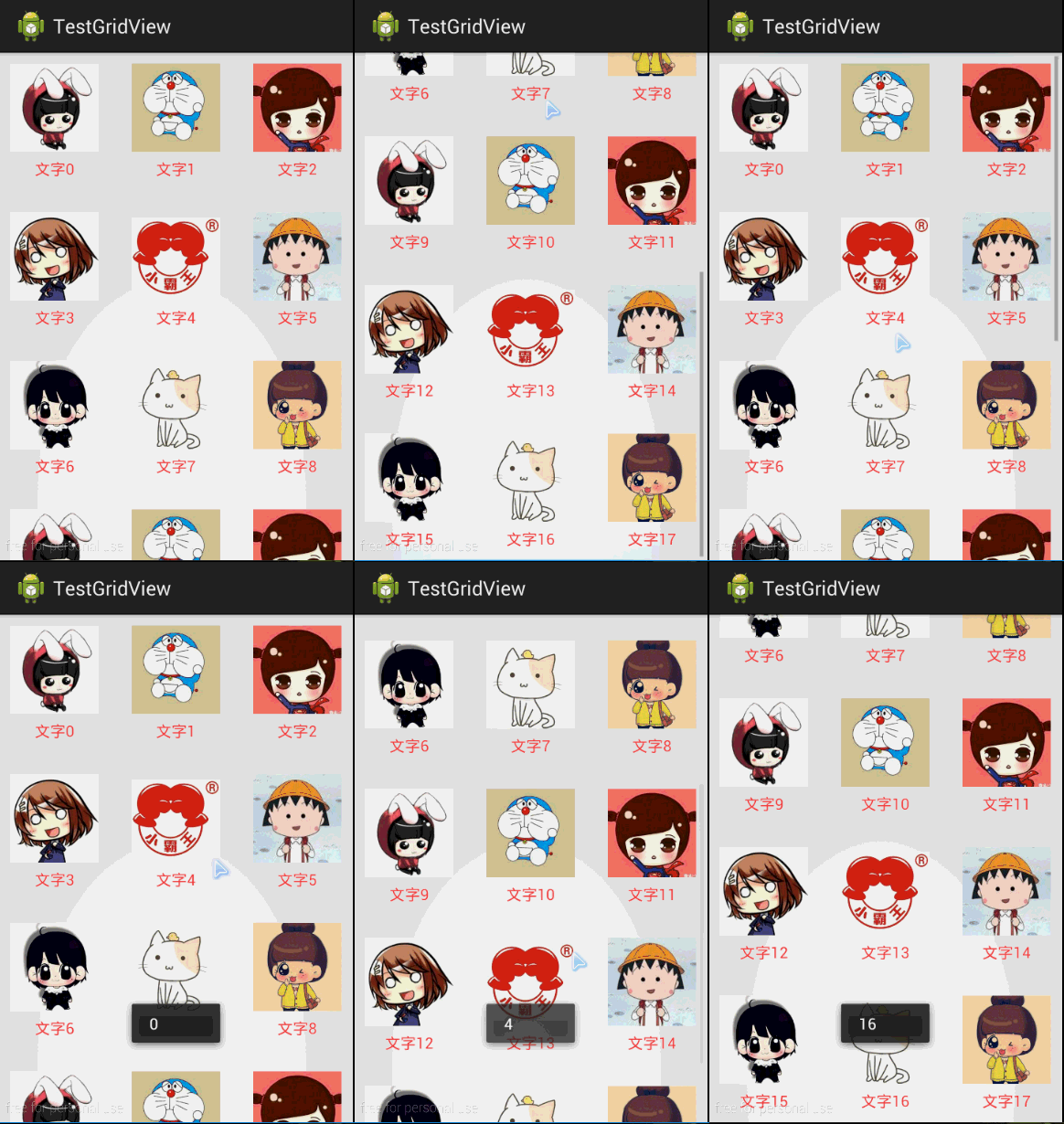
GridView 常用於展示網格式數據,比如九宮格。下面是一個完整的測試示例。
activity_main.xml:
<RelativeLayout xmlns:android="https://schemas.android.com/apk/res/android"
    xmlns:tools="https://schemas.android.com/tools"
    android:layout_width="match_parent"
    android:layout_height="match_parent" >

    <GridView
        android:id="@+id/gridView"
        android:layout_width="match_parent"
        android:layout_height="match_parent"
        android:columnWidth="90dp"
        android:horizontalSpacing="10dp"
        android:numColumns="auto_fit"
        android:stretchMode="columnWidth"
        android:verticalSpacing="10dp" />
</RelativeLayout>
幾個關鍵屬性說明:
grid_item.xml(單個格子佈局):
<?xml version="1.0" encoding="utf-8"?>
<LinearLayout xmlns:android="https://schemas.android.com/apk/res/android"
    android:layout_width="match_parent"
    android:layout_height="match_parent"
    android:orientation="vertical"
    android:padding="10dp" >

    <ImageView
        android:id="@+id/iamgeView"
        android:layout_width="80dp"
        android:layout_height="80dp"
        android:src="@drawable/ic_launcher" />

    <TextView
        android:id="@+id/textView"
        android:layout_width="80dp"
        android:layout_height="wrap_content"
        android:layout_marginTop="5dip"
        android:gravity="center"
        android:text="文字"
        android:textColor="@android:color/holo_red_light" />
</LinearLayout>
MainActivity.java:
package com.zzw.testgridview;

import java.util.ArrayList;
import java.util.HashMap;
import java.util.List;
import java.util.Map;

import android.app.Activity;
import android.os.Bundle;
import android.view.View;
import android.widget.AdapterView;
import android.widget.AdapterView.OnItemClickListener;
import android.widget.GridView;
import android.widget.SimpleAdapter;
import android.widget.Toast;

public class MainActivity extends Activity {

    private GridView gridView;
    private List<Map<String, Object>> data;
    private SimpleAdapter adapter;

    @Override
    protected void onCreate(Bundle savedInstanceState) {
        super.onCreate(savedInstanceState);
        setContentView(R.layout.activity_main);

        init();

        gridView = (GridView) findViewById(R.id.gridView);
        String[] from = { "image", "text" };
        int[] to = { R.id.iamgeView, R.id.textView };
        adapter = new SimpleAdapter(this, data, R.layout.grid_item, from, to);
        gridView.setAdapter(adapter);

        gridView.setOnItemClickListener(new OnItemClickListener() {
            @Override
            public void onItemClick(AdapterView<?> parent, View view, int position, long id) {
                Toast.makeText(MainActivity.this, position + "", Toast.LENGTH_SHORT).show();
            }
        });
    }

    private void init() {
        // 圖片封裝成數組
        int[] image = new int[] {
            R.drawable.a, R.drawable.b, R.drawable.c, R.drawable.d, R.drawable.e,
            R.drawable.f, R.drawable.g, R.drawable.h, R.drawable.i,
            R.drawable.a, R.drawable.b, R.drawable.c, R.drawable.d, R.drawable.e,
            R.drawable.f, R.drawable.g, R.drawable.h, R.drawable.i
        };

        // 文字封裝成數組
        String[] text = new String[image.length];
        for (int i = 0; i < image.length; i++) {
            text[i] = "文字" + i;
        }

        data = new ArrayList<Map<String, Object>>();
        for (int i = 0; i < image.length; i++) {
            HashMap<String, Object> map = new HashMap<String, Object>();
            map.put("image", image[i]);
            map.put("text", text[i]);
            data.add(map);
        }
    }
}
通過 SimpleAdapter 把圖片與文字數據綁定到 grid_item 佈局,再設置監聽即可實現完整的九宮格列表交互。
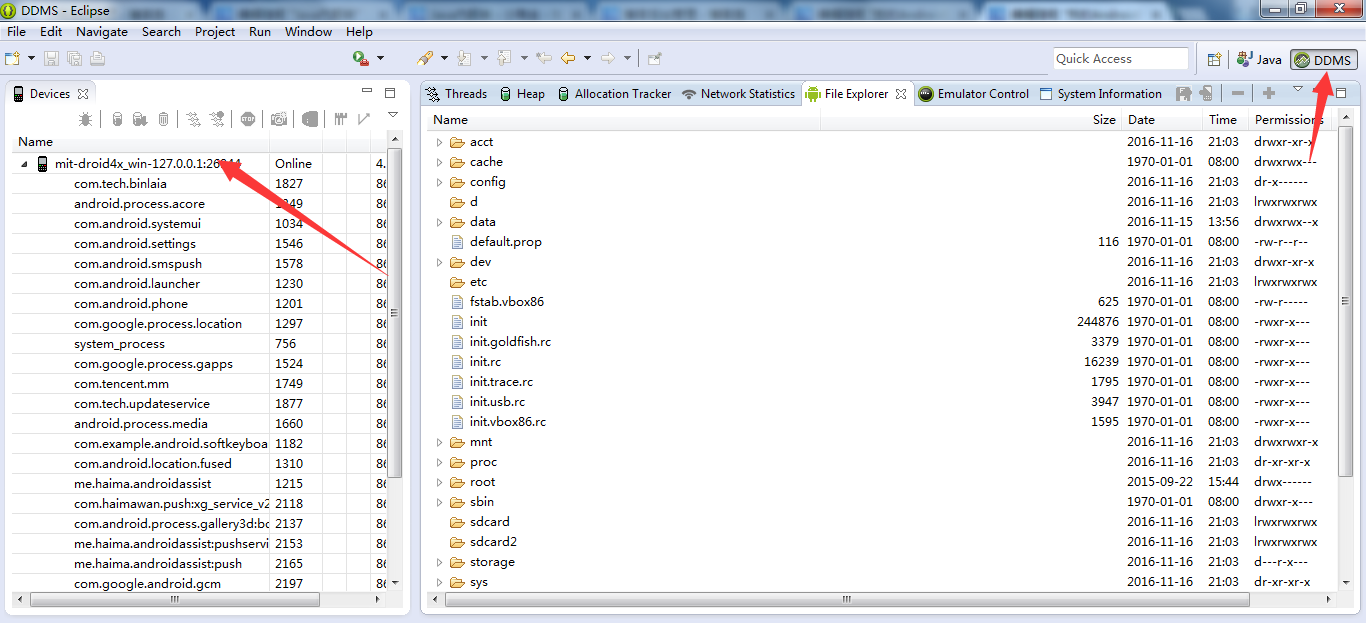 我的 Android 第二課:專案結構、清單檔、DDMS 與打電話案例
 各位好,小編又來分享知識了。上一篇筆記講解了 Android 工具與 SDK 的設定,今天則要帶大
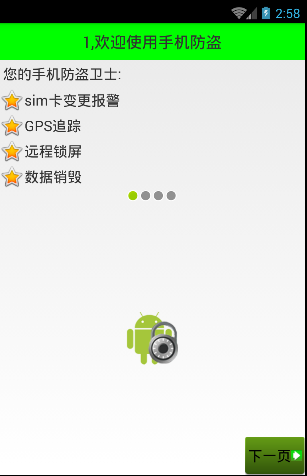 Android 手機衛士實作教學(五):手機防盜功能與引導頁流程
 1. 界面介紹與引導流程: 第一個引導頁:說明功能。 第二個引導頁:必須完成 SIM 卡綁定,才能進入下
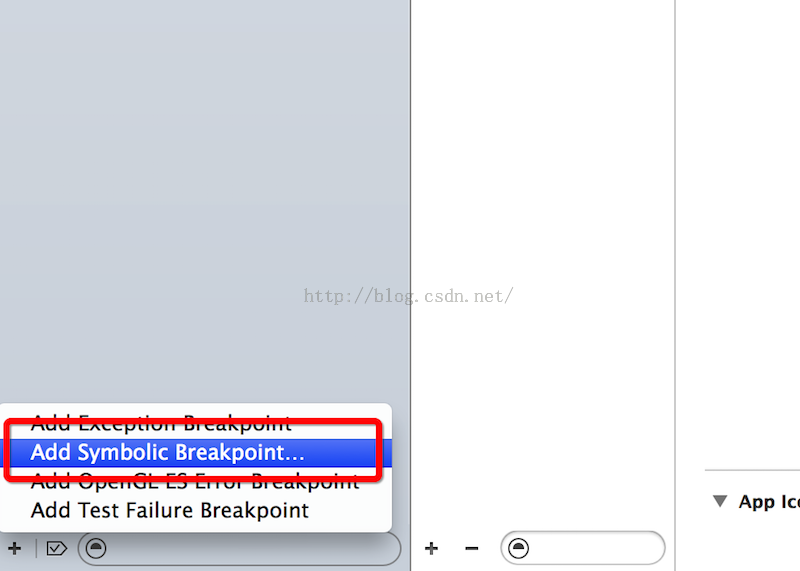 用全域象徵斷點自動掛載 Reveal,換專案不必重新設定
網路上多數 Reveal 的載入教學,都是把 Reveal.framework 拖進專案裡,缺點很明顯:每換一個專案就得重做一次。其實只要在 Xcode 裡設定一個「全域
 菜鳥 Android 之路(上):從動機到踩過的那些坑
為什麼要學 Android 身為應屆畢業生,進社會前我做過很多夢,但現實還是把我打回原點。面對壓力與競爭,我問自己:第一步該做什麼?答案很樸素—— 先養活自己,才能走