

編輯:關於 Android 開發
有時候設計稿要的是「圓形色塊 + 中間一張圖」,與其請設計多切一張圖,不如用 XML 的 shape 標籤直接畫出來,既清晰又方便改色。
把圓形當背景、透明圖當前景,並用 centerInside 讓圖片完整置中呈現:
<ImageView
    android:id="@+id/zhongjie"
    android:layout_width="wrap_content"
    android:layout_height="wrap_content"
    android:background="@drawable/mark_caller_house_agent"
    android:scaleType="centerInside"
    android:src="@drawable/背景圖" />
新增 res/drawable/mark_caller_house_agent.xml:
<?xml version="1.0" encoding="utf-8"?>
<shape xmlns:android="https://schemas.android.com/apk/res/android"
    android:shape="oval"
    android:useLevel="false">

    <solid android:color="#66CC00" />
    <size
        android:width="50dp"
        android:height="50dp" />

</shape>
除了 solid 填色,shape 還支援這些實用標籤:
<stroke>:加上外框線,可指定 width、color、dashWidth、dashGap<corners android:radius="8dp" />:把 oval 換成 rectangle 後可做出圓角方塊<gradient>:需要漸層時取代 solid另外提醒,scaleType 請依實際需求挑選:centerInside 適合「圖比框小、要完整顯示」,若圖片本身就是設計好的完整圖示,center 也是常見選擇。
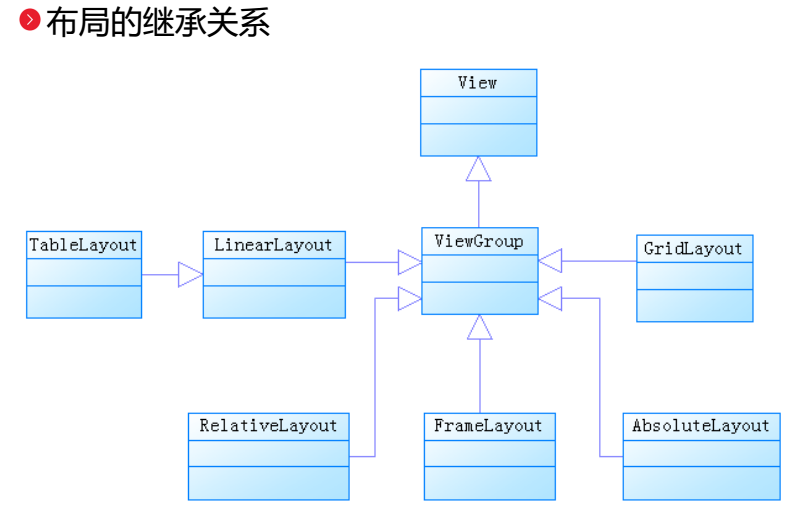 安卓六大基礎佈局詳解:從線性到幀佈局
 今天我們來系統梳理安卓最基礎的幾種佈局方式,它們是搭建每一個界面的基石: 1. 線性佈局(LinearLayout)2. 相對佈局(
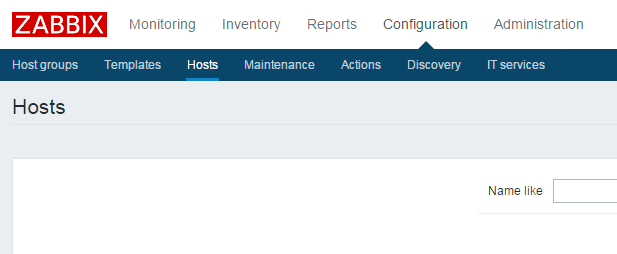 Zabbix Agent 部署實戰:從編譯安裝到添加主機監控
 參考文檔 1. Zabbix 監控 Linux 主機:https://www.osyunwei.com/a
 用 Notification 做下載進度通知欄:確定型與不確定型進度條實作
場景 App 提示有新版本,使用者按下確認更新後,通知欄會即時顯示下載進度(已知長度的進度條),下載完再切換成安裝狀態(不確定長度的轉圈動畫)。這就是本篇要實作的東西。
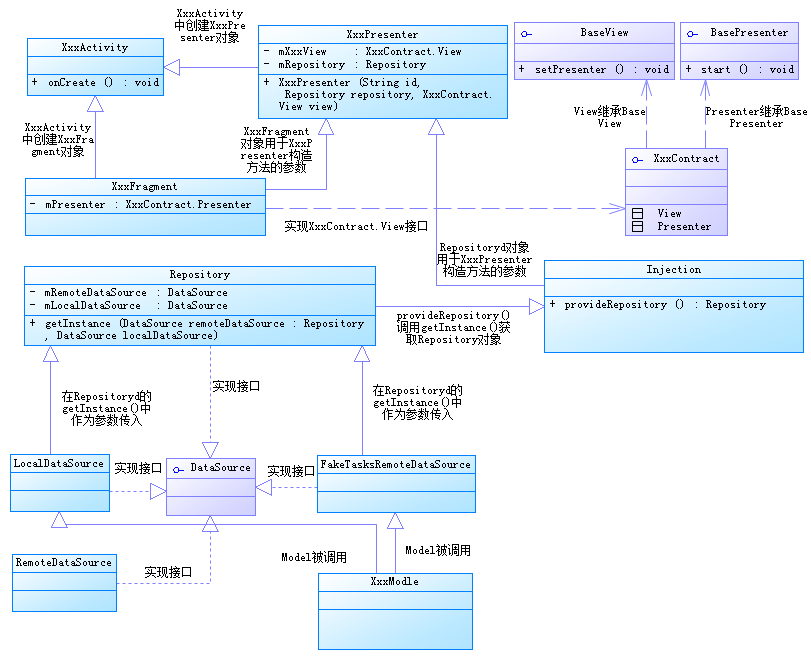 一張圖理解 Google MVP 架構
MVP 是 Model-View-Presenter 的縮寫,是一種常見於 Android 應用開發的架構模式。它的核心概念是將畫面