

編輯:關於 Android 開發
要模擬鍵盤與滑鼠事件,可透過 Socket 搭配 Instrumentation 來實作,主要由三部分組成:Socket 通訊、Service 服務,以及 Instrumentation 發送事件。
Socket 編程:實現 PC 與 Emulator 之間的通訊,並進行循環監聽。
Service 服務:將 Socket 監聽程式置於 Service 中達到後台運行。啟動 Service 有 bindService 與 startService 兩種方式,前者會隨啟動它的 Activity 消亡而結束,後者則除非顯式呼叫 stopService,否則會一直在後台運行 — 因此此情境採用 startService 更合適。
Instrumentation 發送事件:提供豐富的 send 開頭函式以模擬鍵盤滑鼠:
sendCharacterSync(int keyCode)          // 發送指定 KeyCode 的按鍵
sendKeyDownUpSync(int key)             // 發送指定 KeyCode 的按鍵
sendPointerSync(MotionEvent event)     // 模擬 Touch
sendStringSync(String text)            // 發送字串
注意:以上函式必須透過 Message 拋到 MessageQueue 中,若直接呼叫會導致程式崩潰。
步驟 1:宣告 Handler 變數。
private static Handler handler;
步驟 2:循環處理 Message(在 Activity 的 onCreate 中呼叫)。
private void createMessageHandleThread() {
    // 需啟動一個執行緒來 raise looper,否則會被阻塞
    Thread t = new Thread() {
        public void run() {
            Log.i(TAG, "Creating handler ...");
            Looper.prepare();
            handler = new Handler() {
                public void handleMessage(Message msg) {
                    // 在此處理傳入的訊息
                }
            };
            Looper.loop();
            Log.i(TAG, "Looper thread ends");
        }
    };
    t.start();
}
步驟 3:接收到 Socket 傳遞的資訊後拋出 Message。
handler.post(new Runnable() {
    public void run() {
        Instrumentation inst = new Instrumentation();
        inst.sendKeyDownUpSync(keyCode);
    }
});
// touch point (240, 400)
Instrumentation inst = new Instrumentation();
inst.sendPointerSync(MotionEvent.obtain(SystemClock.uptimeMillis(),
    SystemClock.uptimeMillis(), MotionEvent.ACTION_DOWN, 240, 400, 0));
inst.sendPointerSync(MotionEvent.obtain(SystemClock.uptimeMillis(),
    SystemClock.uptimeMillis(), MotionEvent.ACTION_UP, 240, 400, 0));
透過 ACTION_DOWN 與 ACTION_UP 一組事件,即可模擬在指定座標完成一次完整的點擊動作。
 底部左右滑動手勢:更直覺的 Android 返回與前進操作
在 Android 應用中,滑動返回手勢一直是提升操作效率的常見設計。本文以 ZBLibrary 的底部左右滑動
 Android多點觸控實戰:圖片縮放、平移與慣性滑動全實現
 本文在鴻洋大大的多點觸控教程基礎之上,進一步擴展了幾個實用功能: 1. 圖片的慣性滑動2. 縮小於正常比例時,
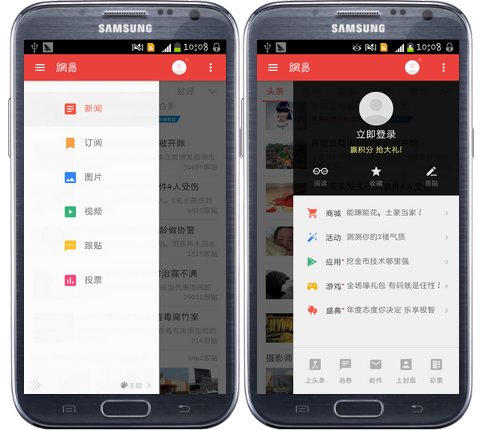 DrawerLayout 抽屜效果實作:打造側滑選單的完整指南
DrawerLayout 是 V4 套件中提供的一種左右滑動抽屜佈局效果,因為是官方提供,所以使用起來相對簡單。它能實現當界面彈出時主要內容區自動變暗、點擊內容區抽屜消失
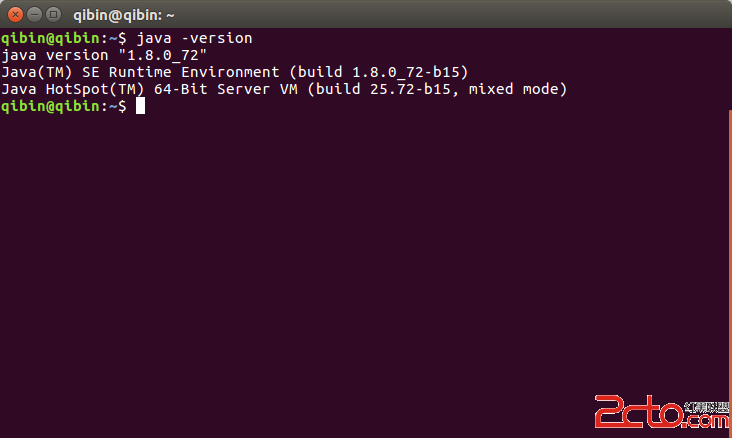 在 Ubuntu 下安裝並配置 Android Studio
 最近把電腦系統換成了 Ubuntu。對不習慣 Windows 8/10 的人來說,Ubuntu 是個不錯的選