

編輯:關於 Android 開發
以下示範如何製作一個簡單的電話撥號器,讓使用者輸入號碼後按下按鈕即可撥打。
<?xml version="1.0" encoding="utf-8"?>
<manifest xmlns:android="https://schemas.android.com/apk/res/android" package="eoe.phone"
android:versionCode="1"
android:versionName="1.0">
<application android:icon="@drawable/icon"
android:label="@string/app_name">
<activity android:name=".MainActivity" android:label="@string/app_name">
<intent-filter>
<action android:name="android.intent.action.MAIN" />
<category android:name="android.intent.category.LAUNCHER" />
</intent-filter>
</activity>
</application>
<uses-sdk android:minSdkVersion="7" />
<uses-permission android:name="android.permission.CALL_PHONE"/>
</manifest>
請特別注意,撥打電話必須加入 android.permission.CALL_PHONE 權限。
<?xml version="1.0" encoding="utf-8"?>
<LinearLayout xmlns:android="https://schemas.android.com/apk/res/android" android:orientation="vertical"
android:layout_width="fill_parent"
android:layout_height="fill_parent">
<TextView
android:layout_width="fill_parent"
android:layout_height="wrap_content"
android:text="請輸入手機號碼" />
<EditText
android:layout_width="fill_parent"
android:layout_height="wrap_content"
android:id="@+id/phone" />
<Button
android:layout_width="wrap_content"
android:layout_height="wrap_content"
android:text="撥打此號碼"
android:id="@+id/button" />
</LinearLayout>
package com.ljq.phone;
import android.app.Activity;
import android.content.Intent;
import android.net.Uri;
import android.os.Bundle;
import android.view.View;
import android.widget.Button;
import android.widget.EditText;
public class MainActivity extends Activity {
private EditText phone = null;
@Override
public void onCreate(Bundle savedInstanceState) {
super.onCreate(savedInstanceState);
setContentView(R.layout.main);
phone = (EditText) this.findViewById(R.id.phone);
Button button = (Button) this.findViewById(R.id.button);
button.setOnClickListener(new View.OnClickListener(){
public void onClick(View v) {
String tel = phone.getText().toString();
// 方法二:直接以帶有 action 的建構子建立 Intent
Intent intent = new Intent("android.intent.action.CALL", Uri.parse("tel:" + tel));
// 該方法內部會自動為 intent 設定類別:android.intent.category.DEFAULT
startActivity(intent);
}
});
}
}
核心邏輯是以「tel:」加上號碼組成 URI,再搭配 ACTION_CALL 這個 Intent 觸發撥號,系統便會自動啟動電話應用程式。
 BaseAdapter 完全指南:從入門到 ViewHolder 優化(附完整示例)
BaseAdapter 的使用要點與性能優化 Adapter(適配器)是 Android 開發中極為常見的一種設計模式應用,它的核心價值體現在兩點:一是降低程序的耦合性
 Android Activity 物件傳遞:Parcelable 實作與使用
在 Activity 之間傳遞資料時,若需要傳遞自訂物件,Parcelable 是 Andro
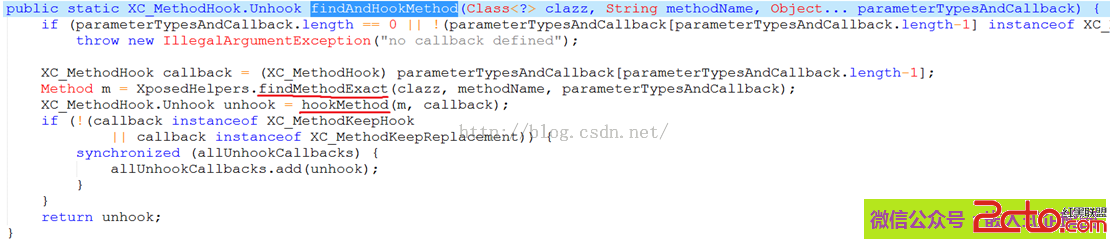 Android 熱修補原理拆解:dexposed 是怎麼做到無需 root 的(手淘方案)
 本文整理自嵌入式企鵝圈原創團隊成員、阿里資深工程師 Hao 的分享。 上一篇《
 React Native 控件解析:DrawerLayoutAndroid 抽屜導航
React Native DrawerLayoutAndroid 介紹 DrawerLayoutAndroid 是 React Native 中對 Android Dra