

編輯:關於 Android 開發
轉自:https://www.lanqibing.com/archives/783.html
在下面的代碼中,我嘗試關閉(dismiss)AlertDialog,但始終沒有生效。奇怪的是,只要把 compareKeys() 這個函數去掉,dismiss 就能正常工作。請問要如何才能在調用 compareKeys() 之後依然正常關閉對話框?
public void promptAdministratorPassword() {
    AlertDialog.Builder alert = new AlertDialog.Builder(this);

    alert.setTitle("Alert!");
    alert.setMessage("Please enter your password: ");

    // 用 EditText 接收用戶輸入
    final EditText input = new EditText(this);
    alert.setView(input);

    alert.setPositiveButton("Ok", new DialogInterface.OnClickListener() {
        public void onClick(DialogInterface dialog, int whichButton) {
            password = input.getText().toString();

            if (password.equals("password")) {
                try {
                    compareKeys();
                } catch (IOException | NoSuchAlgorithmException | InvalidKeySpecException e) {
                    e.printStackTrace();
                }
            }
            dialog.dismiss();
        }
    });

    alert.setNegativeButton("Cancel", new DialogInterface.OnClickListener() {
        public void onClick(DialogInterface dialog, int whichButton) {
            // 已取消
        }
    });

    alert.show();
}
把 dialog.dismiss() 提到 password = input.getText().toString() 之前調用,並且也在 setNegativeButton 的 OnClickListener 裡補上一句 dialog.dismiss()。
這是一個相當典型的誤解。點擊 AlertDialog 的按鈕時,對話框並不會自動關閉——是否關閉完全由你在監聽器裡決定。原代碼之所以「去掉 compareKeys() 就正常」,很可能只是巧合:compareKeys() 執行時間較長或拋出受檢異常,掩蓋了真實症狀,讓人誤以為是它阻礙了關閉。
更穩健的寫法是先關閉再處理業務邏輯,或者直接使用帶有自動 dismiss 行為的構造方式。若需要在異步任務完成後再關閉,也應保存 dialog 引用並在合適的時機調用,同時注意判空與 Activity 是否仍然存活,避免內存洩漏與 BadTokenException。
 Android 4.4 以後的外部存儲存取限制
 從 Android 4.4 開始,外部存儲的權限模型變得更嚴格。實體 SD 卡通常被視為二級外部存儲,一般應用無法像以前那
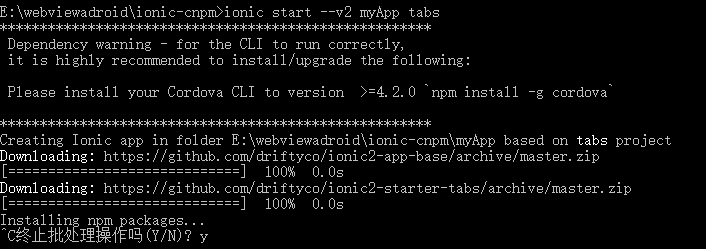 在 VS2015 中搭建 ionic2 開發環境(牆內可用方案)
 開始學習 ionic2 之後試了幾種路子,折騰下來感覺下面這套流程是跟緊 rc 版本最省心的做法,記錄以
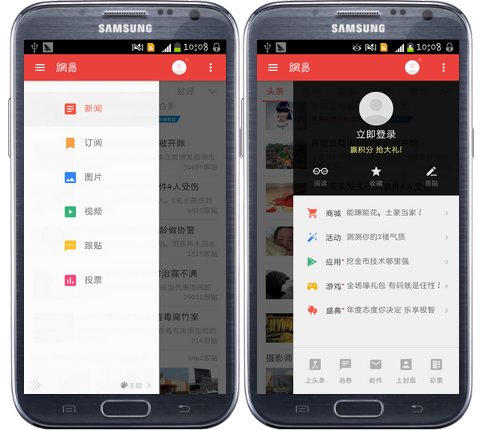 DrawerLayout 抽屜效果實作:打造側滑選單的完整指南
DrawerLayout 是 V4 套件中提供的一種左右滑動抽屜佈局效果,因為是官方提供,所以使用起來相對簡單。它能實現當界面彈出時主要內容區自動變暗、點擊內容區抽屜消失
 在 Android Studio 中安裝 OpenCV(Mac/Linux)
 OpenCV 常用於影像處理與電腦視覺。本文以 Android Studio 為例,說明如何