

編輯:關於 Android 開發
在 Android 開發中,通知是常見功能。早期可以透過 new Notification 直接建立物件,但這種方式彈性較低,也不符合後續版本的設計方向。
Notification notification = new Notification(
    R.drawable.ic_launcher,
    "This is ticker text",
    System.currentTimeMillis()
);
這種寫法在新版 Android 中已不推薦,因為它難以設定完整內容、意圖與樣式。
較好的方式是透過 Builder 模式建立通知,讓標題、內容、圖示、提示文字與點擊行為都能清楚設定。
Notification notification = new Notification.Builder(this)
    .setContentTitle("This is title")
    .setContentText("This is content")
    .setSmallIcon(R.drawable.ic_launcher)
    .setTicker("This is ticker")
    .setContentIntent(pi)
    .build();
使用 Builder 不僅語意清楚,也更容易擴充。後續若要加入 Notification Channel、Action 或自訂樣式,也能在相近的結構中完成。
 Android View 彈性滑動的三種做法
 彈性滑動,也常被理解為漸進式滑動。它的核心概念是將一次較大的位移,拆成多個小位移,並在一段時間內逐步完成。本文整理 Scro
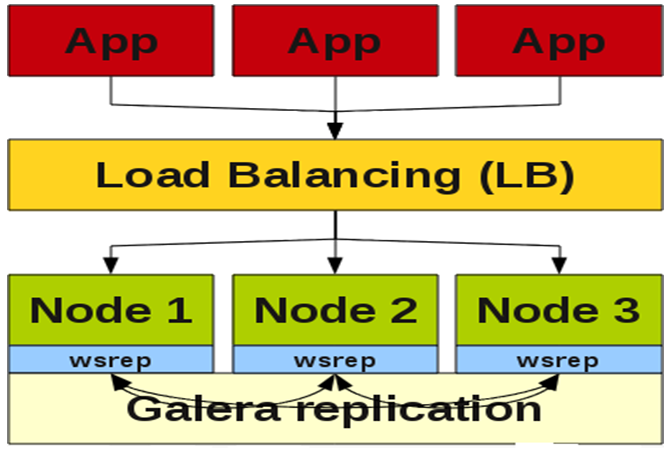 OLTP 應用下的 MySQL 高可用架構選型對比
OLTP 應用下的 MySQL 高可用架構選型 在把企業核心應用從商用資料庫遷移到開源資料庫、以本地磁碟取代共享儲存之前,必須先回答幾個關鍵問題,否則遷移很難真正落地:
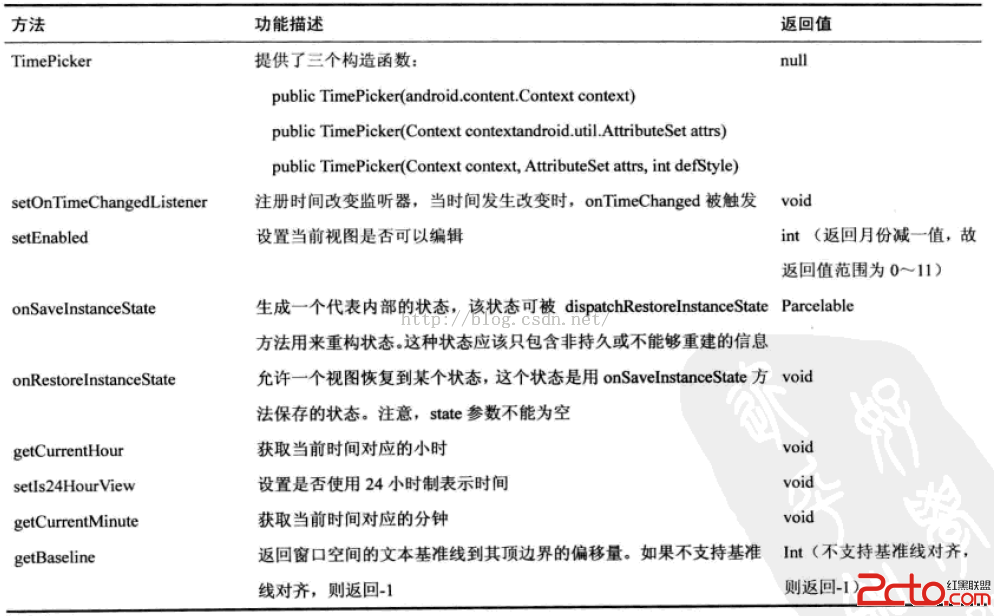 Android 時間選擇器 TimePicker 使用教學
 TimePicker 的類別繼承結構如下:java.lang.Object → android.view.Vi
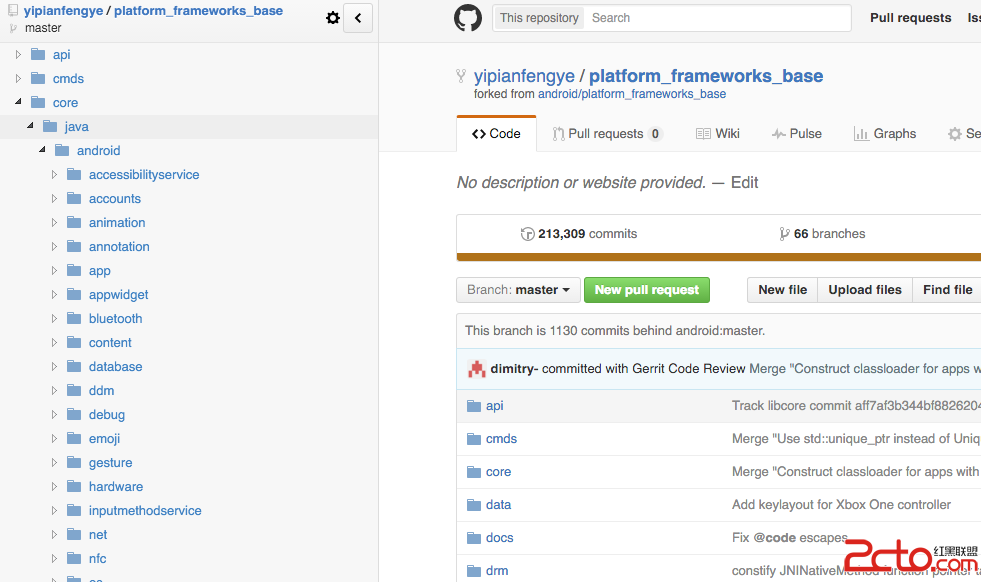 Android 源碼解析(五)——Log 日誌類的底層實現全解讀
從 framework 源碼走進 Log 的內部世界 本系列走到第五篇,已經正式進入 Android framework 層的源碼地帶。在動手翻閱之前,先推薦一個非常好用