

編輯:關於 Android 開發
JNI 開發的報錯往往資訊量很少,但成因相對集中。把常見錯誤歸類記住,排查效率會高很多。
java.lang.UnsatisfiedLinkError: Native method not found
含義是本地方法沒有找到,常見原因有兩個:
1、本地函數名寫錯。JNI 的函數名必須嚴格遵循 Java_包名_類名_方法名 的規則,包名中的點要換成下劃線,任何一個字符不一致都會導致符號找不到。
2、忘記加載 .so 檔案,即沒有調用 System.loadLibrary(),或者在 static 塊中加載的順序不對。
java.lang.UnsatisfiedLinkError: ... findLibrary returned null
常見原因同樣有兩個:
1、System.loadLibrary("libhello") 中的庫名寫錯。注意這裡傳的是「去掉 lib 前綴與 .so 後綴」的名字,寫成 "libhello" 或 "hello.so" 都會出錯。
2、平台類型不匹配,把只支援 arm 平台的 .so 部署到了 x86 CPU 的設備上。NDK 預設只為 armeabi 編譯機器碼,需要用 APP_ABI 顯式指定目標 ABI。
NDK 官方文件對此有明確描述:
APP_ABI

By default, the NDK build system will generate machine code for the 'armeabi' ABI.
This corresponds to an ARMv5TE based CPU with software floating point operations.
You can use APP_ABI to select a different ABI.

For example, to support hardware FPU instructions on ARMv7 based devices, use:

    APP_ABI := armeabi-v7a

Or to support the IA-32 instruction set, use:

    APP_ABI := x86

Or to support the MIPS instruction set, use:

    APP_ABI := mips

Or to support all at the same time, use:

    APP_ABI := armeabi armeabi-v7a x86 mips

Or even better, since NDK r7, you can also use the special value 'all'
which means "all ABIs supported by this NDK release":

    APP_ABI := all

For the list of all supported ABIs and details about their usage and limitations,
please read CPU-ARCH-ABIS.
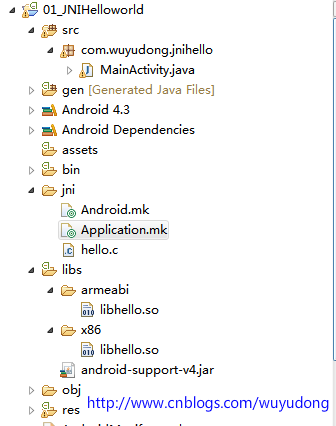
實操上,在 jni 目錄下新建 Application.mk,寫入:
APP_ABI := armeabi x86
重新編譯後可以看到按兩個平台分別編譯,各生成一個 .so 檔案:
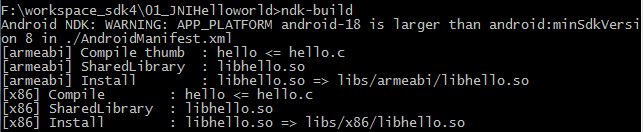
如果留意上面的編譯輸出,可能會看到相關警告。可以在 Application.mk 中顯式指定目標平台版本來消除它:
APP_PLATFORM := android-8
總結一下排查思路:遇到 UnsatisfiedLinkError 時,先確認庫名與函數名是否完全匹配(可用 javap -s 或 nm -D 對比符號),再確認 Application.mk 中的 ABI 配置是否覆蓋了目標設備的 CPU 架構,基本就能定位問題。
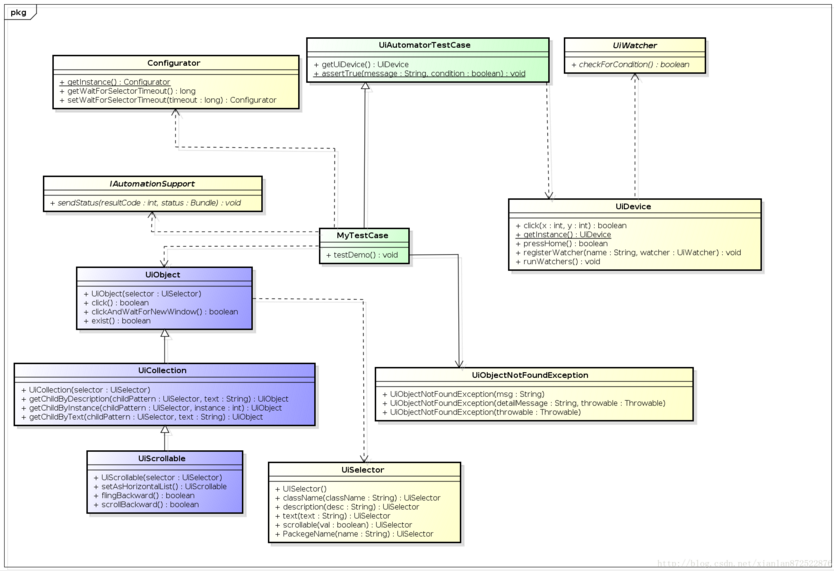 Android UIAutomator 自動化測試入門
 UIAutomator 是 Android 提供的 UI 自動化測試工具,可模擬點擊、滑動、輸入文字等操作。對於測
 Android 效能優化:常見的記憶體洩漏與對策
前言 記憶體洩漏幾乎每個人都遇過,只是它藏在堆(heap)中,看不見摸不著。要檢測是否發生洩漏,實務上常借助工具:MAT 功能強大但上手門檻高;LeakCanary 則是
 Android Studio 整合百度地圖 SDK 初體驗
 本文記錄在 Android Studio 中首次整合百度地圖 SDK 的流程,從申請密鑰、下載開發包,到設定依
 Android 佈局詳解:TableLayout 表格佈局的行列規則與三大列屬性
TableLayout 表格佈局入門 不論是 Java Swing 還是 HTML,表格都是表達結構化資料的常見手法,Android 也提供了對應的容器:TableLay