

編輯:關於 Android 開發
把 Android 專案推到 GitHub 之前,第一件事就是設定 .gitignore。否則 build/、local.properties、IDE 個人設定等一堆不該進版控的東西會被一起推上去——其中 local.properties 更藏著本機的 SDK 路徑,屬於每個人都不一樣的環境資訊。
這一層主要攔掉編譯產物與本機設定:
# Built application files
*.apk
*.ap_

# Files for the Dalvik VM
*.dex

# Java class files
*.class

# Generated files
bin/
gen/

# Gradle files
.gradle/
build/
/*/build/

# Local configuration file (sdk path, etc)
local.properties

# Proguard folder generated by Eclipse
proguard/

# Log Files
*.log
若使用 Android Studio,還要額外排除 IDE 與 Gradle 產生的檔案:
*.iml
.gradle
/local.properties
/.idea/workspace.xml
/.idea/libraries
.DS_Store
/build
/captures
1. .gitignore 只對「尚未被追蹤」的檔案生效。如果檔案已經 git add 過,之後再加進 .gitignore 是沒用的,必須先從索引中移除:
git rm -r --cached .
git add .
git commit -m "chore: apply gitignore rules"
2. 不要用 git rm -r --cached 之外的方式刪檔。加上 --cached 只清索引、保留本機檔案,這是你要的行為。
3. 哪些一定要 commit?.gitignore 本身、gradlew 與 gradle/wrapper/(讓別人不必預裝 Gradle)、build.gradle 與 settings.gradle、src/ 全部原始碼,以及 app/src/main/res/ 資源。
4. 哪些一定不能 commit?local.properties(本機 SDK 路徑)、任何 keystore 與簽章檔、以及 google-services.json 裡的 API key 若屬敏感專案也應排除或改用環境變數注入。憑證一旦進了公開歷史紀錄,即使後續刪除,仍會留在 commit 歷史中,必須重新簽章才算真正處理完。
5. macOS 使用者記得加 .DS_Store。這是 Finder 自動產生的檔案,很容易不小心被提交進去。
最後補充一個實用做法:GitHub 官方维护了各語言的 gitignore 模板庫(github/gitignore),其中 Android.gitignore 已涵蓋上述大部分規則,可以直接取用而不必自己逐條列。
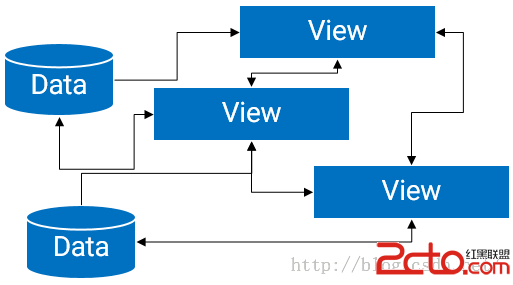 Android MVP 開發模式詳解(十九):以登入功能為例
Android MVP 開發模式詳解(十九) 一、前言 專案持續更新中,這一期我們把 MVP 開發模式講透,並用一個完整的登入示例把它落地。 二、什麼是 MVP MV
 用 Vitamio 打造 Android 萬能播放器(一):手勢控制亮度、音量與畫面縮放
Vitamio 是一個功能相當完整的媒體播放引擎,最大的賣點是內建多平台解碼器,能播放 Android 系統原生 MediaPlayer 支援不到的格式。本文示範如何在其
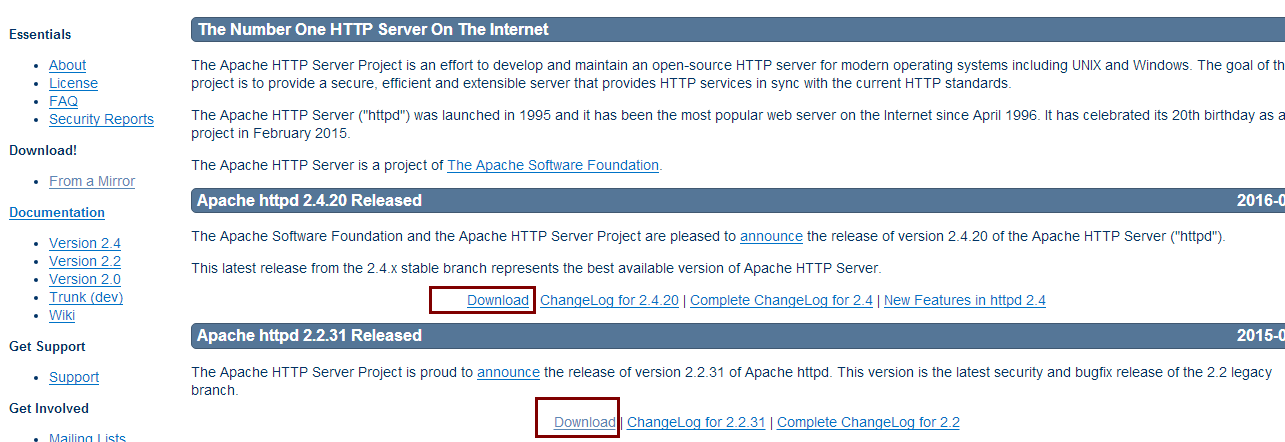 Apache 安裝教學與常見問題排除
下載與安裝本教學以 Windows 環境為例,說明下載、安裝 Apache 並排除常見錯誤。首先前往 Apache 官方網站選擇版本,再進入 Windows 下載頁取得安
 Android EditText 只剩下方一條橫線?教你還原傳統樣式
 從 Android 4.0 開始,EditText 的預設外觀有了明顯改變——原本帶有完整邊框的輸入