

編輯:關於 Android 開發
PendingIntent 可以理解為一個等待被觸發的 Intent。它與一般 Intent 最大的差異在於,PendingIntent 可以在未來某個時刻、某個條件滿足時,或由其他應用程式執行。它常用於通知欄、短信發送與鬧鐘等場景。
根據要啟動的組件不同,可以選擇不同的靜態方法:
在通知中,通常需要設置一個 PendingIntent,讓用戶點擊通知後可以跳轉到指定頁面。
NotificationManager nm = (NotificationManager) getSystemService(Context.NOTIFICATION_SERVICE);

Notification n = new Notification(icon, "通知", when);
n.defaults = Notification.DEFAULT_SOUND;
n.flags |= Notification.FLAG_AUTO_CANCEL;

Intent openintent = new Intent(this, OtherActivity.class);
PendingIntent pi = PendingIntent.getActivity(this, 0, openintent, 0);

n.setLatestEventInfo(this, "標題", "內容", pi);
nm.notify(0, n);
這裡的 PendingIntent 會在通知被點擊時觸發,讓系統執行 openintent 所描述的動作。
SmsManager 的 sendTextMessage 方法也使用 PendingIntent。其中 sentIntent 表示短信是否發送成功,deliveryIntent 表示對方是否收到短信。


也就是說,PendingIntent 可以在特定事件完成後被觸發,這正是它與一般 Intent 最大的不同。
此外,也可以在合適的時機呼叫 PendingIntent.cancel,將其從系統中移除。
PendingIntent 是 Android 中非常重要的延遲執行機制。它不僅能攜帶 Intent,還能攜帶 Context,因此可以在通知、短信、鬧鐘等場景中安全地觸發操作。理解它的執行時機與 flags 行為,才能避免重複通知、舊數據殘留與取消失敗等問題。
 反編譯 APK 獲取源碼及防止 APK 被反編譯淺析
概述 本文記錄如何反編譯 APK 獲取其源碼,並簡單探討如何防止自己的 APK 被反編譯。內容要點包括: 1. 使用工具 apk 逆向助手; 2. 使用 dex2jar
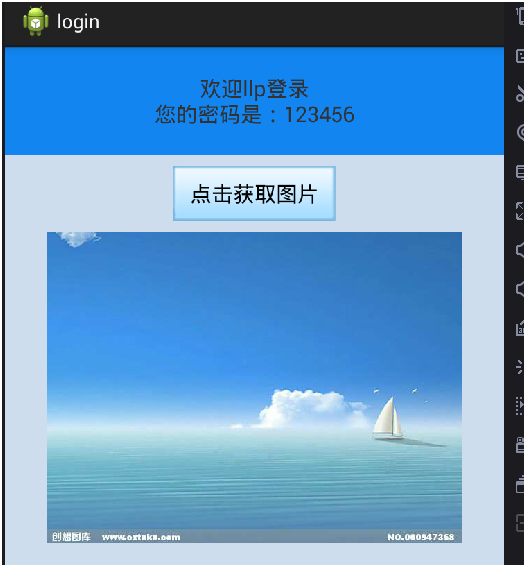 Android 入門實戰:SharedPreferences 記帳 + 聯網取圖並寫入外部存儲
 剛學 Android 兩週,寫一篇隨筆鞏固一下成果,不足之處歡迎建議指正。
 Android 程式碼故事 第一回:那些等間距排列的按鈕
App 新做了一個放操作按鈕的畫面,老闆的要求是「簡潔美觀有內涵,按鈕要均勻分布」。設計 MM 給了一張圖,示意起來大概是這樣: |===================
 Hive 1.2.1、Spark 與 Sqoop 整合安裝完整指南
本文以 Hive 1.2.1 為核心,說明如何在 Hadoop 2.7.1 上完成安裝與配置,並進一步整合 Spark 與 Sqoop。Hive 將以 Server 模