

編輯:開發入門
把日常開發常翻ermined實用的小片段整理在一起,方便查閱。以下每段都附上簡短說明,可直接複製後依專案調整。
String status = Environment.getExternalStorageState();
if (status.equals(Environment.MEDIA_MOUNTED)) {
    // 有外部儲存空間可用
}
在 onCreate() 中不設定 Layout,改套用自訂主題:
this.setTheme(R.style.Theme_Transparent);
對應的 style 定義放在 res/values/styles.xml,背景指向一張透明圖片即可。
TextView msgTextView = (TextView) findViewById(R.id.msg);
msgTextView.setText(R.string.push_me);
findViewById() 傳回元件參照後,就能讀寫該物件對外開放的所有屬性。
String body = "this is mms demo";
Intent mmsintent = new Intent(Intent.ACTION_SENDTO, Uri.fromParts("smsto", number, null));
mmsintent.putExtra(Messaging.KEY_ACTION_SENDTO_MESSAGE_BODY, body);
mmsintent.putExtra(Messaging.KEY_ACTION_SENDTO_COMPOSE_MODE, true);
mmsintent.putExtra(Messaging.KEY_ACTION_SENDTO_EXIT_ON_SENT, true);
startActivity(mmsintent);
StringBuilder sb = new StringBuilder();
sb.append("file://");
sb.append(fd.getAbsolutePath());

Intent intent = new Intent(Intent.ACTION_SENDTO, Uri.fromParts("mmsto", number, null));
// 以下皆為選擇性欄位
intent.putExtra(Messaging.KEY_ACTION_SENDTO_MESSAGE_SUBJECT, subject);
intent.putExtra(Messaging.KEY_ACTION_SENDTO_MESSAGE_BODY, body);
intent.putExtra(Messaging.KEY_ACTION_SENDTO_CONTENT_URI, sb.toString());
intent.putExtra(Messaging.KEY_ACTION_SENDTO_COMPOSE_MODE, composeMode);
intent.putExtra(Messaging.KEY_ACTION_SENDTO_EXIT_ON_SENT, exitOnSent);
startActivity(intent);
String mime = "image/jpg";
shareIntent.setDataAndType(Uri.fromFile(fd), mime);
shareIntent.putExtra(Intent.EXTRA_STREAM, Uri.fromFile(fd));
shareIntent.putExtra(Intent.EXTRA_SUBJECT, subject);
shareIntent.putExtra(Intent.EXTRA_TEXT, body);
registerReceiver(mMasterResetReceiver,
        new IntentFilter("oms.action.MASTERRESET"));

private BroadcastReceiver mMasterResetReceiver = new BroadcastReceiver() {
    @Override
    public void onReceive(Context context, Intent intent) {
        String action = intent.getAction();
        if ("oms.action.MASTERRESET".equals(action)) {
            RecoverDefaultConfig();
        }
    }
};
private ContentObserver mDownloadsObserver =
        new DownloadsChangeObserver(Downloads.CONTENT_URI);

private class DownloadsChangeObserver extends ContentObserver {
    public DownloadsChangeObserver(Uri uri) {
        super(new Handler());
    }

    @Override
    public void onChange(boolean selfChange) {
        // 資料有變動時在這裡處理
    }
}
private String getUserAgent() {
    return ProductProperties.get(ProductProperties.USER_AGENT_KEY, null);
}
CookieSyncManager.createInstance(getApplicationContext());
CookieManager.getInstance().removeAllCookie();
private boolean openDataConnection() {
    DataConnection conn = DataConnection.getInstance();
    boolean ret;
    if (connectMode == 0) {
        ret = conn.openConnection(mContext, "cmwap", "cmwap", "cmwap");
    } else {
        ret = conn.openConnection(mContext, "cmnet", "", "");
    }
    return ret;
}
public class Setting extends PreferenceActivity {
    @Override
    public void onCreate(Bundle savedInstanceState) {
        super.onCreate(savedInstanceState);
        addPreferencesFromResource(R.xml.settings);
    }
}
對應的 res/xml/settings.xml 裡放各項 Preference 定義:
<PreferenceScreen xmlns:android="https://schemas.android.com/apk/res/android">
    <CheckBoxPreference
        android:key="seting1"
        android:title="@string/seting1"
        android:summaryOn="@string/seting1summaryOn"
        android:summaryOff="@string/seting1summaryOff" />
    <EditTextPreference
        android:key="seting2"
        android:title="@string/seting2"
        android:summary="@string/seting2" />
</PreferenceScreen>
DefaultHttpClient httpClient = new DefaultHttpClient();
HttpGet method = new HttpGet("https://www.example.com/1.html");
Reader reader = null;

try {
    HttpParams params = new BasicHttpParams();
    params.setIntParameter(AllClientPNames.CONNECTION_TIMEOUT, 10000);
    httpClient.setParams(params);

    HttpResponse resp = httpClient.execute(method);
    int status = resp.getStatusLine().getStatusCode();
    if (status != HttpStatus.SC_OK) {
        return false;
    }
    return true;
} catch (ClientProtocolException e) {
    e.printStackTrace();
} catch (IOException e) {
    e.printStackTrace();
} finally {
    if (reader != null) {
        try {
            reader.close();
        } catch (IOException e) {
            e.printStackTrace();
        }
    }
}
注意這裡設定了連線逾時。少了逾時設定,網路異常時執行緒可能會無限期卡住。
Toast.makeText(getApplicationContext(), R.string._item, Toast.LENGTH_SHORT).show();
以上片段多為早期 Android 版本寫法,其中 GPRS 手動連線、ProductProperties 取得 UA、以及直接操作 Messaging 內部常數等做法,在新版平台上多半已有更適當的官方 API 取代,實作時請對照目前版本的文件確認。
 在 MyEclipse 8.6 上搭建 Android 開發環境
本節將示範如何在 MyEclipse 8.6 中建立 Android 開發環境,包含 JDK、Android SDK、ADT 外掛、AVD 模擬器與 Hello Worl
 Android 開發實戰:網路連線、多執行緒與並發處理
Android 應用程式最常見的任務之一,就是從網路取得資料或把資料送到遠端伺服器。而這些操作的結果,通常正是你想呈現給使用者的新資料——也就是說,你需要更新用戶界面。
 Android 2.2 開發初學者快速入門十一大秘技
本文整理 Android 2.2 初學者常會用到的開發重點,包含環境設定、系統架構、常用元件、布局、Adb 指令、APK 分析與疑難排除,適合剛開始接觸 Android
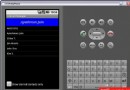 用 Eclipse 與 Android 元件做開發(四):用 ListView 與 ContentProvider 做通訊錄
用 ListView 元件:一個簡單的範例應用 這一節我們要動手做一個範例應用,用 ListView 元件把電話簿裡的所有聯絡人列出來(見圖 9a、9b)。這個例子不只示