

編輯:Android 省電與效能提升
當你刪掉 out/target 目錄,或者用 make clean 清空輸出之後重新編譯源碼,等待時間往往非常漫長。
這個問題其實很好解決,Android 官方本身就提供了方案——ccache 編譯器快取。官方的說法是:
You can optionally tell the build to use the ccache compilation tool. Ccache acts as a compiler cache that can be used to speed-up rebuilds. This works very well if you do "make clean" often, or if you frequently switch between different build products.
在 home 主目錄的 .bashrc 中加入:
export USE_CCACHE=1
如果想指定一個特定的快取目錄,同樣寫進 .bashrc;不指定的話預設是當前使用者目錄下的 .ccache:
export CCACHE_DIR=/home/mokee/.ccache
接著在 MoKee OpenSource 主目錄中執行下面指令,手動把快取上限設在 50G~100G 之間:
prebuilts/misc/linux-x86/ccache/ccache -M 50G
設定完成,就可以開始編譯了。
 摩托羅拉 ME722 MIUI 2.3.7 刷機包(省電流暢版)
這份 ME722 MIUI 2.3.7 省電流暢版,是在 miui for Milestone 2 的 2.30 開發版基礎上重新優化編譯而來,並導入 Android 4
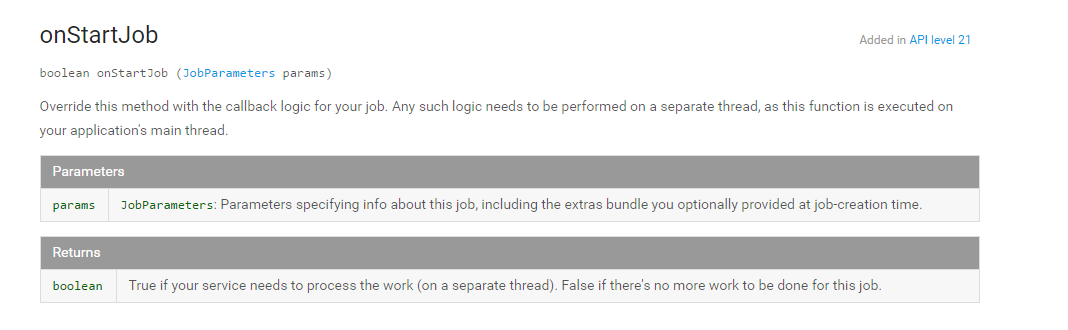 Android 省電機制解密:JobScheduler 用法與重排策略
JobScheduler 是 Android L 版本導入的新 API。顧名思義,它負責「調度工作」,觸發條件可以是網路狀態變化、充電插拔、週期執行等等,典型場景像是「連
 安卓手機如何加速
一、限制背景行程數量 手機與電腦的運作邏輯其實相似:開太多程式就會變卡。只是受限於螢幕大小,用手機時很容易忘記哪些程式還沒關,久了自然變慢。限制背景行程數就能有效緩解——
 《我叫MT》安卓版有加速器嗎?等待時間怎麼打發
《我叫MT》安卓版正式公測後,不論 iOS 還是 Android 版本都廣受玩家喜愛。熟悉 iOS 版的玩家應該知道,那邊曾有第三方「加速器」這類工具,主要用途是縮短遊戲