

編輯:中階開發
Android 2.3 不只改動了上層 API,連源自 Sun 公司的 java.io.File 套件也跟著進化了。在 API Level 9 中,File 類別多了幾個相當實用的特性,其中又以剩餘空間與總容量這兩個方法最常被用到。
public long getFreeSpace()
回傳「包含此路徑的分區」還剩多少位元組;若路徑不存在則回傳 0。SDK 原文的說明如下:
Returns the number of free bytes on the partition containing this path. Returns 0 if this path does not exist. Note that this is likely to be an optimistic over-estimate and should not be taken as a guarantee your application can actually write this many bytes.
特別值得注意的是最後一句:這個數字偏向樂觀估計,不能當成「一定能寫入這麼多」的保證。實務上若要寫檔,仍必須把寫入失敗的情況納入考量。
public long getTotalSpace()
回傳包含此路徑的分區總位元組數,路徑不存在時同樣回傳 0。SDK 原文:
Returns the total size in bytes of the partition containing this path. Returns 0 if this path does not exist.
搭配使用這兩個方法,就能算出「已用比例」,做容量儀表板、下載前預估空間這類功能都方便許多。
同一版本還補上了幾個直接操作檔案權限的方法,有興趣的讀者可以在 Android 2.3 的 SDK 文件中查到完整說明:
public boolean setExecutable(boolean executable)
public boolean setReadable(boolean readable)
public boolean setWritable(boolean writable, boolean ownerOnly)
其中 setWritable 多了一個 ownerOnly 參數,可以用來決定「只允許擁有者寫入」還是「所有使用者都能寫入」,比過去只能靠 Runtime.exec("chmod") 的做法乾淨多了。
 用 Android 與 XML 打造動態表單應用(下):畫面生成、驗證與提交
接續上篇,本文將說明如何把 XML 表單定義轉換成實際可操作的 Android 畫面,並完成資料驗證、背景傳輸與提交結果提示。 動態產生表單畫面 在 Android 中
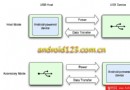 Android 3.1 USB 配件開發入門:Host Mode 與 Accessory Mode
從 Android 3.1 開始,官方正式支援把 USB 配件連接到 Android 裝置,並定義了一套配件通訊協議。而在 Android 2.3.4 上,透過附加函式庫
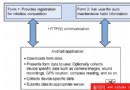 用 Android 與 XML 打造動態表單應用(上):從架構到資料模型
在行動應用開發中,若每一份表單都要重新撰寫版面,維護成本會快速上升。本文以 Android 與 XML 為核心,示範如何打造一套可動態載入表單的資料收集架構:表單定義放在
 動手打造 iPhone 與 Android 的瀏覽器型應用程式
前言:本文是「Android 與 iPhone 瀏覽器之戰」系列的第二篇。上一篇談的是兩者瀏覽器共同的核心引擎 WebKit;這次要往前多走一步,實際做出一個能跑在 iP