編輯:關於android開發
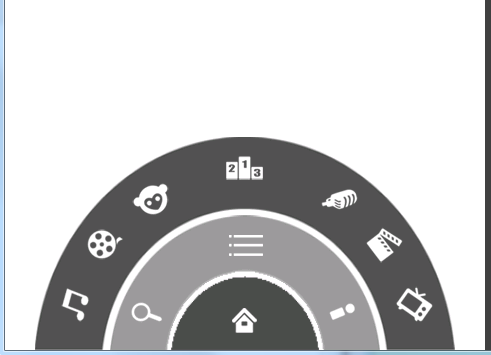
RotateAnimation (float fromDegrees, float toDegrees, int pivotXType, float pivotXValue, int pivotYType, float pivotYValue)
參數說明:
float fromDegrees:旋轉的開始角度。
float toDegrees:旋轉的結束角度。
int pivotXType:X軸的伸縮模式,可以取值為ABSOLUTE、RELATIVE_TO_SELF、RELATIVE_TO_PARENT。
float pivotXValue:X坐標的伸縮值。
int pivotYType:Y軸的伸縮模式,可以取值為ABSOLUTE、RELATIVE_TO_SELF、RELATIVE_TO_PARENT。
float pivotYValue:Y坐標的伸縮值。
//animation.setRepeatCount(int repeatCount);//設置重復次數
//animation.setFillAfter(boolean);//動畫執行完後是否停留在執行完的狀態
//animation.setStartOffset(long startOffset);//執行前的等待時間
package com.org.demo.youku;

import com.org.wangfeng.R;

import android.app.Activity;
import android.os.Bundle;
import android.view.KeyEvent;
import android.view.View;
import android.view.View.OnClickListener;
import android.widget.ImageView;
import android.widget.RelativeLayout;

public class MainActivity extends Activity implements OnClickListener {

    private ImageView iv_home, iv_menu;
    private RelativeLayout level1, level2, level3;

    private boolean isShowLevel2 = true;// 是否顯示2級菜單
    private boolean isShowLevel3 = true;// 是否顯示3級菜單

    private boolean isShowMenu = true;// 是否顯示整個菜單,包括1級,2級,3級的菜單

    @Override
    protected void onCreate(Bundle savedInstanceState) {
        // TODO Auto-generated method stub
        super.onCreate(savedInstanceState);
        setContentView(R.layout.mainyouku);

        iv_home = (ImageView) findViewById(R.id.iv_home);
        iv_menu = (ImageView) findViewById(R.id.iv_menu);
        level1 = (RelativeLayout) findViewById(R.id.level1);
        level2 = (RelativeLayout) findViewById(R.id.level2);
        level3 = (RelativeLayout) findViewById(R.id.level3);

        iv_home.setOnClickListener(this);
        iv_menu.setOnClickListener(this);
    }

    @Override
    public void onClick(View arg0) {
        // TODO Auto-generated method stub
        switch (arg0.getId()) {
        case R.id.iv_home:
            if (AnimUtil.animCount != 0) {
                // 說明有動畫在執行
                return;
            }
            if (isShowLevel2) {
                // 需要隱藏
                int startOffset = 0;
                if (isShowLevel3) {
                    AnimUtil.closeMenu(level3, startOffset);
                    startOffset += 200;
                    isShowLevel3 = false;
                }

                AnimUtil.closeMenu(level2, startOffset);
            } else {
                // 需要顯示
                AnimUtil.showMenu(level2, 0);
            }
            isShowLevel2 = !isShowLevel2;
            break;
        case R.id.iv_menu:
            if (AnimUtil.animCount != 0) {
                // 說明有動畫在執行
                return;
            }
            if (isShowLevel3) {
                // 隱藏3級菜單
                AnimUtil.closeMenu(level3, 0);
            } else {
                // 顯示3級菜單
                AnimUtil.showMenu(level3, 0);
            }
            isShowLevel3 = !isShowLevel3;
            break;
        default:
            break;
        }
    }

    @Override
    public boolean onKeyDown(int keyCode, KeyEvent event) {
        if (keyCode == KeyEvent.KEYCODE_MENU) {

            if (isShowMenu) {
                // 需要關閉所有菜單
                int startOffset = 0;
                if (isShowLevel3) {
                    AnimUtil.closeMenu(level3, startOffset);
                    isShowLevel3 = false;
                    startOffset += 200;
                }
                if (isShowLevel2) {
                    AnimUtil.closeMenu(level2, startOffset);
                    isShowLevel2 = false;
                    startOffset += 200;
                }

                AnimUtil.closeMenu(level1, startOffset);

            } else {
                // 需要顯示所有菜單
                AnimUtil.showMenu(level1, 0);
                AnimUtil.showMenu(level2, 200);
                isShowLevel2 = true;
                AnimUtil.showMenu(level3, 400);
                isShowLevel3 = true;

            }
            isShowMenu = !isShowMenu;

            return true;
        }
        return super.onKeyDown(keyCode, event);
    }
}
package com.org.demo.youku;

import android.view.animation.Animation;
import android.view.animation.RotateAnimation;
import android.view.animation.Animation.AnimationListener;
import android.widget.RelativeLayout;

public class AnimUtil {
    public static int animCount = 0;// 記錄當前執行的動畫數量

    public static void closeMenu(RelativeLayout rl, int startOffset) {
        for (int i = 0; i < rl.getChildCount(); i++) {
            rl.getChildAt(i).setEnabled(false);
        }

        // pivotXValue: 0-1
        RotateAnimation animation = new RotateAnimation(0, -180,
                RotateAnimation.RELATIVE_TO_SELF, 0.5f,
                RotateAnimation.RELATIVE_TO_SELF, 1);
        animation.setDuration(500);
        animation.setFillAfter(true);// 動畫結束後保持當時的狀態
        animation.setStartOffset(startOffset);

        animation.setAnimationListener(new MyAnimationListener());

        rl.startAnimation(animation);
    }

    public static void showMenu(RelativeLayout rl, int startOffset) {
        for (int i = 0; i < rl.getChildCount(); i++) {
            rl.getChildAt(i).setEnabled(true);
        }

        RotateAnimation animation = new RotateAnimation(-180, 0,
                RotateAnimation.RELATIVE_TO_SELF, 0.5f,
                RotateAnimation.RELATIVE_TO_SELF, 1);
        animation.setDuration(500);
        animation.setFillAfter(true);// 動畫結束後保持當時的狀態
        animation.setStartOffset(startOffset);

        animation.setAnimationListener(new MyAnimationListener());

        rl.startAnimation(animation);
    }

    static class MyAnimationListener implements AnimationListener {
        @Override
        public void onAnimationStart(Animation animation) {
            animCount++;
        }

        @Override
        public void onAnimationEnd(Animation animation) {
            animCount--;
        }

        @Override
        public void onAnimationRepeat(Animation animation) {
        }

    }
}
<?xml version="1.0" encoding="utf-8"?>
<RelativeLayout xmlns:android="http://schemas.android.com/apk/res/android"
    android:layout_width="match_parent"
    android:layout_height="match_parent" >

    <!--  -->

    <RelativeLayout
        android:layout_width="100dp"
        android:id="@+id/level1"
        android:layout_height="50dp"
        android:layout_alignParentBottom="true"
        android:layout_centerHorizontal="true"
        android:background="@drawable/level1" >

        <ImageView
            android:id="@+id/iv_home"
            android:layout_width="wrap_content"
            android:layout_height="wrap_content"
            android:layout_centerInParent="true"
            android:background="@drawable/icon_home"
            android:contentDescription="@null" />
    </RelativeLayout>

    <RelativeLayout
        android:id="@+id/level2"
        android:layout_width="180dp"
        android:layout_height="90dp"
        android:layout_alignParentBottom="true"
        android:layout_centerHorizontal="true"
        android:background="@drawable/level2" >

        <ImageView
            android:layout_width="wrap_content"
            android:layout_height="wrap_content"
            android:layout_alignParentBottom="true"
            android:layout_marginBottom="10dp"
            android:layout_marginLeft="10dp"
            android:background="@drawable/icon_search"
            android:contentDescription="@null" />

        <ImageView
            android:layout_width="wrap_content"
            android:layout_height="wrap_content"
            android:layout_alignParentBottom="true"
            android:layout_alignParentRight="true"
            android:layout_marginBottom="10dp"
            android:layout_marginRight="10dp"
            android:background="@drawable/icon_myyouku"
            android:contentDescription="@null" />

        <ImageView
            android:id="@+id/iv_menu"
            android:layout_width="wrap_content"
            android:layout_height="wrap_content"
            android:layout_centerHorizontal="true"
            android:layout_marginTop="5dp"
            android:background="@drawable/icon_menu"
            android:contentDescription="@null" />
    </RelativeLayout>

    <RelativeLayout
        android:id="@+id/level3"
        android:layout_width="280dp"
        android:layout_height="142dp"
        android:layout_alignParentBottom="true"
        android:layout_centerHorizontal="true"
        android:background="@drawable/level3" >

        <ImageView
            android:layout_width="wrap_content"
            android:layout_height="wrap_content"
            android:layout_alignParentBottom="true"
            android:layout_marginBottom="15dp"
            android:layout_marginLeft="12dp"
            android:background="@drawable/channel1"
            android:contentDescription="@null" />

        <ImageView
            android:layout_width="wrap_content"
            android:layout_height="wrap_content"
            android:layout_alignParentBottom="true"
            android:layout_alignParentRight="true"
            android:layout_marginBottom="15dp"
            android:layout_marginRight="12dp"
            android:background="@drawable/channel5"
            android:contentDescription="@null" />

        <ImageView
            android:layout_width="wrap_content"
            android:layout_height="wrap_content"
            android:layout_alignParentBottom="true"
            android:layout_marginBottom="55dp"
            android:layout_marginLeft="32dp"
            android:background="@drawable/channel2"
            android:contentDescription="@null" />

        <ImageView
            android:layout_width="wrap_content"
            android:layout_height="wrap_content"
            android:layout_alignParentBottom="true"
            android:layout_alignParentRight="true"
            android:layout_marginBottom="55dp"
            android:layout_marginRight="32dp"
            android:background="@drawable/channel6"
            android:contentDescription="@null" />

        <ImageView
            android:layout_width="wrap_content"
            android:layout_height="wrap_content"
            android:layout_alignParentBottom="true"
            android:layout_marginBottom="85dp"
            android:layout_marginLeft="62dp"
            android:background="@drawable/channel3"
            android:contentDescription="@null" />

        <ImageView
            android:layout_width="wrap_content"
            android:layout_height="wrap_content"
            android:layout_alignParentBottom="true"
            android:layout_alignParentRight="true"
            android:layout_marginBottom="85dp"
            android:layout_marginRight="62dp"
            android:background="@drawable/channel7"
            android:contentDescription="@null" />

        <ImageView
            android:layout_width="wrap_content"
            android:layout_height="wrap_content"
            android:layout_centerHorizontal="true"
            android:layout_marginTop="5dp"
            android:background="@drawable/channel4"
            android:contentDescription="@null" />
    </RelativeLayout>

</RelativeLayout>
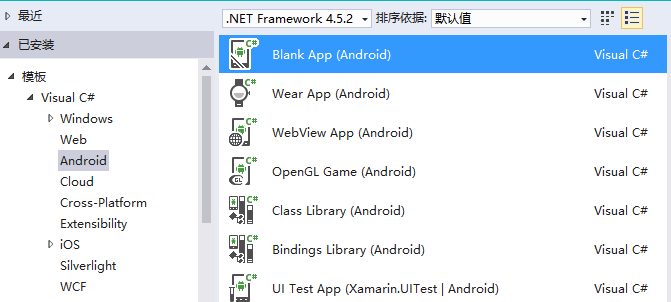 visual studio 2015 開發android,2015android
visual studio 2015 開發android,2015android轉載請注明: http://www.cnblogs.com/sunyl/p/5493249
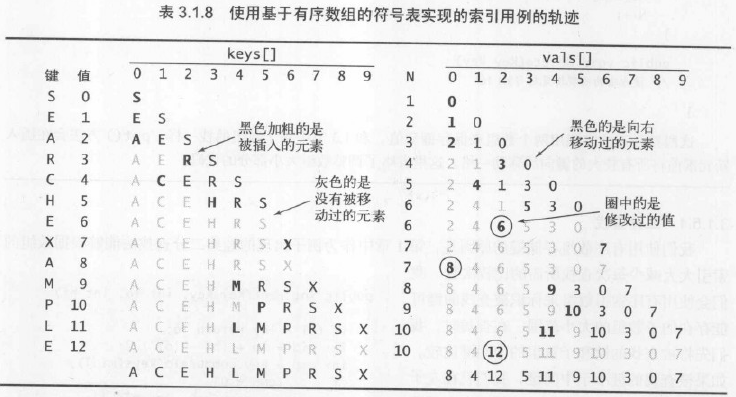 算法—8.有序數組中的二分查找,算法數組二分
算法—8.有序數組中的二分查找,算法數組二分 1.具體算法 /** * 算法3.2 二分查找(基於有序數組) * Created by huazhou on 201
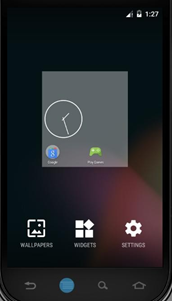 Android開發5:應用程序窗口小部件App Widgets的實現,androidwidgets
Android開發5:應用程序窗口小部件App Widgets的實現,androidwidgets 前言 本次主要是實現一個Android應用,實現靜態廣
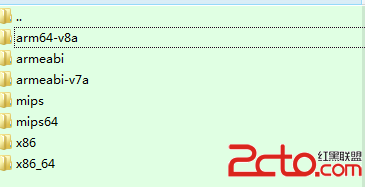 Android APK 在32bit 和64bit 的區別問題
Android APK 在32bit 和64bit 的區別問題 目前64bitandroid系統也慢慢的多了,看到也有apk聲稱支持64bitsystem,然後就往裡面打
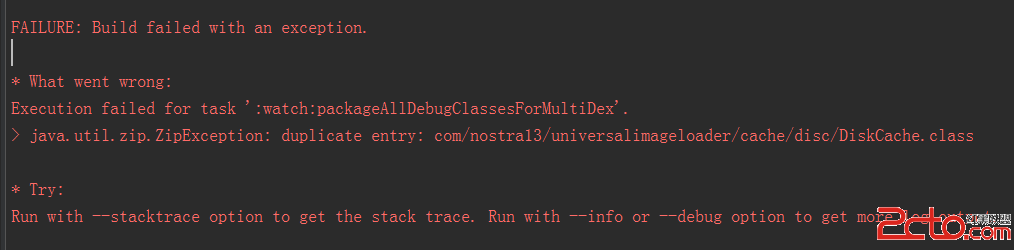 我的Android進階之旅------)Android編譯錯誤java.util.zip.ZipException: duplicate entry的解決方法
我的Android進階之旅------)Android編譯錯誤java.