編輯:關於android開發
1,獲取RadioGroup控件: RadioGroup radioGroup = (RadioGroup)findViewById(R.id.myRadioGroup);
2,獲取RadioButton控件; RadioButton radioButton = (RadioButton)findViewById(radioGroup.getCheckedRadioButtonId());
3,獲取選中的radio的值: String text = radioButton.getText().toString();
4,為radioGroup添加監聽事件,用來監聽組件內部的事件響應: radioGroup.setOnCheckedChangeListener(new RadioGroup.OnCheckedChangeListener() { @Override public void onCheckedChanged(RadioGroup group, int checkedId) { //在這個函數裡面用來改變選擇的radioButton的數值,以及與其值相關的 //任何操作,詳見下文 selectRadioBtn(); } });
5,在onCreat中需要初始化上面的四條信息;
6,整體的使用樣例: protected void onCreate(Bundle savedInstanceState){ super.onCreate(savedInstanceState); setContentView(R.layout.waterselect); getViews(); setListenerForView(); }
private void getViews(){ //獲取庫內上水的radio組件信息、 radioGroup = (RadioGroup)findViewById(R.id.isWaterByContent); }
private void setListenerForView(){ //選擇radio selectRadioBtn(); //庫內上水的監聽事件 radioGroup.setOnCheckedChangeListener(new RadioGroup.OnCheckedChangeListener() { @Override public void onCheckedChanged(RadioGroup group, int checkedId) { selectRadioBtn(); } }); }
private void selectRadioBtn(){ radioButton = (RadioButton)findViewById(radioGroup.getCheckedRadioButtonId()); waterIn = radioButton.getText().toString(); Log.i("radio", waterIn); }
來自:http://blog.sina.com.cn/s/blog_9c5364110101c1bj.html
<LinearLayout xmlns:android="http://schemas.android.com/apk/res/android"
    xmlns:tools="http://schemas.android.com/tools"
    android:layout_width="match_parent"
    android:layout_height="match_parent"
    android:orientation="vertical"
    android:paddingBottom="@dimen/activity_vertical_margin"
    android:paddingLeft="@dimen/activity_horizontal_margin"
    android:paddingRight="@dimen/activity_horizontal_margin"
    android:paddingTop="@dimen/activity_vertical_margin" >

    <!-- 定義RadioGroup控件 ,代表政治面貌選擇組 -->
    <RadioGroup
        android:id="@+id/radiogroup1"
        android:layout_width="wrap_content"
        android:layout_height="wrap_content"
        android:orientation="vertical" >
        <!-- 定義RadioButton控件 ,代表黨員選項 -->
        <RadioButton
            android:layout_width="wrap_content"
            android:layout_height="wrap_content"
            android:text="黨員" />
        <!-- 定義RadioButton控件 ,代表群眾選項 -->
        <RadioButton
            android:layout_width="wrap_content"
            android:layout_height="wrap_content"
            android:text="群眾" />
        <!-- 定義RadioButton控件 ,代表團員選項 -->
        <RadioButton
            android:layout_width="wrap_content"
            android:layout_height="wrap_content"
            android:text="團員" />
    </RadioGroup>

    <TextView

        android:layout_width="wrap_content"
        android:layout_height="wrap_content"
        android:text="結果"
        android:id="@+id/yl1"></TextView>
        <!--android:layout_gravity="center_horizontal" />-->

</LinearLayout>
package com.example.yanlei.yl2;

import android.os.Bundle;
import android.support.v7.app.AppCompatActivity;
//導入必備的包
import android.app.Activity;
import android.os.Bundle;
import android.widget.CheckBox;
import android.widget.CompoundButton;
import android.widget.RadioButton;
import android.widget.RadioGroup;
import android.widget.TextView;
import android.widget.CompoundButton.OnCheckedChangeListener;

public class MainActivity extends AppCompatActivity {


    private RadioGroup radiogroup1;        //定義足球的復選框對象
    private TextView yl1;            //定義結果文本便簽對象

    @Override
    protected void onCreate(Bundle savedInstanceState) {
        super.onCreate(savedInstanceState);        //調用父類的onCreate方法

        //通過setContentView方法設置當前頁面的布局文件為activity_main
        setContentView(R.layout.activity_main);
        findView();            //獲取頁面中的控件
        setListener();        //設置控件的監聽器
    }

    private void setListener() {
        // TODO Auto-generated method stub
        //設置所有Radiogroup的狀態改變監聽器
        radiogroup1.setOnCheckedChangeListener(mylistener);

    }

    RadioGroup.OnCheckedChangeListener mylistener=new RadioGroup.OnCheckedChangeListener()
    {
        @Override
        public void onCheckedChanged(RadioGroup Group, int Checkid) {
            // TODO Auto-generated method stub
            //設置TextView的內容顯示CheckBox的選擇結果
            setText();
        }
    };


    private void findView() {
        // TODO Auto-generated method stub
        //通過findViewById得到對應的控件對象
        radiogroup1 = (RadioGroup)findViewById(R.id.radiogroup1);

        yl1 = (TextView)findViewById(R.id.yl1);
    }

    private void setText(){
        String str;
        yl1.setText("");    //清空TextView的內容
        RadioButton radioButton = (RadioButton)findViewById(radiogroup1.getCheckedRadioButtonId());

        int id= radiogroup1.getCheckedRadioButtonId();
        str=radioButton.getText().toString();
        yl1.setText("選擇對象是:id="+id+",值:"+str);

    }


}
 Andriod DiskLruCache的使用案例
Andriod DiskLruCache的使用案例 DiskLruCache是谷歌推薦的用來實現硬盤緩存的類,本案例將對DiskLruCache的基本用法做一個總結,
 Activity與Service進行數據交互,activityservice
Activity與Service進行數據交互,activityserviceAndroid啟動Service有兩種方法,一種是startService,一種是bindSe
 MirrorNetwork 基於jmdns和netty的android網絡通信開源庫,mirrornetworkjmdns
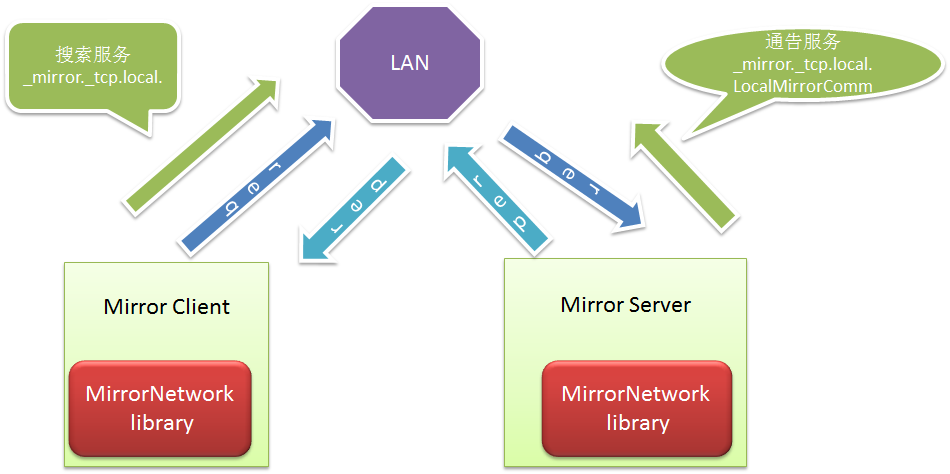
MirrorNetwork 基於jmdns和netty的android網絡通信開源庫,mirrornetworkjmdns目前android很多開源的網絡通信庫大多是基於
 【原創+譯文】官方文檔中聲明的如何創建抽屜導航欄(Navigation Drawer),navigationdrawer
【原創+譯文】官方文檔中聲明的如何創建抽屜導航欄(Navigation Drawer),navigationdrawer如需轉載請注明出處:http://www.cnbl