編輯:關於android開發
[
   {
    "id": 912345678901,
    "text": "How do I read JSON on Android?",
    "geo": null,
    "user": {
       "name": "android_newb",
      "followers_count": 41
    }
   },
   {
    "id": 912345678902,
    "text": "@android_newb just useandroid.util.JsonReader!",
    "geo": [50.454722, -104.606667],
    "user": {
      "name": "jesse",
      "followers_count": 2
    }
   }
 ]
在代碼中,如果直接定義json數據,需要在代碼中對“ 使用 \ 轉義。上面json在代碼中的形式為:(在java代碼中,創建一段json數據,“ 符號需要轉義)
private String jsonDate = "["
           + "{\"id\": 912345678901,"
           + "\"text\":\"How do I read JSON onAndroid?\","
            + "\"geo\":null,"
           +"\"user\":{\"name\":\"android_newb\",\"followers_count\":41}},"
           + "{\"id\": 912345678902,"
           + "\"text\":\"@android_newb just useandroid.util.JsonReader!\","
           + "\"geo\":[50.454722,-104.606667],"
           +"\"user\":{\"name\":\"jesse\",\"followers_count\":2}}"
           + "]";
1. 使用JsonReader方法解析Json數據對象,你需要創建一個JsonReader對象. 2.然後使用beginArray()來開始解析 [ 左邊的第一個數組。 3.再使用beginObject()來開始解析數組{中的第一個對象。 4.對於直接的數據可以直接得到解析到的數據,但對於在json中嵌套了數組的數據,需要在寫一個解析方法。 5.在解析完成後,別忘用endArray(),endObject()來關閉解析。
package com.mecury.jsontest;

import java.io.IOException;
import java.io.StringReader;
import android.util.JsonReader;
import android.util.JsonToken;
public class JsonUtils {

   public void parseJson(String jsonDate) throws IOException{
           //創建JsonReader對象
           JsonReader jsReader = new JsonReader(new StringReader(jsonDate));
           jsReader.beginArray();
           while (jsReader.hasNext()) {
               readMessage(jsReader);
           }
           jsReader.endArray();

    }

       public void readMessage(JsonReader jsReader) throws IOException{
           jsReader.beginObject();
           while(jsReader.hasNext()){
                String tagName =jsReader.nextName();
                if(tagName.equals("id")) {
                   System.out.println("name:"+jsReader.nextLong());
                }else if(tagName.equals("text")) {
                   System.out.println("text:"+jsReader.nextString());
                }else if(tagName.equals("geo") && jsReader.peek()!=JsonToken.NULL) {
                    readDoubleArray(jsReader);
                }else if(tagName.equals("user")) {
                    readUser(jsReader);
               }else {
                    //跳過當前值
                    jsReader.skipValue();
                   System.out.println("skip======>");
                }
           }
           jsReader.endObject();
       }
       //解析geo中的數據
       public void readDoubleArray(JsonReader jsReader) throws IOException{
           jsReader.beginArray();
           while(jsReader.hasNext()){
               System.out.println(jsReader.nextDouble());
           }
           jsReader.endArray();
       }
       //由於讀取user中的數據
       public void readUser(JsonReader jsReader) throws IOException{
       String userName = null;
       int followsCount = -1;
       jsReader.beginObject();
       while (jsReader.hasNext()) {
           String tagName = jsReader.nextName();
           if (tagName.equals("name")) {
                userName =jsReader.nextString();
               System.out.println("user_name:"+ userName);
           }else if (tagName.equals("followers_count")) {
                followsCount = jsReader.nextInt();
               System.out.println("followers_count:"+followsCount);
           }
       }
       jsReader.endObject();
    }
}
對上面的內容解析的輸出:
11-22 06:59:52.441: I/System.out(5329):name:912345678901
11-22 06:59:52.441: I/System.out(5329):text:How do I read JSON on Android?
11-22 06:59:52.461: I/System.out(5329):skip======>
11-22 06:59:52.461: I/System.out(5329):user_name:android_newb
11-22 06:59:52.471: I/System.out(5329):followers_count:41
11-22 06:59:52.481: I/System.out(5329):name:912345678902
11-22 06:59:52.491: I/System.out(5329):text:@android_newb just use android.util.JsonReader!
11-22 06:59:52.500: I/System.out(5329):50.454722
11-22 06:59:52.500: I/System.out(5329):-104.606667
11-22 06:59:52.510: I/System.out(5329):user_name:jesse
11-22 06:59:52.510: I/System.out(5329):followers_count:2
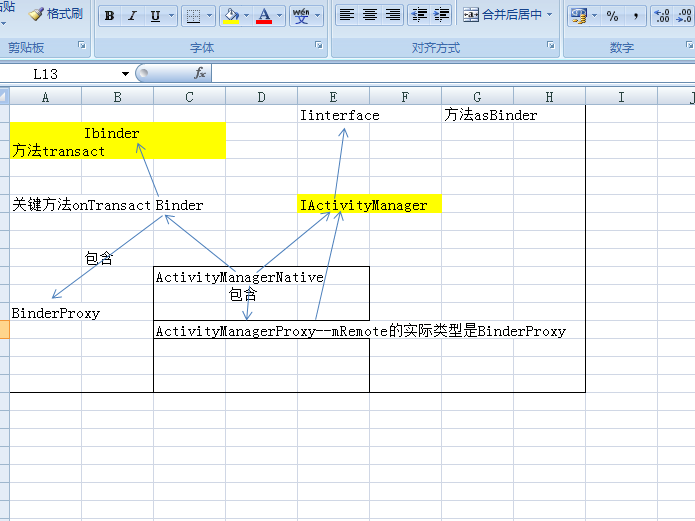 安卓高手之路之java層Binder,安卓binder
安卓高手之路之java層Binder,安卓binder很多人一提到Binder就說代理模式,人雲亦雲的多,能理解精髓的少。 本篇文章就從設計角度分析一下java
 注冊界面設計及實現之(三)SharedPerferences實現數據暫存,sharedptr實現
注冊界面設計及實現之(三)SharedPerferences實現數據暫存,sharedptr實現開發步驟: 創建一個SharedPerferences接口對象,並使用其
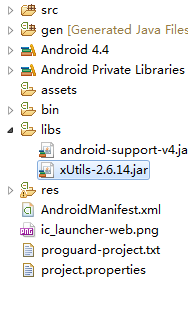 Android 利用xUtils框架實現對sqllite的增刪改查,xutilssqllite
Android 利用xUtils框架實現對sqllite的增刪改查,xutilssqllite首先下載xUtils,下載地址:https://github.com/wyo
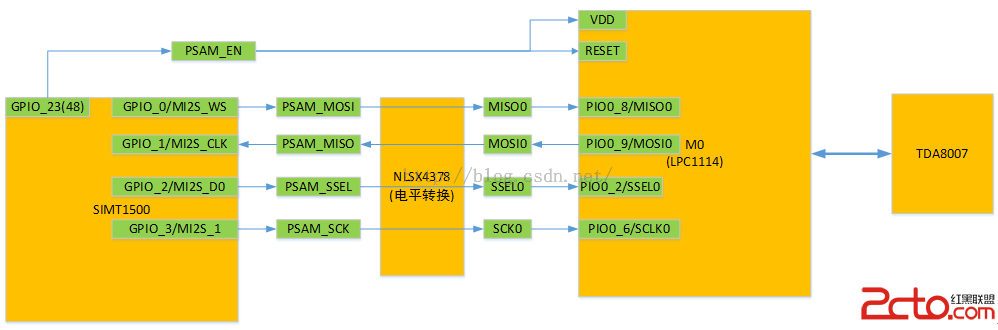 MSM8909+Android5.1.1 SPI驅動開發(PSAM部分)
MSM8909+Android5.1.1 SPI驅動開發(PSAM部分) MSM8909+Android5.1.1SPI驅動開發(PSAM部分) 1.