編輯:關於android開發
package com.org.demo.wangfeng;

import java.io.InputStream;
import java.net.HttpURLConnection;
import java.net.URL;
import java.util.ArrayList;
import java.util.List;
import org.xmlpull.v1.XmlPullParser;
import com.org.demo.wangfeng.demo.News;
import com.org.wangfeng.R;
import android.annotation.SuppressLint;
import android.app.Activity;
import android.os.Bundle;
import android.os.Handler;
import android.util.Xml;
import android.view.View;
import android.view.ViewGroup;
import android.widget.BaseAdapter;
import android.widget.ListView;
import android.widget.TextView;

public class MainActivity extends Activity {
    // 下載的地址
    private String path = "";
    List<News> newsList;
    private ListView lv_main_list;
    @SuppressLint("HandlerLeak")
    Handler handler = new Handler() {
        public void handleMessage(android.os.Message msg) {
            lv_main_list.setAdapter(new MyAdapter());
        };
    };

    @Override
    protected void onCreate(Bundle savedInstanceState) {
        // TODO Auto-generated method stub
        super.onCreate(savedInstanceState);
        setContentView(R.layout.main);
        getNewInfo();
        lv_main_list = (ListView) findViewById(R.id.lv_main_list);
        // 要保證在設置適配器時,新聞xml文件已經解析完畢
        // lv_main_list.setAdapter(new MyAdapter());
    }
/**
 * 設置lv_main_list適配器
 * @author Administrator
 *
 */
    private class MyAdapter extends BaseAdapter {
        // 得到模型曾中元素的數量,用來確定ListView需要有多少個條目
        @Override
        public int getCount() {
            // TODO Auto-generated method stub
            return newsList.size();
        }

        // 返回一個View對象,作為ListView的條目顯示至界面
        @Override
        public View getView(int positon, View convertView, ViewGroup parent) {
            News newss = newsList.get(positon);
            View v;
            ViewHolder myHolder;
            if (convertView == null) {
                v = View.inflate(MainActivity.this, R.layout.mainlist_item,
                        null);
                myHolder = new ViewHolder();
                // 把布局文件中所有組件的對象封裝至ViewHolder對象中
                myHolder.tv_title = (TextView) v
                        .findViewById(R.id.tv_main_title);
                myHolder.tv_detail = (TextView) v
                        .findViewById(R.id.tv_main_detail);
                myHolder.tv_comment = (TextView) v
                        .findViewById(R.id.tv_main_comment);
                // 把ViewHolder對象封裝至View對象中
                v.setTag(myHolder);

            } else {
                v = convertView;
                myHolder = (ViewHolder) v.getTag();
            }
            // TODO Auto-generated method stub

            // 給三個文本框設置內容
            myHolder.tv_title.setText(newss.getTitle());
            myHolder.tv_detail.setText(newss.getDetail());
            myHolder.tv_comment.setText(newss.getComment() + "條評論");

            // 給新聞圖片imageview設置內容

            return v;
        }

        class ViewHolder {
            // 條目的布局文件中有什麼組件,這裡就定義什麼組件
            TextView tv_title;
            TextView tv_detail;
            TextView tv_comment;
        }

        @Override
        public Object getItem(int arg0) {
            // TODO Auto-generated method stub
            return null;
        }

        @Override
        public long getItemId(int arg0) {
            // TODO Auto-generated method stub
            return 0;
        }

    }

    private void getNewInfo() {
        // TODO Auto-generated method stub
        Thread t = new Thread() {
            @Override
            public void run() {
                try {
                    URL url = new URL(path);
                    HttpURLConnection conn = (HttpURLConnection) url
                            .openConnection();
                    conn.setRequestMethod("GET");
                    conn.setConnectTimeout(5000);
                    conn.setReadTimeout(5000);
                    conn.connect();
                    if (conn.getResponseCode() == 200) {
                        // 服務器返回的流
                        InputStream is = conn.getInputStream();
                        // 使用pull解析器來解析流
                        parseNewsXml(is);

                    }
                } catch (Exception e) {
                    // TODO Auto-generated catch block
                    e.printStackTrace();
                }
            }
        };
        t.start();
    }

    /** 解析xml */
    private void parseNewsXml(InputStream is) {
        XmlPullParser xp = Xml.newPullParser();
        try {
            xp.setInput(is, "utf_8");
            // 對節點的事件類型進行判斷就可以知道當期節點是什麼節點
            int type = xp.getEventType();
            News news = null;

            while (type != XmlPullParser.END_DOCUMENT) {
                switch (type) {
                case XmlPullParser.START_TAG:
                    if ("newslist".equals(xp.getName())) {
                        newsList = new ArrayList<News>();
                    } else if ("news".equals(xp.getName())) {
                        news = new News();
                    } else if ("title".equals(xp.getName())) {
                        String title = xp.nextText();
                        news.setTitle(title);
                    } else if ("detail".equals(xp.getName())) {
                        String detail = xp.nextText();
                        news.setDetail(detail);
                    } else if ("comment".equals(xp.getName())) {
                        String comment = xp.nextText();
                        news.setComment(comment);
                    } else if ("imageUrl".equals(xp.getName())) {
                        String imageUrl = xp.nextText();
                        news.setImageUrl(imageUrl);
                    }
                    break;
                case XmlPullParser.END_TAG:
                    if ("news".equals(xp.getName())) {
                        newsList.add(news);
                    }
                    break;
                }

                // 解析完當期的節點後,把指針移動至下個節點,並返回它的事件類型
                type = xp.next();
            }

            for (News i : newsList) {
                System.out.println(i.toString());
            }
            // 發消息,讓主線程設置ListView的適配器,如果消息不需要攜帶數據的話可以發送個空消息

            handler.sendEmptyMessage(1);// 數據1 表示消息發送成功的意思

        } catch (Exception e) {
            // TODO Auto-generated catch block
            e.printStackTrace();
        }
    }
}
<?xml version="1.0" encoding="utf-8"?>
<RelativeLayout xmlns:android="http://schemas.android.com/apk/res/android"
    android:layout_width="match_parent"
    android:layout_height="match_parent" >

    <ImageView
        android:id="@+id/iv_main_image"
        android:layout_width="70dp"
        android:layout_height="85dp"
        android:contentDescription="@null"
        android:paddingBottom="2dp"
        android:paddingTop="3dp"
        android:scaleType="fitXY"
        android:src="@drawable/d" />

    <TextView
        android:id="@+id/tv_main_title"
        android:layout_width="match_parent"
        android:layout_height="wrap_content"
        android:layout_toRightOf="@id/iv_main_image"
        android:singleLine="true"
        android:text="這是大標題"
        android:textSize="23sp" />

    <TextView
        android:id="@+id/tv_main_detail"
        android:layout_width="match_parent"
        android:layout_height="wrap_content"
        android:layout_below="@id/iv_main_image"
        android:layout_toRightOf="@id/iv_main_image"
        android:lines="2"
        android:text="這是正文"
        android:textColor="@android:color/darker_gray"
        android:textSize="14sp" />

    <TextView
        android:id="@+id/tv_main_comment"
        android:layout_width="wrap_content"
        android:layout_height="wrap_content"
        android:layout_alignParentRight="true"
        android:layout_below="@id/tv_main_detail"
        android:text="評論書"
        android:textColor="#ff0000" />

</RelativeLayout>
 Android學習指南之三十一:Android中使用SAX和pull方式解析XML
Android系統中解析XML通常使用三種方法,分別是SAX、pull和DOM
 box-flex 彈性可伸縮盒模型
box-flex 彈性可伸縮盒模型 之前一直針對於PC端開發,自適應方面接觸甚少,一般來說用些的 css 方法就直接解決一些設計問題,直到目前現狀開始轉變為純移動端開
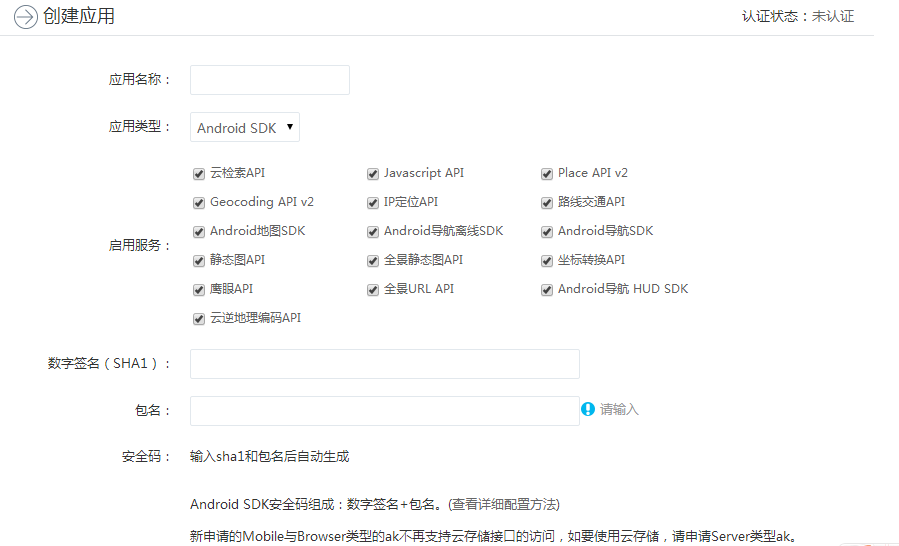 百度地圖開發的學習(一),百度地圖開發學習
百度地圖開發的學習(一),百度地圖開發學習由於項目需求緣故,最近在學習Android地圖的開發,所以就記錄一下學習過程。最近都會陸續更新啦。目前使用百度地圖API的挺多的
 Android 官方推薦 : DialogFragment 怎樣創建對話框
Android 官方推薦 : DialogFragment 怎樣創建對話框 1、 概述 DialogFragment在android 3.0時被引入。是一種特殊的