編輯:關於android開發
Stack Overflow 排錯翻譯 - Closing AlertDialog.Builder in Android -Android環境中關閉AlertDialog.Builder
轉自:http://www.lanqibing.com/archives/783.html
原文:
In the following code, I tried to dismiss the AlertDialog box but to no avail. However, if I remove compareKeys() function, the dismiss will work. So how can I make it dismiss after calling the compareKeys() function?
翻譯:
在下面的代碼中,我嘗試去釋放AlertDialog對話框,但釋放無效。然而,我去掉 compareKeys()方法後,釋放AlertDialog是正常工作的。我如何在釋放AlertDialog對話框後正常調用compareKeys()方法?
 1 public void promptAdministratorPassword() {
 2     AlertDialog.Builder alert = new AlertDialog.Builder(this);
 3
 4     alert.setTitle("Alert!");
 5     alert.setMessage("Please enter your password: ");
 6
 7     // Set an EditText view to get user input
 8     final EditText input = new EditText(this);
 9     alert.setView(input);
10
11     alert.setPositiveButton("Ok", new DialogInterface.OnClickListener() {
12         public void onClick(DialogInterface dialog, int whichButton) {
13             password = input.getText().toString();
14
15             if (password.equals("password")) {
16                 try {
17                     compareKeys();
18                 } catch (IOException | NoSuchAlgorithmException | InvalidKeySpecException e) {
19                     e.printStackTrace();
20                 }
21             }
22             dialog.dismiss();
23         }
24     });
25
26     alert.setNegativeButton("Cancel", new DialogInterface.OnClickListener() {
27         public void onClick(DialogInterface dialog, int whichButton) {
28             // Canceled.
29         }
30     });
31     alert.show();
32 }
解決方案原文:Call dialog.dismiss() before password = input.getText().toString() and add dialog.dismiss() inside setNegativeButton's OnClickListener too.
解決方案翻譯:將password = input.getText().toString()放到調用dialog.dismiss()之前,並將dialog.dismiss()放到setNegativeButton的OnClickListener方法中。
 Android中實現APP文本內容的分享發送與接收方法簡述,androidapp
Android中實現APP文本內容的分享發送與接收方法簡述,androidapp謹記(指定選擇器Intent.createChooser()) 開始今天的內容前,先閒聊一
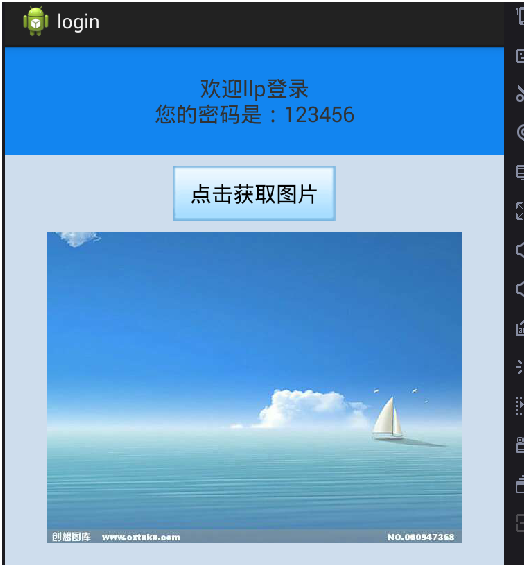 簡單登錄案例(SharedPreferences存儲賬戶信息)&聯網請求圖片並下載到SD卡(文件外部存儲),sharedpreferences
簡單登錄案例(SharedPreferences存儲賬戶信息)&聯網請求圖片並下載到SD卡(文件外部存儲),sharedpreferences 新人剛學習And
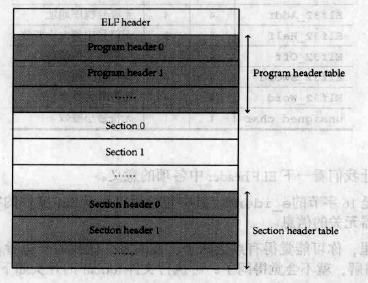 Linux內核系列—11.操作系統開發之ELF格式,linuxelf
Linux內核系列—11.操作系統開發之ELF格式,linuxelfELF文件的結構如下圖所示: ELF文件由4部分組成,分別是ELF頭(ELF header)、程序頭
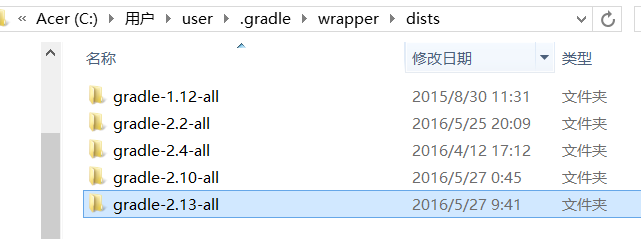 教新手一步步解決:Plugin is too old, please update to a more recent version, or set ANDROID_DAILY_OVERRIDE environment variable to和更新gradle問題,environmentvariable
教新手一步步解決:Plugin is too old, please update to a more recent version, or set ANDROID_DA