編輯:關於android開發
<?xml version="1.0" encoding="utf-8"?>
<LinearLayout xmlns:android="http://schemas.android.com/apk/res/android"
    android:layout_width="match_parent"
    android:layout_height="match_parent"
    android:orientation="vertical"
    android:gravity="center">

    <ListView
        android:id="@+id/lv"
        android:layout_width="fill_parent"
        android:layout_height="fill_parent"
        />
</LinearLayout>
<?xml version="1.0" encoding="utf-8"?>
<LinearLayout
    xmlns:android="http://schemas.android.com/apk/res/android"
    android:layout_width="fill_parent"
    android:layout_height="60dp"
    android:orientation="horizontal">

    <LinearLayout
        android:layout_width="60dp"
        android:layout_height="60dp">

        <ImageView
            android:id="@+id/image"
            android:layout_width="fill_parent"
            android:layout_height="fill_parent"/>

    </LinearLayout>

    <LinearLayout
        android:layout_width="fill_parent"
        android:layout_height="60dp"
        android:orientation="vertical"
        android:gravity="center">

        <TextView
            android:id="@+id/title"
            android:layout_width="wrap_content"
            android:layout_height="wrap_content"
            android:textSize="25sp"/>

        <TextView
            android:id="@+id/context"
            android:layout_width="fill_parent"
            android:layout_height="wrap_content"
            android:textSize="15sp"/>

    </LinearLayout>

</LinearLayout>
import android.app.Activity;
import android.os.Bundle;
import android.widget.ListView;
import java.util.ArrayList;
import java.util.List;
import java.util.Map;
import java.util.HashMap;
import android.widget.SimpleAdapter;
import android.view.View;
import android.widget.AdapterView.OnItemClickListener;
import android.widget.AdapterView;
import android.widget.Adapter;
import android.widget.Toast;

public class MainActivity extends Activity
{

    @Override
    protected void onCreate(Bundle savedInstanceState)
    {
        super.onCreate(savedInstanceState);
        setContentView(R.layout.main);

        List<Map<String,Object>>datalist=new ArrayList<Map<String,Object>>();
        ListView lv=(ListView) findViewById(R.id.lv);

        Map<String,Object> map1=new HashMap<String,Object>();
        map1.put("image",R.mipmap.ic_launcher);
        map1.put("title","AIDE資源");
        map1.put("context","AIDE   資源  分享");
        Map<String,Object> map2=new HashMap<String,Object>();
        map2.put("image",R.mipmap.ic_launcher);
        map2.put("title","了解AIDE");
        map2.put("context","AIDE   了解  分享");
        Map<String,Object> map3=new HashMap<String,Object>();
        map3.put("image",R.mipmap.ic_launcher);
        map3.put("title","玩轉AIDE");
        map3.put("context","AIDE   玩轉  分享");
        Map<String,Object> map4=new HashMap<String,Object>();
        map4.put("image",R.mipmap.ic_launcher);
        map4.put("title","控件之TextView");
        map4.put("context","AIDE   TextView  分享");

        datalist.add(map1);
        datalist.add(map2);
        datalist.add(map3);
        datalist.add(map4);

        lv.setAdapter(new SimpleAdapter(this,datalist,R.layout.list_item,new String[]{"image","title","context"},new int[]{R.id.image,R.id.title,R.id.context}));
        lv.setOnItemClickListener(new OnItemClickListener(){
            //list點擊事件
                @Override
                public void onItemClick(AdapterView<?> p1, View p2, int p3, long p4)
                {
                    // TODO: Implement this method
                    switch(p3){
                        case 0://第一個item
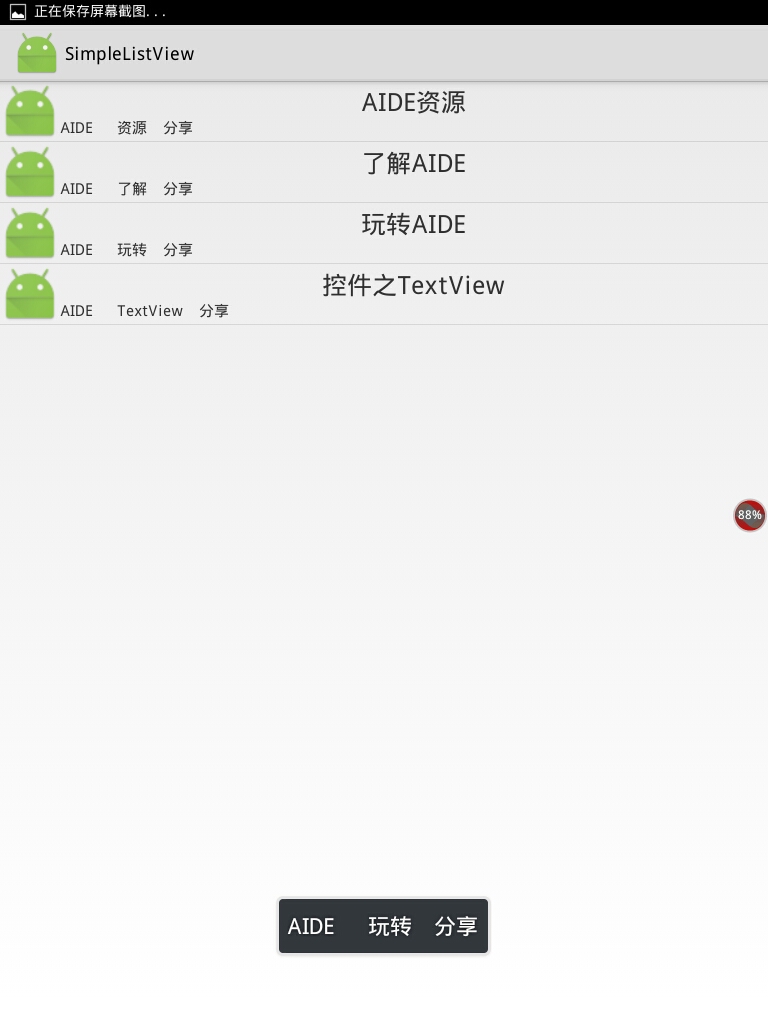
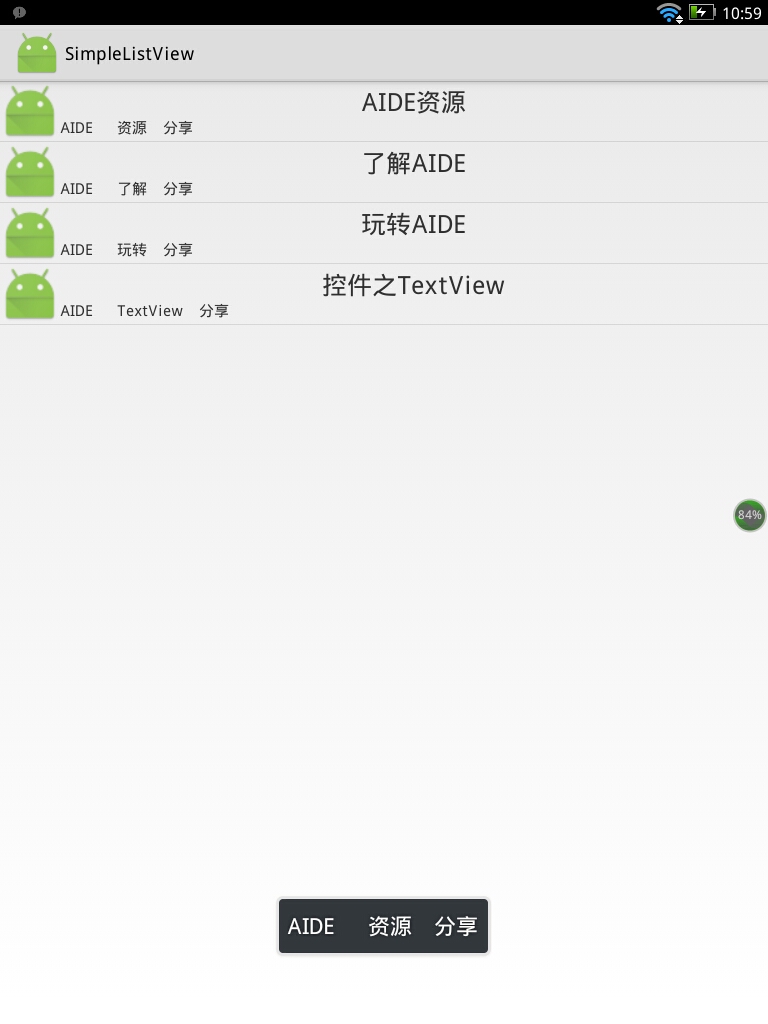
                            Toast.makeText(MainActivity.this,"AIDE   資源  分享",Toast.LENGTH_SHORT).show();
                            break;
                            case 1://第二個item
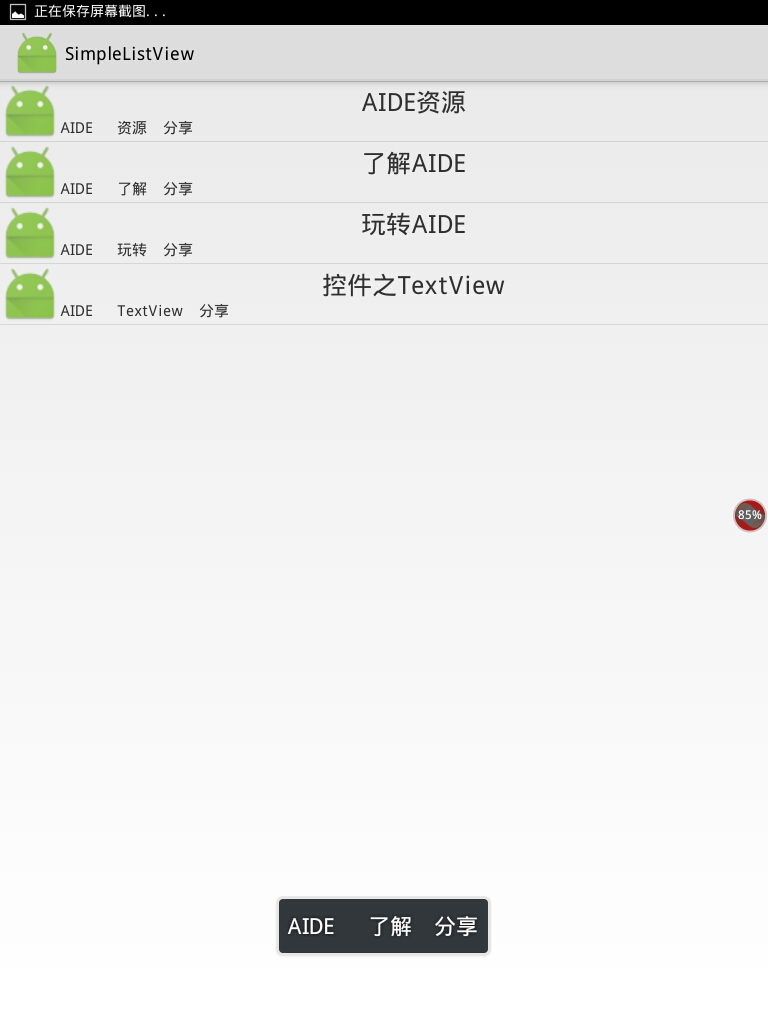
                            Toast.makeText(MainActivity.this,"AIDE   了解  分享",Toast.LENGTH_SHORT).show();
                                break;
                                case 2://第三個item
                            Toast.makeText(MainActivity.this,"AIDE   玩轉  分享",Toast.LENGTH_SHORT).show();
                                    break;
                    }
                }


        });

        }
}
 Android學習指南之三十五:App Widget開發入門指導
本節所要講的主要內容包括Android桌面小部件、App Widget的開發入
 談談Android中的Divider,AndroidDivider
談談Android中的Divider,AndroidDivider在Android應用開發中會經常碰到一個叫divider的東西,就是兩個View之間的分割線。最近工作中
 win7系統連接WiFi上網信號很弱怎麼辦
win7系統連接WiFi上網信號很弱怎麼辦 WiFi已經成為我們生活中的一部分,無論是家庭還是辦公,只要有wifi信號的地方,手機、筆記本、平板都可以連接上網。有用戶發現
 RecyclerView完全解析,讓你從此愛上它(二十八)
RecyclerView完全解析,讓你從此愛上它(二十八) (一).前言: 話說RecyclerView已經面市很久,也在很多應用中得到廣泛的使用,在