編輯:關於android開發
package com.dute.dutenews.utils;

import android.app.Activity;
import android.content.Context;
import android.view.View;
import android.view.WindowManager;
import android.view.inputmethod.InputMethodManager;

public class ToolWindow {
    /**
     * 設置添加屏幕的背景透明度
     *
     *
     */
    public static void setBackgroundAlpha(Activity context, float bgAlpha) {
        WindowManager.LayoutParams lp = context.getWindow().getAttributes();
        lp.alpha = bgAlpha; // 0.0-1.0
        context.getWindow().setAttributes(lp);
    }

    /*
     * 隱藏軟鍵盤
     */
    public static void hideSoftInputFromWindow(Context context, View view) {
        // 1.得到InputMethodManager對象
        InputMethodManager imm = (InputMethodManager) context
                .getSystemService(Context.INPUT_METHOD_SERVICE);
        // 2.調用hideSoftInputFromWindow方法隱藏軟鍵盤

        imm.hideSoftInputFromWindow(view.getWindowToken(), 0); // 強制隱藏鍵盤

    }

    /**
     * 顯示軟鍵盤
     *
     * @param context
     * @param view
     */
    public static void showSoftInput(Context context, View view) {

        // 1.得到InputMethodManager對象
        InputMethodManager imm = (InputMethodManager) context
                .getSystemService(Context.INPUT_METHOD_SERVICE);
        // 2.調用showSoftInput方法顯示軟鍵盤,其中view為聚焦的view組件
        imm.showSoftInput(view, InputMethodManager.SHOW_FORCED);
    }

    /**
     *
     實現切換顯示軟鍵盤的功能
     *
     * @param context
     * @param view
     */
    public static void toggleSoftInput(Context context) {

        // 1.得到InputMethodManager對象
        InputMethodManager imm = (InputMethodManager) context
                .getSystemService(Context.INPUT_METHOD_SERVICE);
        // 2.實現切換顯示軟鍵盤的功能
        imm.toggleSoftInput(0, InputMethodManager.HIDE_NOT_ALWAYS);
    }

    /**
     * 若返回true,則表示輸入法打開
     *
     */
    public static boolean isActive(Context context) {

        // 1.得到InputMethodManager對象
        InputMethodManager imm = (InputMethodManager) context
                .getSystemService(Context.INPUT_METHOD_SERVICE);
        return imm.isActive();
    }

    /**
     * 根據手機的分辨率從 dp 的單位 轉成為 px(像素)
     */
    public static int dip2px(Context context, float dpValue) {
        final float scale = context.getResources().getDisplayMetrics().density;
        return (int) ((dpValue * scale) + 0.5f);
    }

    /**
     * 根據手機的分辨率從 px(像素) 的單位 轉成為 dp
     */
    public static int px2dip(Context context, float pxValue) {
        final float scale = context.getResources().getDisplayMetrics().density;
        return (int) ((pxValue / scale) + 0.5f);
    }
}
 Android(Linux)實時監測串口數據,android實時監測
Android(Linux)實時監測串口數據,android實時監測 之前在做WinCE車載方案時,曾做過一個小工具Trac
 Linux下超時重傳時間(RTO)的實現探究
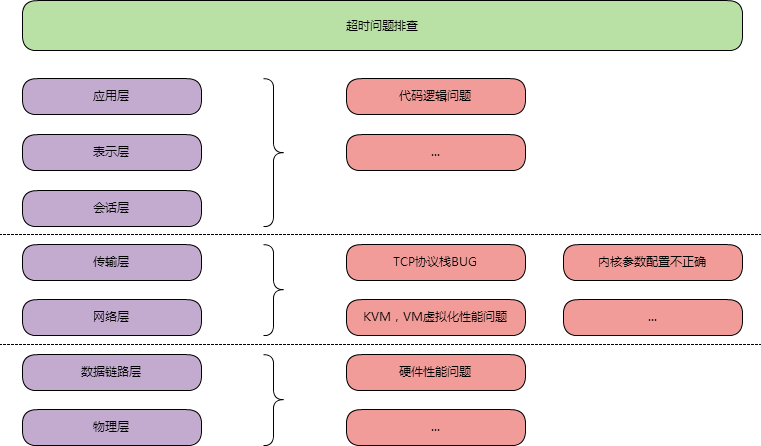
Linux下超時重傳時間(RTO)的實現探究最近出現了網絡超時的問題要排查,大致按照如圖思路去排查1.排除代碼邏輯問題,TCP相關可能的BUG,內核參數等問題;2.排查K
 與MySQL傳統復制相比,GTID有哪些獨特的復制姿勢?
與MySQL傳統復制相比,GTID有哪些獨特的復制姿勢?本文為DBA+社群的投稿文章:http://dbaplus.cn/news-11-857-1.html與MySQL
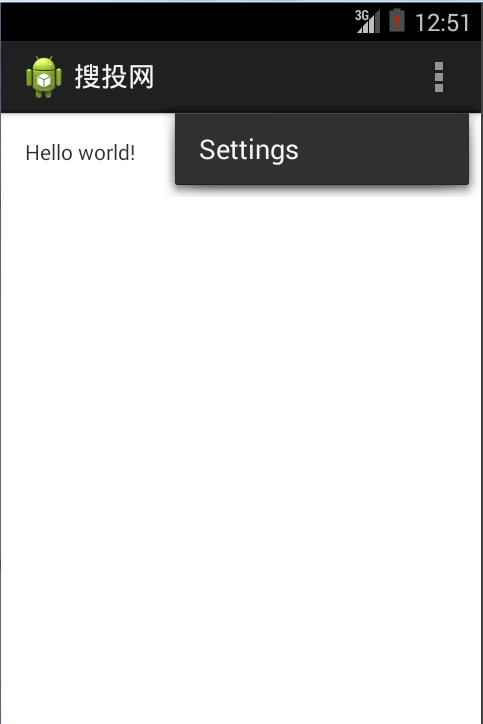 第四篇 Android應用程序詳細解析,第四篇android
第四篇 Android應用程序詳細解析,第四篇android我們繼續的沿用上一篇所建立的應用。 Android應用程序可以分為:應用程序源代碼(.java),應用程序描
 Android動畫效果生動有趣的通知NiftyNotification(Android Toast替代品),androidnotification
Android動畫效果生動有趣的通知NiftyNotification(