編輯:關於android開發
xml設計

java
老師筆記
復雜listview界面顯示 ,黑馬新聞(***********重要***********)
1.布局寫listview
2.找到listview
3.獲取新聞數據封裝到list集合中(才用模擬數據),作為adapter的顯示數據,怎麼將獲取的新聞數據給adapter???
4.創建一個adapter繼承BaseAdapter,實現4個方法
getcount: 有多少條新聞數據,就有多少個條目。
getView:將返回一個復雜的布局作為條目的內容展示;並且顯示的數據是新聞的信息。 ?????
public View getView(int position, View convertView, ViewGroup parent) {
View view = null;
//1.復用converView優化listview,創建一個view作為getview的返回值用來顯示一個條目
if(convertView != null){
view = convertView;
}else {
//context:上下文, resource:要轉換成view對象的layout的id, root:將layout用root(ViewGroup)包一層作為getview的返回值,一般傳null
view = View.inflate(context, R.layout.item_news_layout, null);//將一個布局文件轉換成一個view對象
}
//2.獲取view上的子控件對象
ImageView item_img_icon = (ImageView) view.findViewById(R.id.item_img_icon);
TextView item_tv_des = (TextView) view.findViewById(R.id.item_tv_des);
TextView item_tv_title = (TextView) view.findViewById(R.id.item_tv_title);
//3.獲取postion位置條目對應的list集合中的新聞數據,Bean對象
NewsBean newsBean = list.get(position);
//4.將數據設置給這些子控件做顯示
item_img_icon.setImageDrawable(newsBean.icon);//設置imageView的圖片
item_tv_title.setText(newsBean.title);
item_tv_des.setText(newsBean.des);
return view;
}
5.創建一個adapter對象設置給listview
6.設置listview的條目的點擊事件,並封裝點擊事件,去查看新聞詳情。 ?????????
//設置listview條目的點擊事件
lv_news.setOnItemClickListener(this);
//listview的條目點擊時會調用該方法 parent:代表listviw view:點擊的條目上的那個view對象 position:條目的位置 id: 條目的id
public void onItemClick(AdapterView<?> parent, View view, int position,
long id) {
//需要獲取條目上bean對象中url做跳轉
NewsBean bean = (NewsBean) parent.getItemAtPosition(position);
String url = bean.news_url;
//跳轉浏覽器
Intent intent = new Intent();
intent.setAction(Intent.ACTION_VIEW);
intent.setData(Uri.parse(url));
startActivity(intent);
}
1.布局寫listview ok
2.找到listview ok
3.封裝新聞數據到list集合中 ,目的是為adapter提供數據展示。 ok
4.封裝一個Adapter類繼承BaseAdatper,寫一個構造方法接受list集合數據,復寫四個方法
a.創建一個構造方法 ok
b.封裝getCount方法 ok
c.getView方法: 不ok
1.復用convertview,模板代碼,如果不都能空,需要將一個布局文件轉換為view對象作為getview的返回對象。
view = View.inflater(Context context, int resuorceId,ViewGroup root)
2.找到view上的這些子控件,目的是將list集合中的bean數據一一對應設置給這些子控件
3.從list集合中獲取postion條目上要顯示的數據Bean
4.將獲取的bean中的數據設置給這些子控件
d.getItem方法:將list集合中指定postion上的bean對象返回
e.getItemId,直接返回postion
5.創建一個封裝的Adapter對象,設置給listview ok
6.設置listview條目的點擊事件 ok
listview.setOnItem....
7.復寫OnItemClicklistener方法,獲取相應條目上的bean對象,最終獲取到url,做Intent跳轉; 不ok
#10 常用獲取inflate的寫法
1.
//context:上下文, resource:要轉換成view對象的layout的id, root:將layout用root(ViewGroup)包一層作為codify的返回值,一般傳null
//view = View.inflate(context, R.layout.item_news_layout, null);//將一個布局文件轉換成一個view對象
2.
//通過LayoutInflater將布局轉換成view對象
//view = LayoutInflater.from(context).inflate(R.layout.item_news_layout, null);
3.
//通過context獲取系統服務得到一個LayoutInflater,通過LayoutInflater將一個布局轉換為view對象
LayoutInflater layoutInflater = (LayoutInflater) context.getSystemService(Context.LAYOUT_INFLATER_SERVICE);
view = layoutInflater.inflate(R.layout.item_news_layout, null);
 android: ListView歷次優化,androidlistview
android: ListView歷次優化,androidlistview第一版: ListView一屏顯示多少對象其內部就創建多少View對象。滑動時退出的緩存對象
 Android事件分發機制總結
Android事件分發機制總結 理解事件的分發機制,需要對View和ViewGroup事件的分發分別探討。View和ViewGroup的區別,一個View控件是指它裡面不
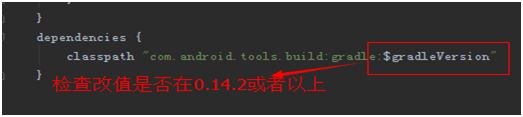 android Unable toexecute dex: method ID not in [0, 0xffff]: 65536問題
android Unable toexecute dex: method ID not in [0, 0xffff]: 65536問題 作為一名Android開發者,相
 Android提高21篇之十九:“多方向”抽屜
在android上要實現類似Launch的抽屜效果,大家一定首先會想起SlidingDrawer。