編輯:關於android開發
//創建數據庫
public class DBCreate {
    public static void CreateDatabase(SQLiteDatabase db) {
        db.beginTransaction();
        try {
            create_NetTaskBuffer(db);

            insert_SQL(db);

            db.setTransactionSuccessful();
        } catch (Exception e) {
            e.printStackTrace();
        } finally {
            db.endTransaction();
        }
    }

    // 緩存
    private static void create_NetTaskBuffer(SQLiteDatabase db) {
        db.execSQL("DROP TABLE IF EXISTS NetTaskBuffer");
        StringBuilder sql = new StringBuilder();
        sql.append("CREATE TABLE IF NOT EXISTS NetTaskBuffer (");
        sql.append(" id INTEGER PRIMARY KEY AUTOINCREMENT,"); // 這一列不能修改
        sql.append(" label TEXT COLLATE NOCASE,"); //
        sql.append(" param TEXT COLLATE NOCASE,"); //
        sql.append(" result TEXT COLLATE NOCASE,"); //
        sql.append(" remark TEXT COLLATE NOCASE,");
        sql.append(" time LONG)"); //
        db.execSQL(sql.toString());
    }

    // 插入語句,初始化數據庫使用
    private static void insert_SQL(SQLiteDatabase db) {

    }
}


//----------------------數據庫操作基類--------------------------------------//


/**
 * 數據庫基本操作類,數據庫的創建,更新的操作都在這裡進行
 *
 * @author yizhe
 * @date 2014-9-11
 */
public abstract class DBHelper extends SQLiteOpenHelper {

    static String name = "hk.db"; // 數據庫名稱
    static CursorFactory cursorFactory = null;
    static int version = 1000;// 初始版本:1000
    Context context;

    protected ContentValues contentValues; // cursor對象轉行中介,給子類使用

    protected String tableName;

    protected DBHelper(Context context, String tableName) {
        super(context, name, cursorFactory, version);
        this.context = context;
        this.tableName = tableName;
    }

    /**
     * 軟件第一次安裝的時候會調用,覆蓋安裝不會調用
     */
    public void onCreate(SQLiteDatabase db) {
        // 所有表的創建過程都在這裡進行
        DBCreate.createDatabase(db);
    }

    /**
     * 覆蓋安裝,當版本號version發生變化的時候,這個方法才會被調用,而且只執行一次
     */
    public void onUpgrade(SQLiteDatabase db, int oldVersion, int newVersion) {
        onCreate(db);
        // if (oldVersion < 109) {
        // onCreate(db);
        // } else {
        // }
    }

    /**
     * 每次成功打開數據庫後首先被執行
     */
    public void onOpen(SQLiteDatabase db) {
        super.onOpen(db); // 每次成功打開數據庫後首先被執行
    }

    public void finalize() {
        close();
    }

    // --------------------------sql方法---------------------------------//
    /**
     * 執行sql,沒有返回
     */
    public void execSQL(String sql) {
        System.out.println("==execSQL==" + sql);
        SQLiteDatabase db = getWritableDatabase();
        db.execSQL(sql);
        db.close();
    }

    /**
     * 批量執行sql,內部啟用事務
     *
     * @param list
     *            sql列表
     * @return 是否執行成功
     */
    public boolean execSQLBatch(ArrayList<String> list) {
        SQLiteDatabase db = getWritableDatabase();
        db.beginTransaction();
        try {
            for (String sql : list) {
                db.execSQL(sql);
            }
            db.setTransactionSuccessful();
        } catch (Exception e) {
            e.printStackTrace();
            return false;
        } finally {
            db.endTransaction();
            db.close();
        }
        return true;
    }

    /**
     * 根據id刪除記錄
     *
     * @param id
     *            表中必須有"id"字段
     * @return the number of rows affected if a whereClause is passed in, 0
     *         otherwise. To remove all rows and get a count pass "1" as the
     *         whereClause.
     */
    public int delete(int id) {
        SQLiteDatabase db = getWritableDatabase();
        int result = db.delete(tableName, "id=?", new String[] { id + "" });
        db.close();
        return result;
    }

    /**
     * 刪除: 只需要寫where 條件(不帶where) 和 參數
     *
     * @param whereStr
     *            例如: "id=?"
     * @param arr
     *            例如: new String[] { "123" }
     * @return 受影響的行
     */
    public int delete(String whereStr, String[] arr) {
        SQLiteDatabase db = getWritableDatabase();
        int result = db.delete(tableName, whereStr, arr);
        db.close();
        return result;
    }

    /**
     * 清空表
     */
    public void clearTable() {
        SQLiteDatabase db = getWritableDatabase();
        db.execSQL("delete from " + tableName);
        db.close();
    }

    /**
     * 通用查詢,多用於事務中
     */
    public static Cursor Query(SQLiteDatabase db, String sql) {
        System.out.println("==Query==" + sql);
        return db.rawQuery(sql, new String[] {});
    }

    /**
     * 通用執行sql,,多用於事務中
     *
     */
    public static void execSQL(SQLiteDatabase db, String sql) {
        System.out.println("==execSQL==" + sql);
        db.execSQL(sql);
    }

}

//-------------------------下面是一個具體實現的DEMO-------------------------------//
/**
 * dao類,實現基本的數據庫操作<br/>
 * 需要保存到數據庫中的對象的屬性不能使用基本類型,建議只使用Integer 和 String<br/>
 * 做為通用對象,從demo創建只要修改tableName即可
 *
 * @author yizhe
 * @date 2012-5-18
 */
public class NetTaskBufferDao extends DBHelper {
    int expiryDays = 10; // 數據緩存有效期

    public NetTaskBufferDao(Context context) {
        super(context, "NetTaskBuffer");
    }

    // pojo的整數都需要使用Long類型 或者Integer類型 建議使用Long
    public void iniContentValues(NetTaskBuffer pojo) {
        contentValues = new ContentValues();
        contentValues.put("id", pojo.id);
        contentValues.put("label", pojo.label);
        contentValues.put("param", pojo.param);
        contentValues.put("result", pojo.result);
        contentValues.put("remark", pojo.remark);
        contentValues.put("time", pojo.time);
    }

    public NetTaskBuffer setBaseItem(Cursor cursor) {
        NetTaskBuffer pojo = new NetTaskBuffer();
        pojo.id = cursor.getInt(cursor.getColumnIndex("id"));
        pojo.label = cursor.getString(cursor.getColumnIndex("label"));
        pojo.param = cursor.getString(cursor.getColumnIndex("param"));
        pojo.result = cursor.getString(cursor.getColumnIndex("result"));
        pojo.remark = cursor.getString(cursor.getColumnIndex("remark"));
        pojo.time = cursor.getLong(cursor.getColumnIndex("time"));
        return pojo;
    }

    // --------------------自定義方法--------------------------------//
    public String getBuffer(String label, String param) {
        String sql = "select * from " + tableName
                + " where label=? and param=? ";
        NetTaskBuffer obj = getOneAsSQL(sql, new String[] { label, param });
        if (null == obj) {
            return null;
        }
        Date time = new Date(obj.time);
        Calendar c = Calendar.getInstance();

        c.add(Calendar.DAY_OF_MONTH, -expiryDays);
        if (time.compareTo(c.getTime()) < 0) {
            delete(obj.id);
            return null;
        }
        return obj.result;
    }

    public String getBuffer(String label, String param, String remark) {
        String sql = "select * from " + tableName
                + " where label=? and param=? and remark=?";
        NetTaskBuffer obj = getOneAsSQL(sql, new String[] { label, param,
                remark });
        if (null == obj) {
            return null;
        }
        Date time = new Date(obj.time);
        Calendar c = Calendar.getInstance();

        c.add(Calendar.DAY_OF_MONTH, -expiryDays);
        if (time.compareTo(c.getTime()) < 0) {
            delete(obj.id);
            return null;
        }
        return obj.result;
    }

    public void deleteBuffer(String label) {
        String whereSql = " label=?";
        delete(whereSql, new String[] { label });
    }

    public void deleteBuffer(String label, String param) {
        String whereSql = " label=? and param=?";
        delete(whereSql, new String[] { label, param });
    }

    public void deleteBuffer(String label, String param, String remark) {
        String whereSql = " label=? and param=? and remark=?";
        delete(whereSql, new String[] { label, param, remark });
    }

    // --------------------基礎方法---------------------------------//

    /**
     * 根據sql獲取list
     */
    public ArrayList<NetTaskBuffer> getListAsSQL(String sql) {
        SQLiteDatabase db = getReadableDatabase();
        Cursor cursor = db.rawQuery(sql, new String[] {});
        ArrayList<NetTaskBuffer> itemList = new ArrayList<NetTaskBuffer>();
        for (cursor.moveToFirst(); !(cursor.isAfterLast()); cursor.moveToNext()) {
            itemList.add(setBaseItem(cursor));
        }
        cursor.close();
        db.close();
        return itemList;
    }

    /**
     * 根據ID獲取一條記錄
     */
    public NetTaskBuffer getById(int id) {
        String sql = "select * from " + tableName + " where id=" + id;
        return getOneAsSQL(sql, null);
    }

    /**
     * 返回結果中的提一條記錄
     */
    public NetTaskBuffer getOneAsSQL(String sql, String[] arr) {
        SQLiteDatabase db = getReadableDatabase();
        Cursor cursor = db.rawQuery(sql, arr);
        try {
            if (null != cursor && cursor.getCount() > 0) {
                cursor.moveToFirst();
                return setBaseItem(cursor);
            }
        } finally {
            cursor.close();
            db.close();
        }
        return null;
    }

    /**
     * 保存對象到數據庫,自動判斷插入還是更像
     *
     * @return 返回更新的記錄數,或者 插入數據的id,如果返回值<=0表示失敗
     */
    public long save(NetTaskBuffer pojo) {
        if (null == pojo.time || 0 == pojo.time) {
            pojo.time = new Date().getTime();
        }
        Long idOrEffectRows = 0l;
        if (null == pojo.id || pojo.id < 1) {
            idOrEffectRows = insert(pojo);
        } else {
            idOrEffectRows = (long) update(pojo);
        }
        return idOrEffectRows;
    }

    /**
     * 添加數據,自動插入id
     *
     * @return the row ID of the newly inserted row, or -1 if an error occurred
     */
    public long insert(NetTaskBuffer pojo) {
        SQLiteDatabase db = getWritableDatabase();// 獲取可寫SQLiteDatabase對象
        iniContentValues(pojo); // ContentValues類似map,存入的是鍵值對
        long result = db.insert(tableName, null, contentValues);
        if (result != -1) {
            pojo.id = (int) result;
        }
        db.close();
        return result;
    }

    /**
     * 根據ID更新記錄的,跟插入的很像
     *
     * @return the number of rows affected
     *
     */
    public int update(NetTaskBuffer pojo) {
        SQLiteDatabase db = getWritableDatabase();
        iniContentValues(pojo); // 初始化鍵值對
        int result = db.update(tableName, contentValues, "id=?",
                new String[] { pojo.id + "" });
        db.close();
        return result;
    }

}
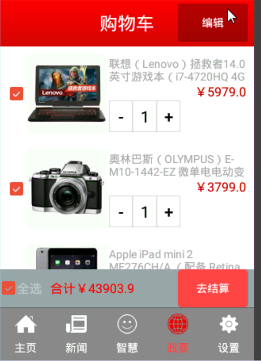 硅谷商城6--購物車編輯實現,硅谷商城6--購物車
硅谷商城6--購物車編輯實現,硅谷商城6--購物車 完成狀態
 Android應用開發教程之十四:獲取日志信息
分享一個在程序中監聽Log信息的很實用的例子。 為什麼說它實用?原因是Android的開發廠商各種修改之後手機和手機之間以後存在很多差異。比如說魅
 Pulltorefresh使用中碰到的問題,pulltorefresh碰到
Pulltorefresh使用中碰到的問題,pulltorefresh碰到第一 在使用XScrollView布局是,無法在該布局.xml文件,放置內容布局控件,假如放置了
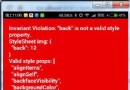 Andriod React Native 樣式表中可用樣式屬性
Andriod React Native 樣式表中可用樣式屬性 寫了這麼多篇Android React Native的博文,基本上把復雜的東西都搞定了,接下來來看看一