編輯:關於android開發
1、界面
 1 <LinearLayout xmlns:android="http://schemas.android.com/apk/res/android"
 2     xmlns:tools="http://schemas.android.com/tools"
 3     android:layout_width="match_parent"
 4     android:orientation="vertical"
 5     android:layout_height="match_parent"
 6     tools:context=".MainActivity" >
 7
 8     <EditText
 9         android:id="@+id/et_username"
10         android:layout_width="match_parent"
11         android:layout_height="wrap_content"
12         android:hint="請輸入用戶名"
13         android:text="張三"
14          />
15
16
17     <EditText
18         android:id="@+id/et_password"
19         android:layout_width="match_parent"
20         android:layout_height="wrap_content"
21         android:hint="請輸入密碼"
22         android:inputType="textPassword" />
23
24     <Button
25         android:onClick="myGetData"
26         android:id="@+id/button1"
27         android:layout_width="wrap_content"
28         android:layout_height="wrap_content"
29         android:text="登陸" />
30
31 </LinearLayout>
2、MainActivity代碼,用來響應button代碼
 1 package com.example.getdata;
 2
 3 import java.net.HttpURLConnection;
 4 import java.net.MalformedURLException;
 5 import java.net.URL;
 6
 7 import com.example.getdata.service.LoginService;
 8
 9 import android.os.Bundle;
10 import android.os.Handler;
11 import android.os.Message;
12 import android.app.Activity;
13 import android.view.Menu;
14 import android.view.View;
15 import android.widget.EditText;
16 import android.widget.Toast;
17
18 public class MainActivity extends Activity {
19
20     private EditText et_username;
21     private EditText et_password;
22     /*private Handler handler = new Handler(){
23
24         @Override
25         public void handleMessage(android.os.Message msg) {
26             // TODO Auto-generated method stub
27
28         }
29
30     };*/
31     @Override
32     protected void onCreate(Bundle savedInstanceState) {
33         super.onCreate(savedInstanceState);
34         setContentView(R.layout.activity_main);
35         et_username = (EditText)findViewById(R.id.et_username);
36         et_password = (EditText)findViewById(R.id.et_password);
37     }
38
39
40     public void myGetData(View view){
41         final String username = et_username.getText().toString().trim();
42         final String password = et_password.getText().toString().trim();
43         System.out.println("username:" + username);
44         System.out.println("password:" + password);
45         new Thread(){
46             public void run(){
47                 //final String result = LoginService.loginByGet(username, password);
48                 //final String result = LoginService.loginByPost(username, password);
49                 //final String result = LoginService.loginByClientGet(username, password);
50                 final String result = LoginService.loginByClientPost(username, password);
51                 if(result != null){
52                     runOnUiThread(new Runnable(){
53                         @Override
54                         public void run() {
55                             // TODO Auto-generated method stub
56                             Toast.makeText(MainActivity.this, result, 0).show();
57                         }
58
59                     });
60                 }else{
61                     runOnUiThread(new Runnable(){
62                         @Override
63                         public void run() {
64                             // TODO Auto-generated method stub
65                             Toast.makeText(MainActivity.this, "請求不成功!", 0).show();
66                         }
67
68                     });
69                 }
70             };
71         }.start();
72     }
73
74 }
3、http請求同步代碼
  1 package com.example.getdata.service;
  2
  3 import java.io.IOException;
  4 import java.io.InputStream;
  5 import java.io.OutputStream;
  6 import java.io.UnsupportedEncodingException;
  7 import java.net.HttpURLConnection;
  8 import java.net.URL;
  9 import java.net.URLEncoder;
 10 import java.util.ArrayList;
 11 import java.util.List;
 12
 13 import org.apache.http.HttpResponse;
 14 import org.apache.http.NameValuePair;
 15 import org.apache.http.client.ClientProtocolException;
 16 import org.apache.http.client.HttpClient;
 17 import org.apache.http.client.entity.UrlEncodedFormEntity;
 18 import org.apache.http.client.methods.HttpGet;
 19 import org.apache.http.client.methods.HttpPost;
 20 import org.apache.http.impl.client.DefaultHttpClient;
 21 import org.apache.http.message.BasicNameValuePair;
 22
 23 import com.example.getdata.utils.StreamTools;
 24 /*
 25  * 注意事項:在發送請求時,如果有中文,注意把它轉換為相應的編碼
 26  */
 27 public class LoginService {
 28
 29     public static String loginByGet(String username, String password){
 30         try {
 31             String path = "http://192.168.1.100/android/index.php?username=" + URLEncoder.encode(username, "utf-8") + "&password=" + password;
 32             URL url = new URL(path);
 33             HttpURLConnection conn = (HttpURLConnection)url.openConnection();
 34             conn.setRequestMethod("GET");
 35             conn.setReadTimeout(5000);
 36             //conn.setRequestProperty(field, newValue);
 37             int code = conn.getResponseCode();
 38             if(code == 200){
 39                 InputStream is = conn.getInputStream();
 40                 String result = StreamTools.readInputStream(is);
 41                 return result;
 42             }else{
 43                 return null;
 44             }
 45         } catch (Exception e) {
 46             // TODO Auto-generated catch block
 47             e.printStackTrace();
 48             return null;
 49         }
 50
 51     }
 52
 53     public static String loginByPost(String username, String password){
 54         String path = "http://192.168.1.101/android/index.php";
 55         try {
 56             URL url = new URL(path);
 57             HttpURLConnection conn = (HttpURLConnection)url.openConnection();
 58             conn.setRequestMethod("POST");
 59             conn.setReadTimeout(5000);
 60             conn.setRequestProperty("Content-Type", "application/x-www-form-urlencoded");
 61             String data = "username=" + URLEncoder.encode(username, "utf-8") + "&password=" + password;
 62             conn.setRequestProperty("Content-Length", data.length() + "");
 63             //允許向外面寫數據
 64             conn.setDoOutput(true);
 65             //獲取輸出流
 66             OutputStream os = conn.getOutputStream();
 67             os.write(data.getBytes());
 68             int code = conn.getResponseCode();
 69             if(code == 200){
 70                 InputStream is = conn.getInputStream();
 71                 String result = StreamTools.readInputStream(is);
 72                 return result;
 73             }else{
 74                 System.out.println("----111");
 75                 return null;
 76             }
 77         } catch (Exception e) {
 78             // TODO Auto-generated catch block
 79             e.printStackTrace();
 80             System.out.println("----2222");
 81             return null;
 82         }
 83
 84     }
 85
 86     public static String loginByClientGet(String username, String password){
 87         try{
 88             //1、打開一個浏覽器
 89             HttpClient client = new DefaultHttpClient();
 90
 91             //輸入地址ַ
 92             String path = "http://192.168.1.101/android/index.php?username=" + URLEncoder.encode(username, "utf-8") + "&password=" + password;
 93             HttpGet httpGet = new HttpGet(path);
 94
 95             //敲回車
 96             HttpResponse response = client.execute(httpGet);
 97
 98             //獲取返回狀態碼
 99             int code = response.getStatusLine().getStatusCode();
100             if(code == 200){
101                 InputStream is = response.getEntity().getContent();
102                 String result = StreamTools.readInputStream(is);
103                 return result;
104             }else{
105                 System.out.println("----111");
106                 return null;
107             }
108         }catch(Exception e){
109             e.printStackTrace();
110             System.out.println("----222");
111             return null;
112         }
113
114     }
115
116     public static String loginByClientPost(String username, String password){
117         try {
118             //�������
119             HttpClient client = new DefaultHttpClient();
120
121             //�����ַ
122             String path = "http://192.168.1.101/android/index.php";
123             HttpPost httpPost = new HttpPost(path);
124             //ָ��Ҫ�ύ�����ʵ��
125             List<NameValuePair> parameters = new ArrayList<NameValuePair>();
126             parameters.add(new BasicNameValuePair("username",username));
127             parameters.add(new BasicNameValuePair("password",password));
128
129             httpPost.setEntity(new UrlEncodedFormEntity(parameters,"utf-8"));
130             HttpResponse response = client.execute(httpPost);
131             //��ȡ�������
132             int code = response.getStatusLine().getStatusCode();
133             if(code == 200){
134                 InputStream is = response.getEntity().getContent();
135                 String result = StreamTools.readInputStream(is);
136                 return result;
137             }else{
138                 System.out.println("----111");
139                 return null;
140             }
141         } catch (Exception e) {
142             // TODO Auto-generated catch block
143             System.out.println("----222");
144             e.printStackTrace();
145             return null;
146         }
147     }
148 }
4、把輸入流轉換為字符串
package com.example.getdata.utils;

import java.io.ByteArrayOutputStream;
import java.io.IOException;
import java.io.InputStream;

public class StreamTools {
    /*
     * 功能:把inputStream轉化為字符串
     */
    public static String readInputStream(InputStream is){
        try {
            ByteArrayOutputStream baos = new ByteArrayOutputStream();
            int len=0;
            byte[] buffer = new byte[1024];
            while((len = is.read(buffer)) != -1){
                baos.write(buffer, 0, len);
            }
            baos.close();
            is.close();
            byte[] result = baos.toByteArray();
            return new String(result);
        } catch (Exception e) {
            // TODO Auto-generated catch block
            e.printStackTrace();
            return null;
        }

    }
}
5、清單文件
<uses-permission android:name="android.permission.INTERNET"/>//權限
最後:一般來說,子線程是無法改變UI的,但是這裡采用runOnUiThread方式是可以的,而不是采用發送消息的方式
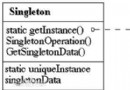 Android框架設計模式(五)——Singleton Method
Android框架設計模式(五)——Singleton Method 一、單例模式介紹 什麼是單例模式 單例模式就是在整個全局中(無論是單線程還是多線程),該對象只存在
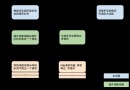 Android網絡編程(四)從源碼解析Volley
Android網絡編程(四)從源碼解析Volley 1.Volley結構圖 從上圖可以看到Volley分為三個線程,分別是主線程、緩存調度線程、和網絡調度線程,首先
 左右滑動刪除ListView條目Item--第三方開源--SwipeToDismiss,第三方listview
左右滑動刪除ListView條目Item--第三方開源--SwipeToDismiss,第三方listview Android的SwipeToDismiss是github
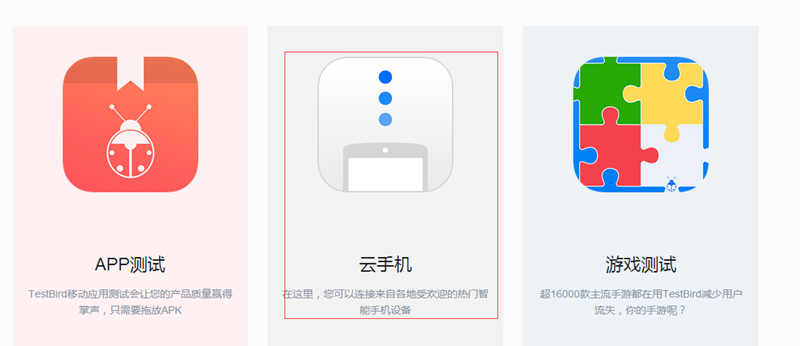 APP遠程調試及網絡自動化測試,app調試自動化
APP遠程調試及網絡自動化測試,app調試自動化1、進入這個網站,注冊並且登錄 https://dt.testbird.com/lo