編輯:關於android開發
不過不用擔心, 只要把Group開頭的和Child開頭的分成兩組來看就好。 具體看下面注釋部分。
package com.example.zzp.testexpandablelist;

import android.app.Activity;
import android.support.v7.app.AppCompatActivity;
import android.os.Bundle;
import android.widget.ExpandableListView;
import android.widget.SimpleExpandableListAdapter;

import java.util.ArrayList;
import java.util.HashMap;
import java.util.Map;

public class MainActivity extends AppCompatActivity {

    @Override
    protected void onCreate(Bundle savedInstanceState) {
        super.onCreate(savedInstanceState);
        setContentView(R.layout.activity_main);
        ExpandableListView list = (ExpandableListView) findViewById(R.id.expand_list);

        ArrayList<Map<String, String>> groupData = new ArrayList<>();
        int groupLayout = R.layout.group_view_group;
        String[] groupFrom = {"name", "type", "description"};
        int[] groupTo = {R.id.txt_view_name, R.id.txt_view_type, R.id.txt_view_description};

        ArrayList<ArrayList<Map<String, String>>> childData = new ArrayList<>();
        int childLayout = R.layout.group_view_child;
        String[] childFrom = {"ability"};
        int[] childTo = {R.id.txt_view_child_ability};

        for (int i = 0; i < 3; i++) {
            //初始化group數據
            HashMap<String, String> map = new HashMap<>();
            map.put("name", "device " + String.valueOf(i));
            map.put("type", "type " + String.valueOf(i));
            map.put("description", "Description of device " + String.valueOf(i));
            groupData.add(map);
            //初始化Child數據
            ArrayList<Map<String, String>> childDataList = new ArrayList<>();
            for (int j = 0; j < 4; j++) {
                HashMap<String, String> tmpMap = new HashMap<String, String>();
                tmpMap.put("ability", "ability " + String.valueOf(i) + String.valueOf(j));
                childDataList.add(tmpMap);
            }
            childData.add(childDataList);
        }

        /* 用四個group*數據來表示Group的表現方式,用四個child*的數據來表示Child的表示方式。
        groupData,其中的每一個Map代表了一個Group的所有要顯示的數據,比如在GroupTab上你想顯示name,type,description,那麼就在Map裡面用鍵值對放這幾項就好了。
        groupLayout,只是一個視圖,其中要包含有所有用於顯示name,type,description等項目的元素。這些元素需要被放在groupTo裡面。並且順序要和groupFrom裡面的key順序對應。
        groupFrom,要顯示的Group數據的key。
        groupTo,要顯示的Group數據對應的View的ID。這些ID必須是之前定義的group布局裡面的。

        Child基本上類似,也是每一個Map對應一個Child的所有數據項。第一層List,分到不同的Group,第二層List,分到不同的ChildItem,第三層就是Map了,每個Child的數據集合。
        * */
        SimpleExpandableListAdapter mArrayAdapter = new SimpleExpandableListAdapter(this, groupData, groupLayout, groupFrom, groupTo, childData, childLayout, childFrom, childTo);
        list.setAdapter(mArrayAdapter);
    }
}
<?xml version="1.0" encoding="utf-8"?>
<LinearLayout xmlns:android="http://schemas.android.com/apk/res/android"
    android:layout_width="match_parent"
    android:layout_height="50dp"
    android:background="@android:color/holo_blue_light"
    android:orientation="horizontal">

    <TextView
        android:id="@+id/txt_view_name"
        android:layout_width="wrap_content"
        android:layout_height="wrap_content"
        android:layout_margin="10dp"
        android:textSize="20dp" />

    <LinearLayout
        android:layout_width="match_parent"
        android:layout_height="match_parent"
        android:orientation="vertical">

        <TextView
            android:id="@+id/txt_view_type"
            android:layout_width="wrap_content"
            android:layout_height="wrap_content"
            android:textSize="20dp" />

        <TextView
            android:id="@+id/txt_view_description"
            android:layout_width="wrap_content"
            android:layout_height="wrap_content"
            android:textSize="20dp" />
    </LinearLayout>
</LinearLayout>
ChildView:
<?xml version="1.0" encoding="utf-8"?>
<LinearLayout xmlns:android="http://schemas.android.com/apk/res/android"
    android:layout_width="match_parent"
    android:layout_height="30dp"
    android:orientation="vertical">

    <TextView
        android:id="@+id/txt_view_child_ability"
        android:layout_width="wrap_content"
        android:layout_height="match_parent"
        android:textSize="18dp" />
</LinearLayout>
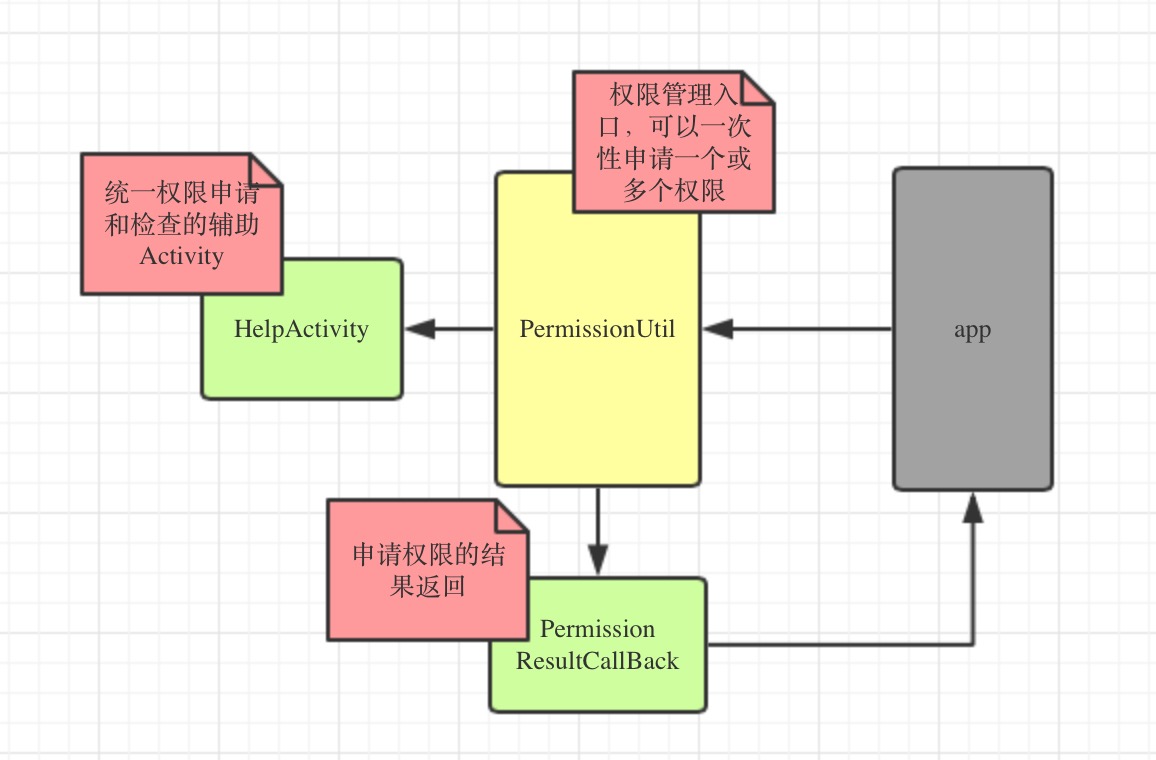 android6.0權限管理工具EasyPermissionUtil
android6.0權限管理工具EasyPermissionUtil 前言 android6.0開始,權限的申請發生了改變,申請變的動態化,也就是運行時權限,和iOS相仿
 Android開發學習之路--百度地圖之初體驗
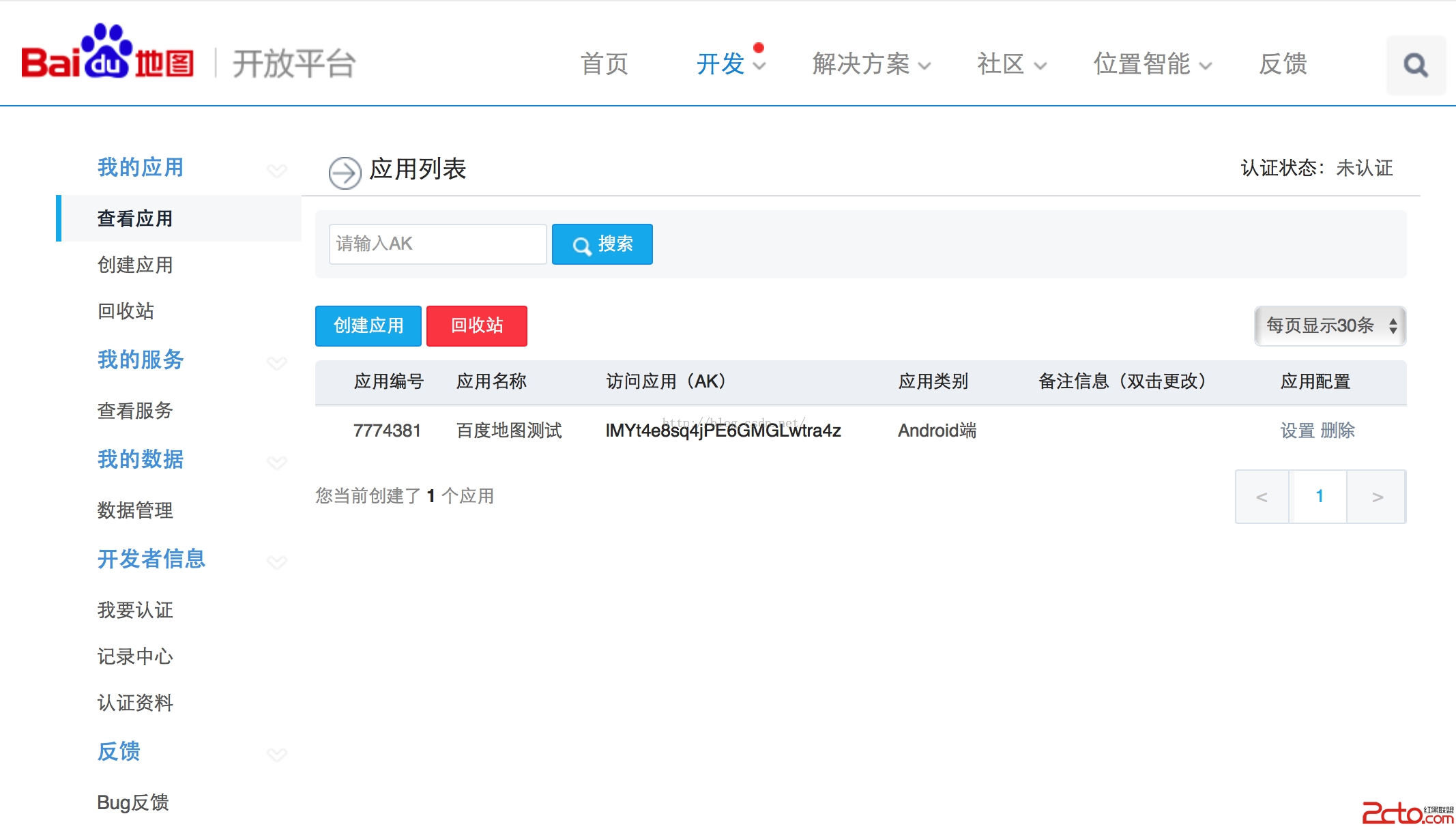
Android開發學習之路--百度地圖之初體驗 手機都有gps和網絡,通過gps或者網絡可以定位到自己,然後通過百度,騰訊啊之類的地圖可以顯示我們的地理位置。這裡學習
 Android設計模式之一個例子讓你徹底明白裝飾者模式(Decorator Pattern)
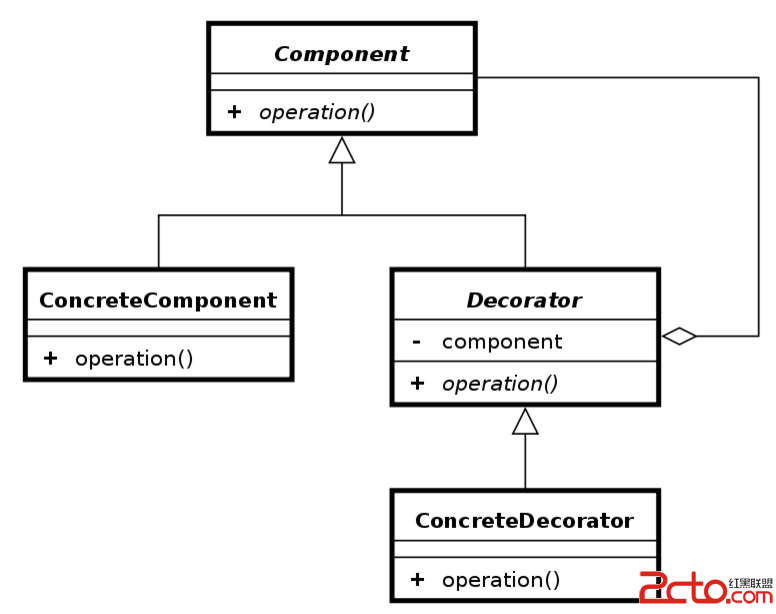
Android設計模式之一個例子讓你徹底明白裝飾者模式(Decorator Pattern) 導讀 這篇文章中我不會使用概念性文字來說明裝飾者模式,因為通常概念性的問題都
 Android React Native組件的生命周期
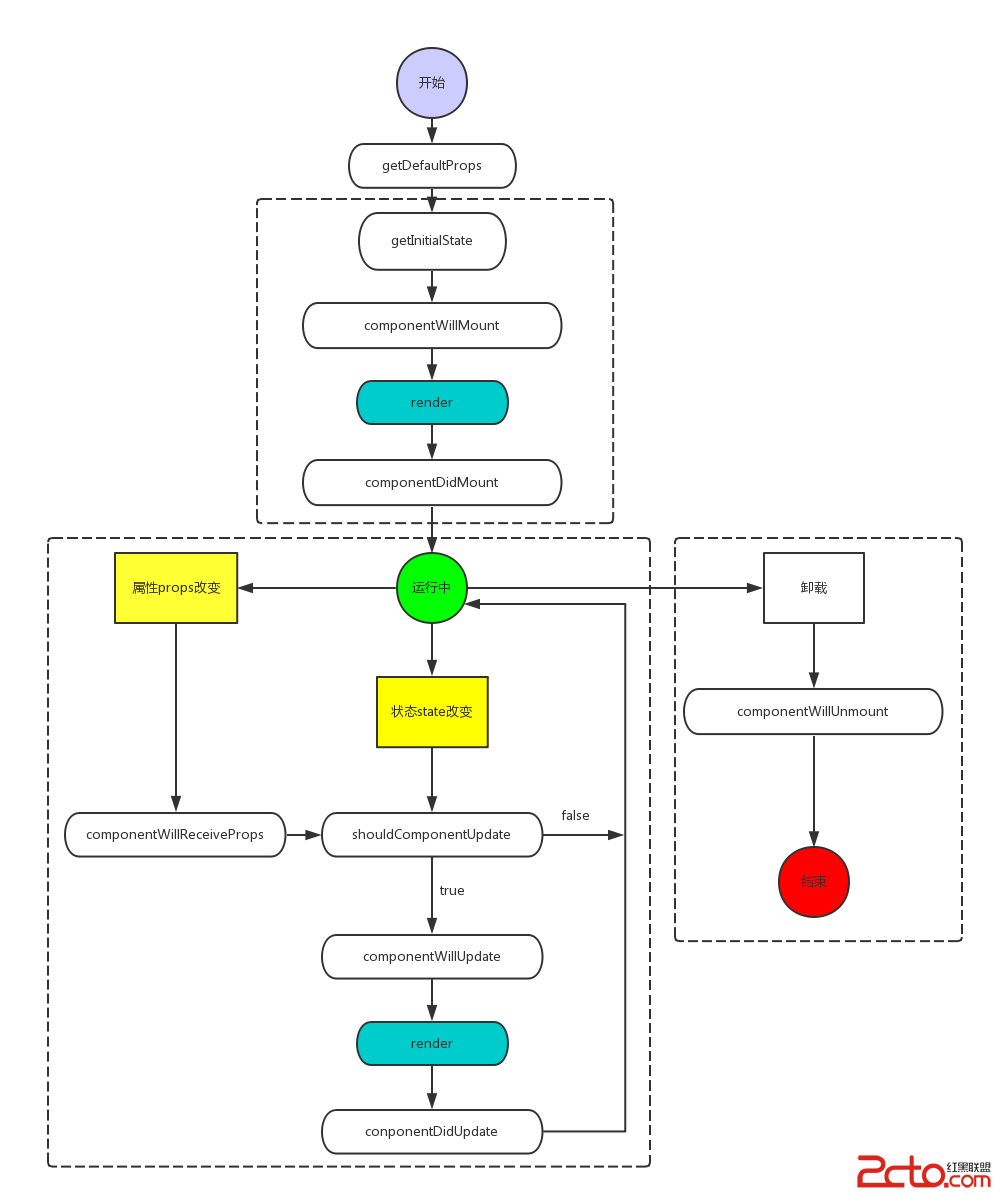
Android React Native組件的生命周期 和Android一樣,React的組件也有對應的生命周期。Android React Native組件的生命周