編輯:關於android開發
<?xml version="1.0" encoding="UTF-8"?>

    <LinearLayout android:orientation="vertical" android:layout_height="fill_parent" android:layout_width="fill_parent" xmlns:android="http://schemas.android.com/apk/res/android">

    <TextView android:layout_height="wrap_content" android:layout_width="fill_parent" android:text="下拉框1:" android:id="@+id/label"/>

    <Spinner android:layout_height="wrap_content" android:layout_width="150dip" android:id="@+id/spinner1" android:drawSelectorOnTop="false"/>

    <TextView android:layout_height="wrap_content" android:layout_width="fill_parent" android:text="下拉框2:" android:id="@+id/label"/>

    <Spinner android:layout_height="wrap_content" android:layout_width="150dip" android:id="@+id/spinner2" android:drawSelectorOnTop="false"/>

    <Button android:layout_height="wrap_content" android:layout_width="wrap_content" android:text="@string/ok" android:id="@+id/ok"/>

</LinearLayout>
package com.example.yanlei.mytk;

import android.os.Bundle;
import android.support.v7.app.AppCompatActivity;
import android.view.View;
import android.widget.AdapterView;
import android.widget.ArrayAdapter;
import android.widget.Button;
import android.widget.Spinner;

import java.util.ArrayList;
import java.util.List;


public class MainActivity extends AppCompatActivity {


    private Spinner spinner1;
    private Spinner spinner2;
    private Button ok;
    private ArrayAdapter countiesAdapter;
    private String[] mCounties = {"beijing", "guangdong", "guangxi", "hunan"};
    private List<String> allCounties = new ArrayList<String>();
    private String result = "你選擇的是:";


    @Override
    protected void onCreate(Bundle savedInstanceState) {
        // TODO Auto-generated method stub
        super.onCreate(savedInstanceState);
        setContentView(R.layout.activity_main);

        spinner1 = (Spinner) findViewById(R.id.spinner1);
        spinner2 = (Spinner) findViewById(R.id.spinner2);
        ok = (Button) findViewById(R.id.ok);

        for (int i = 0; i < mCounties.length; i++) {
            allCounties.add(mCounties[i]);
        }

        countiesAdapter = new ArrayAdapter<String>(this, android.R.layout.simple_spinner_item, allCounties);
        countiesAdapter.setDropDownViewResource(android.R.layout.simple_spinner_dropdown_item);
        spinner1.setAdapter(countiesAdapter);

        ArrayAdapter adapter = ArrayAdapter.createFromResource(this, R.array.counties, android.R.layout.simple_spinner_item);
        adapter.setDropDownViewResource(android.R.layout.simple_spinner_dropdown_item);
        spinner2.setAdapter(adapter);

        //單擊第一個下拉按鈕時,顯示選擇的值。
        spinner1.setOnItemSelectedListener(new AdapterView.OnItemSelectedListener() {
            @Override
            public void onItemSelected(AdapterView<?> adapter, View view,
                                       int position, long id) {
                // TODO Auto-generated method stub
                String str = (String) spinner1.getAdapter().getItem((int) id);
                setTitle(result + str);
            }

            @Override
            public void onNothingSelected(AdapterView<?> arg0) {
                // TODO Auto-generated method stub

            }
        });

        //單擊第二個下拉按鈕時,顯示選擇的值。
        spinner2.setOnItemSelectedListener(new AdapterView.OnItemSelectedListener() {
            @Override
            public void onItemSelected(AdapterView<?> adapter, View view,
                                       int position, long id) {
                String str = (String) spinner2.getAdapter().getItem(position);
                setTitle(result + str);
            }

            @Override
            public void onNothingSelected(AdapterView<?> arg0) {
            }
        });


        //單擊確定按鈕,提取選擇的值.
        ok.setOnClickListener(new View.OnClickListener() {
            @Override
            public void onClick(View v) {
                setTitle(result + spinner1.getSelectedItem() + "  - >>  " + spinner2.getSelectedItem());
            }
        });

    }
}
arrays.xml
<?xml version="1.0" encoding="utf-8"?>
<resources>
    <string-array name="counties">
        <item>AAA</item>
        <item>BBB</item>
        <item>CCC</item>
        <item>DDD</item>
        <item>EEE</item>
    </string-array>
</resources>
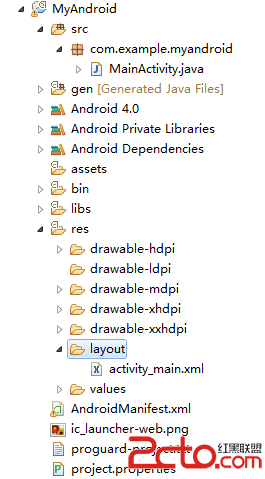 Android項目從Eclipse增加支持Android Studio
Android項目從Eclipse增加支持Android Studio 使用Eclipse開發Android已經有些年頭了,然而Android Studio(後面簡稱
 Android Material Design的FloatingActionButton,Snackbar和CoordinatorLayout,androidsnackbar
Android Material Design的FloatingActionButton,Snackbar和CoordinatorLayout,androidsnackb
 [android] 手機衛士黑名單功能(ListView優化),androidlistview
[android] 手機衛士黑名單功能(ListView優化),androidlistview上一篇記錄了使用ListView展示出來了100條數據,當慢慢拖動的時候,不
 android:QQ多種側滑菜單的實現
android:QQ多種側滑菜單的實現 然而這個菜單效果只是普通的側拉效果 我們還可以實現抽屜式側滑菜單 就像這樣 第一種效果 第二種效果 第三種效果 第四種效果 其