編輯:關於android開發
1、自定義ViewGroup
  1 /**
  2  * Created by Administrator on 2016/2/26.
  3  *
  4  * --------自動換行的ViewGroup-----------
  5  */
  6 public class LineWrapLayout extends ViewGroup {
  7     private static final boolean DEBUG = true;
  8     private static final String TAG = "AutoLineFeedLayout";
  9
 10     /**
 11      * 左間距
 12      */
 13     private int paddingLeft = 10;
 14     /**
 15      * 右間距
 16      */
 17     private int paddingRight = 10;
 18     /**
 19      *
 20      */
 21     private int paddingTop = 10;
 22     /**
 23      *
 24      */
 25     private int paddingBottom = 10;
 26
 27     /**
 28      * 水平方向間距
 29      */
 30     private int horizontalSpace = 10;
 31     /**
 32      * 行間距
 33      */
 34     private int verticalSpace = 5;
 35
 36
 37     private List<Integer> listX;
 38     private List<Integer> listY;
 39
 40     public LineWrapLayout(Context context) {
 41         super(context);
 42
 43     }
 44     public LineWrapLayout(Context context, AttributeSet attrs) {
 45         super(context, attrs);
 46         init(attrs);
 47     }
 48
 49     public LineWrapLayout(Context context, AttributeSet attrs, int defStyle) {
 50         super(context, attrs, defStyle);
 51         init(attrs);
 52     }
 53
 54
 55     @Override
 56     protected void onLayout(boolean changed, int l, int t, int r, int b) {
 57         if(DEBUG) Log.d(TAG, "--- onLayout changed :" + changed + " l :" + l + ",t :" + t + ",r :" + r + ",b :" + b);
 58         int count = getChildCount();
 59         int width = getWidth();
 60         Log.i(TAG, "寬度 :"+width);
 61
 62
 63         int startOffsetX = paddingLeft;// 橫坐標開始
 64         int startOffsety = 0;//縱坐標開始
 65         int rowCount = 1;
 66
 67         int preEndOffsetX = startOffsetX;
 68
 69         for (int i = 0; i < count; i++) {
 70             final View childView = getChildAt(i);
 71
 72             int w = childView.getMeasuredWidth();
 73             int h = childView.getMeasuredHeight();
 74
 75             int x = listX.get(i);
 76             int y = listY.get(i);
 77
 78             // 布局子控件
 79             childView.layout(x, y, x + w, y + h);
 80         }
 81     }
 82     @Override
 83     protected void onMeasure(int widthMeasureSpec, int heightMeasureSpec) {
 84         if(DEBUG) Log.v(TAG, "--- onMeasure()");
 85
 86         int count = getChildCount();
 87         int width = measureWidth(widthMeasureSpec);
 88         Log.i(TAG, "寬度 :"+width);
 89
 90
 91         int startOffsetX = paddingLeft;// 橫坐標開始
 92         int startOffsety = 0+paddingTop;//縱坐標開始
 93         int rowCount = 1;
 94
 95         int preEndOffsetX = startOffsetX;
 96
 97         listX.clear();
 98         listY.clear();
 99         for (int i = 0; i < count; i++) {
100             Log.v(TAG, "----");
101             final View childView = getChildAt(i);
102             // 設置子空間Child的寬高
103             childView.measure(0,0);
104             /* 獲取子控件Child的寬高 */
105             int childWidth = childView.getMeasuredWidth();
106             int childHeight = childView.getMeasuredHeight();
107             Log.v(TAG, "childWidth :"+childWidth+" childHeight :"+childHeight);
108             preEndOffsetX = startOffsetX + childWidth /*+ CHILD_MARGIN*/;
109             //TODO [yaojian]margin屬性?
110             if (preEndOffsetX > width - paddingRight ) {
111                 if (startOffsetX > paddingLeft) {
112                     /* 換行  */
113                     startOffsetX = paddingLeft;
114                     startOffsety += childHeight+verticalSpace;
115                     rowCount++;
116                 }
117             }
118             Log.d(TAG, "measure child :"+startOffsetX+", "+startOffsety+", "+preEndOffsetX+", "+(startOffsety+childHeight));
119             listX.add(startOffsetX);
120             listY.add(startOffsety);
121
122 //            childView.layout(startOffsetX, startOffsety, preEndOffsetX, startOffsety+childHeight);
123             startOffsetX = startOffsetX + childWidth + horizontalSpace;
124         }
125         int lastLineHeight = 0;
126         View lastChild = getChildAt(count-1);
127         if(null != lastChild){
128             lastLineHeight = lastChild.getMeasuredHeight();
129         }
130         setMeasuredDimension(measureWidth(widthMeasureSpec), startOffsety+lastLineHeight+paddingBottom);
131 //        super.onMeasure(widthMeasureSpec, heightMeasureSpec);
132
133         // 注意setMeasuredDimension和resolveSize的用法
134 //        setMeasuredDimension(resolveSize(measuredWidth, widthMeasureSpec),
135 //                resolveSize(top, heightMeasureSpec));
136     }
137
138     private int measureWidth(int measureSpec) {
139         int specMode = MeasureSpec.getMode(measureSpec);
140         int specSize = MeasureSpec.getSize(measureSpec);
141
142
143         // Default size if no limits are specified.
144         int result = 400;
145
146         if (specMode == MeasureSpec.AT_MOST) {
147             // Calculate the ideal size of your control
148             // within this maximum size.
149             // If your control fills the available space
150             // return the outer bound.
151             result = specSize;
152         } else if (specMode == MeasureSpec.EXACTLY) {
153             // If your control can fit within these bounds return that value.
154             result = specSize;
155         }
156         return result;
157     }
158
159     private void init(AttributeSet attrs) {
160         TypedArray attrArray = getContext().obtainStyledAttributes(attrs, R.styleable.AutoLineFeedLayout);
161         int attrCount = attrArray.getIndexCount();
162         for (int i = 0; i < attrCount; i++) {
163             int attrId = attrArray.getIndex(i);
164             switch (attrId) {
165                 case R.styleable.AutoLineFeedLayout_horizontalSpacing:{
166                     float dimen = attrArray.getDimension(attrId, 0);
167                     horizontalSpace = (int) dimen;
168                 }
169                 break;
170                 case R.styleable.AutoLineFeedLayout_verticalSpacing:{
171                     float dimen = attrArray.getDimension(attrId, 0);
172                     verticalSpace = (int) dimen;
173                 }
174                 break;
175                 case R.styleable.AutoLineFeedLayout_paddingBottom:{
176                     float dimen = attrArray.getDimension(attrId, 0);
177                     paddingBottom = (int) dimen;
178                 }
179                 break;
180                 case R.styleable.AutoLineFeedLayout_paddingLeft:{
181                     float dimen = attrArray.getDimension(attrId, 0);
182                     paddingLeft = (int) dimen;
183                 }
184                 break;
185                 case R.styleable.AutoLineFeedLayout_paddingRight:{
186                     float dimen = attrArray.getDimension(attrId, 0);
187                     paddingRight = (int) dimen;
188                 }
189                 break;
190                 case R.styleable.AutoLineFeedLayout_paddingTop:{
191                     float dimen = attrArray.getDimension(attrId, 0);
192                     paddingTop = (int) dimen;
193                 }
194                 break;
195                 case R.styleable.AutoLineFeedLayout_debug:{
196
197                 }
198                 break;
199
200                 default:
201                     break;
202             }
203
204         }
205
206         listX = new ArrayList<Integer>();
207         listY = new ArrayList<Integer>();
208     }
209 }
2、有一部分自定義屬性可供使用 attrs.xml
    <declare-styleable name="AutoLineFeedLayout">
        <attr name="debug" format="boolean"></attr>

        <attr name="paddingLeft" format="reference|dimension"/>
        <attr name="paddingRight" format="reference|dimension"/>
        <attr name="paddingTop" format="reference|dimension"/>
        <attr name="paddingBottom" format="reference|dimension"/>

        <attr name="verticalSpacing" format="reference|dimension"/>
        <attr name="horizontalSpacing" format="reference|dimension"/>
    </declare-styleable>
3、在布局文件中和普通ViewGroup使用相同
4、在Activity中動態添加View或者ViewGroup
for (int i = 0;i < myData.getList().length;i++){
                        View child = View.inflate(ZhuanTiActivity.this,R.layout.item_mygridview_layout,null);
                        TextView textView = (TextView) child.findViewById(R.id.tv_title_item);
                        textView.setText(myData.getList()[i].getName());
                        textView.setTextColor(Color.argb(255, colorR, colorG, colorB));
                        textView.setOnClickListener(new View.OnClickListener() {
                            @Override
                            public void onClick(View v) {
                                Log.d("aaa",textView.getText());
                            }
                        });
                        custom_index_zhuanTiActivity.addView(child);
                    }
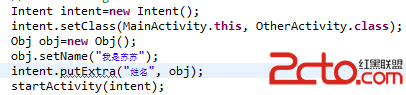 android:Activity數據傳遞之對象(Serializable)
android:Activity數據傳遞之對象(Serializable) Activity數據傳遞之基本數據類型在這篇文章中,我寫了通過putExtra()方法在a
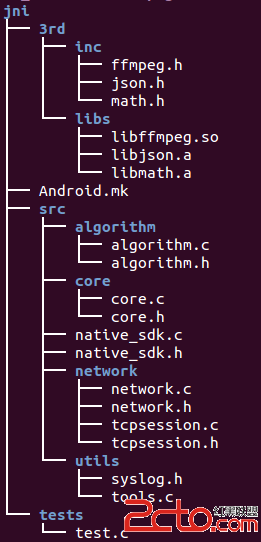 Android開發實踐:Android.mk模板
Android開發實踐:Android.mk模板 關於Android NDK開發的文章已經比較多了,我的博客中也分享了很多NDK開發相關經驗和技巧,今天簡單寫了一個 An
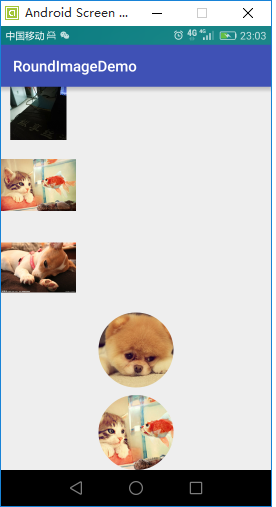 ImageView學習,imageview
ImageView學習,imageview package liu.roundimagedemo.view; import android.conten
 Android 操作系統的內存回收機制
Android 操作系統的內存回收機制 Android APP 的運行環境 Android 是一款基於 Linux 內核,面向移動終端的操作系統。為適應其作