編輯:關於android開發
<?xml version="1.0" encoding="utf-8"?>
<LinearLayout xmlns:android="http://schemas.android.com/apk/res/android"
    android:layout_width="fill_parent"
    android:layout_height="fill_parent"
    android:orientation="vertical" >

    <TextView
        android:layout_width="fill_parent"
        android:layout_height="wrap_content"
        android:text="各種Dialog合集" />
    <Button
        android:layout_width="fill_parent"
        android:layout_height="wrap_content"
        android:text="普通Dialog"
        android:id="@+id/btn_diaNormal"/>

    <Button
        android:layout_width="fill_parent"
        android:layout_height="wrap_content"
        android:text="多按鈕Dialog"
        android:id="@+id/btn_diaMulti"/>

    <Button
        android:layout_width="fill_parent"
        android:layout_height="wrap_content"
        android:text="列表Dialog"
        android:id="@+id/btn_diaList"/>

    <Button
        android:layout_width="fill_parent"
        android:layout_height="wrap_content"
        android:text="單項選擇Dialog"
        android:id="@+id/btn_diaSigChos"/>

    <Button
        android:layout_width="fill_parent"
        android:layout_height="wrap_content"
        android:text="多項選擇Dialog"
        android:id="@+id/btn_diaMultiChos"/>

    <Button
        android:layout_width="fill_parent"
        android:layout_height="wrap_content"
        android:text="進度條Dialog"
        android:id="@+id/btn_diaReadProcess"/>

    <Button
        android:layout_width="fill_parent"
        android:layout_height="wrap_content"
        android:text="讀取中Dialog"
        android:id="@+id/btn_diaProcess"/>

    <Button
        android:layout_width="fill_parent"
        android:layout_height="wrap_content"
        android:text="自定義Dialog"
        android:id="@+id/btn_diaCustom"/>

    <Button
        android:layout_width="fill_parent"
        android:layout_height="wrap_content"
        android:text="PopUpWindow實現的dialog"
        android:id="@+id/btn_popUpDia"/>
</LinearLayout>
package com.example.yanlei.yl5;

import android.support.v7.app.AppCompatActivity;
import android.os.Bundle;
import android.view.Menu;
import android.view.MenuItem;
import java.util.ArrayList;

import android.app.Activity;
import android.app.AlertDialog;
import android.app.ProgressDialog;
import android.content.DialogInterface;
import android.graphics.drawable.BitmapDrawable;
import android.os.Bundle;
import android.view.Gravity;
import android.view.LayoutInflater;
import android.view.View;
import android.view.View.OnClickListener;
import android.view.ViewGroup.LayoutParams;
import android.view.WindowManager;
import android.widget.Button;
import android.widget.EditText;
import android.widget.PopupWindow;
import android.widget.Toast;
public class MainActivity extends AppCompatActivity {
    private Button btn_diaNormal;
    private Button btn_diaMulti;
    private Button btn_diaList;
    private Button btn_diaSinChos;
    private Button btn_diaMultiChos;
    private Button btn_diaProcess;
    private Button btn_diaReadProcess;
    private Button btn_diaCustom;
    private Button btn_popUpDia;

    private PopupWindow window=null;
    private Button cusPopupBtn1;
    private View popupView;
    @Override
    protected void onCreate(Bundle savedInstanceState) {
        super.onCreate(savedInstanceState);
        setContentView(R.layout.activity_main);
        getView();
        setListener();
    }
    private void getView()
    {
        btn_diaNormal=(Button)findViewById(R.id.btn_diaNormal);
        btn_diaMulti=(Button)findViewById(R.id.btn_diaMulti);
        btn_diaList=(Button)findViewById(R.id.btn_diaList);
        btn_diaSinChos=(Button)findViewById(R.id.btn_diaSigChos);
        btn_diaMultiChos=(Button)findViewById(R.id.btn_diaMultiChos);
        btn_diaProcess=(Button)findViewById(R.id.btn_diaProcess);
        btn_diaReadProcess=(Button)findViewById(R.id.btn_diaReadProcess);
        btn_diaCustom=(Button)findViewById(R.id.btn_diaCustom);
        btn_popUpDia=(Button)findViewById(R.id.btn_popUpDia);

    }

    private void setListener()
    {
        btn_diaNormal.setOnClickListener(btnListener);
        btn_diaMulti.setOnClickListener(btnListener);
        btn_diaList.setOnClickListener(btnListener);
        btn_diaSinChos.setOnClickListener(btnListener);
        btn_diaMultiChos.setOnClickListener(btnListener);
        btn_diaProcess.setOnClickListener(btnListener);
        btn_diaReadProcess.setOnClickListener(btnListener);
        btn_diaCustom.setOnClickListener(btnListener);
        btn_popUpDia.setOnClickListener(btnListener);
    }

    private Button.OnClickListener btnListener= new Button.OnClickListener()
    {
        public void onClick(View v)
        {
            if(v instanceof Button)
            {
                int btnId=v.getId();
                switch(btnId)
                {
                    case R.id.btn_diaNormal:
                        showNormalDia();
                        break;
                    case R.id.btn_diaMulti:
                        showMultiDia();
                        break;
                    case R.id.btn_diaList:
                        showListDia();
                        break;
                    case R.id.btn_diaSigChos:
                        showSinChosDia();
                        break;
                    case R.id.btn_diaMultiChos:
                        showMultiChosDia();
                        break;
                    case R.id.btn_diaReadProcess:
                        showReadProcess();
                        break;
                    case R.id.btn_diaProcess:
                        showProcessDia();
                        break;
                    case R.id.btn_diaCustom:
                        showCustomDia();
                        break;
                    case R.id.btn_popUpDia:
                        showCusPopUp(v);
                        break;
                    default:
                        break;
                }
            }
        }
    };

    /*普通的對話框*/
    private void showNormalDia()
    {
        //AlertDialog.Builder normalDialog=new AlertDialog.Builder(getApplicationContext());
        AlertDialog.Builder normalDia=new AlertDialog.Builder(MainActivity.this);
        normalDia.setIcon(R.drawable.ic_launcher);
        normalDia.setTitle("普通的對話框");
        normalDia.setMessage("普通對話框的message內容");

        normalDia.setPositiveButton("確定", new DialogInterface.OnClickListener() {
            @Override
            public void onClick(DialogInterface dialog, int which) {
                // TODO Auto-generated method stub
                showClickMessage("確定");
            }
        });
        normalDia.setNegativeButton("取消", new DialogInterface.OnClickListener() {
            @Override
            public void onClick(DialogInterface dialog, int which) {
                // TODO Auto-generated method stub
                showClickMessage("取消");
            }
        });
        normalDia.create().show();
    }

    /*多按鈕對話框*/
    private void showMultiDia()
    {
        AlertDialog.Builder multiDia=new AlertDialog.Builder(MainActivity.this);
        multiDia.setTitle("多選項對話框");
        multiDia.setPositiveButton("按鈕一", new DialogInterface.OnClickListener() {

            @Override
            public void onClick(DialogInterface dialog, int which) {
                // TODO Auto-generated method stub
                showClickMessage("按鈕一");
            }
        });
        multiDia.setNeutralButton("按鈕二", new DialogInterface.OnClickListener() {

            @Override
            public void onClick(DialogInterface dialog, int which) {
                // TODO Auto-generated method stub
                showClickMessage("按鈕二");
            }
        });
        multiDia.setNegativeButton("按鈕三", new DialogInterface.OnClickListener() {

            @Override
            public void onClick(DialogInterface dialog, int which) {
                // TODO Auto-generated method stub
                showClickMessage("按鈕三");
            }
        });
        multiDia.create().show();
    }


    /*列表對話框*/
    private void showListDia()
    {
        final String[] mList={"選項1","選項2","選項3","選項4","選項5","選項6","選項7"};
        AlertDialog.Builder listDia=new AlertDialog.Builder(MainActivity.this);
        listDia.setTitle("列表對話框");
        listDia.setItems(mList, new DialogInterface.OnClickListener() {

            @Override
            public void onClick(DialogInterface dialog, int which) {
                // TODO Auto-generated method stub
                /*下標是從0開始的*/
                showClickMessage(mList[which]);
            }
        });
        listDia.create().show();
    }

    /*單項選擇對話框*/
    int yourChose=-1;
    private void showSinChosDia()
    {
        final String[] mList={"選項1","選項2","選項3","選項4","選項5","選項6","選項7"};
        yourChose=-1;
        AlertDialog.Builder sinChosDia=new AlertDialog.Builder(MainActivity.this);
        sinChosDia.setTitle("單項選擇對話框");
        sinChosDia.setSingleChoiceItems(mList, 0, new DialogInterface.OnClickListener() {

            @Override
            public void onClick(DialogInterface dialog, int which) {
                // TODO Auto-generated method stub
                yourChose=which;

            }
        });
        sinChosDia.setPositiveButton("確定", new DialogInterface.OnClickListener() {

            @Override
            public void onClick(DialogInterface dialog, int which) {
                // TODO Auto-generated method stub
                if(yourChose!=-1)
                {
                    showClickMessage(mList[yourChose]);
                }
            }
        });
        sinChosDia.create().show();
    }

    ArrayList<Integer> myChose= new ArrayList<Integer>();
    private void showMultiChosDia()
    {
        final String[] mList={"選項1","選項2","選項3","選項4","選項5","選項6","選項7"};
        final boolean mChoseSts[]={false,false,false,false,false,false,false};
        myChose.clear();
        AlertDialog.Builder multiChosDia=new AlertDialog.Builder(MainActivity.this);
        multiChosDia.setTitle("多項選擇對話框");
        multiChosDia.setMultiChoiceItems(mList, mChoseSts, new DialogInterface.OnMultiChoiceClickListener() {

            @Override
            public void onClick(DialogInterface dialog, int which, boolean isChecked) {
                // TODO Auto-generated method stub
                if(isChecked)
                {
                    myChose.add(which);
                }
                else
                {
                    myChose.remove(which);
                }
            }
        });
        multiChosDia.setPositiveButton("確定", new DialogInterface.OnClickListener() {

            @Override
            public void onClick(DialogInterface dialog, int which) {
                // TODO Auto-generated method stub
                int size=myChose.size();
                String str="";
                for(int i=0;i<size;i++)
                {
                    str+=mList[myChose.get(i)];
                }
                showClickMessage(str);
            }
        });
        multiChosDia.create().show();
    }

    //進度讀取框需要模擬讀取
    ProgressDialog mReadProcessDia=null;
    public final static int MAX_READPROCESS = 100;
    private void showReadProcess()
    {
        mReadProcessDia=new ProgressDialog(MainActivity.this);
        mReadProcessDia.setProgress(0);
        mReadProcessDia.setTitle("進度條窗口");
        mReadProcessDia.setProgressStyle(ProgressDialog.STYLE_HORIZONTAL);
        mReadProcessDia.setMax(MAX_READPROCESS);
        mReadProcessDia.show();
        new Thread().start();
    }

    //新開啟一個線程,循環的累加,一直到100然後在停止
    //@Override
    public void run()
    {
        int Progress= 0;
        while(Progress < MAX_READPROCESS)
        {
            try {
                Thread.sleep(100);
                Progress++;
                mReadProcessDia.incrementProgressBy(1);
            } catch (InterruptedException e) {
                // TODO Auto-generated catch block
                e.printStackTrace();
            }
        }
        //讀取完了以後窗口自消失
        mReadProcessDia.cancel();
    }

    /*讀取中的對話框*/
    private void showProcessDia()
    {
        ProgressDialog processDia= new ProgressDialog(MainActivity.this);
        processDia.setTitle("進度條框");
        processDia.setMessage("內容讀取中...");
        processDia.setIndeterminate(true);
        processDia.setCancelable(true);
        processDia.show();
    }

    /*自定義對話框*/
    private void showCustomDia()
    {
        /*AlertDialog.Builder customDia=new AlertDialog.Builder(MainActivity.this);
        final View viewDia=LayoutInflater.from(MainActivity.this).inflate(R.layout.custom_dialog, null);
        customDia.setTitle("自定義對話框");
        customDia.setView(viewDia);
        customDia.setPositiveButton("確定", new DialogInterface.OnClickListener() {

            @Override
            public void onClick(DialogInterface dialog, int which) {
                // TODO Auto-generated method stub
                EditText diaInput=(EditText) viewDia.findViewById(R.id.txt_cusDiaInput);
                showClickMessage(diaInput.getText().toString());
            }
        });
        customDia.create().show();
        */
    }

    /*popup window 來實現*/
    private void showCusPopUp(View parent)
    {

    }

    /*顯示點擊的內容*/
    private void showClickMessage(String message)
    {
        Toast.makeText(MainActivity.this, "你選擇的是: "+message, Toast.LENGTH_SHORT).show();
    }

    @Override
    public boolean onCreateOptionsMenu(Menu menu) {
        // Inflate the menu; this adds items to the action bar if it is present.
        getMenuInflater().inflate(R.menu.menu_main, menu);
        return true;
    }

    @Override
    public boolean onOptionsItemSelected(MenuItem item) {
        // Handle action bar item clicks here. The action bar will
        // automatically handle clicks on the Home/Up button, so long
        // as you specify a parent activity in AndroidManifest.xml.
        int id = item.getItemId();

        //noinspection SimplifiableIfStatement
        if (id == R.id.action_settings) {
            return true;
        }

        return super.onOptionsItemSelected(item);
    }
}
參考:http://blog.csdn.net/huaxiangsl/article/details/7496108
 基於HTML5的WebGL結合Box2DJS物理引擎應用
基於HTML5的WebGL結合Box2DJS物理引擎應用上篇我們基於HT for Web呈現了A* Search Algorithm的3D尋路效果,這篇我們將采用HT f
 Android中使用開源框架PagerSlidingTabStrip實現導航標題,android開源框架
Android中使用開源框架PagerSlidingTabStrip實現導航標題,android開源框架 此開源框架官網地址:https://github.co
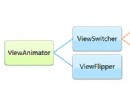 Android學習指南之四十六:用戶界面View之視圖切換組件ViewAnimator
上一節中為大家講解了ImageSwitcher和TextSwitcher兩個視
 手把手教你畫一個 逼格滿滿圓形水波紋loadingview Android
手把手教你畫一個 逼格滿滿圓形水波紋loadingview Android 才沒有完結呢o( ̄︶ ̄)n 。大家好,這裡是番外篇。 拜讀了愛哥的博客,又學到不少東西。愛哥曾