編輯:關於android開發
分類:C#、Android、百度地圖應用; 日期:2016-02-04
POI(Point of Interest),中文可以翻譯為“興趣點”。在地理信息系統中,一個POI可以是一棟房子、一個商鋪、一個郵筒、一個公交站等。
1、POI檢索
百度地圖SDK提供三種類型的POI檢索:周邊檢索、區域檢索和城市內檢索。
l 周邊檢索:以某一點為中心,指定距離為半徑,根據用戶輸入的關鍵詞進行POI檢索;
l 區域檢索:在指定矩形區域內、根據關鍵詞進行POI檢索;
l 城市內檢索:在某一城市內,根據用戶輸入的關鍵字進行POI檢索;
自v3.6.1開始,城市poi檢索返回結果新增門址類列表數據。例如:在“北京”搜索“上地十街1號”,除返回包含“上地十街1號”的poi列表以外,還包括地址為“上地十街1號”的明確門址。
具體來說,即PoiSearch類的SearchInCity(PoiCitySearchOption) 發起檢索時返回的結果增加門址類數據。PoiResult中新增了GetAllAddr()獲取門址類列表,當isHasAddrInfo() 返回true時,除了原poi列表外,還包含門址結果。
2、POI詳情信息的檢索
POI詳情檢索是指根據POI的ID信息,檢索該興趣點的詳情。
3、在線建議查詢
在線建議查詢是指根據關鍵詞查詢在線建議詞。為了幫助開發者實現檢索出來的關鍵詞快速定位到地圖上,SDK自3.5.0版本起,開放了檢索結果的經緯度信息及對應POI點的UID信息。
注意:
a. 在線建議檢索的本質是根據部分關鍵是檢索出來可能的完整關鍵詞名稱,如果需要這些關鍵詞對應的POI的具體信息,請使用POI檢索來完成;
b. 在線檢索結果的第一條可能存在沒有經緯度信息的情況,該條結果為文字聯想出來的關鍵詞結果,並不對應任何確切POI點。例如輸入“肯”,第一條結果為“肯德基”,這條結果是一個泛指的名稱,不會帶有經緯度等信息。
簡介:介紹關鍵詞查詢、suggestion查詢和查看餐飲類Place詳情頁功能
詳述:
(1)點擊某些關鍵詞查詢後的結果(如“餐廳”)可跳轉到Place詳情頁;
(2)提供suggestion查詢進行聯想查詢,例如輸入“天安門”則會彈出聯想查詢的列表;
本示例運行截圖如下:
<?xml version="1.0" encoding="utf-8"?>
<LinearLayout xmlns:android="http://schemas.android.com/apk/res/android"
android:layout_width="fill_parent"
android:layout_height="fill_parent"
android:orientation="vertical" >
<LinearLayout
xmlns:android="http://schemas.android.com/apk/res/android"
android:layout_width="fill_parent"
android:layout_height="50dip"
android:orientation="horizontal" >
<TextView
android:layout_width="wrap_content"
android:layout_height="wrap_content"
android:text="在" >
</TextView>
<EditText
android:id="@+id/city"
android:layout_width="wrap_content"
android:layout_height="match_parent"
android:text="北京" />
<TextView
android:layout_width="wrap_content"
android:layout_height="wrap_content"
android:text="市內找" >
</TextView>
<AutoCompleteTextView
android:id="@+id/searchkey"
android:layout_width="wrap_content"
android:layout_height="wrap_content"
android:layout_weight="0.88"
android:text="餐廳" />
</LinearLayout>
<LinearLayout
xmlns:android="http://schemas.android.com/apk/res/android"
android:layout_width="fill_parent"
android:layout_height="50dip"
android:orientation="horizontal" >
<Button
android:id="@+id/search"
android:layout_width="fill_parent"
android:layout_height="wrap_content"
android:layout_weight="12"
android:background="@drawable/button_style"
android:padding="10dip"
android:text="開始" />
<Button
android:id="@+id/map_next_data"
android:layout_width="fill_parent"
android:layout_height="wrap_content"
android:layout_weight="12"
android:background="@drawable/button_style"
android:padding="10dip"
android:text="下一組數據" />
</LinearLayout>
<fragment
android:id="@+id/map"
android:layout_width="match_parent"
android:layout_height="match_parent"
class="com.baidu.mapapi.map.TextureMapFragment" />
</LinearLayout>
2、添加OverlayManager.cs文件
新建一個SrcOverlayUtil文件夾,在該文件夾下添加該文件。
說明:SrcOverlayUtil文件夾下的文件用於自定義一些基於基礎覆蓋而組合而成的高級覆蓋物,包括用於顯示poi數據,規劃路線,公交詳情路線的覆蓋物等。
using Com.Baidu.Mapapi.Map;
using Com.Baidu.Mapapi.Model;
using System.Collections.Generic;
namespace BdMapV371Demos.SrcOverlayUtil
{
    /// <summary>
    /// 提供一個能夠顯示和管理多個Overlay的基類。
    /// 將覆蓋物點擊事件傳遞給OverlayManager後,OverlayManager才能響應點擊事件。
    /// 在MarkerClick事件中處理Marker點擊事件。
    /// </summary>
    public abstract class OverlayManager : Java.Lang.Object, BaiduMap.IOnMarkerClickListener, BaiduMap.IOnPolylineClickListener
    {
        BaiduMap mBaiduMap = null;
        private List<OverlayOptions> mOverlayOptionList = null;

        protected List<Overlay> mOverlayList = null;

        public OverlayManager(BaiduMap baiduMap)
        {
            mBaiduMap = baiduMap;
            mBaiduMap.SetOnMarkerClickListener(this);
            if (mOverlayOptionList == null)
            {
                mOverlayOptionList = new List<OverlayOptions>();
            }
            if (mOverlayList == null)
            {
                mOverlayList = new List<Overlay>();
            }
        }

        /// <summary>
        /// 重寫此方法設置要管理的Overlay列表
        /// </summary>
        /// <returns></returns>
        public abstract List<OverlayOptions> GetOverlayOptions();

        /// <summary>
        /// 將所有Overlay 添加到地圖上
        /// </summary>
        public void AddToMap()
        {
            if (mBaiduMap == null)
            {
                return;
            }
            RemoveFromMap();
            List<OverlayOptions> overlayOptions = GetOverlayOptions();
            if (overlayOptions != null)
            {
                mOverlayOptionList.AddRange(GetOverlayOptions());
            }

            foreach (OverlayOptions option in mOverlayOptionList)
            {
                mOverlayList.Add(mBaiduMap.AddOverlay(option));
            }
        }

        /// <summary>
        /// 將所有Overlay從地圖上消除
        /// </summary>
        public void RemoveFromMap()
        {
            if (mBaiduMap == null)
            {
                return;
            }
            foreach (Overlay marker in mOverlayList)
            {
                marker.Remove();
            }
            mOverlayOptionList.Clear();
            mOverlayList.Clear();
        }

        /// <summary>
        /// 縮放地圖,使所有Overlay都在合適的視野內
        /// 注: 該方法只對Marker類型的overlay有效
        /// </summary>
        public void ZoomToSpan()
        {
            if (mBaiduMap == null)
            {
                return;
            }
            if (mOverlayList.Count > 0)
            {
                LatLngBounds.Builder builder = new LatLngBounds.Builder();
                foreach (Overlay overlay in mOverlayList)
                {
                    // polyline 中的點可能太多,只按marker縮放
                    if (overlay is Marker)
                    {
                        builder.Include(((Marker)overlay).Position);
                    }
                }
                mBaiduMap.SetMapStatus(MapStatusUpdateFactory
                        .NewLatLngBounds(builder.Build()));
            }
        }

        public virtual bool OnMarkerClick(Marker marker)
        {
            return false;
        }

        public virtual bool OnPolylineClick(Polyline polyline)
        {
            return false;
        }
    }
}
3、添加PoiOverlay.cs文件
在SrcOverlayUtil文件夾下添加該文件。
using Android.OS;
using Android.Widget;
using Com.Baidu.Mapapi;
using Com.Baidu.Mapapi.Map;
using Com.Baidu.Mapapi.Search.Poi;
using System.Collections.Generic;

namespace BdMapV371Demos.SrcOverlayUtil
{
    /// <summary>
    /// 顯示一條公交詳情結果的Overlay,繼承自該類的子類可顯示其他類型的Overlay
    /// </summary>
    public class PoiOverlay : OverlayManager
    {
        private static readonly int MaxPoiSize = 10;
        private PoiResult mPoiResult = null;

        public PoiOverlay(BaiduMap baiduMap) : base(baiduMap)
        {

        }

        /// <summary>
        /// 設置POI數據
        /// </summary>
        /// <param name="poiResult">POI結果數據</param>
        public void SetData(PoiResult poiResult)
        {
            this.mPoiResult = poiResult;
        }

        public override List<OverlayOptions> GetOverlayOptions()
        {

            if (mPoiResult == null || mPoiResult.AllPoi == null)
            {
                return null;
            }
            List<OverlayOptions> markerList = new List<OverlayOptions>();
            int markerSize = 0;
            for (int i = 0; i < mPoiResult.AllPoi.Count && markerSize < MaxPoiSize; i++)
            {
                if (mPoiResult.AllPoi[i].Location == null)
                {
                    continue;
                }
                markerSize++;
                Bundle bundle = new Bundle();
                bundle.PutInt("index", i);
                markerList.Add(new MarkerOptions()
                    .InvokeIcon(BitmapDescriptorFactory.FromAssetWithDpi("Icon_mark"
                            + markerSize + ".png")).InvokeExtraInfo(bundle)
                    .InvokePosition(mPoiResult.AllPoi[i].Location));
            }
            return markerList;
        }

        /// <summary>
        /// 獲取該 PoiOverlay 的 poi數據
        /// </summary>
        public PoiResult GetPoiResult()
        {
            return mPoiResult;
        }

        /// <summary>
        /// 重寫此方法可改變默認點擊行為
        /// </summary>
        /// <param name="i">被點擊的poi在PoiResult.AllPoi中的索引</param>
        /// <returns></returns>
        public virtual bool OnPoiClick(int i)
        {
            if (mPoiResult.AllPoi != null && mPoiResult.AllPoi[i] != null)
            {
                Toast.MakeText(BMapManager.Context,
                        mPoiResult.AllPoi[i].Name, ToastLength.Long).Show();
            }
            return false;
        }

        public override bool OnMarkerClick(Marker marker)
        {
            if (!mOverlayList.Contains(marker))
            {
                return false;
            }
            if (marker.ExtraInfo != null)
            {
                return OnPoiClick(marker.ExtraInfo.GetInt("index"));
            }
            return false;
        }

        public override bool OnPolylineClick(Polyline polyline)
        {
            return false;
        }
    }
}
4、添加Demo12PoiSearch.cs文件
在SrcSdkDemos文件夾下添加該文件,然後將代碼改為下面的內容:
using Android.App;
using Android.Content.PM;
using Android.OS;
using Android.Support.V4.App;
using Android.Widget;
using BdMapV371Demos.SrcOverlayUtil;
using Com.Baidu.Mapapi.Map;
using Com.Baidu.Mapapi.Search.Core;
using Com.Baidu.Mapapi.Search.Poi;
using Com.Baidu.Mapapi.Search.Sug;

namespace BdMapV371Demos.SrcSdkDemos
{
    /// <summary>
    /// 演示poi搜索功能
    /// </summary>
    [Activity(Label = "@string/demo_name_poi",
        ConfigurationChanges = ConfigChanges.Orientation | ConfigChanges.KeyboardHidden,
         ScreenOrientation = ScreenOrientation.Sensor)]
    public class Demo12PoiSearch : FragmentActivity
    {
        private PoiSearch mPoiSearch = null;
        private SuggestionSearch mSuggestionSearch = null;
        private BaiduMap mBaiduMap = null;
        // 搜索關鍵字輸入窗口
         private AutoCompleteTextView keyWorldsView = null;
        private ArrayAdapter<string> sugAdapter = null;
        private int load_Index = 0;

        protected override void OnCreate(Bundle savedInstanceState)
        {
            base.OnCreate(savedInstanceState);
            SetContentView(Resource.Layout.demo12_poisearch);

            // 初始化搜索模塊,注冊搜索事件監聽
            mPoiSearch = PoiSearch.NewInstance();
            mPoiSearch.GetPoiResult += (s, e) =>
            {
                var result = e.P0;
                if (result == null
                        || result.Error == SearchResult.ERRORNO.ResultNotFound)
                {
                    return;
                }
                if (result.Error == SearchResult.ERRORNO.NoError)
                {
                    mBaiduMap.Clear();
                    PoiOverlay overlay = new MyPoiOverlay(this, mBaiduMap);
                    mBaiduMap.SetOnMarkerClickListener(overlay);
                    overlay.SetData(result);
                    overlay.AddToMap();
                    overlay.ZoomToSpan();
                    return;
                }
                if (result.Error == SearchResult.ERRORNO.AmbiguousKeyword)
                {

                    // 當輸入關鍵字在本市沒有找到,但在其他城市找到時,返回包含該關鍵字信息的城市列表
                    string strInfo = "在";
                    foreach (CityInfo cityInfo in result.SuggestCityList)
                    {
                        strInfo += cityInfo.City;
                        strInfo += ",";
                    }
                    strInfo += "找到結果";
                    Toast.MakeText(this, strInfo, ToastLength.Long)
                            .Show();
                }
            };
            mPoiSearch.GetPoiDetailResult += (s, e) =>
            {
                var result = e.P0;
                if (result.Error != SearchResult.ERRORNO.NoError)
                {
                    Toast.MakeText(this, "抱歉,未找到結果", ToastLength.Short).Show();
                }
                else
                {
                    Toast.MakeText(this, "成功,查看詳情頁面", ToastLength.Short).Show();
                }
            };

            mSuggestionSearch = SuggestionSearch.NewInstance();
            mSuggestionSearch.GetSuggestionResult += (s, e) =>
            {
                var res = e.P0;
                if (res == null || res.AllSuggestions == null) return;
                sugAdapter.Clear();
                foreach (SuggestionResult.SuggestionInfo info in res.AllSuggestions)
                {
                    if (info.Key != null) sugAdapter.Add(info.Key);
                }
                sugAdapter.NotifyDataSetChanged();
            };

            keyWorldsView = FindViewById<AutoCompleteTextView>(Resource.Id.searchkey);
            sugAdapter = new ArrayAdapter<string>(this, Android.Resource.Layout.SimpleDropDownItem1Line);
            keyWorldsView.Adapter = sugAdapter;
            TextureMapFragment map1 = FragmentManager.FindFragmentById<TextureMapFragment>(Resource.Id.map);
            mBaiduMap = map1.BaiduMap;

            // 當輸入關鍵字變化時,動態更新建議列表
            keyWorldsView.AfterTextChanged += (sender, e) => { };
            keyWorldsView.BeforeTextChanged += (sender, e) => { };
            keyWorldsView.TextChanged += (sender, e) =>
            {
                string s = e.Text.ToString();
                if (s.Length <= 0) return;
                string city = (FindViewById<EditText>(Resource.Id.city)).Text;
                // 使用建議搜索服務獲取建議列表,結果在onSuggestionResult()中更新
                mSuggestionSearch.RequestSuggestion(
                    new SuggestionSearchOption().Keyword(s).City(city));
            };

            Button btnSearch = FindViewById<Button>(Resource.Id.search);
            btnSearch.Click += delegate
            {
                SearchButtonProcess();
            };

            Button btnNext = FindViewById<Button>(Resource.Id.map_next_data);
            btnNext.Click += delegate
            {
                load_Index++;
                SearchButtonProcess();
            };
        }

        protected override void OnPause()
        {
            base.OnPause();
        }

        protected override void OnResume()
        {
            base.OnResume();
        }

        protected override void OnDestroy()
        {
            mPoiSearch.Destroy();
            mSuggestionSearch.Destroy();
            base.OnDestroy();
        }

        protected override void OnSaveInstanceState(Bundle outState)
        {
            base.OnSaveInstanceState(outState);
        }

        protected override void OnRestoreInstanceState(Bundle savedInstanceState)
        {
            base.OnRestoreInstanceState(savedInstanceState);
        }

        public void SearchButtonProcess()
        {
            EditText editCity = FindViewById<EditText>(Resource.Id.city);
            EditText editSearchKey = FindViewById<EditText>(Resource.Id.searchkey);
            mPoiSearch.SearchInCity(new PoiCitySearchOption()
                .City(editCity.Text)
                .Keyword(editSearchKey.Text)
                .PageNum(load_Index));
        }

        private class MyPoiOverlay : PoiOverlay
        {
            Demo12PoiSearch poiSearchDemo;

            public MyPoiOverlay(Demo12PoiSearch poiSearchDemo, BaiduMap baiduMap) :
                base(baiduMap)
            {
                this.poiSearchDemo = poiSearchDemo;
            }

            public override bool OnPoiClick(int index)
            {
                base.OnPoiClick(index);
                PoiInfo poi = GetPoiResult().AllPoi[index];
                if (poi.HasCaterDetails)
                {
                    poiSearchDemo.mPoiSearch.SearchPoiDetail(
                        new PoiDetailSearchOption().PoiUid(poi.Uid));
                }
                return true;
            }
        }
    }
}
5、修改MainActivity.cs
在MainActivity.cs文件的demos字段定義中,去掉【示例12】下面的注釋。
運行觀察結果。
 Android Material Design 兼容庫的使用,androidmaterial
Android Material Design 兼容庫的使用,androidmaterialAndroid Material Design 兼容庫的使用 mecury
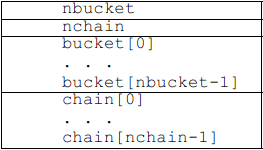 ELF Format 筆記(十五)—— 符號哈希表,elfformat
ELF Format 筆記(十五)—— 符號哈希表,elfformatilocker:關注 Android 安全(新手) QQ: 2597294287 符號哈希表用於支援
 詳解Android shape的使用方法
Android開發者在編程過程中經常要涉及到美工方面的工作,而美工對開發者而言
 數組到結構體轉換和聯合體與位段結合中的大小端問題
數組到結構體轉換和聯合體與位段結合中的大小端問題移植驅動代碼時發現工程中使用了如下形式的代碼 typedef struct BlkTestTag{ uint16_tm_
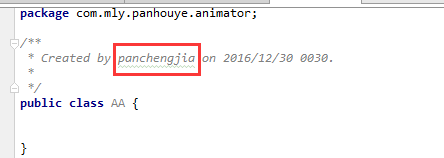 Android中開發工具Android Studio修改created用戶(windows環境),androidcreated
Android中開發工具Android Studio修改created用