編輯:開發入門
 <LinearLayout XMLns:android="http://schemas.android.com/apk/res/android" android:orIEntation="vertical" android:layout_width="fill_parent" android:layout_height="fill_parent" > <TextVIEw android:layout_width="fill_parent" android:layout_height="wrap_content" android:text="@string/hello" /> <Button android:id="@+id/bt1" android:layout_width="wrap_content" android:layout_height="wrap_content" android:text="Press me Change OrIEntation" /> </LinearLayout> Step 3:設計主程序ChangeOrIEntationDemo.Java,修改其代碼如下: package com.android.test; import android.app.Activity; import android.content.pm.ActivityInfo; import android.os.Bundle; import android.view.VIEw; import android.widget.Button; public class ChangeOrIEntationDemo extends Activity { private Button bt1; public void onCreate(Bundle savedInstanceState) { super.onCreate(savedInstanceState); setContentVIEw(R.layout.main); //獲取資源 bt1 = (Button)findVIEwById(R.id.bt1); //增加按鈕事件 bt1.setOnClickListener(new Button.OnClickListener(){ @Override public void onClick(VIEw v) { //如果是豎排,則改為橫排 if(getRequestedOrientation() == ActivityInfo.SCREEN_ORIENTATION_LANDSCAPE) { setRequestedOrientation(ActivityInfo.SCREEN_ORIENTATION_PORTRAIT); } //如果是橫排,則改為豎排 else if(getRequestedOrientation() == ActivityInfo.SCREEN_ORIENTATION_PORTRAIT) { setRequestedOrientation(ActivityInfo.SCREEN_ORIENTATION_LANDSCAPE); } } }); } } <manifest XMLns:android="http://schemas.android.com/apk/res/android" package="com.android.test" android:versionCode="1" android:versionName="1.0"> <application android:icon="@drawable/icon" android:label="@string/app_name"> <activity android:name=".ChangeOrIEntationDemo" android:label="@string/app_name" android:screenOrIEntation="portrait"> <intent-filter> <action android:name="android.intent.action.MAIN" /> <category android:name="android.intent.category.LAUNCHER" /> </intent-filter> </activity> </application> <uses-sdk android:minSdkVersion="3" /> </manifest>
 OK,今天就到這裡,謝謝大家!
 Android學習之Android的智能指針
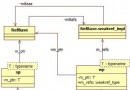
在android的源代碼中,經常會看到形如:sp<xxx>、wp<xxx>這樣的類型定義,這其實是android中的智能指針。智能指針是C++中
 Android 開發簡介之三:編寫一個基本的應用程序
編寫一個基本的應用程序本節展示如何構建一個 Android 應用程序。示例應用程序非常簡單:一個修改後的 “Hello android” 應用程序。您將進行一個微小的修
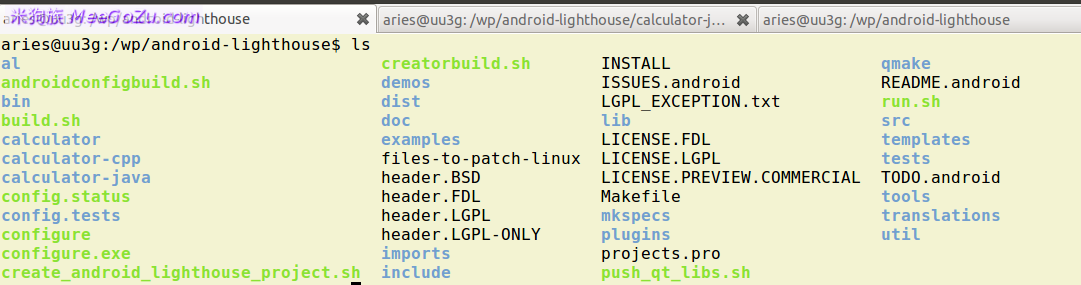 Android平台Qt開發入門教程
很多人會問,android平台可以不使用Java開發應用程序??我做Android平台native開發之前,也有這麼想過,但是我又想,底層系統全是c/c++代碼,用c/
 構建 Android 手機 RSS 閱讀器(三)
在 android 中呈現 RSS 數據現在,RSS 提要中的 XML 數據安全地保存在內存中 RSSFeed 的實例中,該實例使用一個方便的 Li