編輯:Android編程入門
activity_data1.xml
<?xml version="1.0" encoding="utf-8"?>
<LinearLayout xmlns:android="http://schemas.android.com/apk/res/android"
    xmlns:tools="http://schemas.android.com/tools"
    android:layout_width="match_parent"
    android:layout_height="match_parent"
    android:paddingBottom="@dimen/activity_vertical_margin"
    android:paddingLeft="@dimen/activity_horizontal_margin"
    android:paddingRight="@dimen/activity_horizontal_margin"
    android:paddingTop="@dimen/activity_vertical_margin"
    tools:context="com.hanqi.test5.DataActivity1"
    android:orientation="vertical">

    <EditText
        android:layout_width="match_parent"
        android:layout_height="wrap_content"
        android:id="@+id/et_1"
        android:hint="key"/>

    <EditText
        android:layout_width="match_parent"
        android:layout_height="wrap_content"
        android:id="@+id/et_2"
        android:hint="value"/>

    <LinearLayout
        android:layout_width="match_parent"
        android:layout_height="wrap_content">

        <Button
            android:layout_width="0dp"
            android:layout_height="wrap_content"
            android:text="保存"
            android:layout_weight="1"
            android:onClick="bt1_OnClick"/>

        <Button
            android:layout_width="0dp"
            android:layout_height="wrap_content"
            android:text="讀取"
            android:layout_weight="1"
            android:onClick="bt2_OnClick"/>
    </LinearLayout>


    <EditText
        android:layout_width="match_parent"
        android:layout_height="wrap_content"
        android:id="@+id/et_3"
        android:hint="要存儲的內容"/>

    <EditText
        android:layout_width="match_parent"
        android:layout_height="wrap_content"
        android:id="@+id/et_4"
        android:hint="從文件中讀取的內容"/>

    <LinearLayout
        android:layout_width="match_parent"
        android:layout_height="wrap_content">

        <Button
            android:layout_width="0dp"
            android:layout_height="wrap_content"
            android:text="保存"
            android:layout_weight="1"
            android:onClick="bt3_OnClick"/>

        <Button
            android:layout_width="0dp"
            android:layout_height="wrap_content"
            android:text="讀取"
            android:layout_weight="1"
            android:onClick="bt4_OnClick"/>
    </LinearLayout>
    <LinearLayout
        android:layout_width="match_parent"
        android:layout_height="wrap_content">

        <Button
            android:layout_width="0dp"
            android:layout_height="wrap_content"
            android:text="保存文件"
            android:layout_weight="1"
            android:onClick="bt5_OnClick"/>

        <Button
            android:layout_width="0dp"
            android:layout_height="wrap_content"
            android:text="讀取文件"
            android:layout_weight="1"
            android:onClick="bt6_OnClick"/>
    </LinearLayout>
    <ImageView
        android:layout_width="wrap_content"
        android:layout_height="wrap_content"
        android:src="@drawable/vipflower"
        android:id="@+id/iv_4"/>
</LinearLayout>
DataActivity.java
package com.hanqi.test5;

import android.content.SharedPreferences;
import android.content.res.AssetManager;
import android.graphics.Bitmap;
import android.graphics.BitmapFactory;
import android.os.Bundle;
import android.support.v7.app.AppCompatActivity;
import android.view.View;
import android.widget.EditText;
import android.widget.ImageView;
import android.widget.Toast;

import java.io.FileInputStream;
import java.io.FileOutputStream;
import java.io.InputStream;
import java.io.PrintStream;


public class DataActivity1 extends AppCompatActivity {

    EditText et_1;
    EditText et_2;

    EditText et_3;
    EditText et_4;

    ImageView iv_4;

    SharedPreferences sp;

    @Override
    protected void onCreate(Bundle savedInstanceState) {
        super.onCreate(savedInstanceState);
        setContentView(R.layout.activity_data1);

        et_1 = (EditText)findViewById(R.id.et_1);
        et_2 = (EditText)findViewById(R.id.et_2);

        et_3 = (EditText)findViewById(R.id.et_3);
        et_4 = (EditText)findViewById(R.id.et_4);

        iv_4 = (ImageView)findViewById(R.id.iv_4);


        //1.獲取sp實例,指定了文件名和操作模式
        sp = getSharedPreferences("mydata",MODE_PRIVATE);

    }

    //操作assets內的文件
    public void bt5_OnClick(View v)
    {
      //1.獲取AssetManager管理器
        AssetManager am = getAssets();


        try
        {
            //2.打開文件,獲取輸入流
            InputStream is = am.open("yuantu.png");

            //3.獲取輸出流
            FileOutputStream fos = openFileOutput("yuantu.png",MODE_PRIVATE);

            //4.邊讀邊寫
            byte[] b = new byte[1024];

            int i =0;

            while ((i = is.read(b))>0)
            {
                fos.write(b,0,i);
            }
            fos.close();
            is.close();

            Toast.makeText(DataActivity1.this, "保存成功", Toast.LENGTH_SHORT).show();


        }
        catch (Exception e)
        {
            e.printStackTrace();
            Toast.makeText(DataActivity1.this, "保存失敗", Toast.LENGTH_SHORT).show();
        }
    }


    //從手機內部存儲讀圖片文件
    public void bt6_OnClick(View v)
    {
        //改變ImageView的圖片來源,指向手機存儲空間

        //1.獲取文件存儲的絕對路徑
        String filepath = getFilesDir().getAbsolutePath();

        //2.組合圖片文件的完整路徑
        filepath += "/yuantu.png";

        //3.生成位圖實例
        Bitmap bm = BitmapFactory.decodeFile(filepath);

        //4.改變ImageView的圖片來源
        iv_4.setImageBitmap(bm);
    }


    //文件名
    final String FILENAME = "test.txt";
    public void bt3_OnClick(View v)
    {
        //1.獲取要存儲的內容
        String content = et_3.getText().toString();
        //2.獲取輸出流
        try
        {
        FileOutputStream fos_1 = openFileOutput(FILENAME,MODE_APPEND);

            //3.構造PrintStream
            PrintStream pm = new PrintStream(fos_1);

            //4.寫入內容
            pm.println(content);

            //5.關閉
            pm.close();

            fos_1.close();

            Toast.makeText(DataActivity1.this, "保存成功", Toast.LENGTH_SHORT).show();
        }
        catch (Exception e)
        {
            e.printStackTrace();

            Toast.makeText(DataActivity1.this, "保存失敗", Toast.LENGTH_SHORT).show();
        }
    }

    public void bt4_OnClick(View v)
    {
        try
        {
            //1.獲取輸入流
            FileInputStream fis = openFileInput(FILENAME);

            //2.定義讀取的數組
            byte[] b = new byte[1024];

            //3.讀出的數據的長度
            int i =0;

            StringBuilder sb_1 = new StringBuilder();

            while ((i=fis.read(b))>0)
            {
                sb_1.append(new String(b,0,i) );
            }
            fis.close();

            //設置顯示讀出內容
            et_4.setText(sb_1);

            Toast.makeText(DataActivity1.this, "讀取成功", Toast.LENGTH_SHORT).show();
        }
        catch (Exception e)
        {
            e.printStackTrace();
            Toast.makeText(DataActivity1.this, "讀取失敗", Toast.LENGTH_SHORT).show();
        }
    }

    //保存
    public void bt1_OnClick(View v) {
        //1.獲取key和value
        String key = et_1.getText().toString();
        String value = et_2.getText().toString();

        if (key.length() == 0 || value.length() == 0) {
            Toast.makeText(DataActivity1.this, "key或value不能為空", Toast.LENGTH_SHORT).show();
        }
        else {
            //2.取得Editor
            SharedPreferences.Editor editor = sp.edit();

            //3.放入鍵值對
            editor.putString(key, value);

            //4.提交保存
            boolean b = editor.commit();

            if (b) {
                Toast.makeText(DataActivity1.this, "保存成功", Toast.LENGTH_SHORT).show();
            } else {
                Toast.makeText(DataActivity1.this, "保存失敗", Toast.LENGTH_SHORT).show();
            }
        }
    }
    //讀取
    public void bt2_OnClick(View v)
    {

        //1.獲取要讀的key
        String key = et_1.getText().toString();

        //2.讀並設置文本框
        et_2.setText(sp.getString(key, "沒有發現key"));


    }

}
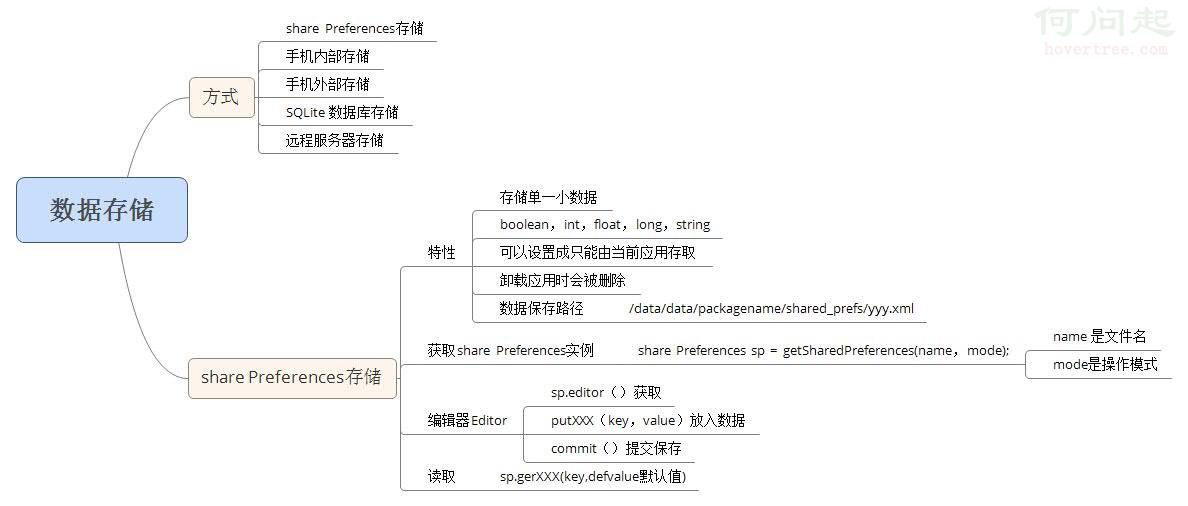
數據存儲總結之思維導圖:
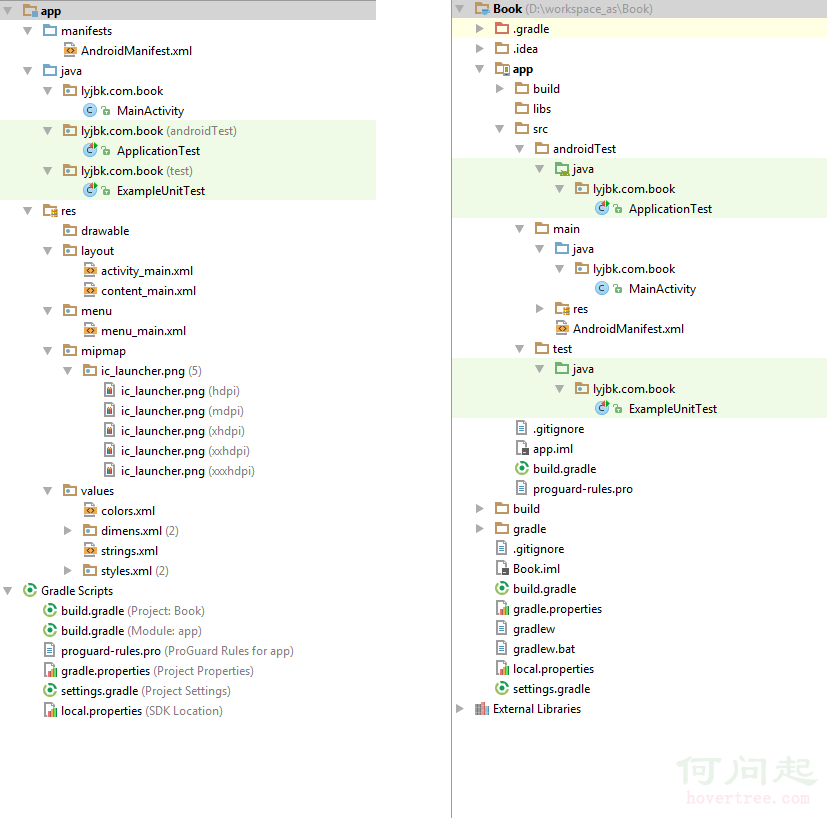
 [android]android項目的目錄結構
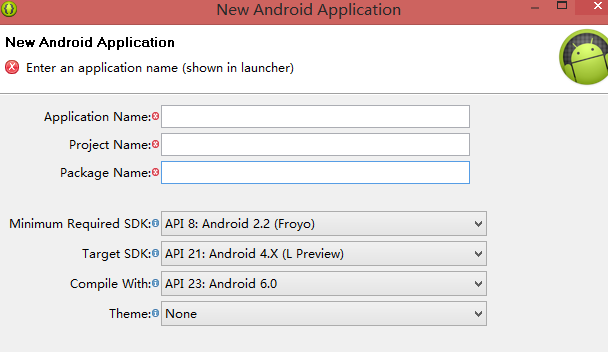
1. HelloWorld項目Application Name : 應用名稱,展示在應用市場和設置中應用列表裡面Project N
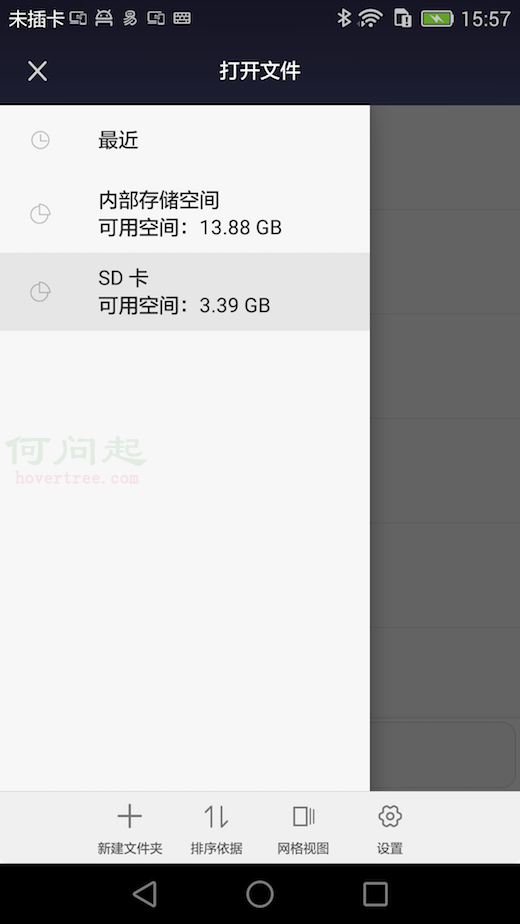 Android 5.0+刪除Sdcard文件
在Android5.0往後的平台上,你想通過單純的調用File.delete()或著ContentResolver.delete()來刪除Sdcard上的文件會刪除失敗。
 android常用的彈出提示框
我們在平時做開發的時候,免不了會用到各種各樣的對話框,相信有過其他平台開發經驗的朋友都會知道,大部分的平台都只提供了幾個最簡單的實現,如果我們想實現自己特定需求的對話框,
 Android 自定義View 三板斧之三——重寫View來實現全新控件
通常情況下,Android實現自定義控件無非三種方式。 Ⅰ、繼承現有控件,對其控件的功能進行拓展。 Ⅱ、將現有控件進行組合,實現功能更加強大控件。 Ⅲ、重寫View