編輯:Android編程入門
xml
<?xml version="1.0" encoding="utf-8"?>
<LinearLayout xmlns:android="http://schemas.android.com/apk/res/android"
    android:layout_width="match_parent"
    android:layout_height="match_parent"
    android:orientation="vertical">

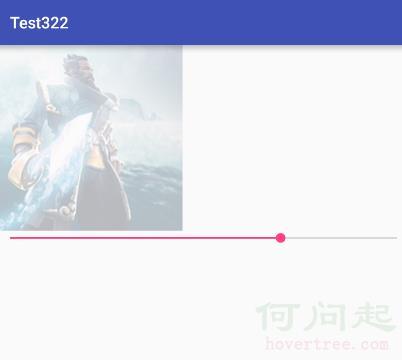
    <ImageView
        android:layout_width="wrap_content"
        android:layout_height="wrap_content"
        android:src="@drawable/chuanzhang"
        android:id="@+id/iv"
        />
    <SeekBar
        android:layout_width="match_parent"
        android:layout_height="wrap_content"
        android:id="@+id/sbr" />

</LinearLayout>
java
package com.example.chenshuai.test322;

import android.os.Bundle;
import android.support.v7.app.AppCompatActivity;
import android.widget.ImageView;
import android.widget.SeekBar;

/**
 * Created by chenshuai on 2016/3/30.
 */
public class Tutou extends AppCompatActivity {
    @Override
    protected void onCreate(Bundle savedInstanceState) {
        super.onCreate(savedInstanceState);
        setContentView(R.layout.touminggundonglayout);

        final ImageView imageView = (ImageView)findViewById(R.id.iv);

        final SeekBar sk_1 = (SeekBar)findViewById(R.id.sbr);

        sk_1.setOnSeekBarChangeListener(new SeekBar.OnSeekBarChangeListener() {
            @Override
            public void onProgressChanged(SeekBar seekBar, int progress, boolean fromUser) {

                imageView.setImageAlpha(progress);
            }

            @Override
            public void onStartTrackingTouch(SeekBar seekBar) {


            }

            @Override
            public void onStopTrackingTouch(SeekBar seekBar) {


            }
        });
    }
}
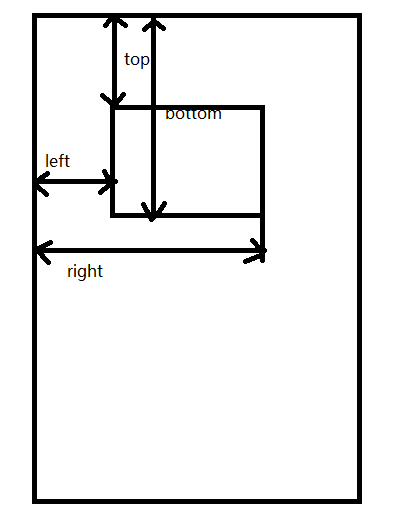 詳解實現Android中實現View滑動的幾種方式
注: 本文提到的所有三種滑動方式的完整demo:ScrollDemo1. 關於View我們需要知道的(1)什麼是View? Android中的V
 Android 廣播接收器(Broadcast Receivers)
Android 廣播接收器(Broadcast Receivers)廣播接收器用於響應來之其他應用程序或者系統的廣播消息。這些消息有時被稱為事件或者意圖。
 Android 內容提供者(Content Provider)
Android - 內容提供者(Content Provider)內容提供者組件通過請求從一個應用程序向其他的應用程序提供數據。這些請求由類 Conten
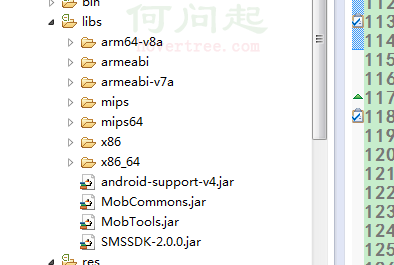 Android學習筆記之短信驗證碼的獲取和讀取
PS:最近很多事情都拖拖拉拉的..都什麼辦事效率啊!!! 還得吐槽一下移動運營商,驗證碼超過五次的時候,直接把我的手機號封閉.真是受夠了. 學習筆記:1.And