編輯:Android編程入門
/**
	 * 採用post請求的方式
	 *
	 * @param username
	 * @param password
	 * @return null表示求得的路徑有問題,text返回請求得到的數據
	 */
	public static String postRequest(String username, String password) {
		try {
			String path = "http://172.22.64.156:8080/0001AndroidWebService/LoginServlet";
			URL url = new URL(path);
			HttpURLConnection conn = (HttpURLConnection) url.openConnection();
			conn.setReadTimeout(500);
			conn.setRequestMethod("POST");
			// username=donghongyu&&password=123
			// 准備要傳輸的數據
			String data = "username=" + URLEncoder.encode(username)
					+ "&password=" + URLEncoder.encode(password);
			// 設置請求的內容的類型
			conn.setRequestProperty("Content-Type",
					"application/x-www-form-urlencoded");
			conn.setRequestProperty("Content-Length", data.length() + "");

			// 開啟向server寫入的權限
			conn.setDefaultUseCaches(true);
			// 獲取http連接的輸出流
			OutputStream os = conn.getOutputStream();
			// 向server寫入數據
			os.write(data.getBytes());

			int code = conn.getResponseCode();
			if (code == 200) {
				// 請求成功
				InputStream is = conn.getInputStream();
				String text = StreamUtil.readStream(is);
				return text;
			} else {
				// 請求失敗
				return null;
			}
		} catch (Exception e) {
			e.printStackTrace();
		}
		return null;
	}
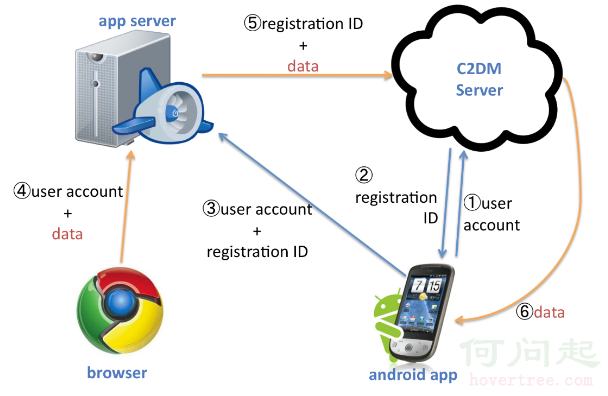 Android消息推送
1.推送方式基礎知識: 在移動互聯網時代以前的手機,如果有事情發生需要通知用戶,則會有一個窗口彈出,將告訴用戶正在發生什麼事情。可能是未接電話的提示,日歷的
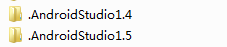 解決Android Studio升級版本後恢復初始化設置的問題
今天把AndroidStudio升級到1.5後發現所有的個性設置全變為初始化了。包括皮膚啊,字體大小、顏色啊,以及快捷鍵等等。一瞬間就懵了。 升級完後好像有一個彈窗就是
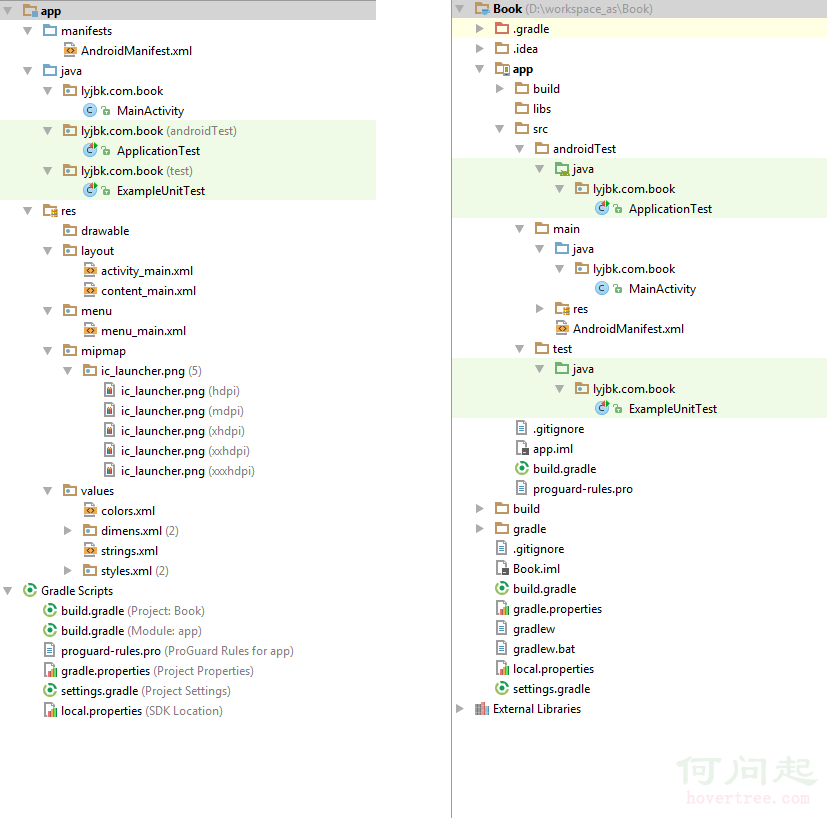 【入門篇】Android學習筆記——項目結構及相關基礎知識
Android項目具有其自身的結構規范,完好的遵循結構規范,可以讓開發事半功倍。下圖分別從Android視圖和Project視圖展示了Android項目的項目結構:圖中左
 Android 碎片(Fragment)
Android 碎片(Fragment)碎片是活動的一部分,是的活動更加的模塊化設計。我們可以任務碎片是一種子活動。下面是關於碎片的重要知識點 -碎片擁有