編輯:Android開發實例
在項目開發中從互聯網上下載圖片是經常用到的功能,再次總結一下
1.普通的下載方式
布局文件:
<?xml version="1.0" encoding="utf-8"?>
<LinearLayout
  xmlns:android="http://schemas.android.com/apk/res/android"
  android:orientation="vertical"
  android:layout_width="fill_parent"
  android:layout_height="fill_parent">

    <ImageView android:src="@drawable/icon"
	    android:layout_width="wrap_content"
	    android:id="@+id/imgPic"
	    android:layout_gravity="center|center_vertical"
	    android:layout_height="fill_parent">
    </ImageView>

</LinearLayout>
java文件
public class DownloadImage extends Activity {
	private ImageView imgPic;

	@Override
	protected void onCreate(Bundle savedInstanceState) {
		super.onCreate(savedInstanceState);
		setContentView(R.layout.download_image);
		imgPic = (ImageView) findViewById(R.id.imgPic);
		String url = "http://ww1.sinaimg.cn/bmiddle/6834c769jw1djjf4p3p9rj.jpg";
		loadRmoteImage(url);
	}

	/**
	 * @param imgUrl
	 *            遠程圖片文件的URL
	 *
	 *            下載遠程圖片
	 */
	private void loadRmoteImage(String imgUrl) {
		URL fileURL = null;
		Bitmap bitmap = null;
		try {
			fileURL = new URL(imgUrl);
		} catch (MalformedURLException err) {
			err.printStackTrace();
		}
		try {
			HttpURLConnection conn = (HttpURLConnection) fileURL
					.openConnection();
			conn.setDoInput(true);
			conn.connect();
			InputStream is = conn.getInputStream();
			int length = (int) conn.getContentLength();
			if (length != -1) {
				byte[] imgData = new byte[length];
				byte[] buffer = new byte[512];
				int readLen = 0;
				int destPos = 0;
				while ((readLen = is.read(buffer)) > 0) {
					System.arraycopy(buffer, 0, imgData, destPos, readLen);
					destPos += readLen;
				}
				bitmap = BitmapFactory.decodeByteArray(imgData, 0,
						imgData.length);
			}
		} catch (IOException e) {
			e.printStackTrace();
		}
		imgPic.setImageBitmap(bitmap);
	}
2.帶進度條的下載
有時候網絡差,或者是圖片太大,會出現黑屏的情況,用戶體驗比較差,那麼增加一個進度條是提高用戶體驗的好方法
/**
 * @author xushilin xsl [email protected]
 * @version: 創建時間:2011-7-27 下午02:55:56
 * 說 明: android中下載圖片
 * 修改歷史:
 */
public class DownloadImage extends Activity {
	private ImageView imgPic;
	private ProgressBar progressBar;
	private int totalSize=0;
	private int size=0;
	private Handler mHandler;
	String url = "http://ww1.sinaimg.cn/bmiddle/6834c769jw1djjf4p3p9rj.jpg";
	private Bitmap bitmap=null;
	@Override
	protected void onCreate(Bundle savedInstanceState) {
		super.onCreate(savedInstanceState);
		setContentView(R.layout.download_image);
		imgPic = (ImageView) findViewById(R.id.imgPic);

		progressBar = (ProgressBar) findViewById(R.id.progressBar);
		progressBar.setProgress(getProgressInt(progressBar.getMax()));
		mHandler = new Handler() {
			public void handleMessage(Message msg) {
				progressBar.setProgress(getProgressInt(progressBar.getMax()));
				if(bitmap!=null){
					imgPic.setImageBitmap(bitmap);
				}
			}
		};
		new Thread(){
			public void run(){
				loadRmoteImage(url);
			}
		}.start();
	}

	/**
	 * @param imgUrl
	 *            遠程圖片文件的URL
	 *
	 *            下載遠程圖片
	 */
	private void loadRmoteImage(String imgUrl) {
		URL fileURL = null;
		try {
			fileURL = new URL(imgUrl);
		} catch (MalformedURLException err) {
			err.printStackTrace();
		}
		try {
			HttpURLConnection conn = (HttpURLConnection) fileURL
					.openConnection();
			conn.setDoInput(true);
			conn.connect();
			InputStream is = conn.getInputStream();
			int length = (int) conn.getContentLength();
			totalSize=length;
			if (length != -1) {
				byte[] imgData = new byte[length];
				byte[] buffer = new byte[512];
				int readLen = 0;
				int destPos = 0;
				while ((readLen = is.read(buffer)) > 0) {
					System.arraycopy(buffer, 0, imgData, destPos, readLen);
					destPos += readLen;
					size=destPos;
					mHandler.sendEmptyMessage(1);
					Thread.sleep(100);
				}
				bitmap = BitmapFactory.decodeByteArray(imgData, 0,
						imgData.length);
				mHandler.sendEmptyMessage(1);
			}
		} catch (IOException e) {
			e.printStackTrace();
		} catch (InterruptedException e) {
			e.printStackTrace();
		}

	}
	private  int getProgressInt(int max) {
		int result = (totalSize > 0) ? (int) (size * max * 1.0 / totalSize) : 0;
		return result;
	}
}
效果如下:
下載過程
下載完成:
轉自:http://www.cnblogs.com/vaiyanzi/archive/2011/07/28/2119825.html
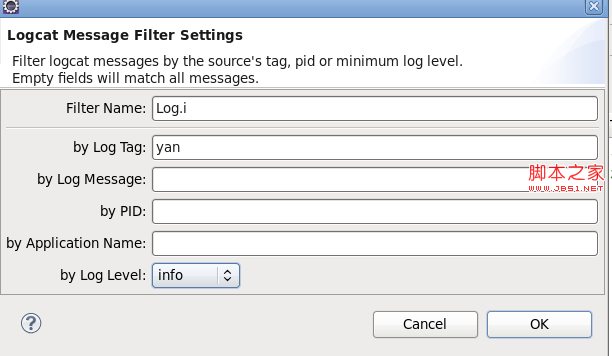 Android開發筆記之:一分鐘學會使用Logcat調試程序的詳解
這是個很簡單的問題,但每次隔一段時間後使用起來總是會出點亂子。這裡記錄下Logcat的步驟:1,在Activity裡申明tag變量(名字其實是隨便的,如下:pri
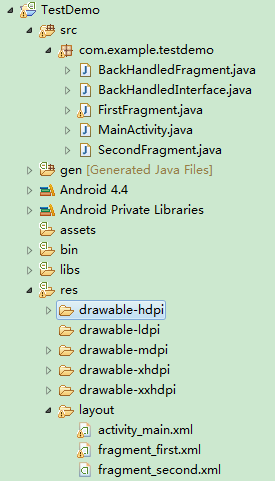 Android編程使用Fragment界面向下跳轉並一級級返回的實現方法
本文實例講述了Android編程使用Fragment界面向下跳轉並一級級返回的實現方法。分享給大家供大家參考,具體如下: 1.首先貼上項目結構圖: 2.先添加一
 Android MediaPlayer(多媒體播放)
Android提供了許多方法來控制播放的音頻/視頻文件和流。其中該方法是通過一類稱為MediaPlayer。Android是提供MediaPlayer類訪問內置的媒體播放
 教你輕松制作Android音樂播放器
欣賞一下我們清爽的界面吧~ 如果是只用activity來制作這樣的東西簡直是太小兒科了,此處我們當然用的是service 首先我們先上service的代碼: 1