編輯:關於Android編程
現在開發中的功能需要直接跳轉到撥號、聯系人、短信界面等等,查找了很多資料,自己整理了一下。
1、跳轉到撥號界面,代碼如下:
1)直接撥打
Intent intentPhone = new Intent(Intent.ACTION_CALL, Uri.parse("tel:" + phoneNumber));
startActivity(intentPhone);
2)跳轉到撥號界面
Intent intent = newIntent(Intent.ACTION_DIAL,Uri.parse("tel:" + phoneNumber));
intent.setFlags(Intent.FLAG_ACTIVITY_NEW_TASK);
startActivity(intent);
2、跳轉到聯系人頁面,使用一下代碼:
Intent intentPhone = new Intent(Intent.ACTION_CALL, Uri.parse("tel:" + phoneNumber));
startActivity(intentPhone);
以下內容為轉載:
Android開發之Intent跳轉到系統應用中的撥號界面、聯系人界面、短信界面 現在開發中的功能需要直接跳轉到撥號、聯系人、短信界面等等,查找了很多資料,自己整理了一下。
//安裝已經存在的apk
String filePath="mnt/sdcard/abc.apk";
Intent intent = new Intent(Intent.ACTION_VIEW);
intent.setDataAndType(Uri.parse("file://" + filePath),
    "application/vnd.Android.package-archive");
startActivity(intent);//直接跳到安裝頁面,但是還要點擊按鈕確定安裝,還是取消安裝
//卸載某應用
String packageName="org.adw.launcher2"
Uri packageUri = Uri.parse("package:"+packageName);//包名,指定該應用
Intent uninstallIntent = new Intent(Intent.ACTION_DELETE, packageUri);
startActivity(uninstallIntent);
//查看某一應用程序的信息
 Uri uri=Uri.parse("package:"+packageName);//包名,指定該應用
Intent intent=new Intent("android.settings.APPLICATION_DETAILS_SETTINGS", uri);
startActivity(intent);
2.浏覽網頁某一具體網址
 Uri uri = Uri.parse("http://xxxxxxxxxxxxxxxxxxxxxxxx");
 Intent intent  = new Intent(Intent.ACTION_VIEW,uri);
//加下面這句話就是啟動系統自帶的浏覽器打開上面的網址, 不加下面一句話, 如果你有多個浏覽器,就會彈出讓你選擇某一浏覽器, 然後改浏覽器就會打開該網址...............
intent.setClassName("com.android.browser", "com.android.browser.BrowserActivity");
 startActivity(intent);
//系統 設置 界面
Intent intent=new Intent();
 intent.setClassName("com.android.settings","com.android.settings.Settings");
startActivity(intent);
//回到桌面嗎
Intent intent = new Intent(Intent.ACTION_MAIN);
intent.addCategory(Intent.CATEGORY_HOME);
startActivity(intent);
//系統  撥號  界面
Intent intent= new Intent(Intent.ACTION_DIAL);
intent.setClassName("com.android.contacts","com.android.contacts.DialtactsActivity");
startActivity(intent);
//系統 通話記錄 界面
Intent intent =new Intent();
intent.setAction("android.intent.action.CALL_BUTTON");
startActivity(intent);
//撥號
 Uri uri = Uri.parse("tel:xxxxxx");
 Intent intent = new Intent(Intent.ACTION_DIAL, uri);
 startActivity(intent);
//啟動撥號界面,指定了類名 包名  是系統的撥號界面  DialtactsActivity
Intent intent= new Intent("android.intent.action.DIAL");
 intent.setClassName("com.android.contacts","com.android.contacts.DialtactsActivity");
startActivity(intent);
//系統 聯系人 界面  PeopleActivity
Intent intent001 = new Intent();
intent001.setClassName("com.android.contacts","com.android.contacts.activities.PeopleActivity");
startActivity(intent001);
//系統 搜索  界面  SearchActivity
Intent intent002=new Intent();
intent002.setClassName("com.android.quicksearchbox", "com.android.quicksearchbox.SearchActivity");
startActivity(intent002);
//啟動短信收件箱的界面,指定了包名,類名
 Intent intent4 = new Intent();
intent4.setClassName("com.android.mms","com.android.mms.ui.ConversationList");
startActivity(intent4);
 //啟動聯系人界面,不好
Intent intent = new Intent();
 intent.setAction(Intent.ACTION_PICK);
 intent.setData(Contacts.People.CONTENT_URI);
 startActivity(intent);
插入聯系人
Intent intent=newIntent(Intent.ACTION_EDIT,Uri.parse("content://com.android.contacts/contacts/"+"1"));
startActivity(intent);
到聯系人列表界面
Intent intent = new Intent(Intent.ACTION_INSERT_OR_EDIT);
intent.setType("vnd.android.cursor.item/person");
intent.setType("vnd.android.cursor.item/contact");
intent.setType("vnd.android.cursor.item/raw_contact");
intent.putExtra(android.provider.ContactsContract.Intents.Insert.NAME, name);
intent.putExtra(android.provider.ContactsContract.Intents.Insert.COMPANY,company);
intent.putExtra(android.provider.ContactsContract.Intents.Insert.PHONE, tel);
intent.putExtra(android.provider.ContactsContract.Intents.Insert.PHONE_TYPE, 3);
//啟動短信收件箱的界面,指定了包名,類名
Intent intent = new Intent();
intent.setClassName("com.android.mms","com.android.mms.ui.ConversationList");
startActivity(intent);
//啟動編輯短信的界面
Intent intent = new Intent(Intent.ACTION_VIEW);
intent.setType("vnd.android-dir/mms-sms");
 // intent.setData(Uri.parse("content://mms-sms/conversations/"));//此為號碼
startActivity(intent);
---------------------------------------------------------------
2---------------------------------------------------------------
---------------------------------------------------------------
現在開發中的功能需要直接跳轉到撥號、聯系人、短信界面等等,查找了很多資料,自己整理了一下。
 首先,我們先看撥號界面,代碼如下:
 Intent intent =new Intent();
 intent.setAction("android.intent.action.CALL_BUTTON");
 startActivity(intent);
和
Uri uri = Uri.parse("tel:xxxxxx");
Intent intent = new Intent(Intent.ACTION_DIAL, uri);
startActivity(intent);
兩者都行
但是如果是跳轉到應用,使用一下代碼:
Intent intent= new Intent("android.intent.action.DIAL");
intent.setClassName("com.android.contacts","com.android.contacts.DialtactsActivity");
到通話記錄界面:
Intent intent=new Intent();
intent.setAction(Intent.ACTION_CALL_BUTTON);
startActivity(intent);
到聯系人界面:
Intent intent = new Intent();
intent.setAction(Intent.ACTION_VIEW);
intent.setData(Contacts.People.CONTENT_URI);
startActivity(intent);
到應用:
Intent intent= new Intent("com.android.contacts.action.LIST_STREQUENT");
intent.setClassName("com.android.contacts","com.android.contacts.DialtactsActivity");
調用聯系人界面:
Intent intent = new Intent();
intent.setAction(Intent.ACTION_PICK);
intent.setData(Contacts.People.CONTENT_URI);
startActivity(intent);
插入聯系人
Intent intent=new Intent(Intent.ACTION_EDIT,Uri.parse("content://com.android.contacts/contacts/"+"1"));
startActivity(intent);
到聯系人列表界面
Intent intent = new Intent(Intent.ACTION_INSERT_OR_EDIT);
intent.setType("vnd.android.cursor.item/person");
intent.setType("vnd.android.cursor.item/contact");
intent.setType("vnd.android.cursor.item/raw_contact");
intent.putExtra(android.provider.ContactsContract.Intents.Insert.NAME, name);
intent.putExtra(android.provider.ContactsContract.Intents.Insert.COMPANY,company);
intent.putExtra(android.provider.ContactsContract.Intents.Insert.PHONE, tel);
intent.putExtra(android.provider.ContactsContract.Intents.Insert.PHONE_TYPE, 3);
復制代碼
到短信界面:
Intent intent = new Intent(Intent.ACTION_VIEW);
intent.setType("vnd.android-dir/mms-sms");
//intent.setData(Uri.parse("content://mms-sms/conversations/"));//此為號碼
startActivity(intent);
到應用:
Intent intent = new Intent("android.intent.action.CONVERSATION");
startActivity(intent);
以下是在網上找到的其他方法:
1.從google搜索內容
Intent intent = new Intent();
intent.setAction(Intent.ACTION_WEB_SEARCH);
intent.putExtra(SearchManager.QUERY,"searchString")
startActivity(intent);
2.浏覽網頁
Uri uri = Uri.parse("http://www.google.com");
Intent it  = new Intent(Intent.ACTION_VIEW,uri);
startActivity(it);
3.顯示地圖
Uri uri = Uri.parse("geo:38.899533,-77.036476");
Intent it = new Intent(Intent.Action_VIEW,uri);
startActivity(it);
4.路徑規劃
Uri uri = Uri.parse("http://maps.google.com/maps?f=dsaddr=startLat%20startLng&daddr=endLat%20endLng&hl=en");
Intent it = new Intent(Intent.ACTION_VIEW,URI);
startActivity(it);
5.撥打電話
Uri uri = Uri.parse("tel:xxxxxx");
Intent it = new Intent(Intent.ACTION_DIAL, uri);
startActivity(it);
和
uri = Uri.parse("tel:"+number);
intent = new Intent(Intent.ACTION_CALL,uri);
startActivity(intent);
其中不同自己試驗一下就知道了。
6.調用發短信的程序
Intent it = new Intent(Intent.ACTION_VIEW);
it.putExtra("sms_body", "The SMS text");
it.setType("vnd.android-dir/mms-sms");
startActivity(it);
和
uri = Uri.parse("smsto:"+要發送短信的對方的number);
intent = new Intent(Intent.ACTION_SENDTO,uri);
startActivity(intent);
和
mIntent = new Intent(Intent.ACTION_VIEW);
mIntent.putExtra("address", c.getString(c.getColumnIndex(column)));
mIntent.setType("vnd.android-dir/mms-sms");
startActivity(mIntent);
7.發送短信
Uri uri = Uri.parse("smsto:0800000123");
Intent it = new Intent(Intent.ACTION_SENDTO, uri);
it.putExtra("sms_body", "The SMS text");
startActivity(it);
String body="this is sms demo";
Intent mmsintent = new Intent(Intent.ACTION_SENDTO, Uri.fromParts("smsto", number, null));
mmsintent.putExtra(Messaging.KEY_ACTION_SENDTO_MESSAGE_BODY, body);
mmsintent.putExtra(Messaging.KEY_ACTION_SENDTO_COMPOSE_MODE, true);
mmsintent.putExtra(Messaging.KEY_ACTION_SENDTO_EXIT_ON_SENT, true);
startActivity(mmsintent);<span > </span>
8.發送彩信
Uri uri = Uri.parse("content://media/external/images/media/23");
Intent it = new Intent(Intent.ACTION_SEND);
it.putExtra("sms_body", "some text");
it.putExtra(Intent.EXTRA_STREAM, uri);
it.setType("image/png");
startActivity(it);
StringBuilder sb = new StringBuilder();
sb.append("file://");
sb.append(fd.getAbsoluteFile());
Intent intent = new Intent(Intent.ACTION_SENDTO, Uri.fromParts("mmsto", number, null));
// Below extra datas are all optional.
intent.putExtra(Messaging.KEY_ACTION_SENDTO_MESSAGE_SUBJECT, subject);
intent.putExtra(Messaging.KEY_ACTION_SENDTO_MESSAGE_BODY, body);
intent.putExtra(Messaging.KEY_ACTION_SENDTO_CONTENT_URI, sb.toString());
intent.putExtra(Messaging.KEY_ACTION_SENDTO_COMPOSE_MODE, composeMode);
intent.putExtra(Messaging.KEY_ACTION_SENDTO_EXIT_ON_SENT, exitOnSent);
startActivity(intent);
9.發送Email
Uri uri = Uri.parse("mailto:xxx@abc.com");
Intent it = new Intent(Intent.ACTION_SENDTO, uri);
startActivity(it);
Intent it = new Intent(Intent.ACTION_SEND);
it.putExtra(Intent.EXTRA_EMAIL, "me@abc.com");
it.putExtra(Intent.EXTRA_TEXT, "The email body text");
it.setType("text/plain");
startActivity(Intent.createChooser(it, "Choose Email Client"));
Intent it=new Intent(Intent.ACTION_SEND);
String[] tos={"me@abc.com"};
String[] ccs={"you@abc.com"};
it.putExtra(Intent.EXTRA_EMAIL, tos);
it.putExtra(Intent.EXTRA_CC, ccs);
it.putExtra(Intent.EXTRA_TEXT, "The email body text");
it.putExtra(Intent.EXTRA_SUBJECT, "The email subject text");
it.setType("message/rfc822");
startActivity(Intent.createChooser(it, "Choose Email Client"));
Intent it = new Intent(Intent.ACTION_SEND);
it.putExtra(Intent.EXTRA_SUBJECT, "The email subject text");
it.putExtra(Intent.EXTRA_STREAM, "file:///sdcard/mysong.mp3");
sendIntent.setType("audio/mp3");
startActivity(Intent.createChooser(it, "Choose Email Client"));
10.播放多媒體
Intent it = new Intent(Intent.ACTION_VIEW);
Uri uri = Uri.parse("file:///sdcard/song.mp3");
it.setDataAndType(uri, "audio/mp3");
startActivity(it);
Uri uri = Uri.withAppendedPath(MediaStore.Audio.Media.INTERNAL_CONTENT_URI, "1");
Intent it = new Intent(Intent.ACTION_VIEW, uri);
startActivity(it);
11.uninstall apk
Uri uri = Uri.fromParts("package", strPackageName, null);
Intent it = new Intent(Intent.ACTION_DELETE, uri);
startActivity(it);
12.install apk
Uri installUri = Uri.fromParts("package", "xxx", null);
returnIt = new Intent(Intent.ACTION_PACKAGE_ADDED, installUri);
13. 打開照相機
<1>Intent i = new Intent(Intent.ACTION_CAMERA_BUTTON, null);
     this.sendBroadcast(i);
<2>long dateTaken = System.currentTimeMillis();
     String name = createName(dateTaken) + ".jpg";
     fileName = folder + name;
     ContentValues values = new ContentValues();
     values.put(Images.Media.TITLE, fileName);
     values.put("_data", fileName);
     values.put(Images.Media.PICASA_ID, fileName);
     values.put(Images.Media.DISPLAY_NAME, fileName);
     values.put(Images.Media.DESCRIPTION, fileName);
     values.put(Images.ImageColumns.BUCKET_DISPLAY_NAME, fileName);
     Uri photoUri = getContentResolver().insert(
     MediaStore.Images.Media.EXTERNAL_CONTENT_URI, values);
     Intent inttPhoto = new Intent(MediaStore.ACTION_IMAGE_CAPTURE);
     inttPhoto.putExtra(MediaStore.EXTRA_OUTPUT, photoUri);
     startActivityForResult(inttPhoto, 10);
14.從gallery選取圖片
    Intent i = new Intent();
    i.setType("image/*");
    i.setAction(Intent.ACTION_GET_CONTENT);
    startActivityForResult(i, 11);
15. 打開錄音機
Intent mi = new Intent(Media.RECORD_SOUND_ACTION);
startActivity(mi);
16.顯示應用詳細列表
Uri uri = Uri.parse("market://details?id=app_id");
Intent it = new Intent(Intent.ACTION_VIEW, uri);
startActivity(it);
//where app_id is the application ID, find the ID
//by clicking on your application on Market home
//page, and notice the ID from the address bar<span >  </span>
剛才找app id未果,結果發現用package name也可以 Uri uri = Uri.parse("market://details?id=<packagename>");
這個簡單多了
17尋找應用
Uri uri = Uri.parse("market://search?q=pname:pkg_name");
Intent it = new Intent(Intent.ACTION_VIEW, uri);
startActivity(it);
//where pkg_name is the full package path for an application<span >   </span>
18打開聯系人列表
     Intent i = new Intent();
     i.setAction(Intent.ACTION_GET_CONTENT);
     i.setType("vnd.android.cursor.item/phone");
     startActivityForResult(i, REQUEST_TEXT);
     Uri uri = Uri.parse("content://contacts/people");
     Intent it = new Intent(Intent.ACTION_PICK, uri);
     startActivityForResult(it, REQUEST_TEXT);
19 打開另一程序
Intent i = new Intent();
ComponentName cn = new ComponentName("com.yellowbook.android2",  "com.yellowbook.android2.AndroidSearch");
i.setComponent(cn);
i.setAction("android.intent.action.MAIN");
startActivityForResult(i, RESULT_OK);
20 添加到短信收件箱
ContentValues cv = new ContentValues();
cv.put("type", "1");
cv.put("address","短信地址");
cv.put("body", "短信內容");
getContentResolver().insert(Uri.parse("content://sms/inbox"), cv);
21 從sim卡或者聯系人中查詢
Cursor cursor;
Uri uri;
if (type == 1) {
Intent intent = new Intent();
intent.setData(Uri.parse("content://icc/adn"));
uri = intent.getData();
} else
uri = People.CONTENT_URI;
cursor = activity.getContentResolver().query(uri, null, null, null, null);
while (cursor.moveToNext()) {
int peopleId = cursor.getColumnIndex(People._ID);
int nameId = cursor.getColumnIndex(People.NAME);
int phoneId = cursor.getColumnIndex(People.NUMBER);}
查看某個聯系人,當然這裡是ACTION_VIEW,如果為選擇並返回action改為ACTION_PICK,當然處理intent時返回需要用到 startActivityforResult
Uri personUri = ContentUris.withAppendedId(People.CONTENT_URI, ID);//最後的ID參數為聯系人Provider中的數據庫BaseID,即哪一行
Intent intent = new Intent(); intent.setAction(Intent.ACTION_VIEW); intent.setData(personUri); startActivity(intent);
22 刪除
uri = ContentUris.withAppendedId(People.CONTENT_URI, 聯系人id);
int count = activity.getContentResolver().delete(uri, null, null
23 添加到聯系人:
ContentValues cv = new ContentValues();
ArrayList<ContentProviderOperation> operationList = new ArrayList<ContentProviderOperation>();
ContentProviderOperation.Builder builder = ContentProviderOperation.newInsert(RawContacts.CONTENT_URI);
builder.withValues(cv);
operationList.add(builder.build());
builder = ContentProviderOperation.newInsert(Data.CONTENT_URI);
builder.withValueBackReference(StructuredName.RAW_CONTACT_ID, 0);
builder.withValue(Data.MIMETYPE, StructuredName.CONTENT_ITEM_TYPE);
builder.withValue(StructuredName.DISPLAY_NAME, "自定義聯系人名");
operationList.add(builder.build());
builder = ContentProviderOperation.newInsert(Data.CONTENT_URI);
builder.withValueBackReference(Phone.RAW_CONTACT_ID, 0);
builder.withValue(Data.MIMETYPE, Phone.CONTENT_ITEM_TYPE);
builder.withValue(Phone.NUMBER, "聯系人的phonenumber");
builder.withValue(Data.IS_PRIMARY, 1);
operationList.add(builder.build());
try {
     getContentResolver().applyBatch(ContactsContract.AUTHORITY, operationList);
    } catch (RemoteException e) {
      e.printStackTrace();
    } catch (OperationApplicationException e) {
     e.printStackTrace();
   }
23 選擇一個圖片
Intent intent = new Intent(Intent.ACTION_GET_CONTENT);
intent.addCategory(Intent.CATEGORY_OPENABLE);
intent.setType("image/*");
startActivityForResult(intent, 0);
24 調用Android設備的照相機,並設置拍照後存放位置
Intent intent = new Intent(MediaStore.ACTION_IMAGE_CAPTURE);
intent.putExtra(MediaStore.EXTRA_OUTPUT, Uri.fromFile(new File(Environment .getExternalStorageDirectory().getAbsolutePath()+"/cwj", android123 + ".jpg"))); //存放位置為sdcard卡上cwj文件夾,文件名為android123.jpg格式
startActivityForResult(intent, 0);
25 在market上搜索指定package name,比如搜索com.android123.cwj的寫法如下
Uri uri = Uri.parse("market://search?q=pname:com.android123.cwj");
Intent intent = new Intent(Intent.ACTION_VIEW, uri); startActivity(intent);
26獲取文件信息,並使用相對應軟件打開
private void openFile(File f)
{
  Intent intent = new Intent();
  intent.addFlags(Intent.FLAG_ACTIVITY_NEW_TASK);
  intent.setAction(android.content.Intent.ACTION_VIEW);
  String type = getMIMEType(f);
  intent.setDataAndType(Uri.fromFile(f), type);
  startActivity(intent);
}
private String getMIMEType(File f){
  String end = f .getName() .substring(f.getName().lastIndexOf(".") + 1,f.getName().length()).toLowerCase();
 String type = "";
 if (end.equals("mp3") || end.equals("aac") || end.equals("aac")|| end.equals("amr") || end.equals("mpeg")|| end.equals("mp4"))
 {
   type = "audio";
 }
 else if (end.equals("jpg") || end.equals("gif")|| end.equals("png") || end.equals("jpeg"))
 {
   type = "image";
  }
 else
 {
   type = "*";
 }
   type += "/*";
   return type;
}
---------------------------------------------------------------
---------------------------------------------------------------
---------------------------------------------------------------
現在開發中的功能需要直接跳轉到撥號、聯系人、短信界面等等,查找了很多資料,自己整理了一下。
1、跳轉到撥號界面,代碼如下:
1)直接撥打
Intent intentPhone = new Intent(Intent.ACTION_CALL, Uri.parse("tel:" + phoneNumber));
startActivity(intentPhone);
2)跳轉到撥號界面
Intent intent = newIntent(Intent.ACTION_DIAL,Uri.parse("tel:" + phoneNumber));
intent.setFlags(Intent.FLAG_ACTIVITY_NEW_TASK);
startActivity(intent);
2、跳轉到聯系人頁面,使用一下代碼:
Intent intentPhone = new Intent(Intent.ACTION_CALL, Uri.parse("tel:" + phoneNumber));
startActivity(intentPhone);
---------------------------------------------------------------
3---------------------------------------------------------------
---------------------------------------------------------------
 Android Design新控件之TabLaout(二),仿微信實現App底部Tab布局
TabLayout的兩種常見設計布局:頂部標簽頁(如今日頭條,知乎) 底部菜單欄(如微信主界面)接著接著舉例使用TabLayout+ViewPager來簡單實現一個類似於
 Android API Guides---Administration
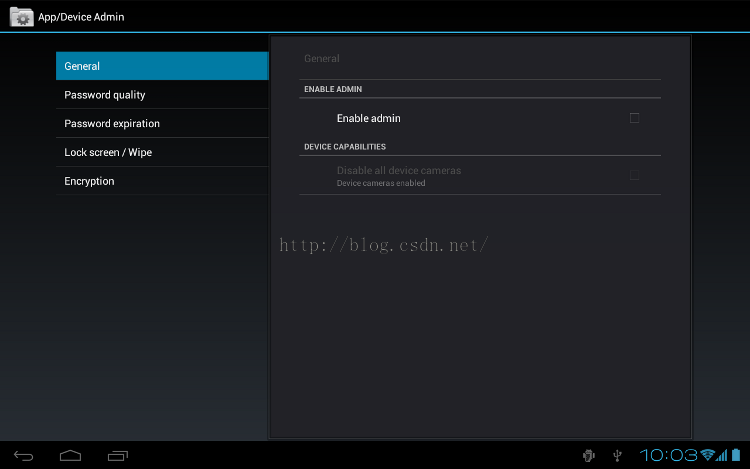
如果您是管理員,您可以利用API和系統能力來管理Android設備和控制訪問。在ICS統一密鑰存儲訪問搭載Android 4.0(ICS)附帶了一些改進,使其更容易為人們
 聊聊android界面適配
為什麼要適配?我們先來看一組統計數據,這是國外opensignal給出的統計數據,我們來看看去年8月份的統計數據,參考鏈接我們先來看看幾個圖表:2014設備分布圖:201
 android簽名機制
1.android為什麼要簽名 所有的Android應用程序都要求開發人員用一個證書進行數字簽名,anroid系統不會安裝沒有進行簽名的由於程序。平時我們的程序可