編輯:關於Android編程
項目開發中遇到了這樣一個需求,標簽(圖片)和文字,標簽顯示在標題的開頭,自然而然想到了用TextView+ImageSpan的方式來弄,開始沒有思路,網上搜索一下基本上都有說到,但是都沒有解決一個問題,就是居中。怎麼設置都設置不了!後來找到一篇文章裡面介紹了ImageSpan的getSize()方法設置了展示位置!下面給出自定義修改的ImageSpan,至於怎麼用ImageSpan就不多說了
/**
 * 垂直居中的ImageSpan
 *
 * @author KenChung
 */
public class VerticalImageSpan extends ImageSpan {

    public VerticalImageSpan(Drawable drawable) {
        super(drawable);
    }

    public int getSize(Paint paint, CharSequence text, int start, int end,
                       Paint.FontMetricsInt fontMetricsInt) {
        Drawable drawable = getDrawable();
        Rect rect = drawable.getBounds();
        if (fontMetricsInt != null) {
            Paint.FontMetricsInt fmPaint = paint.getFontMetricsInt();
            int fontHeight = fmPaint.bottom - fmPaint.top;
            int drHeight = rect.bottom - rect.top;

            int top = drHeight / 2 - fontHeight / 4;
            int bottom = drHeight / 2 + fontHeight / 4;

            fontMetricsInt.ascent = -bottom;
            fontMetricsInt.top = -bottom;
            fontMetricsInt.bottom = top;
            fontMetricsInt.descent = top;
        }
        return rect.right;
    }

    @Override
    public void draw(Canvas canvas, CharSequence text, int start, int end,
                     float x, int top, int y, int bottom, Paint paint) {
        Drawable drawable = getDrawable();
        canvas.save();
        int transY = 0;
        transY = ((bottom - top) - drawable.getBounds().bottom) / 2 + top;
        canvas.translate(x, transY);
        drawable.draw(canvas);
        canvas.restore();
    }
}
 android 飄心動畫(直播點贊)效果
前段時間在寫直播的時候,需要觀眾在看直播的時候點贊的效果,在此參照了騰訊大神寫的點贊(飄心動畫效果)。下面是效果圖:1.自定義飄心動畫的屬性在attrs.xml 中增加自
 android精確繪制文字位置的方法
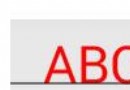
android 中使用Canvas的drawText繪制文本的位置,是基於基線的。如下圖: 其中字母Q的小尾巴在橫線下面了。 這裡面的關鍵是Paint.getT
 智能手機“偷”流量怎麼辦?四招幫你阻止
通過央視報道,曝光了2個跟智能手機有關的內容,一個是手機偷跑流量,另外一個則是預裝軟件難卸載問題。通過測試獲取到實際數據對比,最後結果顯示,有9款手機的流量
 Android 用Canvas畫textview、bitmap、矩形(裁剪)、橢圓、線、點、弧
初始化對象private Paint mPaint;//畫筆 private int count;//點擊次數 private Rect rect;//矩形 public