編輯:關於Android編程
1.Fragment頁面xml布局:
<RelativeLayout
xmlns:android="http://schemas.android.com/apk/res/android"
xmlns:tools="http://schemas.android.com/tools"
android:layout_width="match_parent"
android:layout_height="match_parent"
xmlns:ptr="http://schemas.android.com/apk/res-auto"
tools:context=".fragment.home.HomeStoreFragment"
>
<com.handmark.pulltorefresh.library.PullToRefreshListView
android:id="@+id/lv_home_store_list"
android:layout_width="match_parent"
android:layout_height="match_parent"
ptr:ptrDrawable="@drawable/default_ptr_flip"
ptr:ptrAnimation
/>
<!--top 搜索欄-->
<LinearLayout
android:id="@+id/ll_top_search"
android:layout_width="match_parent"
android:layout_height="60dp"
android:background="@color/zuti"
android:visibility="invisible"
>
<LinearLayout
android:layout_width="match_parent"
android:layout_height="match_parent"
android:layout_marginLeft="15dp"
android:layout_marginRight="15dp"
android:layout_marginTop="8dp"
android:layout_marginBottom="8dp"
android:background="@drawable/shape_edit_cornor"
android:gravity="center"
>
<ImageView
android:id="@+id/iv_search_icon"
android:layout_width="30dp"
android:layout_height="30dp"
android:src="@drawable/icon_navbar_search"
android:layout_marginRight="5dp"
/>
<EditText
android:id="@+id/et_store_search"
android:layout_width="wrap_content"
android:layout_height="wrap_content"
android:hint="輸入商家或商品名"
android:textColorHint="@color/shenhui"
android:background="@null"
/>
</LinearLayout>
</LinearLayout>
</RelativeLayout>
2.主要代碼:
private boolean isFlingScroll;
private View headView;
private PullToRefreshListView lvHomeStore;
initView(){
lvHomeStore = (PullToRefreshListView) view.findViewById(R.id.lv_home_store_list);
lvHomeStore.setMode(PullToRefreshBase.Mode.BOTH);
ListView listView = lvHomeStore.getRefreshableView();
headView = initHeadView();
AbsListView.LayoutParams layoutParams = new AbsListView.LayoutParams(AbsListView.LayoutParams.MATCH_PARENT, AbsListView.LayoutParams.WRAP_CONTENT);//這句要加上去
headView.setLayoutParams(layoutParams);
listView.addHeaderView(headView);
lvHomeStore.setAdapter(adapter);
lvHomeStore.setOnScrollListener(this);
}
@Override
public void onScrollStateChanged(AbsListView view, int scrollState) {
if (scrollState == SCROLL_STATE_FLING) {//手指離開手機界面,Listview還在滑動
isFlingScroll = true;
} else if (scrollState == SCROLL_STATE_TOUCH_SCROLL) {//手指在界面上滾動的情況
isFlingScroll = false;
}
}
@Override
public void onScroll(AbsListView view, int firstVisibleItem, int visibleItemCount, int totalItemCount) {
showSearchBarShow();
}
private void showSearchBarShow() {
int headBottomToParentTop = headView.getHeight() + headView.getTop();
Log.d("homeStore", "headView.getHeight(): " + headView.getHeight());
Log.d("homeStore", "headView.getTop(): " + headView.getTop());
Log.d("homeStore", "headBottomToParentTop: " + headBottomToParentTop);
if (!isFlingScroll) {//手指在界面滑動的情況
int height = layoutSearch.getHeight();
Log.d("homeStore", "height: " + height);
if (headBottomToParentTop > height) {
layoutSearch.setVisibility(View.INVISIBLE);
} else if (headBottomToParentTop <= height) {//緩慢滑動,這部分代碼工作正常,快速滑動,裡面的數據就跟不上節奏了。
float alpha = (height - headBottomToParentTop) * 1f / height;
Log.d("homeStore", "alpha: " + alpha);
layoutSearch.setAlpha(alpha);
layoutSearch.setVisibility(View.VISIBLE);
}
if (!headView.isShown()){//解決快速滑動,上部分代碼不能正常工作的問題。
layoutSearch.setAlpha(1);
layoutSearch.setVisibility(View.VISIBLE);
}
} else {//手指離開,listview還在滑動,一般情況是列表快速滑動,這種情況直接設置導航欄的可見性
if (!headView.isShown()) {
if (!layoutSearch.isShown()){
layoutSearch.setVisibility(View.VISIBLE);
layoutSearch.setAlpha(1);
}
} else {
if (layoutSearch.isShown()){
layoutSearch.setVisibility(View.INVISIBLE);
}
}
}
}
以上所述是小編給大家介紹的Android開發之ListView的head消失頁面導航欄的漸變出現和隱藏,希望對大家有所幫助,如果大家有任何疑問請給我留言,小編會及時回復大家的。在此也非常感謝大家對本站網站的支持!
 android圖片處理之讓圖片變成圓形
這幾天做項目,有些地方的圖片需要用到圓形圖片,所以百度了一下,在github上找到一個開源項目,處理很簡單,效果如下: 使用起來特別簡單,一共三步,具體如下:&
 android開發教程之使用listview顯示qq聯系人列表
首先還是xml布局文件,在其中添加ListView控件:主布局layout_main.xml復制代碼 代碼如下:<RelativeLayout xmlns:andr
 Android系統截屏功能提取
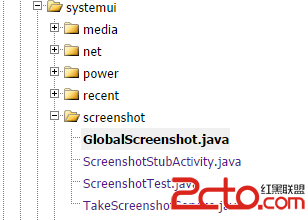
Android在4.0版本之後同時按電源鍵和音量鍵可以截取當前屏幕,截圖後會有一個過渡動畫效果,這裡提取了將效果這部分提取出來,可以用於應用截圖分享功能。 截圖功能在源碼
 android環境下兩種md5加密方式
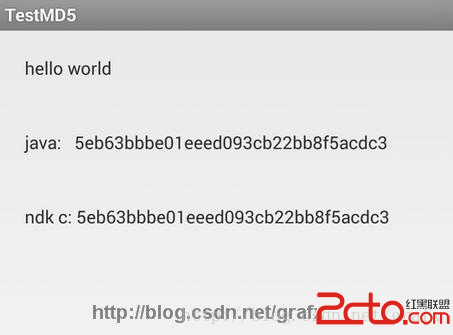
在平時開發過程中,MD5加密是一個比較常用的算法,最常見的使用場景就是在帳號注冊時,用戶輸入的密碼經md5加密後,傳輸至服務器保存起來。雖然md5加密經常用,但是md5的