編輯:關於Android編程
本文實例講述了Android中簡單調用圖片、視頻、音頻、錄音和拍照的方法。分享給大家供大家參考,具體如下:
//選擇圖片 requestCode 返回的標識
Intent innerIntent = new Intent(Intent.ACTION_GET_CONTENT); //"android.intent.action.GET_CONTENT"
innerIntent.setType(contentType); //查看類型 String IMAGE_UNSPECIFIED = "image/*";
Intent wrapperIntent = Intent.createChooser(innerIntent, null);
((Activity) context).startActivityForResult(wrapperIntent, requestCode);
//視頻
Intent innerIntent = new Intent(Intent.ACTION_GET_CONTENT);
innerIntent.setType(contentType); //String VIDEO_UNSPECIFIED = "video/*";
Intent wrapperIntent = Intent.createChooser(innerIntent, null);
((Activity) context).startActivityForResult(wrapperIntent, requestCode);
//添加音頻
Intent innerIntent = new Intent(Intent.ACTION_GET_CONTENT);
innerIntent.setType(contentType); //String VIDEO_UNSPECIFIED = "video/*";
Intent wrapperIntent = Intent.createChooser(innerIntent, null);
((Activity) context).startActivityForResult(wrapperIntent, requestCode);
//錄音
Intent intent = new Intent(Intent.ACTION_GET_CONTENT);
intent.setType(ContentType.AUDIO_AMR); //String AUDIO_AMR = "audio/amr";
intent.setClassName("com.android.soundrecorder",
"com.android.soundrecorder.SoundRecorder");
((Activity) context).startActivityForResult(intent, requestCode);
//拍攝視頻
int durationLimit = getVideoCaptureDurationLimit(); //SystemProperties.getInt("ro.media.enc.lprof.duration", 60);
Intent intent = new Intent(MediaStore.ACTION_VIDEO_CAPTURE);
intent.putExtra(MediaStore.EXTRA_VIDEO_QUALITY, 0);
intent.putExtra(MediaStore.EXTRA_SIZE_LIMIT, sizeLimit);
intent.putExtra(MediaStore.EXTRA_DURATION_LIMIT, durationLimit);
startActivityForResult(intent, REQUEST_CODE_TAKE_VIDEO);
//拍照 REQUEST_CODE_TAKE_PICTURE 為返回的標識
Intent intent = new Intent(MediaStore.ACTION_IMAGE_CAPTURE); //"android.media.action.IMAGE_CAPTURE";
intent.putExtra(MediaStore.EXTRA_OUTPUT, Mms.ScrapSpace.CONTENT_URI); // output,Uri.parse("content://mms/scrapSpace");
startActivityForResult(intent, REQUEST_CODE_TAKE_PICTURE);
更多關於Android相關內容感興趣的讀者可查看本站專題:《Android多媒體操作技巧匯總(音頻,視頻,錄音等)》、《Android開發入門與進階教程》、《Android視圖View技巧總結》、《Android編程之activity操作技巧總結》、《Android操作SQLite數據庫技巧總結》、《Android操作json格式數據技巧總結》、《Android數據庫操作技巧總結》、《Android文件操作技巧匯總》、《Android編程開發之SD卡操作方法匯總》、《Android資源操作技巧匯總》及《Android控件用法總結》
希望本文所述對大家Android程序設計有所幫助。
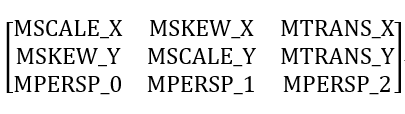 Android Matrix的用法總結
簡介Matrix ,中文裡叫矩陣,高等數學裡有介紹。Android中的Matrix類是一個3x3的位置坐標矩陣,在圖像處理方面,主要是用於平面的縮放、平移、旋轉等操作。M
 安卓使用ES文件浏覽器看電腦上的共享媒體文件
安卓使用ES文件浏覽器看電腦上的共享媒體文件。手機多大多很難大過電腦,有時手機都裝不下一步藍光的高清電影,可是我們要看,那怎麼辦?現在小編教你使用ES浏覽器
 Android控件之ScrollView用法實例分析
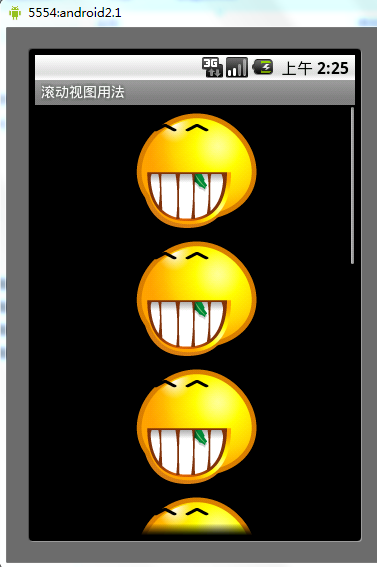
本文實例講述了Android控件之ScrollView用法。分享給大家供大家參考。具體如下:ScrollView滾動視圖是指當擁有很多內容,屏幕顯示不完時,需要通過滾動跳
 Android 中 ListView 的 下拉刷新 和 上拉加載 的 重點及學習(一)
大多App中的一個必備功能:用listView實現下拉刷新和上拉加載,其實有很多大牛都寫了類似的Blog,但我還想記錄一下,梳理自己的思路,而且我會想之前寫的輪播圖博客一