編輯:關於Android編程
本文實例為大家分享了AsyncTask異步類實現網頁內容放大縮小的詳細代碼,供大家參考,具體內容如下
WebActivity.java:
package com.supermario.filemanager;
import java.io.File;
import java.io.FileInputStream;
import java.io.FileNotFoundException;
import java.io.IOException;
import org.apache.http.protocol.HTTP;
import android.app.Activity;
import android.app.AlertDialog;
import android.content.DialogInterface;
import android.content.DialogInterface.OnClickListener;
import android.os.AsyncTask;
import android.os.Bundle;
import android.view.View;
import android.webkit.WebSettings;
import android.webkit.WebView;
import android.widget.RelativeLayout;
import android.widget.ZoomControls;
public class WebActivity extends Activity {
 //網頁浏覽器
 private WebView webView;
 //進度條布局和網頁內容主體布局
 private RelativeLayout loadingLayout,webLayout;
 //放大縮小控制器
 private ZoomControls zoomControls;
 @Override
 protected void onCreate(Bundle savedInstanceState) {
 super.onCreate(savedInstanceState);
 setContentView(R.layout.web);
 //初始化頁面組件
 webView = (WebView)findViewById(R.id.webkit);
 loadingLayout = (RelativeLayout)findViewById(R.id.loadingLayout);
 webLayout = (RelativeLayout)findViewById(R.id.weblayout);
 zoomControls = (ZoomControls)findViewById(R.id.zoomControls);
 WebSettings webSettings = webView.getSettings();
 //設置可以使用js腳本
 webSettings.setJavaScriptEnabled(true);
 //執行異步進程
 new MyAsyncTask().execute("");
 }
 private void reading(){
 String filePath = getIntent().getStringExtra("filePath");
 if (filePath != null) {
  //讀取文件
  webView.loadData(readWebDataToStringFromPath(filePath, new FileReadOverBack() {
  @Override
  public void fileReadOver() {
  }
  }), "text/html", HTTP.UTF_8);
 } else {
  new AlertDialog.Builder(WebActivity.this).setTitle("出錯了").setMessage("獲取文件路徑出錯!").setPositiveButton("返回", new OnClickListener() {
  @Override
  public void onClick(DialogInterface dialog, int which) {
   WebActivity.this.finish();
  }
  });
 }
 }
 //將網頁數據讀取到一個字符串變量中
 private String readWebDataToStringFromPath(String path,final FileReadOverBack fileReadOverBack){
 File file = new File(path);
 StringBuffer stringBuffer = new StringBuffer();
 try {
  //讀取文件內容
  FileInputStream inputStream = new FileInputStream(file);
  byte[] bytes = new byte[1024];
  int readCount = 0;
  while ((readCount = inputStream.read(bytes)) > 0) {
  stringBuffer.append(new String(bytes, 0, readCount));
  }
  fileReadOverBack.fileReadOver();
 } catch (FileNotFoundException e) {
  return "文件不存在!";
 } catch (IOException e) {
  return "文件讀取錯誤!";
 }
 return stringBuffer.toString();
 }
 interface FileReadOverBack{
 void fileReadOver();
 }
 //異步處理類
 class MyAsyncTask extends AsyncTask<String, String, String>{
 //首先執行的函數
 @Override
 protected void onPreExecute() {
  super.onPreExecute();
  loadingLayout.setVisibility(View.VISIBLE);
  webLayout.setVisibility(View.GONE);
 }
 //後台執行
 @Override
 protected String doInBackground(String... params) {
  reading();
  return null;
 }
 @Override
 protected void onPostExecute(String result) {
  super.onPostExecute(result);
  //設置載入進度條隱藏
  loadingLayout.setVisibility(View.GONE);
  //設置浏覽器內容可見
  webLayout.setVisibility(View.VISIBLE);
  // 放大按鈕
  zoomControls.setOnZoomInClickListener(new View.OnClickListener() {
  //將網頁內容放大
  @Override
  public void onClick(View v) {
   webView.zoomIn();
  }
  });
  // 縮小按鈕
  zoomControls.setOnZoomOutClickListener(new View.OnClickListener() {
  //將網頁內容縮小
  @Override
  public void onClick(View v) {
   webView.zoomOut();
  }
  });
 }
 }
}
以上就是本文的全部內容,希望對大家的學習有所幫助,也希望大家多多支持本站。
 Android屏幕適配全攻略(最權威的官方適配指導)
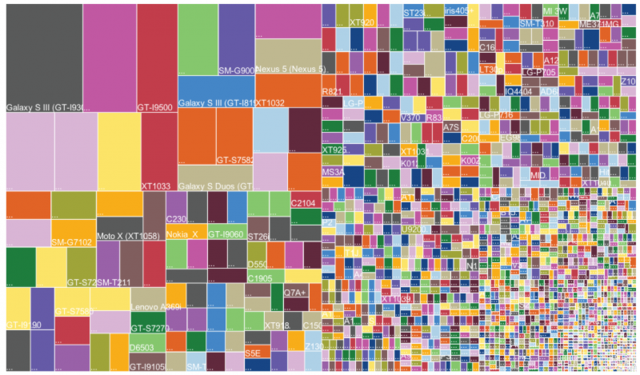
Android的屏幕適配一直以來都在折磨著我們這些開發者,本篇文章以Google的官方文檔為基礎,全面而深入的講解了Android屏幕適配的原因、重要概念、解決方案及最
 淺析android系統設計中的回調思想
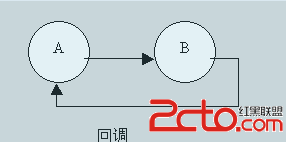
為何寫作本文??在慢慢深入接觸android開發的過程中,我越來越發現android中(至少應用曾的開發)用到了很多回調的思想。比如activity的生命周期,fragm
 Android--Activity生命周期
熟悉javaEE的朋友們都了解servlet技術,我們想要實現一個自己的servlet,需要繼承相應的基類,重寫它的方法,這些方法會在合適的時間被servlet容器調用。
 安卓轉戰React-Native之windows下android環境搭建爬坑血淚史
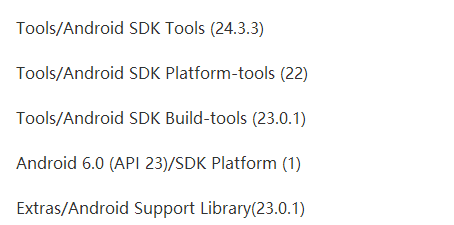
前言 最近又有新的項目立項,所以好久都沒有寫博客了,然後都是利用閒暇時間來學習React-native。由於安卓和ios的就業環境給移動端開發帶來前所未有的沖擊,於是乎很