編輯:關於Android編程
一、百度在線音樂旋轉木馬效果

就上面那個,當音樂在播放的時候,那個光碟輪子在轉,就想旋轉木馬一般。感覺好好玩啊。
碰巧想起前陣子做音樂播放器,哎,那這個也可以做在手機的音樂播放器上,這樣就代替了進度條了。
一想到,就興奮,於是,首先畫圓形,然後放置背景圖片,然後使用動畫旋轉。當音樂播放時,同時
開始播放圓形圖片的動畫,當音樂暫停時,暫停旋轉;當音樂停止播放時,就停止動畫,圖片回到原點。
二、效果

三、實現代碼
(1)MainActivity
<span >public class MainActivity extends Activity {
  MediaPlayer m1;
  ImageView infoOperatingIV;

  @Override
  protected void onCreate(Bundle savedInstanceState) {
    super.onCreate(savedInstanceState);
    setContentView(R.layout.activity_main);
    infoOperatingIV = (ImageView) findViewById(R.id.infoOperating);

    Button play = (Button) findViewById(R.id.play);
    Button stop = (Button) findViewById(R.id.stop);

    play.setOnClickListener(new OnClickListener() {
      @Override
      public void onClick(View v) {
        playMusic();
      }
    });

    stop.setOnClickListener(new OnClickListener() {
      @Override
      public void onClick(View v) {
        stopMusic();
      }
    });

  }

  private void playMusic() {
    m1 = MediaPlayer.create(this, R.raw.quiet);
    m1.start();

    Animation operatingAnim = AnimationUtils.loadAnimation(this, R.anim.tip);
    LinearInterpolator lin = new LinearInterpolator();
    operatingAnim.setInterpolator(lin);
    if (operatingAnim != null) {
      infoOperatingIV.startAnimation(operatingAnim);
    }

    m1.setOnCompletionListener(new OnCompletionListener() {
      @Override
      public void onCompletion(MediaPlayer mp) {
        mp.stop();
        infoOperatingIV.clearAnimation();
      }
    });
  }

  private void stopMusic() {
    m1.stop();
    infoOperatingIV.clearAnimation();
  }

}</span><span >
</span>
(2)畫圓的控件,這部分代碼參考了網友的。
  <span >public class RoundImageView extends ImageView {
  private int mBorderThickness = 0;
  private Context mContext;
  private int defaultColor = 0xFFFFFFFF;
  // 如果只有其中一個有值,則只畫一個圓形邊框
  private int mBorderOutsideColor = 0;
  private int mBorderInsideColor = 0;
  // 控件默認長、寬
  private int defaultWidth = 0;
  private int defaultHeight = 0;

  public RoundImageView(Context context) {
    super(context);
    mContext = context;
  }

  public RoundImageView(Context context, AttributeSet attrs) {
    super(context, attrs);
    mContext = context;
    setCustomAttributes(attrs);
  }

  public RoundImageView(Context context, AttributeSet attrs, int defStyle) {
    super(context, attrs, defStyle);
    mContext = context;
    setCustomAttributes(attrs);
  }

  private void setCustomAttributes(AttributeSet attrs) {
    TypedArray a = mContext.obtainStyledAttributes(attrs, R.styleable.roundedimageview);
    mBorderThickness = a.getDimensionPixelSize(R.styleable.roundedimageview_border_thickness, 0);
    mBorderOutsideColor = a.getColor(R.styleable.roundedimageview_border_outside_color, defaultColor);
    mBorderInsideColor = a.getColor(R.styleable.roundedimageview_border_inside_color, defaultColor);
  }

  @Override
  protected void onDraw(Canvas canvas) {
    Drawable drawable = getDrawable();
    if (drawable == null) {
      return;
    }

    if (getWidth() == 0 || getHeight() == 0) {
      return;
    }
    this.measure(0, 0);
    if (drawable.getClass() == NinePatchDrawable.class)
      return;
    Bitmap b = ((BitmapDrawable) drawable).getBitmap();
    Bitmap bitmap = b.copy(Bitmap.Config.ARGB_8888, true);
    if (defaultWidth == 0) {
      defaultWidth = getWidth();

    }
    if (defaultHeight == 0) {
      defaultHeight = getHeight();
    }
    // 保證重新讀取圖片後不會因為圖片大小而改變控件寬、高的大小(針對寬、高為wrap_content布局的imageview,但會導致margin無效)
    // if (defaultWidth != 0 && defaultHeight != 0) {
    // LinearLayout.LayoutParams params = new LinearLayout.LayoutParams(
    // defaultWidth, defaultHeight);
    // setLayoutParams(params);
    // }
    int radius = 0;
    if (mBorderInsideColor != defaultColor && mBorderOutsideColor != defaultColor) {// 定義畫兩個邊框,分別為外圓邊框和內圓邊框
      radius = (defaultWidth < defaultHeight ? defaultWidth : defaultHeight) / 2 - 2 * mBorderThickness;
      // 畫內圓
      drawCircleBorder(canvas, radius + mBorderThickness / 2, mBorderInsideColor);
      // 畫外圓
      drawCircleBorder(canvas, radius + mBorderThickness + mBorderThickness / 2, mBorderOutsideColor);
    } else if (mBorderInsideColor != defaultColor && mBorderOutsideColor == defaultColor) {// 定義畫一個邊框
      radius = (defaultWidth < defaultHeight ? defaultWidth : defaultHeight) / 2 - mBorderThickness;
      drawCircleBorder(canvas, radius + mBorderThickness / 2, mBorderInsideColor);
    } else if (mBorderInsideColor == defaultColor && mBorderOutsideColor != defaultColor) {// 定義畫一個邊框
      radius = (defaultWidth < defaultHeight ? defaultWidth : defaultHeight) / 2 - mBorderThickness;
      drawCircleBorder(canvas, radius + mBorderThickness / 2, mBorderOutsideColor);
    } else {// 沒有邊框
      radius = (defaultWidth < defaultHeight ? defaultWidth : defaultHeight) / 2;
    }
    Bitmap roundBitmap = getCroppedRoundBitmap(bitmap, radius);
    canvas.drawBitmap(roundBitmap, defaultWidth / 2 - radius, defaultHeight / 2 - radius, null);
  }

  /**
   * 獲取裁剪後的圓形圖片
   *
   * @param radius
   *      半徑
   */
  public Bitmap getCroppedRoundBitmap(Bitmap bmp, int radius) {
    Bitmap scaledSrcBmp;
    int diameter = radius * 2;

    // 為了防止寬高不相等,造成圓形圖片變形,因此截取長方形中處於中間位置最大的正方形圖片
    int bmpWidth = bmp.getWidth();
    int bmpHeight = bmp.getHeight();
    int squareWidth = 0, squareHeight = 0;
    int x = 0, y = 0;
    Bitmap squareBitmap;
    if (bmpHeight > bmpWidth) {// 高大於寬
      squareWidth = squareHeight = bmpWidth;
      x = 0;
      y = (bmpHeight - bmpWidth) / 2;
      // 截取正方形圖片
      squareBitmap = Bitmap.createBitmap(bmp, x, y, squareWidth, squareHeight);
    } else if (bmpHeight < bmpWidth) {// 寬大於高
      squareWidth = squareHeight = bmpHeight;
      x = (bmpWidth - bmpHeight) / 2;
      y = 0;
      squareBitmap = Bitmap.createBitmap(bmp, x, y, squareWidth, squareHeight);
    } else {
      squareBitmap = bmp;
    }

    if (squareBitmap.getWidth() != diameter || squareBitmap.getHeight() != diameter) {
      scaledSrcBmp = Bitmap.createScaledBitmap(squareBitmap, diameter, diameter, true);

    } else {
      scaledSrcBmp = squareBitmap;
    }
    Bitmap output = Bitmap.createBitmap(scaledSrcBmp.getWidth(), scaledSrcBmp.getHeight(), Config.ARGB_8888);
    Canvas canvas = new Canvas(output);

    Paint paint = new Paint();
    Rect rect = new Rect(0, 0, scaledSrcBmp.getWidth(), scaledSrcBmp.getHeight());

    paint.setAntiAlias(true);
    paint.setFilterBitmap(true);
    paint.setDither(true);
    canvas.drawARGB(0, 0, 0, 0);
    canvas.drawCircle(scaledSrcBmp.getWidth() / 2, scaledSrcBmp.getHeight() / 2, scaledSrcBmp.getWidth() / 2, paint);
    paint.setXfermode(new PorterDuffXfermode(Mode.SRC_IN));
    canvas.drawBitmap(scaledSrcBmp, rect, rect, paint);

    bmp = null;
    squareBitmap = null;
    scaledSrcBmp = null;
    return output;
  }

  /**
   * 邊緣畫圓
   */
  private void drawCircleBorder(Canvas canvas, int radius, int color) {
    Paint paint = new Paint();
    /* 去鋸齒 */
    paint.setAntiAlias(true);
    paint.setFilterBitmap(true);
    paint.setDither(true);
    paint.setColor(color);
    /* 設置paint的 style 為STROKE:空心 */
    paint.setStyle(Paint.Style.STROKE);
    /* 設置paint的外框寬度 */
    paint.setStrokeWidth(mBorderThickness);
    canvas.drawCircle(defaultWidth / 2, defaultHeight / 2, radius, paint);
  }

}</span><span >
</span>
以上就是Android 實現旋轉木馬的音樂效果,有需要的朋友可以參考下。
 Android Activity
Activity本質是什麼 Activity生命周期 Activity啟動模式 Activity直接的數據交互 如何啟動系統的Activity Activity啟動模
 Android軟鍵盤擋住輸入框的終極解決方案
前言開發做得久了,總免不了會遇到各種坑。而在Android開發的路上,『軟鍵盤擋住了輸入框』這個坑,可謂是一個曠日持久的巨坑——來來來,我們慢慢看。入門篇最基本的情況,如
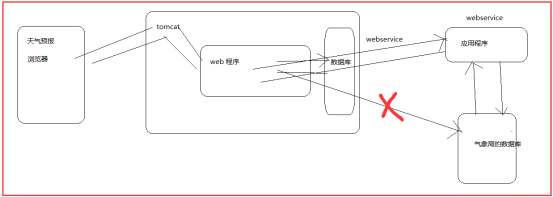 【黑馬Android】(14)webservice概念/調用/wsdl接口
webservice 的概念 webservice 就是一個應用程序,它提供一種通過web方式訪問的api.解決兩個系統或者(應用程序)
 Android用戶界面概覽
用戶界面的概觀 所有的Android應用程序的用戶界面元素都是用View和ViewGroup對象構建的。View就是在手機屏幕上描繪一個可以與用戶交互