編輯:關於Android編程
一、保存文件到手機內存
/**
   * 保存數據到手機rom的文件裡面.
   * @param context 應用程序的上下文 提供環境
   * @param name 用戶名
   * @param password 密碼
   * @throws Exception
   */
public static void saveToRom(Context context, String name , String password) throws Exception{
    //File file = new File("/data/data/com.itheima.login/files/info.txt");
    File file = new File(context.getFilesDir(),"info.txt");//該文件在data下的files文件夾下getCacheDir()在cache文件夾下 文件大小不要超過1Mb
    FileOutputStream fos = new FileOutputStream(file);
    String txt = name+":"+password;
    fos.write(txt.getBytes());
    fos.flush();
    fos.close();
  }
/**
   * 獲取保存的數據
   * @param context
   * @return
   */
public static Map<String,String> getUserInfo(Context context) {
    File file = new File(context.getFilesDir(),"info.txt");
    try {
      FileInputStream fis = new FileInputStream(file);
      //也可直接讀取文件String result = StreamTools.readFromStream(fis);
      BufferedReader br = new BufferedReader(new InputStreamReader(fis));
      String str = br.readLine();
      String[] infos = str.split(":");
      Map<String,String> map = new HashMap<String, String>();
      map.put("username", infos[0]);
      map.put("password", infos[1]);
      return map;
    } catch(Exception e) {

      e.printStackTrace();
      return null;
    }

  }
//最後可以直接調用上面的方法讀取信息
Map<String, String> map = getUserInfo(this);
If(map!=null){
Textview.setText(map.get(“username”));
}
二、保存文件到SD卡
獲取手機sd空間的大小:
File path = Environment.getExternalStorageDirectory();
    StatFs stat = new StatFs(path.getPath());
    long blockSize = stat.getBlockSize();
    long totalBlocks = stat.getBlockCount();
    long availableBlocks = stat.getAvailableBlocks();
    long totalSize = blockSize*totalBlocks;
    long availSize = blockSize * availableBlocks;

    String totalStr = Formatter.formatFileSize(this,totalSize);
    String availStr = Formatter.formatFileSize(this, availSize);
    tv.setText("總空間"+totalStr+"\n"+"可用空間"+availStr);
加入寫外部存儲的權限:
<uses-permission android:name="android.permission.WRITE_EXTERNAL_STORAGE"/>

public static void save(String name ,String password) throws Exception{
if (Environment.getExternalStorageState().equals(Environment.MEDIA_MOUNTED)){
File file = new File(Environment.getExternalStorageDirectory(),"info.txt");
//也可直接寫/sdcard/info.txt 先判斷sd卡是否存在
    FileOutputStream fos = new FileOutputStream(file);
    String txt = name+":"+password;
    fos.write(txt.getBytes());
    fos.flush();
    fos.close();
// 使用RandomAccessFile像文件追加內容FileOutputStream會把原有的文件內容清空
//RandomAccessFile raf = new RandomAccessFile(file,"rw");
//raf.seek(file.length()); 將文件指針移動到最後
//raf.write(name.getBytes()+password.getBytes());
//raf.close();
  }
}
//讀取文件 加入讀取權限
public static String read(){
      try {
        if (Environment.getExternalStorageState().equals(Environment.MEDIA_MOUNTED)){
          File sdcardDir = Environment.getExternalStorageDirectory();
          FileInputStream fis = new FileInputStream(sdcardDir.getCanonicalPath() + "info.txt");
          BufferedReader br = new BufferedReader(new InputStreamReader(fis));
          StringBuilder sb = new StringBuilder("");
          String line = null;
          while ((line = br.readLine())!= null){
            sb.append(line);
          }
          return sb.toString();
        }
      } catch (Exception e) {

        e.printStackTrace();
      }
      return null;
    }
三、Sharedpreferences的使用
SharedPreference是開發中常用的一種存儲方式,主要存儲一些系統不變的參數如是否是第一次進入應用程序等,通過鍵值對的方式進行存儲
可以存儲的類型:booleans, floats, ints, longs,strings.
getSharedPreferences() - 存儲多個參數
getPreferences() - 僅存儲一個參數並且不需要指定名字(key)
寫入的步驟:
SharedPreferences調用edit()得到一個Editor對象
使用 putBoolean() and putString()添加值
提交事務完成存儲
讀取時:只需要調用SharedPreferences的getBoolean() and getString()
下面是示例代碼:
public class MySharedPreference {
  private Context context;
  private SharedPreferences sp ;
  private Editor edit;
  public MySharedPreference(Context context){
    this.context = context;
  }
  public boolean saveMessage(String name,String pwd){
    boolean flag = false;
     sp = context.getSharedPreferences("userInfo",Context.MODE_PRIVATE);
     //MODE定義了訪問的權限現在是本應用可以訪問
    edit = sp.edit();
    edit.putString("name", name);
    edit.putString("pwd", pwd);
    flag = edit.commit();//提交事務將數據持久化到存儲器中
    return flag;

  }
  public Map<String,Object> getMessage(){
    Map<String,Object> map = new HashMap<String, Object>();
    sp = context.getSharedPreferences("userInfo", Context.MODE_PRIVATE);
    String name = sp.getString("name", "");
    String pwd = sp.getString("pwd", "");
    map.put("name", name);
    map.put("pwd",pwd);
    return map;

  }

}
 android實現雙日期選擇控件(可隱藏日,只顯示年月)
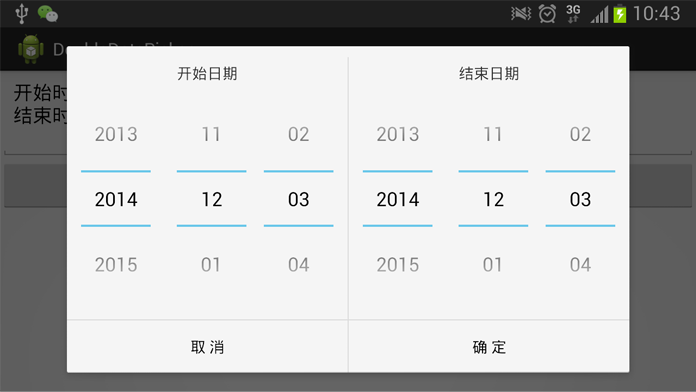
在安卓開發中,會碰到選開始日期和結束日期的問題。特別是在使用Pad時,如果彈出一個Dialog,能夠同時選擇開始日期和結束日期,那將是極好的。我在開發中在DatePick
 Android UI基礎——五大布局
一個豐富的界面是由很多個控件組成的,如何讓各個控件都有條不紊的擺放在介面上,這就需要布局來實現了,布局可以說是一種容器,可以按照一定規律調整控件的位置,布局之內也可以放置
 Android自定義View實現鐘擺效果進度條PendulumView
在網上看到了一個IOS組件PendulumView,實現了鐘擺的動畫效果。由於原生的進度條確實是不好看,所以想可以自定義View實現這樣的效果,以後也可以用於加載頁面的進
 Android基礎入門教程——8.3.4 Paint API之—— Xfermode與PorterDuff詳解(一)
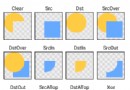
本節引言: 不知道標題這兩個玩意你熟不熟悉啦,如果自己實現過圓角或者圓形圖片,相信對這兩個名詞 並不模式,一時半伙沒想起來?沒關系,下面這個圖你可曾見過?