編輯:關於Android編程
本文為大家分享了Android圖片加載的緩存類,供大家參考,具體內容如下
import java.io.File;
import java.io.FileInputStream;
import java.io.FileNotFoundException;
import java.io.FileOutputStream;
import java.io.IOException;
import java.io.InputStream;
import java.lang.ref.SoftReference;
import java.net.HttpURLConnection;
import java.net.URL;
import java.util.LinkedHashMap;
import java.util.concurrent.ConcurrentHashMap;
import java.util.concurrent.ExecutorService;
import java.util.concurrent.Executors;

import android.graphics.Bitmap;
import android.graphics.BitmapFactory;
import android.os.Build;
import android.os.Handler;
import android.text.TextUtils;

/**
 * 圖片加載器,主要功能是從網絡中下載圖片並緩存。這裡之所以另寫一個功能類似重復的原因是 之前舊的圖片加載邏輯感覺非常復雜,我這裡寫個輕量級的
 *
 * @author H3c
 *
 */
public class ImageLoaderEngine {
  public static final int LOAD_IMG_SUCCESS = 2010;
  private final int MAX_CAPACITY = Build.VERSION.SDK_INT > Build.VERSION_CODES.GINGERBREAD_MR1 ? 50 : 10;// 一級緩存緩存圖片數

  private static ImageLoaderEngine instance;
  private static Handler mHandler;
  private ExecutorService pool;// 後台線程池
  // 這裡用LinkedHashMap不用LruCache的原因是LruCache直接申請內存大小而不是圖片個數。此App已經有一個全局的LruCache了,重復申請內存大小對應用不利
  private LinkedHashMap<String, Bitmap> mFirstLevelCache;// <momentId>一級緩存,硬鏈接bitmap,只保留最近用的圖片。
  private ConcurrentHashMap<String, SoftReference<Bitmap>> mSecondLevelCache;// <momentId>

  public static ImageLoaderEngine getInstance(Handler handler) {
    if (instance == null) {
      instance = new ImageLoaderEngine();
    }
    if(handler != null) {
      mHandler = handler;
    }
    return instance;
  }

  private ImageLoaderEngine() {
    pool = Executors.newFixedThreadPool(4);// 默認線程池大小為6
    initCache();
  }

  private void initCache() {
    mFirstLevelCache = new LinkedHashMap<String, Bitmap>(MAX_CAPACITY / 2,
        0.75f, true) {
      private static final long serialVersionUID = 1L;

      protected boolean removeEldestEntry(Entry<String, Bitmap> eldest) {
        if (size() > MAX_CAPACITY) {// 超過一級緩存大小後會挪到二級緩存中
          mSecondLevelCache.put(eldest.getKey(),
              new SoftReference<Bitmap>(eldest.getValue()));
          return true;
        }
        return false;
      };
    };
    mSecondLevelCache = new ConcurrentHashMap<String, SoftReference<Bitmap>>();// <momentId>
  }

  /**
   * 移除緩存
   * @param key
   */
  public void deleteCacheByKey(String key) {
    String sdCacheingPath = IOHelper.getCachedPicturePath(
        Global.packageName, key);
    String sdCacheedPath = sdCacheingPath +".png";
    File file = new File(sdCacheingPath);
    if(file.exists()) {
      file.delete();
    }
    file = new File(sdCacheedPath);
    if(file.exists()) {
      file.delete();
    }

    mFirstLevelCache.remove(key);
    mSecondLevelCache.remove(key);
  }

  /**
   * 釋放資源
   */
  public void recycleImageLoader() {
    new Thread(new Runnable() {
      @Override
      public void run() {
        if (pool != null) {
          pool.shutdownNow();
        }
        if (mFirstLevelCache != null) {
          for (Bitmap bmp : mFirstLevelCache.values()) {
            if (bmp != null) {
              bmp.recycle();
              bmp = null;
            }
          }
          mFirstLevelCache.clear();
          mFirstLevelCache = null;
        }
        if (mSecondLevelCache != null) {
          mSecondLevelCache.clear();
        }
        mHandler = null;
      }
    }).start();
  }

  /**
   * 後台請求圖片
   *
   * @param item
   */
  public void loadImageByMoment(final NMoment moment,String photoTag) {
    if (moment.isPicture()
        || moment.isVideo()) {
      String id = moment.id + photoTag;
      loadImageByUrl(id+"", moment.getPicture(Global.widthPixels/3*2),moment.orientation);
    }
  }

  /**
   * 後台請求圖片
   * @param key
   * @param url
   */
  public void loadImageByUrl(final String key,final String url,final int orientation) {
      pool.submit(new Runnable() {
        public void run() {
          LogHelper.e("ImageLoaderEngine","從網絡中下載");
          // 如果內存中有就算了
          if (mFirstLevelCache.get(key) != null
              || mSecondLevelCache.get(key) != null) {// 如果圖片已經緩存了
            LogHelper.e("ImageLoaderEngine","下載圖片錯誤 1");
            return;
          }

          // 如果SD卡緩存中有就算了
          final String sdCacheingPath = IOHelper.getCachedPicturePath(
              Global.packageName, key);
          File cacheingFile = new File(sdCacheingPath);
          if (cacheingFile.exists()) {// 如果正在緩存就算了
            long currentTime = System.currentTimeMillis();
            if((currentTime - cacheingFile.lastModified()) >2 * 60 * 1000) {
              LogHelper.e("ImageLoaderEngine","2分鐘都還沒下載完,准備刪除它.."+currentTime+"="+cacheingFile.lastModified());
              cacheingFile.delete();
            } else {
              getBitmapFromNetworkAndAddToMemory(url, key, orientation);
              LogHelper.e("ImageLoaderEngine","第二次進來應該走這裡..");
              return;
            }
          }

          String sdCacheedPath = sdCacheingPath + ".png";// 緩存完成後會改名字,否則會導致緩存錯誤,圖片變黑
          File cacheedFile = new File(sdCacheedPath);
          if (cacheedFile.exists()) {// 如果緩存了就算了
            LogHelper.e("ImageLoaderEngine","下載圖片錯誤 2");
            return;
          }

          getBitmapFromNetworkAndAddToMemory(url, key, orientation);
        }
      });
  }

  private void getBitmapFromNetworkAndAddToMemory(String url,String key,int orientation) {
    Bitmap bmp = getBitmapFromUrl(url);
    if(bmp!= null) {
      LogHelper.e("ImageLoaderEngine","下載網絡圖片成功");

      if(key.endsWith("_DetailDaily")) {
        bmp = scaledBitmap(bmp, Global.getThumbWidth());
      }

      if(orientation != 0) {
        mFirstLevelCache.put(key, ViewHelper.rotateBitmap(orientation, bmp));// 從網絡下載後直接顯示
      } else {
        mFirstLevelCache.put(key, bmp);// 從網絡下載後直接顯示
      }

      if (mHandler != null) {
        mHandler.removeMessages(LOAD_IMG_SUCCESS);
        mHandler.sendEmptyMessageDelayed(
            LOAD_IMG_SUCCESS, 600);// 延時提示沒有數據了
      }

      final String sdCacheingPath = IOHelper.getCachedPicturePath(
          Global.packageName, key);
      saveBitmapToFile(sdCacheingPath, bmp);
    } else {
      LogHelper.e("ImageLoaderEngine","下載網絡圖片失敗...");
    }
  }

  /**
   * 直接從網絡中獲取
   * @param url
   * @return
   */
  public Bitmap getBitmapFromUrl(String url) {
    URL myFileUrl = null;
    Bitmap bitmap = null;
    InputStream is = null;
    try {
      if (!UIUtils.isNetworkAvailable(MyApplication.getInstance())) {
        return null;
      }
      myFileUrl = new URL(url);
      HttpURLConnection conn = (HttpURLConnection) myFileUrl
          .openConnection();
      conn.setDoInput(true);
      conn.connect();
      is = conn.getInputStream();
      bitmap = BitmapFactory.decodeStream(is);
    } catch (Exception e) {
      try {
        if(is != null) {
          is.close();
        }
      } catch (IOException e1) {
        e1.printStackTrace();
      }
      e.printStackTrace();
    }
    return bitmap;
  }

  public Bitmap getImageInMemory(NMoment moment) {
    return getImageInMemory(moment, "");
  }

  /**
   * 新增接口,可以根據tag重新標識Moment,這樣可以擴展應用場景,比如首頁需要大圖,進入相集頁需要小圖
   * @param moment
   * @param photoTag
   * @return
   */
  public Bitmap getImageInMemory(NMoment moment, String photoTag) {
    String id = moment.id + photoTag;

    Bitmap bmp = null;
    // 1. 從一級緩存中獲取
    bmp = getFromFirstLevelCache(id);
    if (bmp != null && !bmp.isRecycled()) {
      LogHelper.e("ImageLoaderEngine","一級緩存獲取:"+id);
      return bmp;
    }
    // 2. 從二級緩存中獲取
    bmp = getFromSecondLevelCache(id);
    if (bmp != null && !bmp.isRecycled()) {
      LogHelper.e("ImageLoaderEngine","二級緩存獲取:"+id);
      return bmp;
    }

    if(bmp != null && bmp.isRecycled()) {
      return null;
    } else {
      return bmp;
    }
  }

  public void setImage(String key,Bitmap picture) {
    mFirstLevelCache.put(key, picture);
  }

  /**
   * 獲取圖片
   */
  public Bitmap getImage(NMoment moment) {
    return getImage(moment, "");
  }

  public Bitmap getImage(NMoment moment, String photoTag) {
    String id = moment.id + photoTag;
    Bitmap bmp = null;
    // 1. 從一級緩存中獲取
    bmp = getFromFirstLevelCache(id);
    if (bmp != null && !bmp.isRecycled()) {
      LogHelper.e("ImageLoaderEngine","一級緩存獲取:"+id);
      return bmp;
    }
    // 2. 從二級緩存中獲取
    bmp = getFromSecondLevelCache(id);
    if (bmp != null && !bmp.isRecycled()) {
      LogHelper.e("ImageLoaderEngine","二級緩存獲取:"+id);
      return bmp;
    }
    // 3. 從SD卡緩存中獲取
    bmp = getFromSDCache(moment, photoTag);
    if (bmp != null && !bmp.isRecycled()) {
      LogHelper.e("ImageLoaderEngine","SD卡緩存獲取:"+id);
      return bmp;
    }
    // 4. 從網絡中獲取
    loadImageByMoment(moment, photoTag);
//    LogHelper.e("ImageLoaderEngine","本地獲取圖片失敗:"+moment.id+"="+moment.getPicture());

    if(bmp != null && bmp.isRecycled()) {
      return null;
    } else {
      return bmp;
    }
  }

  public Bitmap getImage(String key,String url) {
    Bitmap bmp = null;
    // 1. 從一級緩存中獲取
    bmp = getFromFirstLevelCache(key);
    if (bmp != null && !bmp.isRecycled()) {
      return bmp;
    }
    // 2. 從二級緩存中獲取
    bmp = getFromSecondLevelCache(key);
    if (bmp != null && !bmp.isRecycled()) {
      return bmp;
    }
    // 3. 從SD卡緩存中獲取
    bmp = getFromSDCacheByKey(key,0);
    if (bmp != null && !bmp.isRecycled()) {
      return bmp;
    }
    // 4. 從網絡中獲取
    loadImageByUrl(key, url,0);

    if(bmp != null && bmp.isRecycled()) {
      return null;
    } else {
      return bmp;
    }
  }

  /**
   * 一級緩存獲取圖片
   *
   * @param imgId
   * @return
   */
  private Bitmap getFromFirstLevelCache(String imgId) {
    Bitmap bitmap = null;
    synchronized (mFirstLevelCache) {
      bitmap = mFirstLevelCache.get(imgId);
      if (bitmap != null) {
        mFirstLevelCache.remove(imgId);
        mFirstLevelCache.put(imgId, bitmap);
      }
    }
    return bitmap;
  }

  /**
   * 二級緩存獲取圖片
   *
   * @param url
   * @return
   */
  private Bitmap getFromSecondLevelCache(String imgId) {
    Bitmap bitmap = null;
    SoftReference<Bitmap> softReference = mSecondLevelCache.get(imgId);
    if (softReference != null) {
      bitmap = softReference.get();
      if (bitmap == null) {
        mSecondLevelCache.remove(imgId);
      }
    }
    return bitmap;
  }

  /**
   * 從SD卡緩存獲取圖片,並放入一級緩存中
   *
   * @param moment
   * @return
   * @throws IOException
   */
  private Bitmap getFromSDCache(final NMoment moment,final String photoTag) {
    Bitmap drawable = null;
    String id = moment.id + photoTag;

    String sdCacheingPath = IOHelper.getCachedPicturePath(Global.packageName,
        id);

    String sdCacheedPath = sdCacheingPath + ".png";
    if(moment.isLocal){
      if(moment.isVideo()) {
        //獲取本地路徑
        sdCacheedPath = moment.getPicture(Global.widthPixels/3*2);
      } else {
        sdCacheedPath = moment.local_res_path;
      }
    }

    File cacheFile = new File(sdCacheedPath);
    if (!cacheFile.exists()) {// 如果沒有緩存完成就退出
      LogHelper.e("ImageLoaderEngine","找不到緩存文件:"+sdCacheedPath);
      if(!TextUtils.isEmpty(moment.local_res_path)) {// 如果本地有圖片,就先用本地圖片代替
        sdCacheedPath = moment.local_res_path;
        cacheFile = new File(sdCacheedPath);
        if (cacheFile.exists() && !GlobalData.PHONE_MANUFACTURER.equalsIgnoreCase("samsung")) {
          LogHelper.e("ImageLoaderEngine","AK47...:"+GlobalData.PHONE_MANUFACTURER);// 先從本地找替代圖片..
          new Thread(new Runnable() {// 從網絡下載
            @Override
            public void run() {
              loadImageByMoment(moment, photoTag);
            }
          }).start();
          return getFitPhoto(sdCacheedPath, moment, cacheFile);
        } else {
          return null;
        }
      } else {
        return null;
      }
    }

    drawable = getFitPhoto(sdCacheedPath, moment, cacheFile);

    if (drawable != null) {
      if (moment.orientation != 0) {
        drawable = ViewHelper
            .rotateBitmap(moment.orientation, drawable);
      }
      if(mFirstLevelCache != null) {
        mFirstLevelCache.put(id, drawable);
      }
    } else {
      cacheFile.delete();
    }
    return drawable;
  }

  private Bitmap getFitPhoto(String sdCacheedPath,NMoment moment,File cacheFile) {
    FileInputStream fs = null;
    Bitmap result;
    try {
      BitmapFactory.Options options = new BitmapFactory.Options();
      options.inJustDecodeBounds = true;
      BitmapFactory.decodeFile(sdCacheedPath, options);
      int hRatio = (int) Math.ceil(options.outHeight
          / (float) moment.picture_height); // 算高度
      int wRatio = (int) Math.ceil(options.outWidth
          / (float) Global.widthPixels); // 算寬度

      if (hRatio > 1 || wRatio > 1) {
        if (hRatio > wRatio) {
          options.inSampleSize = hRatio;
        } else
          options.inSampleSize = wRatio;
      }

      options.inPurgeable = true;
      options.inInputShareable = true;
      options.inDither = false;
      options.inJustDecodeBounds = false;

      try {
        fs = new FileInputStream(cacheFile);
      } catch (FileNotFoundException e) {
        e.printStackTrace();
      }

      result = BitmapFactory.decodeFileDescriptor(fs.getFD(), null,
          options);
    } catch (Exception e) {
      throw new RuntimeException(e);
    } finally {
      if (fs != null) {
        try {
          fs.close();
        } catch (IOException e) {
          e.printStackTrace();
        }
      }
    }
    return result;
  }

  private Bitmap getFromSDCacheByKey(String key,int orientation) {
    Bitmap drawable = null;
    FileInputStream fs = null;

    String sdCacheedPath = IOHelper.getCachedPicturePath(
        Global.packageName, key) + ".png";

    File cacheFile = new File(sdCacheedPath);
    if (!cacheFile.exists()) {// 如果沒有緩存完成就退出
      return null;
    }

    try {
      BitmapFactory.Options options = new BitmapFactory.Options();
      options.inJustDecodeBounds = true;
      BitmapFactory.decodeFile(sdCacheedPath, options);
      int wRatio = (int) Math.ceil(options.outWidth
          / (float) Global.widthPixels); // 算寬度
      options.inSampleSize = wRatio;
      options.inPurgeable = true;
      options.inInputShareable = true;
      options.inDither = false;
      options.inJustDecodeBounds = false;

      try {
        fs = new FileInputStream(cacheFile);
      } catch (FileNotFoundException e) {
        e.printStackTrace();
      }

      drawable = BitmapFactory.decodeFileDescriptor(fs.getFD(), null,
          options);

      if (drawable != null) {
        if(orientation != 0) {
          drawable = ViewHelper.rotateBitmap(orientation, drawable);
        }
        mFirstLevelCache.put(key, drawable);
      } else {
        cacheFile.delete();
      }
    } catch (Exception e) {
      throw new RuntimeException(e);
    } finally {
      if (fs != null) {
        try {
          fs.close();
        } catch (IOException e) {
          e.printStackTrace();
        }
      }
    }
    return drawable;
  }

  /**
   * 創建一個灰色的默認圖
   * @param moment
   * @return
   */
  public Bitmap getDefaultBitmap(NMoment moment) {
    return ImageHelper.createBitmap(moment.picture_width, moment.picture_height,
        R.color.image_bg_daily);
  }

  /**
   * 保存Bitmap文件到sd卡,傳入jpg結尾的路徑
   * @param filePath
   * @param mBitmap
   */
  public void saveBitmapToFile(String filePath, Bitmap mBitmap) {
    try {
      File file = new File(filePath);

      if (!file.getParentFile().exists()) {
        file.getParentFile().mkdirs();
      }

      if (file.exists() && file.length() > 0) {
        long currentTime = System.currentTimeMillis();
        if ((currentTime - file.lastModified()) > 2 * 60 * 1000) {
          LogHelper.e("ImageLoaderEngine",
              "2分鐘都還沒下載完,准備刪除它.." + currentTime + "="
                  + file.lastModified());
          file.delete();
        } else {
          return;
        }
      } else {
        file.createNewFile();
      }

      FileOutputStream fOut = null;
      fOut = new FileOutputStream(file);
      mBitmap.compress(Bitmap.CompressFormat.JPEG, 80, fOut);
      fOut.flush();
      fOut.close();

      file.renameTo(new File(filePath+".png"));
    } catch (Exception e) {
      e.printStackTrace();
      LogHelper.e("ImageLoaderEngine","保存圖片錯誤:"+e);
    }
    LogHelper.e("ImageLoaderEngine","保存網絡圖片成功"+filePath+".png");
  }

  /**
   * 保存文件至緩存,這裡重寫而不用IOHelper裡面的原因是IOHelper裡面過於復雜
   *
   * @param url
   * @param filePath
   * @return
   */
  public boolean saveUrlBitmapToFile(String url, String filePath) {
      if (TextUtils.isEmpty(filePath)) {
        return false;
      }
    File iconFile = new File(filePath);
    if (iconFile.getParentFile() == null) {
        return false;
    }
    if (!iconFile.getParentFile().exists()) {
      iconFile.getParentFile().mkdirs();
    }

    if (iconFile.exists() && iconFile.length() > 0) {
      long currentTime = System.currentTimeMillis();
      if((currentTime - iconFile.lastModified()) >2 * 60 * 1000) {
        LogHelper.e("ImageLoaderEngine","2分鐘都還沒下載完,准備刪除它.."+currentTime+"="+iconFile.lastModified());
        iconFile.delete();
      } else {
        return true;
      }
    }

    FileOutputStream fos = null;
    InputStream is = null;
    try {
      fos = new FileOutputStream(filePath);
      is = new URL(url).openStream();

      int data = is.read();
      while (data != -1) {
        fos.write(data);
        data = is.read();
      }
    } catch (IOException e) {
      LogHelper.e("ImageLoaderEngine", "ImageLoaderEngine 下載圖片錯誤" + e);
      iconFile.delete();
      e.printStackTrace();
      return false;
    } finally {
      try {
        if (is != null) {
          is.close();
        }
        if (fos != null) {
          fos.close();
        }
      } catch (IOException e) {
        e.printStackTrace();
      }
    }
    iconFile.renameTo(new File(filePath+".png"));
    return true;
  }

  /**
   * 縮放bitmap
   * @param bmp
   * @param scaledValue縮放值
   * @return
   */
  public Bitmap scaledBitmap(Bitmap bmp,int scaledValue) {
    int bmpWidth = bmp.getWidth();
    int bmpHeight = bmp.getHeight();

    if(bmpWidth >= bmpHeight) {// 橫圖
      bmpWidth = (bmpWidth * scaledValue / bmpHeight);
      bmpHeight = scaledValue;
    } else {
      bmpHeight = (bmpHeight * scaledValue / bmpWidth);
      bmpWidth = scaledValue;
    }

    Bitmap scaledBmp = Bitmap.createScaledBitmap(bmp,bmpWidth,bmpHeight,true);
    bmp.recycle();
    bmp = null;

    return scaledBmp;
  }
}
以上就是一個完整的Android圖片加載緩存類,希望對大家的學習有所幫助。
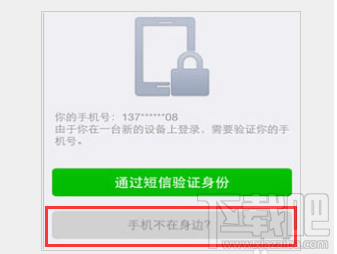 微信換手機號了怎麼登陸 微信怎麼解除手機綁定
微信是一種重要的交通工具,我們每時每刻幾乎都在關注微信的信息,微信登陸時需要輸入手機號碼,當我們更換手機號碼了該怎麼驗證登陸呢?手機不在身邊怎麼使用另一部手
 android開發之橫向滾動/豎向滾動的ListView(固定列頭)
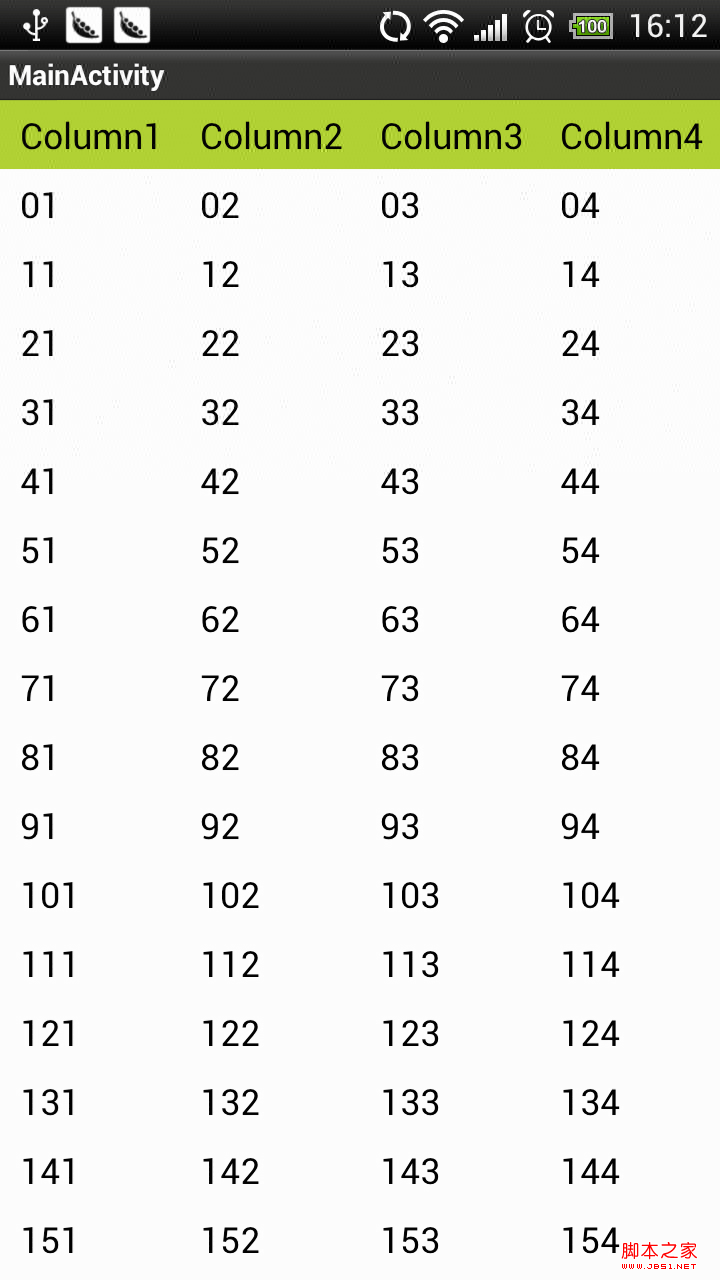
由於項目需要,我們需要一個可以橫向滾動的,又可以豎向滾動的 表格。而且又要考慮大數據量(行)的展示視圖。經過幾天的研究終於搞定,做了一個演示。貼圖如下: &nb
 Android項目開發實戰之使用Fragment和FragmentTabHost搭建底部菜單(一)
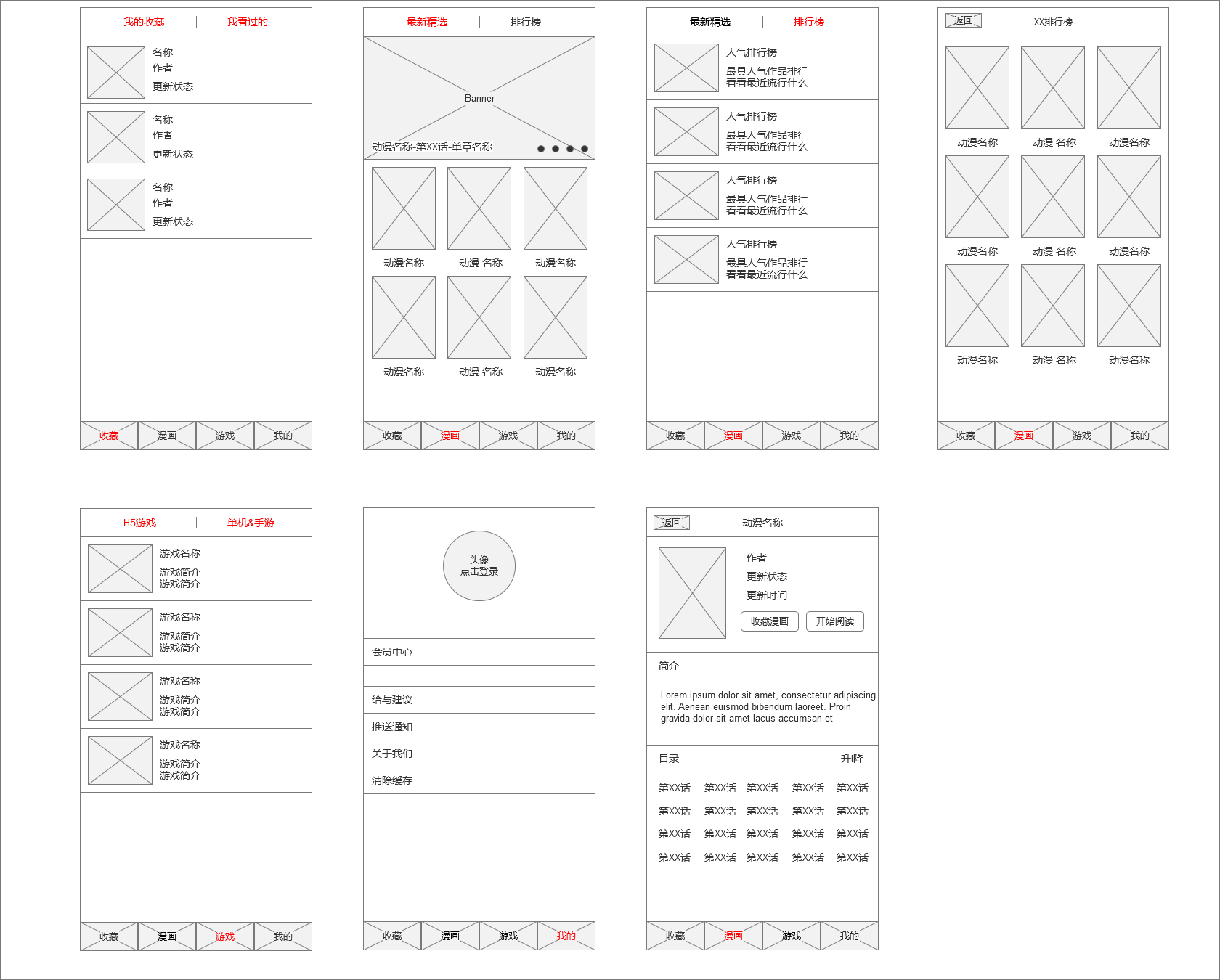
學習在於實用,只有把自己學到的東西真正的融入到我們的開發中,並且使用的得心應手,那才是真正的掌握。而想把技術使用的得心應手並不是一蹴而就的,需要不斷的鞏固自己的知識體系,
 Android Touch事件傳遞原理分析
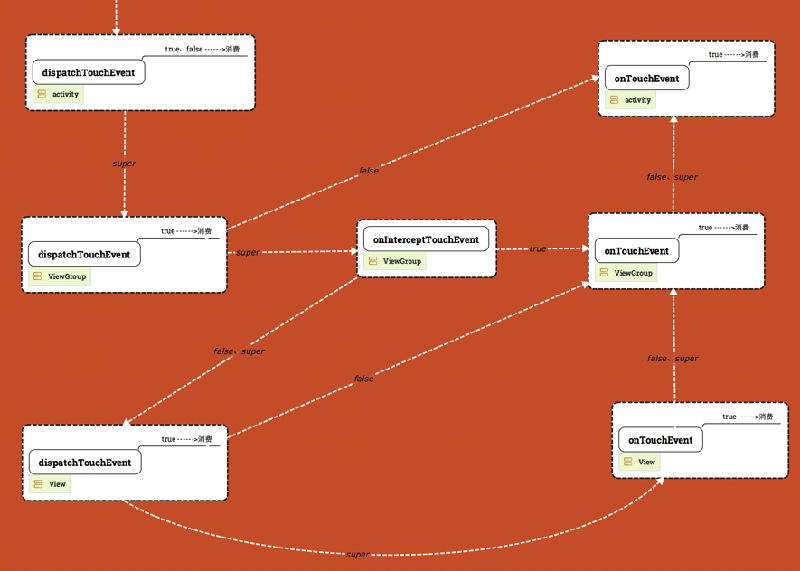
一、Touch事件分析1.Touch事件類型Touch事件被封裝成MotionEvent,用戶當前的touch事件主要類型有:ACTION_DOWN: 表示用戶開始觸摸A