編輯:關於Android編程
本文實例講述了Android編程獲取系統隱藏服務實現鎖屏的方法。分享給大家供大家參考,具體如下:
實現原理:當按鎖屏鍵時,會發出一個廣播,當界面接收到一個廣播就可以實現鎖頻。我們可以調用IDevicePolicyManager服務中的lockNow方法來發送一個廣播實現鎖屏。
IDevicePolicyManager是被系統隱藏掉的,需要通過反射還獲取此服務。
步驟:
1.創建MyAdmin的廣播接收者繼承DeviceAdminReceiver
2.通過反射 ,獲取IDevicePolicyManager服務 ,IDevicePolicyManager通過AIDL來獲取出來。
3.注冊廣播接收者為admin設備
4.獲取服務中的方法
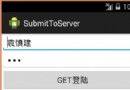
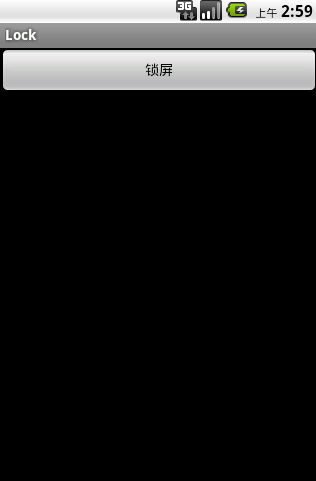
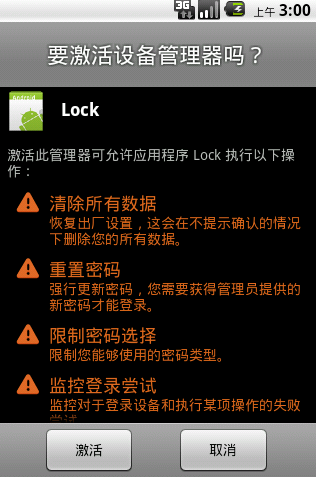
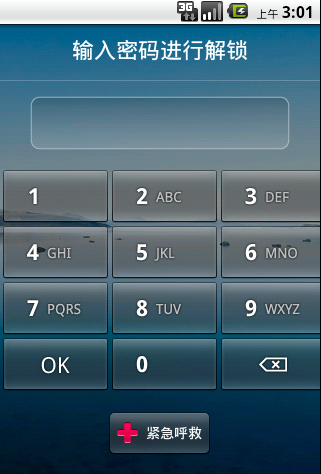
效果圖:
注冊MyAdmin廣播接收者:
<receiver android:name=".MyAdmin">
  <meta-data android:name="android.app.device_admin"
    android:resource="@xml/my_admin" />
  <intent-filter>
    <action android:name="android.app.action.DEVICE_ADMIN_ENABLED" />
  </intent-filter>
</receiver>
my_admin.xml:
<?xml version="1.0" encoding="utf-8"?>
<device-admin xmlns:android="http://schemas.android.com/apk/res/android">
    <uses-policies>
        <limit-password />
        <watch-login />
        <reset-password />
        <force-lock />
        <wipe-data />
    </uses-policies>
</device-admin>
反射獲取服務、注冊權限、實現鎖屏:
public class LockActivity extends Activity {
  IDevicePolicyManager mService;
  @Override
  public void onCreate(Bundle savedInstanceState) {
    super.onCreate(savedInstanceState);
    setContentView(R.layout.main);
  }
  //鎖屏
  public void lock(View view){
    try {
      //通過反射獲取到sdk隱藏的服務
      Method method = Class.forName("android.os.ServiceManager")
          .getMethod("getService", String.class);
      IBinder binder = (IBinder) method.invoke(null,//激活服務
          new Object[] { Context.DEVICE_POLICY_SERVICE });
       mService = IDevicePolicyManager.Stub.asInterface(binder);
       //定義組件的名字
       ComponentName mAdminName = new ComponentName(this, MyAdmin.class);
       //注冊權限
       if (mService != null) {
          //判斷自定義的廣播接受者 是不是被注冊成 deviceadmin的權限
          if (!mService.isAdminActive(mAdminName)) {
                Intent intent = new Intent(
                DevicePolicyManager.ACTION_ADD_DEVICE_ADMIN);
                intent.putExtra(DevicePolicyManager.EXTRA_DEVICE_ADMIN,
                    mAdminName);
                startActivity(intent);
              }
          //調用服務實現鎖屏
          mService.lockNow();
          //設置解鎖密碼
          mService.resetPassword("123", 0);
       }
    } catch (Exception e) {
      e.printStackTrace();
    }
  }
}
AIDL:
/*
**
** Copyright 2010, The Android Open Source Project
**
** Licensed under the Apache License, Version 2.0 (the "License");
** you may not use this file except in compliance with the License.
** You may obtain a copy of the License at
**
**   http://www.apache.org/licenses/LICENSE-2.0
**
** Unless required by applicable law or agreed to in writing, software
** distributed under the License is distributed on an "AS IS" BASIS,
** WITHOUT WARRANTIES OR CONDITIONS OF ANY KIND, either express or implied.
** See the License for the specific language governing permissions and
** limitations under the License.
*/
package android.app.admin;
import android.content.ComponentName;
/**
 * Internal IPC interface to the device policy service.
 * {@hide}
 */
interface IDevicePolicyManager {
  void setPasswordQuality(in ComponentName who, int quality);
  int getPasswordQuality(in ComponentName who);
  void setPasswordMinimumLength(in ComponentName who, int length);
  int getPasswordMinimumLength(in ComponentName who);
  boolean isActivePasswordSufficient();
  int getCurrentFailedPasswordAttempts();
  void setMaximumFailedPasswordsForWipe(in ComponentName admin, int num);
  int getMaximumFailedPasswordsForWipe(in ComponentName admin);
  boolean resetPassword(String password, int flags);
  void setMaximumTimeToLock(in ComponentName who, long timeMs);
  long getMaximumTimeToLock(in ComponentName who);
  void lockNow();
  void wipeData(int flags);
  void setActiveAdmin(in ComponentName policyReceiver);
  boolean isAdminActive(in ComponentName policyReceiver);
  List<ComponentName> getActiveAdmins();
  boolean packageHasActiveAdmins(String packageName);
  void removeActiveAdmin(in ComponentName policyReceiver);
  void setActivePasswordState(int quality, int length);
  void reportFailedPasswordAttempt();
  void reportSuccessfulPasswordAttempt();
}
希望本文所述對大家Android程序設計有所幫助。
 Android源碼中的外觀模式
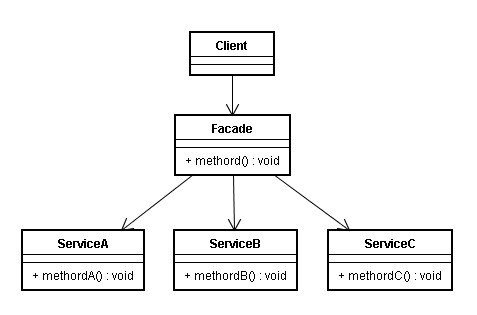
定義外觀模式(Facade Pattern):外部與一個子系統的通信必須通過一個統一的外觀對象進行,為子系統中的一組接口提供一個一致的界面,外觀模式定義了一個高層接口,這
 Android的Service
原來總感覺四大組建Service和Broadcaster Receiver用的少,其實不然,只是因為比較抽象,他們總是默默無聞的在後台進行服務寫了個demo測試了一下,一
 Android屏幕截圖詳解
Android屏幕截圖功能實現這裡介紹兩種方式: 第一種 截取整個屏幕實現方式三種 ImageView imgV = (ImageView) findVie
 Android 中即時聊天或者後台任務需要發送消息的一種解決方案.
在即時聊天中可能會存在一個隱藏的Bug,這個Bug根據手機的網速和性能有關系,比如你即時聊天中,你發送一消息,你的網絡情況不是很好,這個時候你發送的消息一直處於