編輯:關於Android編程
本文實例講述了Android編程自定義Notification的用法。分享給大家供大家參考,具體如下:
Notification是一種讓你的應用程序在不使用Activity的情況下警示用戶,Notification是看不見的程序組件警示用戶有需要注意的事件發生的最好途徑。
作為UI部分,Notification對移動設備來說是最適合不過的了。用戶可能隨時都帶著手機在身邊。一般來說,用戶會在後台打開幾個程序,但不會注意它們。在這樣的情形下,當發生需要注意的事件時,能夠通知用戶是很重要的。
Notification由NotificationManger統一管理,目前包含的能力有:
❑創建一個狀態條圖標。
❑在擴展的狀態條窗口中顯示額外的信息(和啟動一個Intent)。
❑閃燈或LED。
❑電話震動。
❑發出聽得見的警告聲(鈴聲,保存的聲音文件)。
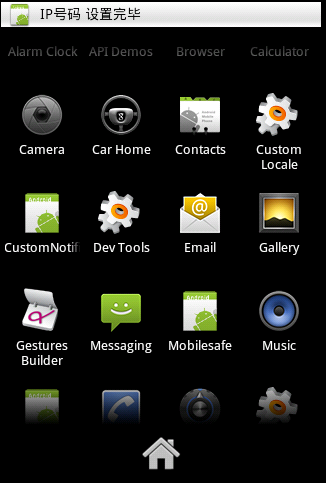
自定義Notification效果圖:
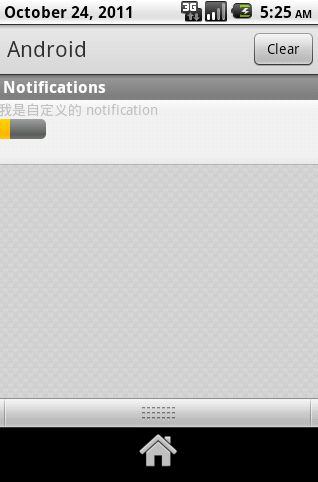
自定義的布局文件:
<?xml version="1.0" encoding="utf-8"?>
<LinearLayout
 xmlns:android="http://schemas.android.com/apk/res/android"
 android:orientation="vertical"
 android:layout_width="match_parent"
 android:layout_height="match_parent">
 <TextView
 android:id="@+id/tv_rv"
 android:layout_width="wrap_content"
 android:layout_height="wrap_content"
 android:text="haha"
 />
<ProgressBar

 android:id="@+id/pb_rv"
 android:layout_width="wrap_content"
 android:layout_height="wrap_content"
 />
</LinearLayout>
創建Notification:
public class CustomNotificationActivity extends Activity {
  NotificationManager notificationManager;
  @Override
  public void onCreate(Bundle savedInstanceState) {
    super.onCreate(savedInstanceState);
    setContentView(R.layout.main);
    //獲取到系統的notificationManager
    notificationManager = (NotificationManager) getSystemService(Context.NOTIFICATION_SERVICE);
  }
  public void click(View view ){
    //實例化一個notification
     String tickerText = "IP號碼 設置完畢";
     long when = System.currentTimeMillis();
     Notification notification = new Notification(R.drawable.icon, tickerText, when);
     //不能手動清理
     //notification.flags= Notification.FLAG_NO_CLEAR;
     //添加音樂
     //notification.sound = Uri.parse("/sdcard/haha.mp3");
     //設置用戶點擊notification的動作
     // pendingIntent 延期的意圖
     Intent intent = new Intent(this,Bactivity.class);
     PendingIntent pendingIntent = PendingIntent.getActivity(this, 0, intent, 0);
     notification.contentIntent = pendingIntent;
     //自定義界面
     RemoteViews rv = new RemoteViews(getPackageName(), R.layout.noti_layout);
     rv.setTextViewText(R.id.tv_rv, "我是自定義的 notification");
     rv.setProgressBar(R.id.pb_rv, 80, 20, false);
     notification.contentView = rv;
     //把定義的notification 傳遞給 notificationmanager
     notificationManager.notify(0, notification);
  }
}
希望本文所述對大家Android程序設計有所幫助。
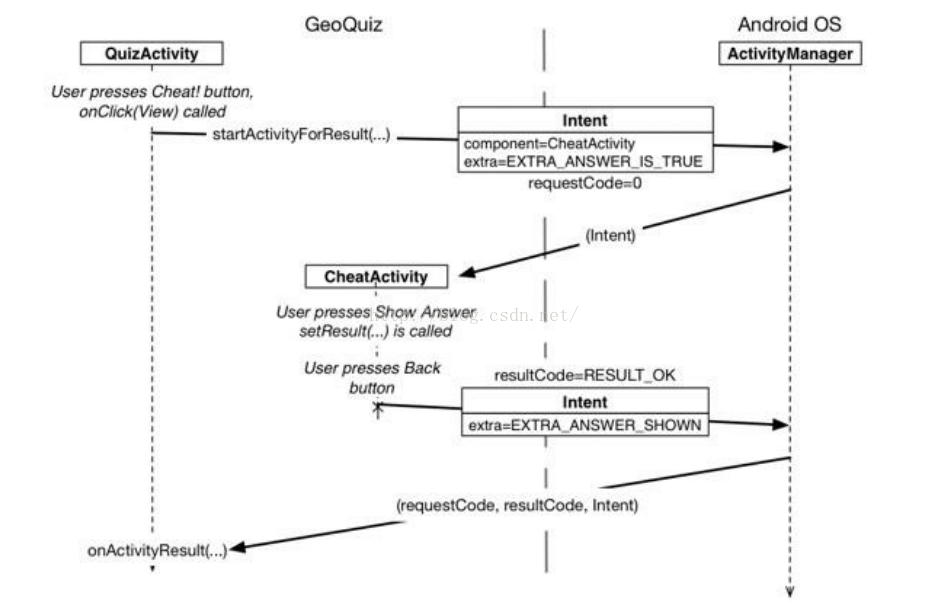 Android APP--兩個Activity傳遞數據
父Activity啟動子Activity,並且向其傳遞消息,子Activity啟動後完成相應的操作後回饋父Activity消息,父Activity完成相應的操作。The
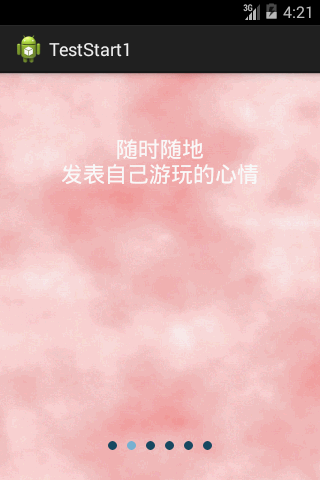 android 第一次啟動滑動界面
一.滑動界面:第一次啟動時除了啟動動畫外,可能還有著滑動功能介紹界面,現在記錄一下這種界面的實現方式,接著上篇啟動動畫之後的效果附加上。效果圖: 界面:&nb
 安卓專項測試之GPU測試探索
背景我們在安卓上進行性能測試時,如果想獲取CPU以及內存等常用性能指標,linux系統自身就提供了現成的方法,谷歌官方甚至公司內部也都提供了大量功能強大的分析工具。而相比
 Android自定義控件基本原理詳解(一)
前言:在日常的Android開發中會經常和控件打交道,有時Android提供的控件未必能滿足業務的需求,這個時候就需要我們實現自定義一些控件,今天先大致了解一下自定義控件